پیژندنه
This manual provides detailed instructions for the installation, operation, and maintenance of your MYPIN Solar Wireless PTZ Security Camera. Please read this manual thoroughly before using the product to ensure proper function and safety. Keep this manual for future reference.
محصول پای ته ورسیدview
څه پکې شامل دي
- MYPIN PTZ Security Camera
- سولر پینل
- Rechargeable Lithium-ion Battery (pre-installed or included separately)
- د بریکٹ او سکرو نصب کول
- د USB چارج کیبل
- د کارن لارښود
کلیدي ځانګړتیاوې
- 1080p بشپړ HD ویډیو: روښانه او مفصل ویډیو foo چمتو کويtage.
- د شپې لید رنګ: Equipped with infrared LEDs and white light for clear night vision, including full-color options.
- Solar Powered & Rechargeable Battery: Continuous power supply through the solar panel, with a built-in rechargeable battery for uninterrupted operation.
- AI Smart Recognition & PIR Motion Detection: Advanced AI technology distinguishes between humans, pets, and vehicles, reducing false alarms.
- دوه طرفه آډیو: Built-in speaker and anti-noise microphone allow for real-time two-way communication.
- د PTZ فعالیت: Pan 335°, Tilt 90°, and 4x digital zoom for flexible viewزاویې
- IP65 د هوا ضد: Designed to withstand various weather conditions, suitable for outdoor use.
- د بیسیم اتصال: Supports 2.4 GHz Wi-Fi for easy installation (5 GHz Wi-Fi not supported).
- د ذخیره کولو ډیری انتخابونه: Supports cloud storage (7-day free playback, max 1GB) and local storage via Micro SD card (up to 128GB, not included).
- د سمارټ کور ادغام: Compatible with Amazon Alexa for voice control and live view.

Image: MYPIN Solar Wireless PTZ Security Camera with its solar panel.
چمتو کول
۱. ابتدايي چارج کول
Before first use, fully charge the camera's built-in battery using the provided USB cable and a 5V/2A power adapter (not included). A full charge ensures optimal performance, especially during initial setup and periods of low sunlight.
۳.۱. د اپلیکیشن نصب او د حساب جوړول
- ډاونلوډ کړئ VicoHome ستاسو د سمارټ فون د اپلیکیشن پلورنځي (iOS یا Android) څخه اپلیکیشن.
- اپلیکیشن پرانیزئ او د سکرین لارښوونې تعقیب کړئ ترڅو یو نوی حساب جوړ کړئ یا که تاسو دمخه یو حساب لرئ نو ننوځئ.
۳. د اپلیکیشن سره د کیمرې جوړه کول
- Ensure your camera is powered on.
- په ویکو هوم ایپ کې، د نوي وسیله اضافه کولو لپاره "+" آیکون باندې کلیک وکړئ.
- د لیست څخه د خپلې کیمرې ماډل غوره کړئ.
- Follow the app's instructions to connect the camera to your 2.4 GHz Wi-Fi network. You may need to scan a QR code displayed on your phone with the camera lens.
- یوځل چې وصل شو، خپل کیمره نوم کړئ او د تنظیم کولو پروسه بشپړه کړئ.
4. Solar Panel and Camera Mounting
The camera and solar panel can be installed in two ways: integrated or separated. Choose a location that provides optimal sunlight exposure for the solar panel and a clear view د کیمرې لپاره.
- د سولر پینل ځای په ځای کول: Mount the solar panel in a location that receives direct sunlight for several hours daily. Ensure the cable can reach the camera.
- د کیمرې ځای پرځای کول: Use the provided mounting bracket and screws to securely attach the camera to a wall or other stable surface. Adjust the camera angle for optimal surveillance coverage.

Image: Illustration of two installation methods for the solar panel and camera, showing both integrated and separate mounting options.
عملیاتي لارښوونې
1. ژوندی View او پلې بیک
- د ویکو هوم ایپ خلاص کړئ او خپله کیمره غوره کړئ ترڅو view ژوندی خواړه
- ثبت شوي foo ته لاسرسیtage through the playback feature in the app.
2. د PTZ کنټرول
په ژوندۍ بڼه view interface, use the on-screen controls to pan (335° horizontally) and tilt (90° vertically) the camera lens. You can also use the digital zoom feature to get a closer look.
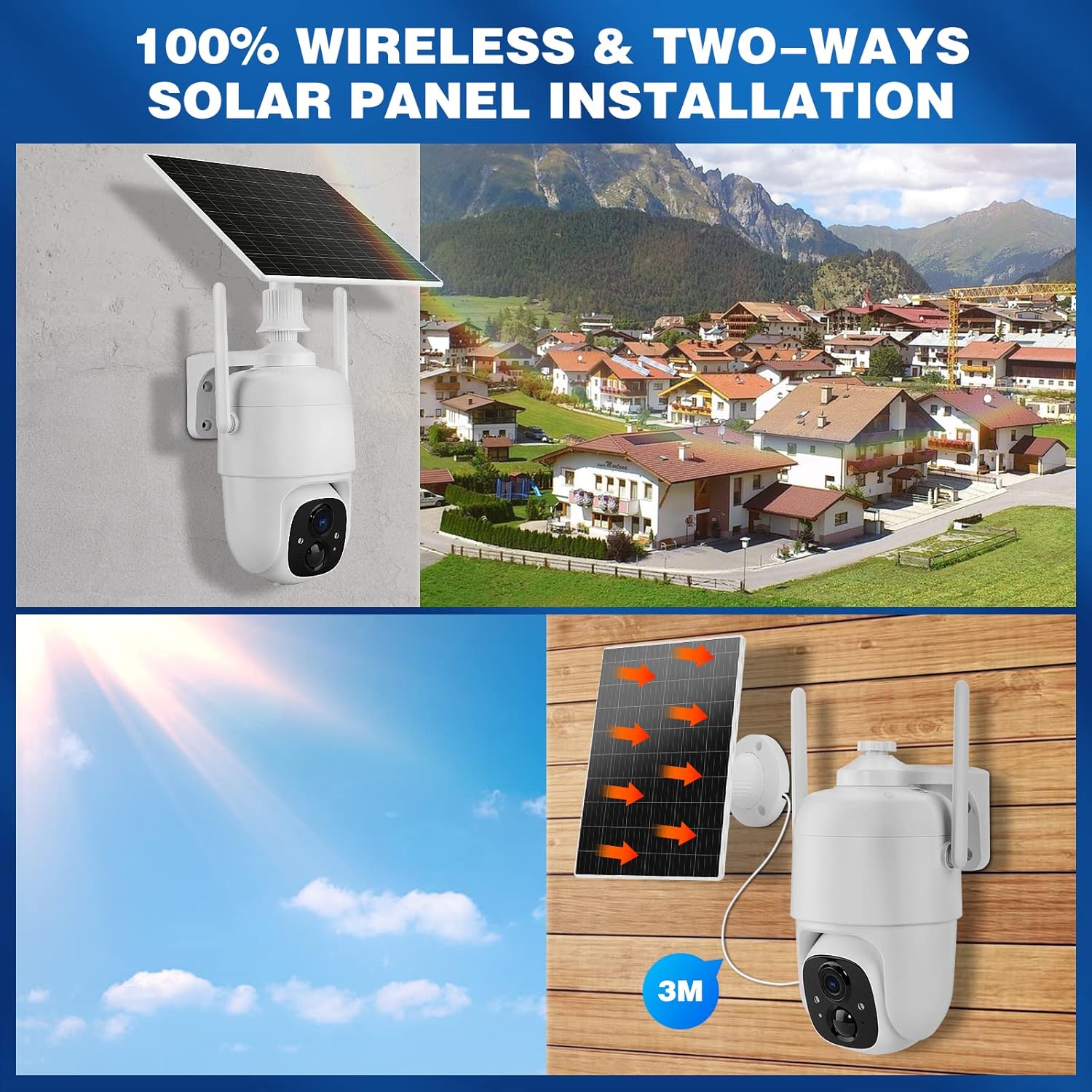
Image: Demonstrates controlling the camera's pan and tilt functions using a smartphone app.
۴.۲. دوه اړخیزه آډیو
د اپلیکیشن په ژوندۍ بڼه کې د مایکروفون آیکون باندې کلیک وکړئ view to speak through the camera's speaker. The camera's built-in microphone will capture audio from the camera's vicinity, allowing for two-way communication.

Image: A person speaking through the camera to a delivery person, demonstrating the two-way audio feature.
۳.۳. د حرکت کشف او خبرتیاوې
- Configure motion detection sensitivity and activity zones within the VicoHome app.
- Enable AI Smart Recognition to differentiate between humans, pets, and vehicles for more accurate alerts.
- کله چې حرکت کشف شي، په خپل سمارټ فون کې سمدستي خبرتیاوې ترلاسه کړئ.

Image: A person walking past a gate, triggering a PIR human detection alert on a smartphone.
۳. د شپې لید طریقې
The camera offers both infrared (IR) night vision and full-color night vision. You can switch between these modes in the app settings based on your preference and lighting conditions.

انځور: یوه ټوټه view showing the difference between color night vision and standard IR night vision at night.
6. د ذخیره کولو اختیارونه
- د بادل ذخیره کول: The camera offers 7 days of free cloud playback (up to 1GB). Additional cloud plans may be available through the app.
- د مایکرو SD کارت: Insert a Micro SD card (up to 128GB, not included) into the designated slot for local video storage.
۳.۴. د ایمیزون الیکسا ادغام
To integrate with Amazon Alexa, enable the VicoHome skill in the Alexa app and link your VicoHome account. You can then use voice commands to view your camera's live feed on compatible Alexa-enabled devices.

Image: A MYPIN camera and an Amazon Echo Show displaying the camera's live feed, illustrating Alexa integration.
ساتنه
1. پاکول
- په منظم ډول د کیمرې لینز او سولر پینل د نرم، ډ سره پاک کړئamp د دوړو او کثافاتو لرې کولو لپاره ټوکر.
- سخت کیمیاوي توکي او کثافات پاکونکي مه کاروئ.
2. د بیټرۍ پاملرنه
- Ensure the solar panel is free from obstructions to maximize charging efficiency.
- If the camera is stored for an extended period, charge the battery periodically to prevent deep discharge.
3. د فرم ویئر تازه معلومات
Check the VicoHome app regularly for firmware updates. Keeping your camera's firmware updated ensures optimal performance, security, and access to new features.
د ستونزو حل کول
| ستونزه | د حل لاره |
|---|---|
| کیمره د وای فای سره نه نښلول کیږي | Ensure your Wi-Fi is 2.4 GHz. Check Wi-Fi signal strength. Restart your router and camera. Re-pair the camera in the app. |
| د ویډیو خراب کیفیت | Check your Wi-Fi connection speed. Clean the camera lens. Ensure adequate lighting for optimal image capture. |
| بیټرۍ چارج نه کوي | Ensure the solar panel is clean and receives direct sunlight. Check the connection cable between the solar panel and camera. Charge directly via USB if necessary. |
| د غلط حرکت خبرتیاوې | Adjust motion detection sensitivity in the app. Utilize AI Smart Recognition to filter out non-human movements. Define specific activity zones. |
| دوه طرفه آډیو کار نه کوي | Check microphone and speaker settings in the app. Ensure your phone's volume is up. Verify network connection stability. |
مشخصات
- ماډل: HS0366
- د ویډیو حل: 1080p بشپړ HD
- د پین زاویه: 335°
- د خښتو زاویه: 90°
- ډیجیټل زوم: 4x
- د شپې لید: انفراریډ او رنګین د شپې لید
- د بیسیم اتصال: وای فای 2.4 GHz (IEEE 802.11b/g/n)
- د بریښنا سرچینه: Solar Powered, Rechargeable Lithium-ion Battery (5 Watt-hours)
- د هوا مقاومت: IP65
- د حرارت درجه: -10°C ته 45°C (14°F ته 113°F)
- ذخیره کول: Cloud Storage (up to 1GB free for 7 days), Micro SD Card (up to 128GB, not included)
- آډیو: Two-Way Audio (built-in microphone and speaker)
- د حرکت کشف: PIR with AI Human/Pet/Vehicle Recognition
- مواد: فلزي
- ابعاد: نږدې 20.2 x 19.7 x 13.9 سانتي متره
- وزن: تقریبا 1.27 کیلوګرامه

Image: The MYPIN camera and solar panel installed outdoors during winter, highlighting its IP65 waterproof rating and operating temperature range.
تضمین او ملاتړ
For warranty information and technical support, please refer to the contact details provided with your purchase or visit the official MYPIN webسایټ. د تضمین ادعاوو لپاره د پیرود ثبوت په توګه د پیرود رسید وساتئ.


