1. پیژندنه
This manual provides comprehensive instructions for the setup, operation, maintenance, and troubleshooting of your SteelSeries Arctis Nova 3 Multi-Platform Gaming Headset. Please read this manual thoroughly before using the product to ensure optimal performance and longevity.
The Arctis Nova 3 headset features the custom-designed Nova Acoustic System with High Fidelity Drivers, 360° Spatial Audio, and a 10-band Parametric EQ. It includes an AI-powered noise-cancelling ClearCast Gen 2 microphone and dynamic RGB lighting. Designed for multi-platform compatibility, it connects via USB-C to PC, PlayStation, Xbox Series X|S, Switch, and mobile devices.
2. محصول ختم شوview
2.1 د بسته محتويات
- د سټیل سیریز آرکټیس نووا ۳ ګیمینګ هیډسیټ
- USB-C ته USB-C کیبل
- USB-C ته USB-A اډیپټر کیبل
- USB-C تر 3.5mm آډیو کیبل
- اسناد (دا لارښود)
۳.۱ د هیډسیټ اجزا
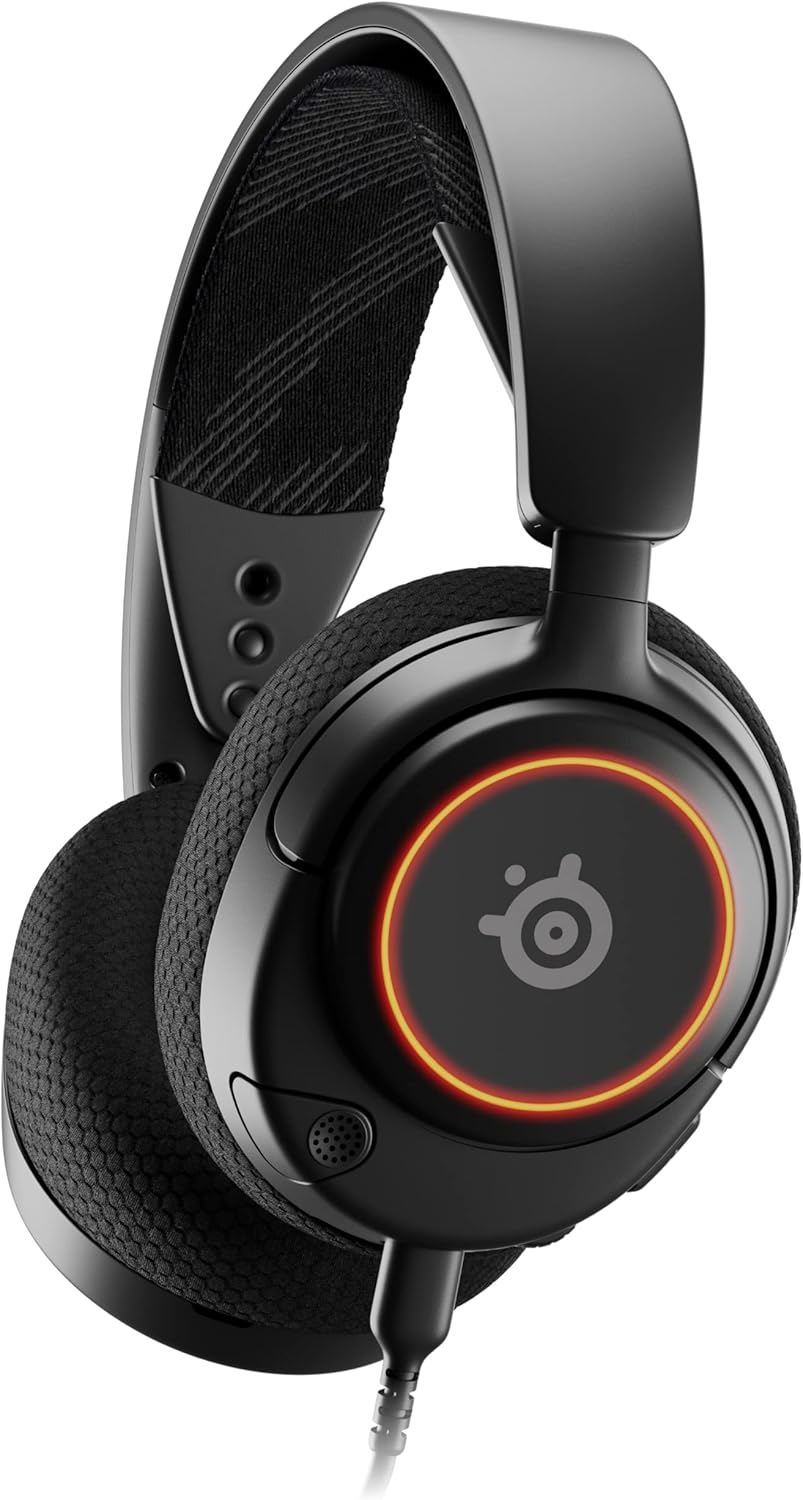
شکل 1: مخکی view of the Arctis Nova 3 headset.

شکل 2: Key features of the Arctis Nova 3, including ComfortMAX System, 360° Spatial Audio, Dual-Zone RGB, Nova Acoustic System, ClearCast Gen 2 AI-Powered Noise-Cancelling Mic, and Multi-Platform Support.
- ComfortMAX System: Features height-adjusting, rotating earcups with AirWeave Memory Foam cushions and a stretchy band for comfortable wear.
- ClearCast Gen 2 Mic: AI-powered noise-cancelling microphone, fully retractable into the earcup.
- Dual-Zone RGB Lighting: Customizable 16.8 million color options on the earcups.
- Nova Acoustic System: Custom-designed with High Fidelity Drivers for superior sound.
- کنټرولونه: Volume wheel and microphone mute switch located on the earcup.
- د نښلولو بندر: USB-C port for various cable connections.
3. ترتیب کول
۵.۱ د هیډسیټ نښلول
The Arctis Nova 3 offers versatile connectivity options:
- د USB-C اتصال: Use the provided USB-C to USB-C cable to connect directly to devices with a USB-C port (e.g., PC, PlayStation 5, Nintendo Switch, mobile devices).
- د USB-A اتصال: For devices with only USB-A ports, use the USB-C to USB-A adapter cable. Connect the USB-C end to the headset and the USB-A end to your device.
- د 3.5mm آډیو پیوستون: For devices requiring a 3.5mm audio jack (e.g., Xbox controllers, older consoles, some mobile devices), use the USB-C to 3.5mm audio cable. Connect the USB-C end to the headset and the 3.5mm jack to your device.
ویډیو 1: محصول پای ته ورسیدview demonstrating various connectivity options and features of the Arctis Nova 3 headset.
ویډیو 2: یو ۱۸۰ درجې view of the Arctis Nova 3 Black headset, showcasinد هغې ډیزاین او ځانګړتیاوې له ټولو زاویو څخه.
۳.۲ د فټ تنظیم کول
The ComfortMAX System allows for personalized fit:
- د سر بند تنظیم کول: The elastic suspension band can be adjusted to different lengths using the three holes on each side of the headband, ensuring a comfortable fit that distributes weight evenly.
- د غوږ کپ څرخېدل: The earcups can rotate 90 degrees, allowing the headset to lay flat for storage or comfortable resting around the neck.

شکل 3: The adjustable headband and rotating earcups of the Arctis Nova 3 for a personalized and comfortable fit.

شکل 4: The super lightweight design (253g) of the Arctis Nova 3 with memory foam earcup cushions for extended comfort.
4. عملیاتي لارښوونې
۴.۲ د غږ کنټرولونه
- حجم ویل: Rotate the wheel on the left earcup up or down to adjust the headset's audio volume.
- د مایکروفون خاموش سویچ: Slide the switch on the left earcup to mute or unmute the ClearCast Gen 2 microphone. An orange indicator will be visible when muted.
۶.۴ د مایکروفون کارول
- غځول/بیرته اخیستل: The ClearCast Gen 2 microphone is fully retractable. Gently pull it out from the left earcup for use and push it back in for storage.
- موقعیت: د غږ د غوره وضاحت لپاره مایکروفون له خپلې خولې څخه نږدې ۱-۲ انچه لرې ځای په ځای کړئ.

شکل 5: The ClearCast Gen 2 mic, which silences background noise and fully retracts into the earcup.
4.3 RGB Lighting Customization (PC Only)
Dynamic RGB lighting can be customized via the SteelSeries Engine software on PC. This allows for 16.8 million color options and reactive lighting effects.

شکل 6: Customizable PrismSync RGB lighting with 16.8 million colors on the Arctis Nova 3 headset.
5. ساتنه
- پاکول: Use a soft, dry cloth to clean the headset. Avoid abrasive cleaners or solvents.
- ذخیره کول: هیډسیټ په یخ او وچ ځای کې د مستقیم لمر وړانګو او سختې تودوخې څخه لرې وساتئ.
- د کیبل پاملرنه: د زیان د مخنیوي لپاره په کیبلونو کې د تیزو کږو یا ډیر کشولو څخه ډډه وکړئ.
6. ستونزه حل کول
| ستونزه | احتمالي لامل | د حل لاره |
|---|---|---|
| د هیډسیټ څخه هیڅ غږ نشته | Incorrect connection, low volume, muted device. | Ensure cables are securely connected. Check headset volume wheel and device audio settings. Confirm device is not muted. |
| مایکروفون کار نه کوي | Microphone muted, incorrect input device selected, mic not extended. | Check microphone mute switch (orange indicator means muted). Ensure microphone is fully extended. Verify correct input device is selected in your system's sound settings. |
| RGB lighting not working (PC) | Software issue, incorrect USB connection. | Ensure SteelSeries Engine software is installed and updated. Confirm headset is connected via USB-C or USB-A (RGB not supported via 3.5mm). |
| د کارولو پرمهال ناامني | نامناسب فټ. | Adjust the elastic headband and earcup positions for optimal comfort. |
7. مشخصات
| فیچر | تفصیل |
|---|---|
| د ماډل نوم | SteelSeries Arctis Nova 3 Multi-Platform Gaming Headset |
| د ماډل شمیره | 61631 |
| د ارتباط ټیکنالوژي | USB-C (includes USB-A and 3.5mm adapters) |
| د آډیو ډرایور ډول | Dynamic Driver (Nova Acoustic System) |
| د تعدد ځواب | 20-22000 Hz |
| خنډ | 36 اوم |
| مایکروفون | ClearCast Gen 2 AI-Powered Noise-Cancelling, Retractable |
| ځایی آډیو | 360° Spatial Audio (compatible with Tempest 3D Audio for PS5 / Microsoft Spatial Sound) |
| وزن | ۷.۳۷ اونس (تقریبا ۲۰۹ ګرامه) |
| ابعاد (LxWxH) | 7.32 x 6.82 x 3.47 انچه |
| مواد | Foam, Aluminum |
| د RGB رڼا | Dynamic 16.8 million color options (PrismSync RGB) |
| مطابقت لرونکې وسیلې | PC, PlayStation 5|4, Xbox Series X|S, Switch, Mobile |
8. تضمین او ملاتړ
For warranty information and technical support, please visit the official SteelSeries webسایټ ته مراجعه وکړئ یا د دوی د پیرودونکو خدماتو سره اړیکه ونیسئ. د تضمین ادعاوو لپاره د پیرود ثبوت وساتئ.
Official SteelSeries Webسایټ: SteelSeries Store on Amazon