1. پیژندنه
This manual provides detailed instructions for the proper use and maintenance of your ORICO PSSD 512GB Portable Solid State Drive. Please read this manual thoroughly before using the device to ensure optimal performance and longevity.
2. د بسته محتويات
ډاډ ترلاسه کړئ چې ټول توکي ستاسو په کڅوړه کې شتون لري:
- ORICO PSSD Portable SSD (512GB)
- USB-C to USB-A/USB-C Data Cable (0.3 meter)
- د کارن لارښود
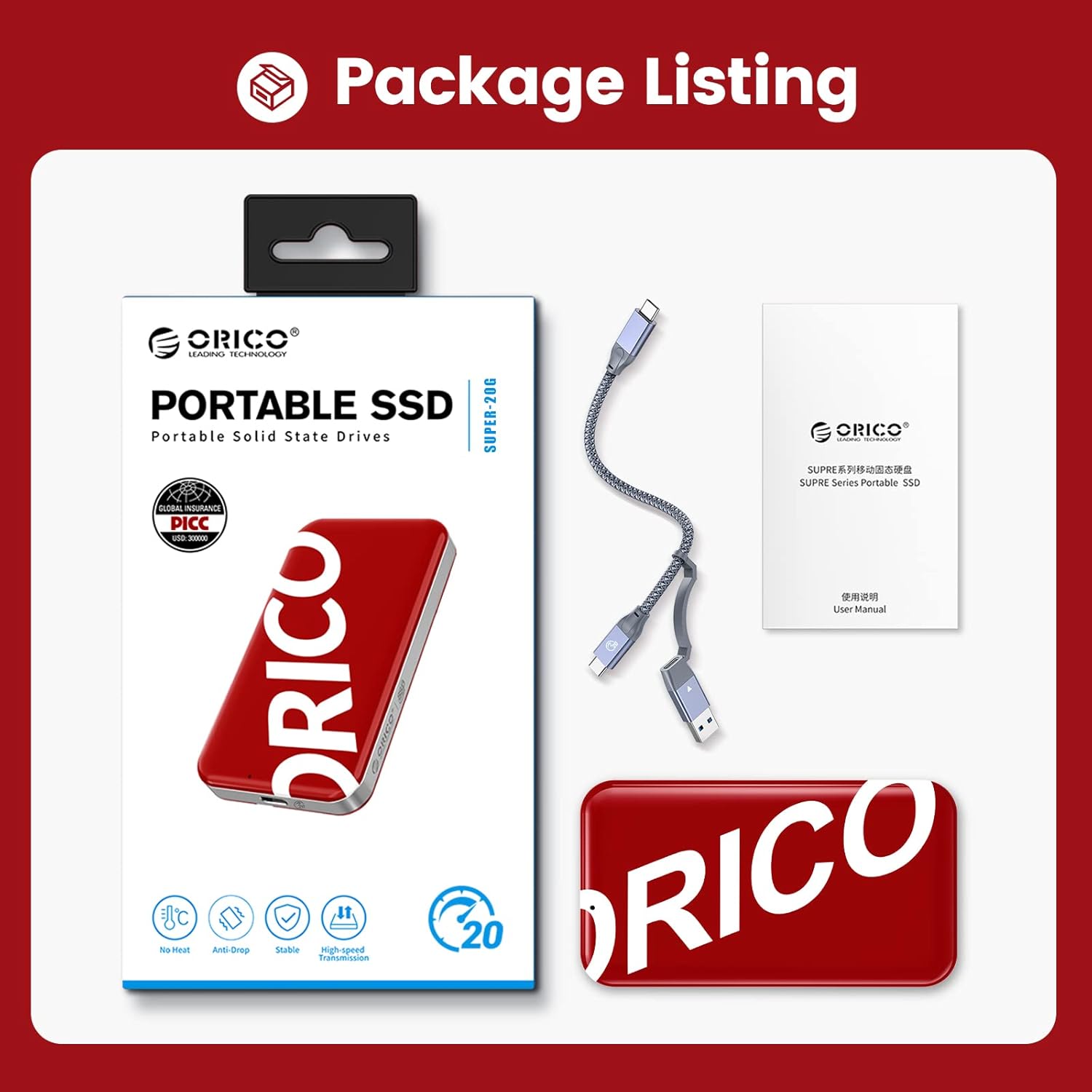
Image: The ORICO PSSD package showing the portable SSD, the included data cable, and the user manual.
3. تنظیم او پیوستون
The ORICO PSSD is designed for simple plug-and-play operation. Follow these steps to connect your SSD:
- Identify the correct port: Locate an available USB-C or USB-A port on your computer, laptop, smartphone, game console, or router.
- کیبل سره وصل کړئ: Use the provided 0.3-meter two-in-one USB-C to USB-A and USB-C data cable. Connect the USB-C end to the ORICO PSSD.
- Connect to host device: Connect the other end of the cable (either USB-A or USB-C, depending on your device's port) to your host device.
- اتوماتیک پیژندنه: The ORICO PSSD should be automatically recognized by your operating system. No additional drivers are typically required.
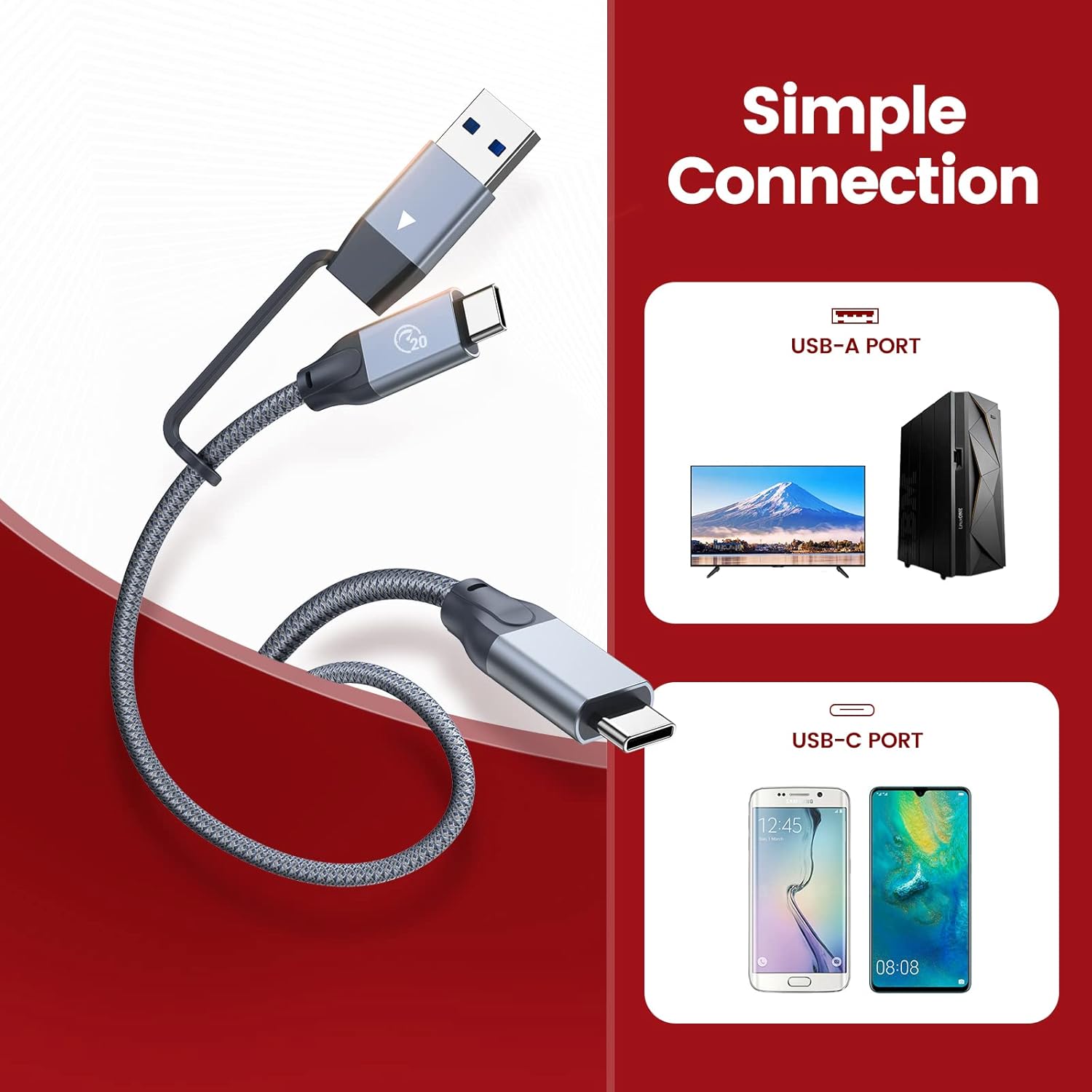
Image: A diagram illustrating how to connect the ORICO PSSD using the included USB-C to USB-A/USB-C cable to both USB-A and USB-C host devices.
4. عملیاتي لارښوونې
The ORICO PSSD offers high-speed data transfer and broad compatibility.
4.1 د معلوماتو لیږد
Once connected, the SSD will appear as an external storage device. You can drag and drop files, copy, or move data as you would with any other external drive. For optimal performance, ensure your host device supports USB 3.2 Gen 2X2 (20Gbps) and UASP acceleration protocol.
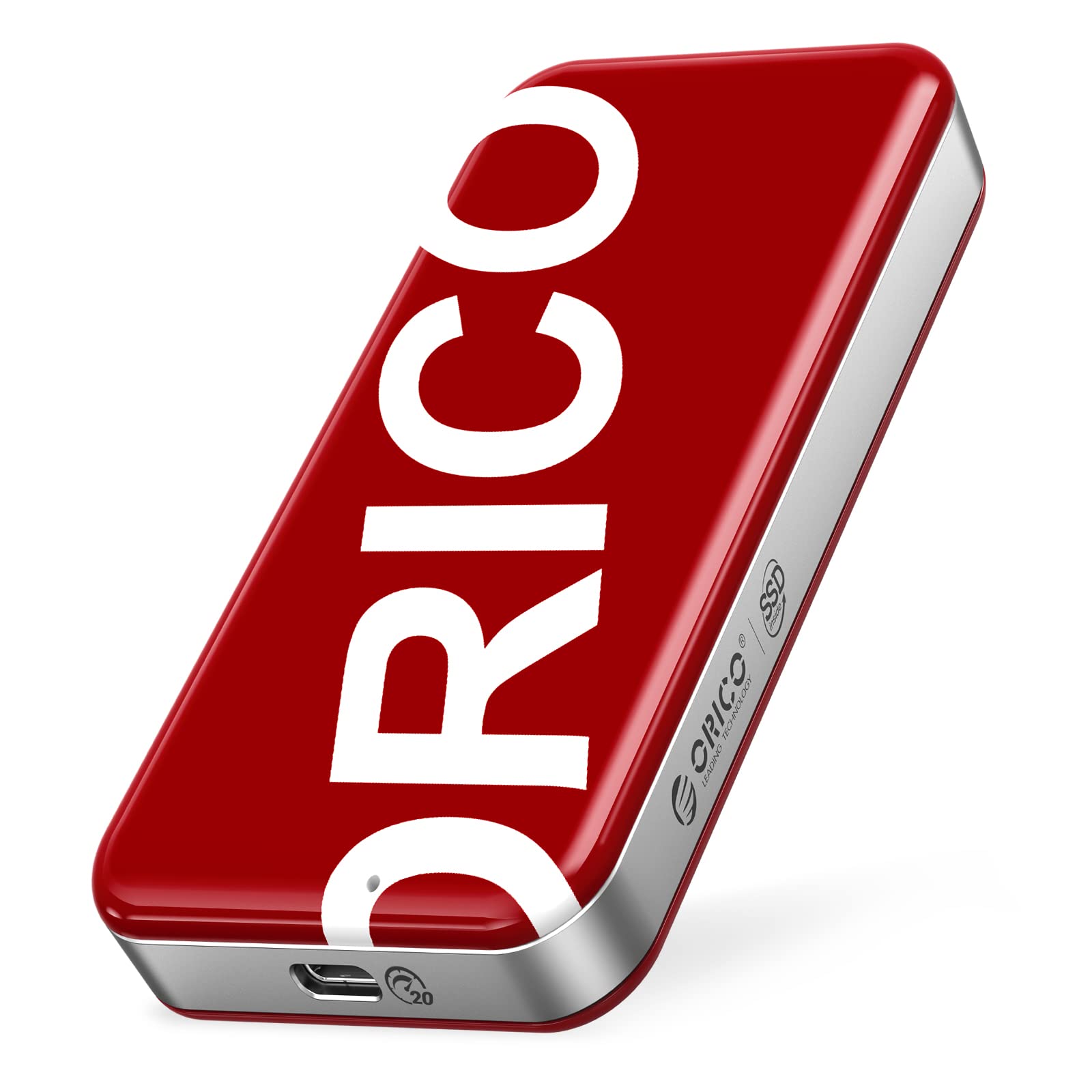
Image: A visual representation of the ORICO PSSD connected to a laptop, demonstrating ultra-fast read and write speeds (up to 2060 MB/s read, 1822 MB/s write) via a speed test application.
4.2 مطابقت
The ORICO PSSD is compatible with a wide range of operating systems and devices:
- عملیاتي سیسټمونه: Windows, Mac OS, Linux, Android, iPad OS.
- وسایل: PCs, notebooks, smartphones, game consoles (e.g., Xbox), routers, cameras, and smart TVs.
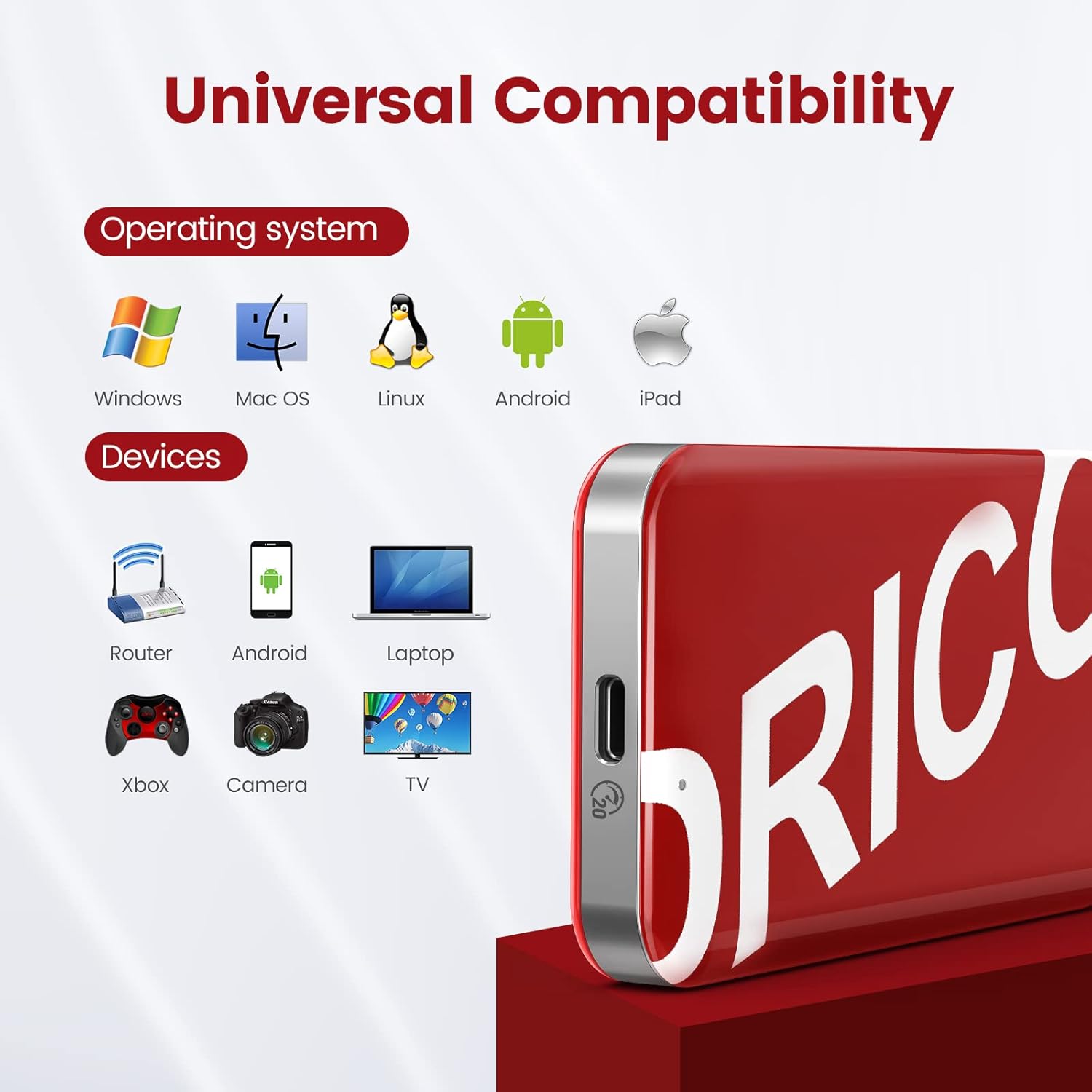
Image: An illustration showing the ORICO PSSD's compatibility with various operating systems (Windows, Mac OS, Linux, Android, iPad) and devices (Router, Android phone, Laptop, Xbox, Camera, TV).

Image: A close-up of the ORICO PSSD's USB-C port, highlighting its USB3.2 Gen2X2 20Gbps capability with UASP support, and a visual comparison of USB3.2 vs USB2.0 speeds.
5. ساتنه او پالنه
To ensure the longevity and optimal performance of your ORICO PSSD, follow these maintenance guidelines:
- فزیکي ساتنه: The SSD features an IML high-end technology plastic shell and zinc alloy middle frame, providing scratch resistance, strong corrosion resistance, and durability against shocks and drops. While robust, avoid excessive force or impact.
- دحرارت درجه: The device is designed to operate without excessive heat, ensuring stable data transmission. Store and operate within recommended environmental temperatures.
- خوندي اخراج: تل د معلوماتو د فساد د مخنیوي لپاره د SSD د منقطع کولو دمخه په خوندي ډول له خپل عملیاتي سیسټم څخه وباسئ.
- پاکول: د SSD بهرنۍ برخه پاکولو لپاره له نرم، وچ ټوکر څخه کار واخلئ. د مایع پاکوونکو یا کثافاتو موادو څخه ډډه وکړئ.
6. ستونزه حل کول
If you encounter issues with your ORICO PSSD, refer to the following common solutions:
- وسیله نه پیژندل شوې:
- ډاډ ترلاسه کړئ چې کیبل په خوندي ډول د SSD او کوربه وسیلې دواړو سره وصل دی.
- Try connecting to a different USB port on your host device.
- که شتون ولري د بل USB کیبل سره ازموینه وکړئ.
- خپل کوربه وسیله بیا پیل کړئ.
- د معلوماتو د لیږد ورو سرعت:
- Verify that your host device's USB port supports USB 3.2 Gen 2X2 (20Gbps) or at least USB 3.2 Gen 2 (10Gbps) for optimal speeds. Older USB 2.0 ports will significantly limit performance.
- ډاډ ترلاسه کړئ چې ستاسو عملیاتي سیسټم او ډرایورونه تازه دي.
- Confirm that UASP (USB Attached SCSI Protocol) is enabled on your system, if supported.
- د ډیرو کوچنیو لیږد څخه ډډه وکړئ files simultaneously, as this can reduce overall transfer rates compared to large files.
- د معلوماتو فساد یا تېروتنې:
- Always safely eject the SSD before disconnecting.
- Check the SSD for errors using your operating system's disk utility tools.
7. مشخصات
Detailed technical specifications for the ORICO PSSD 512GB Portable SSD:
| فیچر | مشخصات |
|---|---|
| د ډیجیټل ذخیره کولو ظرفیت | 512 جي بي |
| د هارډ ډیسک انٹرفیس | USB 3.2 |
| د ارتباط ټیکنالوژي | USB |
| برانډ | ORICO |
| ځانګړی ځانګړنه | د پورټ وړ |
| د هارډ ډیسک توضیحات | د سولیډ ریاست ډرایو |
| مطابقت لرونکې وسیلې | ډیسکټاپ، لیپټاپ، سمارټ فون |
| د لګولو ډول | بهرنۍ هارډ ډرایو |
| رنګ | تور |
| د لوستلو سرعت | تر 2060 MB/s پورې |
| د معلوماتو د لیږد کچه | Up to 2060 Megabits Per Second (20Gbps) |
| د فارم فکتور | د پورټ وړ |
| د ماډل شمیره | ORICO PSSD |
| جوړ شوی میډیا | بهرنۍ SSD |
| د تړلو موادو | NAND flash, IML plastic shell, zinc alloy frame |
8. د تضمین معلومات
The ORICO PSSD comes with a 3 کلن تضمین from the date of purchase. This warranty covers manufacturing defects and malfunctions under normal use. Please retain your proof of purchase for warranty claims. The warranty does not cover damage caused by misuse, accidents, unauthorized modifications, or natural disasters.
9. ملاتړ
For further assistance, technical support, or warranty inquiries, please visit the official ORICO webسایټ یا د دوی د پیرودونکو خدماتو سره اړیکه ونیسئ. تاسو کولی شئ په دې اړه نور معلومات او سرچینې ومومئ ORICO Brand Store on Amazon.


