پیژندنه
Thank you for choosing the WARSUN Y36 and Y39 LED Work Lights. These portable, rechargeable work lights are designed for various applications, including car repair, camping, and emergency situations. This manual provides essential information for the safe and effective use of your device. Please read it thoroughly before operation and retain it for future reference.

Image: WARSUN Y36 (yellow) and Y39 (orange) LED Work Lights.
د خوندیتوب معلومات
د خوندي عملیاتو ډاډ ترلاسه کولو لپاره ، مهرباني وکړئ لاندې احتیاطي تدابیر ونیسئ:
- کله چې LED څراغ روښانه وي، په مستقیم ډول ورته مه ګورئ، ځکه چې دا کولی شي د سترګو فشار یا زیان لامل شي.
- Keep the device away from water and moisture. This product is not water-resistant.
- Do not disassemble, repair, or modify the device. Contact authorized service personnel for any repairs.
- د ماشومانو د لاسرسي څخه لرې وساتئ.
- یوازې چمتو شوي یا وړاندیز شوي چارجینګ کیبلونه او اډاپټرونه وکاروئ.
- د اوږدې مودې لپاره د خورا تودوخې یا مستقیم لمر وړانګو ته د وسیلې له څرګندولو څخه ډډه وکړئ.
- د بیټرۍ او الکترونیکي اجزاو ځایي مقرراتو سره سم تصفیه کړئ.
محصول پای ته ورسیدview
Familiarize yourself with the components of your WARSUN LED Work Light.

Image: WARSUN Y36 Component Diagram. This diagram illustrates the key features of the Y36 model, including the COB light panel, magnetic base, integrated hook, and USB port.

Image: WARSUN Y39 Component Diagram. This diagram highlights the COB panel, power switch, wall hanging hole, metal hook, strong magnet, and Micro USB port for the Y39 model.
- د COB LED پینل: Provides bright, wide-angle illumination.
- د بریښنا تڼۍ: Controls power and switches between lighting modes.
- USB Input/Output Port: For charging the work light and for using it as a power bank.
- مقناطیسي اساس: د لاسونو څخه پاک عملیاتو لپاره د فلزي سطحو سره وصل کیدو ته اجازه ورکوي.
- مدغم شوی هک: For hanging the light in various locations.
- Bracket Design (Y36): Provides a stand for directional lighting.
- Wall Hanging Hole (Y39): For mounting on a wall.
چمتو کول
د کار رڼا چارج کول
Before first use, fully charge your WARSUN LED Work Light.
- Locate the USB input/output port on the side of the work light.
- Connect the provided USB charging cable to the port and plug the other end into a suitable USB power source (e.g., wall adapter, computer USB port).
- د چارج کولو شاخص څراغ به د چارج کولو پرمهال سور روښانه کړي.
- یوځل چې په بشپړ ډول چارج شي ، د شاخص څراغ به شنه شي.

Image: Charging Indicator. The red light signifies that the device is currently charging, while the green light indicates that the battery is fully charged.
د بریښنا بانک په توګه کارول
The work light can also be used to charge other devices.
- Connect your mobile phone or other electronic device to the USB output port of the work light using your device's charging cable.
- The work light's internal battery will begin charging your connected device.

Image: Power Bank Function. The Y36 work light can be used to charge mobile phones and other USB-powered devices.
عملیاتي لارښوونې
Turning On and Changing Modes
The work light features multiple lighting modes:
- Press the power button once to turn on the light in High brightness mode.
- Press the power button again to switch to Medium brightness mode.
- Press the power button a third time to switch to Low brightness mode (or Strobe mode, depending on model).
- د رڼا د بندولو لپاره څلورم ځل د بریښنا تڼۍ فشار ورکړئ.
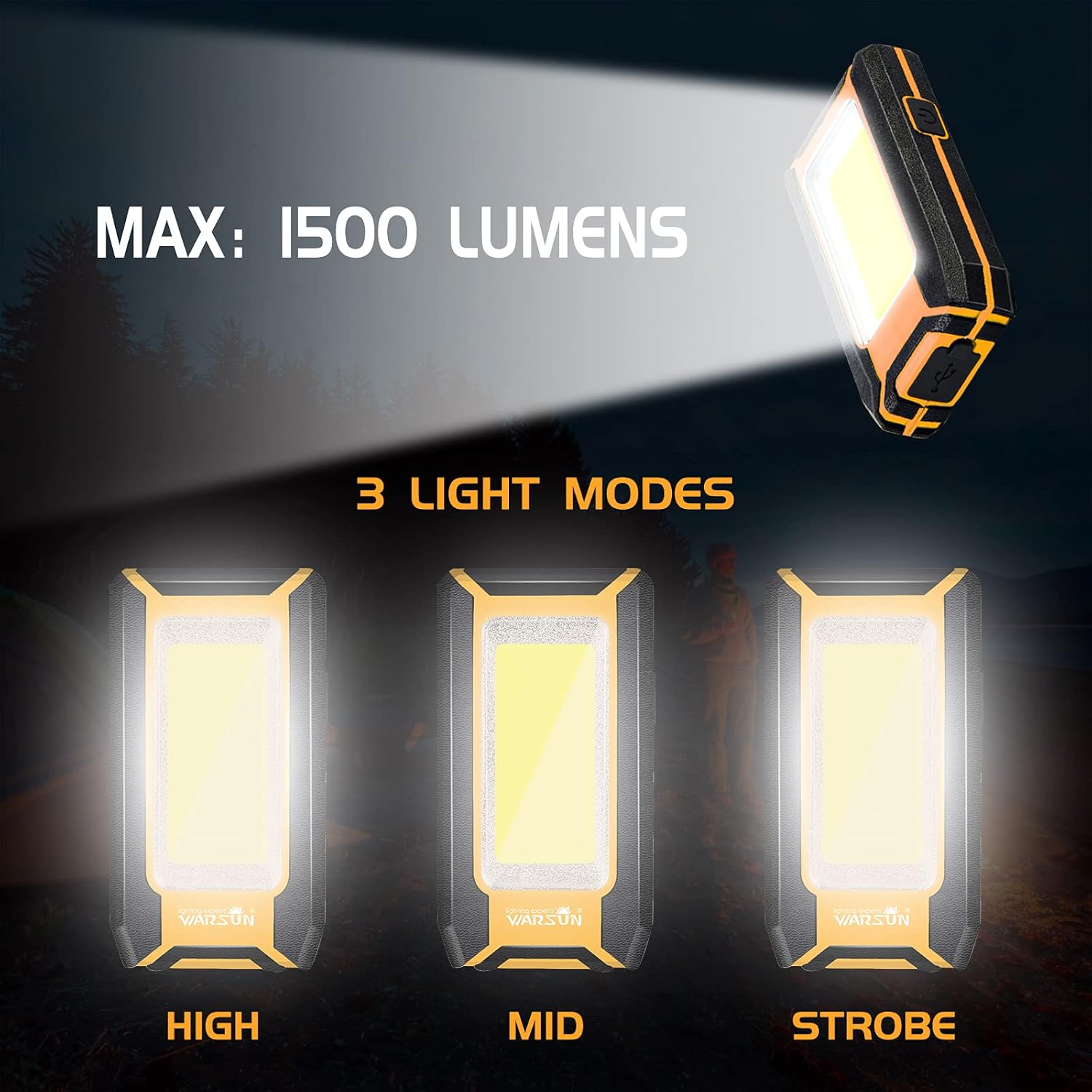
Image: Three Light Modes. The work light offers High, Mid, and Strobe (or Low) brightness settings for various needs.
د مقناطیسي اساس کارول
The strong magnetic base allows for hands-free operation.
- Attach the magnetic base to any ferrous metal surface, such as a car hood, metal beam, or workbench.
- Ensure the light is securely attached before releasing دا.

Image: Magnetic Design in Use. The integrated magnet allows the light to be securely attached to metal surfaces, providing convenient hands-free illumination for tasks like car repair.
Using the Integrated Hook
The integrated hook provides additional mounting options.
- Extend the hook from the back of the work light.
- Hang the light on tents, pipes, or other suitable structures for overhead or directional lighting.

Image: Hook Design. The retractable hook allows for versatile hanging options, making it suitable for various environments.
ساتنه
پاکول
- ډاډ ترلاسه کړئ چې وسیله بنده شوې ده او د پاکولو دمخه د بریښنا له هرې سرچینې څخه منقطع شوې ده.
- Wipe the exterior of the work light with a soft, damp ټوکر
- د کثافاتو پاکوونکي، محلولونه، یا سخت کیمیاوي مواد مه کاروئ، ځکه چې دا کولی شي پای ته زیان ورسوي.
ذخیره کول
- د کار څراغ په یخ او وچ ځای کې د مستقیم لمر وړانګو او سختې تودوخې څخه لرې وساتئ.
- If storing for an extended period, charge the battery to approximately 50% every 3-6 months to maintain battery health.
د ستونزو حل کول
If you encounter issues with your WARSUN LED Work Light, refer to the table below:
| ستونزه | احتمالي لامل | د حل لاره |
|---|---|---|
| ر Lightا نه ځي. | بیټرۍ ختمه شوې. | د کار څراغ په بشپړه توګه چارج کړئ. |
| رڼا تیاره ده. | بیټرۍ ټیټه ده. | د کار څراغ بیا چارج کړئ. |
| بهرنۍ وسیله نشي چارج کیدی. | Work light battery is too low or cable is faulty. | Ensure work light is sufficiently charged. Try a different USB cable. |
| د چارج کولو شاخص کار نه کوي. | د چارج کولو کیبل یا د بریښنا سرچینې ستونزه. | د چارج کولو بل کیبل یا د USB بریښنا اډاپټر هڅه وکړئ. |
مشخصات
| فیچر | تفصیل |
|---|---|
| برانډ | وارسون |
| موډلونه | Y36، Y39 |
| د رڼا سرچینې ډول | COB LED |
| روښانتیا | Up to 1200 Lumens (Y36), Up to 1500 Lumens (Y39) |
| د بریښنا سرچینه | د بیټرۍ چلول (د چارج وړ لیتیم آیون) |
| د بیټرۍ ظرفیت | 2 x 1800 mAh (Total 3600 mAh) |
| والیtage | 3.7 ولټه (DC) |
| مواد | د المونیم مصر |
| ځانګړي ځانګړتیاوې | Durable, Portable, Rechargeable, Magnetic Base, Integrated Hook, Power Bank Function |
| د اوبو د مقاومت کچه | د اوبو مقاومت نلري |
| شاملې برخې | بیټرۍ |
تضمین او ملاتړ
WARSUN offers a 30-day money-back guarantee and a 1-year limited warranty for this product. For warranty claims or technical support, please refer to your purchase documentation or contact WARSUN customer service through the retailer where the product was purchased.


