1. پیژندنه
This manual provides detailed instructions for the Vanja USB-C SD Card Reader, Model 430C. This device is designed for high-speed data transfer between various memory cards and USB-C enabled devices. Please read this manual thoroughly to ensure proper usage and optimal performance.
2. محصول ختم شوview
The Vanja USB-C SD Card Reader (Model 430C) is a compact and efficient tool for managing data from various memory card formats. It features a USB-C interface for broad compatibility and high-speed data transfer.
کلیدي ځانګړتیاوې:
- د USB 3.2 Gen 1 انٹرفیس: Supports data transfer speeds up to 5 Gbps, enabling quick transfer of large files.
- د یونیورسل کارت مطابقت: Reads SD, MicroSD, SDXC, SDHC, MMC, and UHS-I cards up to 2TB capacity.
- د پراخه وسیلې ملاتړ: Compatible with iPhone 15/16 series, MacBook Pro, iPad, Mac desktops, Windows laptops, and USB-C Android devices.
- د تار نښلول: Ensures stable and reliable data transfer without wireless interference or battery concerns.
- پلګ او پلی کول: No drivers or complex setup required for most operating systems (iOS, iPadOS, macOS, Windows, Android).
- کمپیکٹ او دوامدار ډیزاین: Features an aluminum shell for heat dissipation and a nylon cable for enhanced durability.
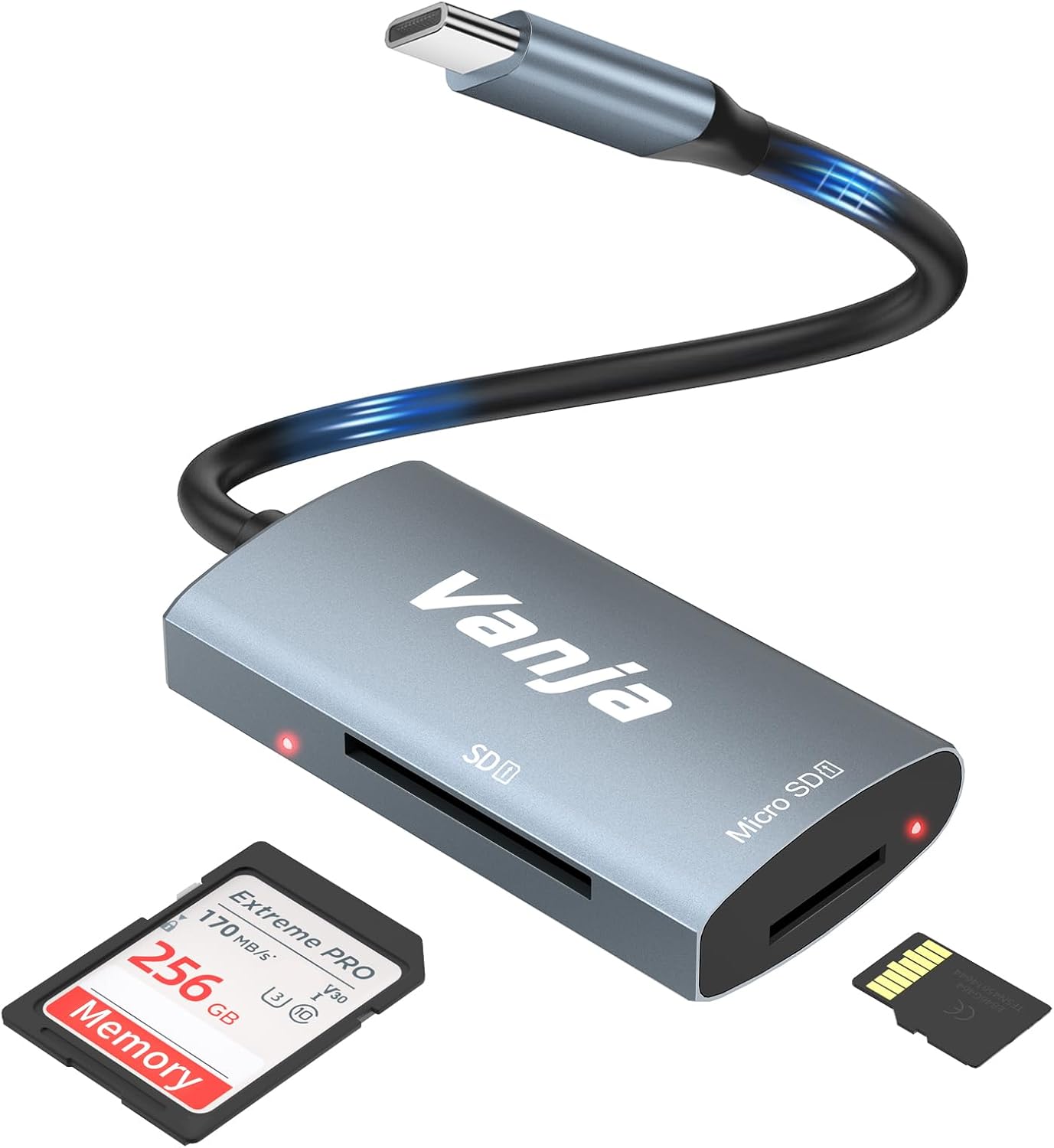
Figure 1: The Vanja USB-C SD Card Reader, showing its USB-C connector, SD card slot, and MicroSD card slot, alongside an SD card and a MicroSD card.
۴. د تنظیم لارښوونې
The Vanja USB-C SD Card Reader is designed for simple plug-and-play operation. No software installation or drivers are typically required.
- د میموري کارت داخل کړئ: Gently insert your SD card into the SD slot or your MicroSD card into the MicroSD slot on the card reader. Ensure the card is inserted correctly with the contacts facing down. A slight click indicates it is securely in place.
- وسیله سره وصل کړئ: Plug the USB-C connector of the card reader into an available USB-C port on your compatible device (e.g., iPhone 15/16, MacBook, iPad, Windows laptop, Android phone).
- لاسرسی Files: Your device should automatically detect the card reader and the inserted memory card. You can then access the files through your device's file manager or photo application.
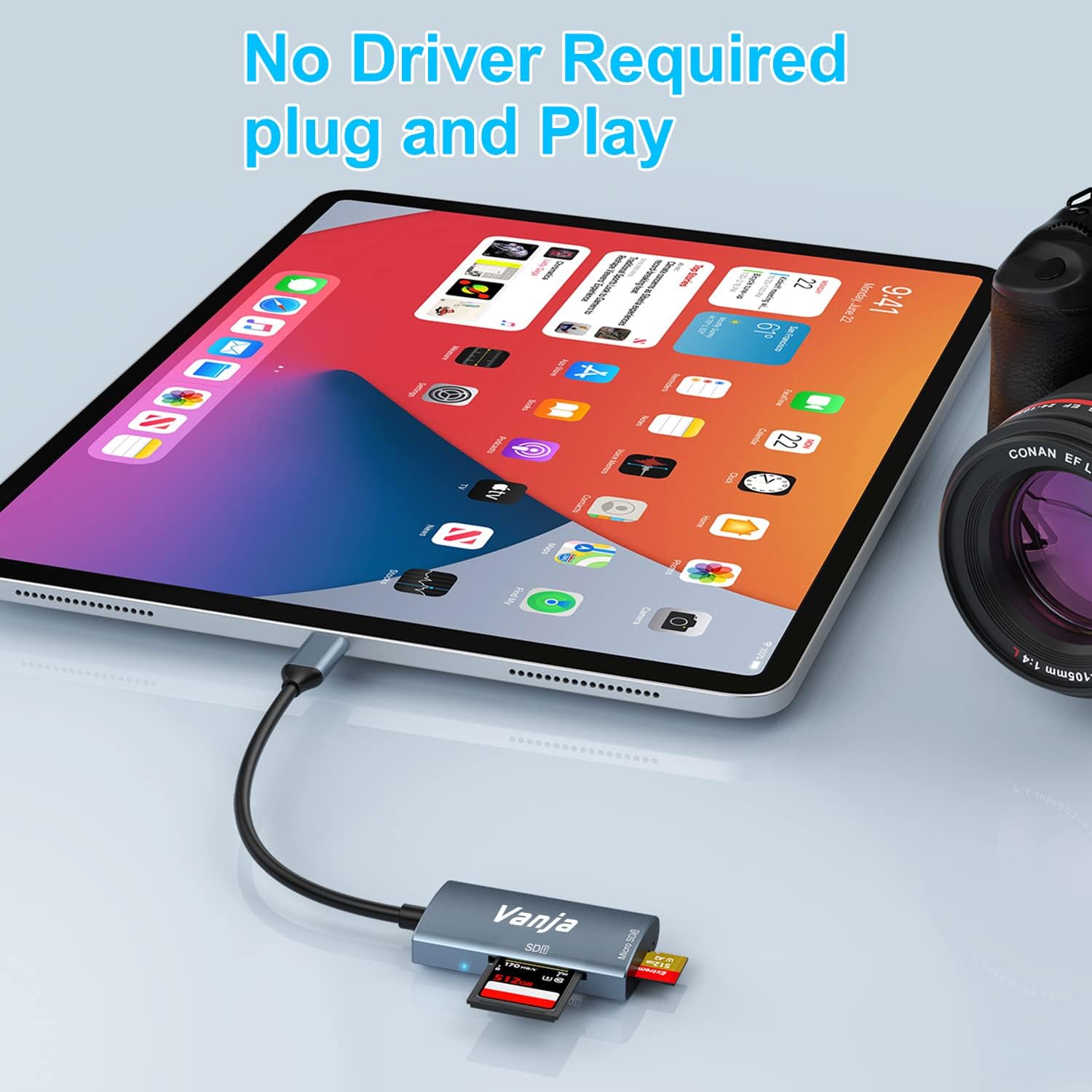
Figure 2: The card reader connected to an iPad Pro, demonstrating the plug-and-play functionality with a MicroSD card inserted.
4. عملیاتي لارښوونې
Once connected, the card reader functions like any external storage device.
د معلوماتو لیږد:
- Locate Drive: On Windows, the card will appear as a removable drive under "This PC." On macOS, it will appear on the desktop or in Finder. On iOS/iPadOS, access it via the "Files" app. On Android, use your device's file مدیر
- کاپي / حرکت وکړئ Files: ډریګ او پریږدئ files between the memory card and your device's internal storage, or use the copy/paste functions provided by your operating system.
- په خوندي ډول وباسئ: Always safely eject the memory card or card reader from your operating system before physically disconnecting it to prevent data corruption.

Figure 3: The card reader connected to a laptop, illustrating high-speed data transfer (5 Gbps) between a memory card and the computer.
5. مطابقت
د ملاتړ شوي میموري کارت ډولونه:
- SD کارت
- MicroSD Card (TF Card)
- Sdc
- SDXC
- MMC
- UHS-I Cards
- Supports capacities up to 2TB.
Compatible Devices and Operating Systems:
- د ایپل وسایل: iPhone 15/16 series (USB-C models), MacBook Pro, iPad (USB-C models), Mac desktops.
- د وینډوز وسایل: Laptops and desktops with USB-C ports.
- د اندروید وسایل: Samsung Galaxy smartphones and other USB-C enabled Android phones/tablets.
- عملیاتي سیسټمونه: iOS, iPadOS, macOS, Windows, Android, Linux, Chrome OS.

Figure 4: Visual representation of the universal compatibility of the card reader with different memory card formats and USB-C enabled devices.
6. مشخصات
| برانډ | Vanja |
| د ماډل شمیره | 430C |
| د ارتباط ټیکنالوژي | USB Type C (USB 3.2 Gen 1) |
| د ډیټا لیږد سرعت | تر 5 Gbps پورې |
| د رسنیو ملاتړ شوي ډولونه | SD Card, SDHC, SDXC, microSD, microSDHC, MMC, UHS-I |
| اعظمي ظرفیت ملاتړ شوی | 2TB (depending on card type) |
| د عملیاتي سیسټم مطابقت | Android, iOS, Linux, Mac OS, Windows |
| د توکي وزن | 1.13 اونس (نږدې 32 ګرامه) |
| د کڅوړې ابعاد | ۲.۶۴ x ۲.۳۲ x ۲.۷۶ انچه (تقریبا ۶.۷ x ۵.۹ x ۷ سانتي متره) |
| رنګ | Blue-Gray |
| ځانګړي ځانګړتیاوې | Compact, Easy Setup, Plug & Play, Aluminum Housing, Nylon Cable |
7. ستونزه حل کول
If you encounter issues with your Vanja USB-C SD Card Reader, try the following solutions:
- وسیله نه پیژندل شوې:
- Ensure the card reader is firmly plugged into the USB-C port of your device.
- Try a different USB-C port on your device, if available.
- خپل کمپیوټر یا وسیله بیا پیل کړئ.
- Check if the memory card is properly inserted into the card reader.
- Test the card reader with a different memory card to rule out card issues.
- ډاډ ترلاسه کړئ چې ستاسو د وسیلې عملیاتي سیسټم تازه دی.
- ورو معلومات لیږد:
- Verify that your device's USB-C port supports USB 3.0/3.1/3.2 speeds. Older USB 2.0 ports will result in slower transfers.
- Ensure your memory card is a high-speed card (e.g., UHS-I or faster).
- د ډیرو کوچنیو لیږد څخه ډډه وکړئ files simultaneously; compressing them into an archive can sometimes improve speed.
- نور هغه غوښتنلیکونه بند کړئ چې ممکن د سیسټم سرچینې مصرف کړي.
- د حافظې کارت نه لوستل:
- وګورئ چې د حافظې کارت خراب شوی یا فاسد دی. که امکان ولري په بل وسیله کې یې هڅه وکړئ.
- Ensure the memory card is inserted in the correct orientation.
- Clean the contacts on the memory card with a soft, dry cloth.
8. ساتنه
To ensure the longevity and optimal performance of your Vanja USB-C SD Card Reader, follow these maintenance guidelines:
- پاک ساتل: د کارت لوستونکي بهرنۍ برخه پاکولو لپاره نرم، وچ ټوکر وکاروئ. د مایع پاکوونکو یا محلولونو کارولو څخه ډډه وکړئ.
- د بندرونو ساتنه: Keep the card slots and USB-C connector free from dust and debris. Use compressed air if necessary, but gently.
- په سمه توګه ذخیره کول: کله چې په کارولو کې نه وي، د کارت لوستونکی په یخ او وچ ځای کې وساتئ، د مستقیم لمر وړانګو او سختې تودوخې څخه لرې.
- په احتیاط سره سمبالول: Avoid dropping the device or subjecting it to strong impacts. Do not force memory cards into the slots.
9. تضمین او ملاتړ
For warranty information, technical support, or further assistance with your Vanja USB-C SD Card Reader, please refer to the official Vanja webسایټ ته مراجعه وکړئ یا مستقیم د دوی د پیرودونکو خدماتو سره اړیکه ونیسئ.
You can visit the official Vanja store for more product information and support resources: Vanja Store on Amazon.


