1. پیژندنه
د پیرودلو لپاره مننهasing the Aiwa AW-LED55XVC-RM 55-inch Ultra HD Frameless Android TV. This television combines a stunning 4K UHD display with the versatility of the Android 9.0 operating system, offering a comprehensive entertainment experience. It features a built-in soundbar, DVB T2 digital tuner, Chromecast functionality, and multiple connectivity options. This manual provides essential information for the safe and efficient use of your new television.
2. د خوندیتوب معلومات
Please read all safety instructions carefully before using the television and retain this manual for future reference. Failure to follow these instructions may result in electric shock, fire, or damage to the product.
- د بریښنا سرچینه: ډاډ ترلاسه کړئ چې تلویزیون د ټاکل شوي حجم دننه د بریښنا رسولو سره وصل دیtagد e رینج (۲۴۰ ولټه).
- وینټیلیشن: د هوا د جریان لارې مه بندوئ. د تلویزیون شاوخوا کافي ځای پریږدئ ترڅو د هوا جریان مناسب وي ترڅو د ډیر تودوخې مخه ونیول شي.
- اوبه او رطوبت: تلویزیون د باران، رطوبت سره مه مخ کوئ، یا هغه شیان مه ځای پر ځای کوئ چې د مایعاتو څخه ډک وي یا په تلویزیون کې نږدې وي.
- پاکول: د پاکولو دمخه تلویزیون د بریښنا له ساکټ څخه خلاص کړئ. نرم او وچ ټوکر وکاروئ. د مایع پاکوونکو یا ایروسول پاکوونکو څخه کار مه اخلئ.
- ځای په ځای کول: Place the TV on a stable, level surface or mount it securely to a wall using a VESA compatible mount (200mm x 200mm). Keep it away from direct sunlight, heat sources, and strong magnetic fields.
- ماشومان: ماشومان وڅارئ ترڅو ډاډ ترلاسه شي چې دوی په تلویزیون نه پورته کیږي یا ورسره لوبې نه کوي.
- خدمت کول: د دې محصول پخپله خدمت کولو هڅه مه کوئ. ټول خدمتونه وړ خدماتي پرسونل ته راجع کړئ.
3. د بسته محتويات
ډاډ ترلاسه کړئ چې لاندې ټول توکي ستاسو په بسته کې شامل دي. که کوم توکي ورک یا زیانمن شوي وي، مهرباني وکړئ له خپل پرچون پلورونکي سره اړیکه ونیسئ.
- 1 x Aiwa AW-LED55XVC-RM 55-inch Ultra HD Frameless Android TV
- ۱ x ریموټ کنټرول (د بیټرۍ سره)
- 1 د بریښنا کارډ
- ۱ x د کارونکي لارښود (دا سند)
- 2 x TV Stands (for table mounting)
- د تلویزیون سټنډونو لپاره پیچونه
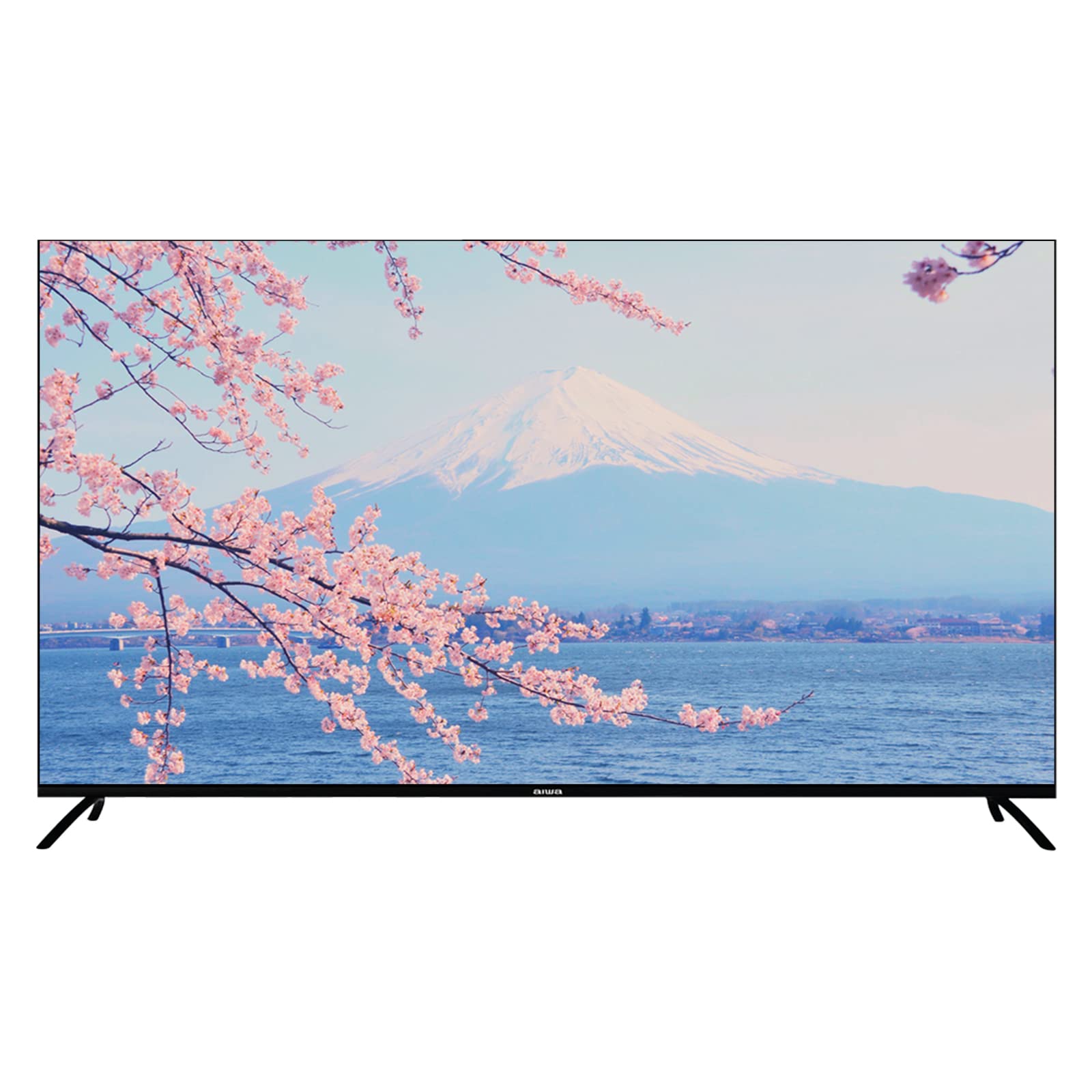
Image: Aiwa AW-LED55XVC-RM TV and included accessories. This image shows the television unit, remote control, and detachable stands.
4. ترتیب کول
4.1 Attaching the TV Stands (Table Mount)
- د سکرین د زیان مخنیوي لپاره، تلویزیون په احتیاط سره په نرم او پاک سطح باندې کیږدئ.
- هر سټینډ د تلویزیون په ښکته برخه کې د اړوندو سکرو سوریو سره سم کړئ.
- د ورکړل شویو پیچونو په کارولو سره سټینډونه خوندي کړئ. ډاډ ترلاسه کړئ چې دوی په کلکه ټینګ شوي دي.
- تلویزیون په احتیاط سره په یوه مستحکم، هموار سطحه کې خپل مستقیم موقعیت ته پورته کړئ.
۴.۳ دیوال نصب کول (اختیاري)
This TV supports VESA standard wall mounts (200mm x 200mm). Wall mount hardware is not included. Please consult a professional for wall mounting installation to ensure safety and proper setup.
۲.۳ د بهرنیو وسایلو نښلول
تلویزیون د بهرنیو وسیلو د نښلولو لپاره مختلف پورټونه لري:
- HDMI (۳ پورټونه): For connecting Blu-ray players, game consoles, set-top boxes, etc. Use HDMI 2.0 compatible cables for optimal 4K performance.
- USB 2.0 (2 ports): For connecting USB storage devices (e.g., flash drives) to play media or for service updates.
- AV IN (1 port): د زړو وسیلو د نښلولو لپاره د جامع ویډیو او سټیریو آډیو کیبلونو په کارولو سره.
- Fibre Optic (1 port): For digital audio output to a sound system or home theater receiver.
- د انتن/کیبل داخلول: For connecting a DVB T2 compatible antenna for digital terrestrial television.
انځور: شاته view of the Aiwa AW-LED55XVC-RM TV. This image illustrates the location of various input/output ports such as HDMI, USB, AV IN, and Fibre Optic.
۳.۳ د بریښنا پیل او د شبکې تنظیم
- د برېښنا تار له تلویزیون سره وصل کړئ او بیا د دیوال له لارې وصل کړئ.
- په ریموټ کنټرول یا تلویزیون کې د بریښنا تڼۍ فشار ورکړئ.
- د لومړني تنظیم بشپړولو لپاره په سکرین کې لارښوونې تعقیب کړئ، پشمول د ژبې انتخاب، د وخت زون، او د شبکې اتصال.
- For network connection, select your Wi-Fi network and enter the password, or connect an Ethernet cable to the LAN port (if available).
- Tune in DVB T2 channels by following the on-screen prompts for channel scanning.
5. ستاسو د تلویزیون چلول
۵.۲ د انډرایډ تلویزیون انٹرفیس
Your Aiwa TV runs on Android 9.0, providing access to a wide range of apps and services. Navigate the interface using the directional buttons and OK button on your remote control. The Home screen displays recommended content, installed apps, and input sources.
5.2 Using Chromecast
The built-in Chromecast allows you to cast content (videos, music, photos) from your compatible smartphone, tablet, or computer directly to your TV. Ensure your device and TV are connected to the same Wi-Fi network. Look for the Cast icon (example icon) within supported apps on your mobile device.
5.3 DVB T2 Digital Television
With the integrated DVB T2 tuner, you can receive free-to-air digital terrestrial television channels. After connecting an antenna and performing a channel scan during initial setup, you can access these channels via the TV's input selection or dedicated TV app.
5.4 Built-in Soundbar
The TV features a built-in soundbar with Dolby Surround System support, providing enhanced audio quality. You can adjust audio settings through the TV's sound menu to customize your listening experience.
6. ساتنه
۴.۱ د تلویزیون پاکول
- تل د پاکولو دمخه تلویزیون خلاص کړئ.
- د سکرین او کابینې د پاکولو لپاره یو نرم، وچ، له لینټ څخه پاک ټوکر وکاروئ.
- د پردې د سختو نښو لپاره، په نرمۍ سرهampen the cloth with water or a specialized screen cleaner (ensure it's safe for LED screens) and wipe gently. Do not spray liquid directly onto the screen.
- د کثافاتو پاکونکو، مومونو او محلولونو کارولو څخه ډډه وکړئ.
6.2 د سافټویر تازه معلومات
Your Android TV may receive software updates periodically to improve performance and add new features. Ensure your TV is connected to the internet. You can check for updates manually in the TV's settings menu (typically under "About" or "System Updates").
7. ستونزه حل کول
که تاسو د خپل تلویزیون سره ستونزې سره مخ شئ، د پیرودونکو ملاتړ سره د تماس نیولو دمخه لاندې عام ستونزو او حلونو ته مراجعه وکړئ.
| ستونزه | احتمالي لامل / حل |
|---|---|
| برېښنا نشته / تلویزیون نه چالانېږي |
|
| انځور نشته، خو غږ شته |
|
| غږ نشته، خو انځور شته |
|
| ریموټ کنټرول کار نه کوي |
|
| د وائی فای سره وصل نشو |
|
8. مشخصات
Below are the technical specifications for the Aiwa AW-LED55XVC-RM 55-inch Ultra HD Frameless Android TV.
| فیچر | تفصیل |
|---|---|
| ماډل | AW-LED55XVC-RM |
| د سکرین اندازه | ۷۸۷ انچه |
| ټیکنالوژي ښکاره کول | LED |
| قرارداد | 3840 x 2160 (4K UHD) |
| د تازه کولو نرخ | 60 Hz |
| د غبرګون وخت | 6.5ms |
| عملیاتي سیسټم | Android 9.0 |
| د تونر ټیکنالوژي | DVB-T2 Digital Ready |
| د آډیو وتلې حالت | Surround (Dolby Surround System) |
| د HDMI بندرونه | 3 (HDMI 2.0) |
| USB بندرونه | 2 (USB 2.0) |
| په IN کې | 1 |
| فایبر آپټیک | 1 |
| VESA Distance | 200mm x 200mm |
| والیtage | 220 ولټه |
| د محصول ابعاد (W x D x H) | 123.1 x 8.9 x 71.3 cm (without stand) / 123.1 x 31.3 x 79.9 cm (with stand) |
| د توکي وزن | 13.3 کیلو ګرامه |
| ځانګړي ځانګړتیاوې | Frameless Design, Built-in Soundbar, 10 Bit High Dynamic Range Imaging Decoder, Chromecast, Incredibly Fluid Motion |
9. تضمین او ملاتړ
د تضمین معلوماتو او د پیرودونکو ملاتړ لپاره، مهرباني وکړئ د تضمین کارت ته مراجعه وکړئ چې ستاسو د محصول سره شامل دی یا رسمي آیوا ته مراجعه وکړئ. webسایټ. د تضمین ادعاوو لپاره د پیرود ثبوت په توګه د پیرود رسید وساتئ.
If you require technical assistance or have questions not covered in this manual, please contact Aiwa customer service.


