پیژندنه
The TechniSat DIGITRADIO 371 IR is a comprehensive audio system designed for versatile listening experiences. It combines traditional radio reception (DAB+, FM) with modern internet radio capabilities, Bluetooth audio streaming, and USB playback. Additionally, it features a convenient wireless charging function for compatible smartphones and a clear color display. This manual provides essential information for setting up, operating, and maintaining your device to ensure optimal performance and enjoyment.
کلیدي ځانګړتیاوې
- Digital Radio Reception: Enjoy clear, noise-free radio via DAB+ and traditional FM radio with RDS and PLL.
- انټرنیټ راډیو: Access thousands of radio stations worldwide via integrated Wi-Fi connectivity.
- د بلوتوث آډیو سټریمینګ: Wirelessly stream music from your smartphone or tablet.
- بې سیم چارج کول: Conveniently charge compatible smartphones using the integrated wireless charging pad.
- USB Playback & Charging: MP3 پلی کړئ files from a USB stick and charge external devices via the USB port.
- AUX-in: Connect external audio sources using the auxiliary input.
- د رنګ ښودنه: A 2.4-inch TFT color display provides clear information and is adjustable for brightness.
- سټیریو غږ: Equipped with 2 x 5 Watt stereo speakers and an equalizer for fine-tuning audio.
- د کنټرول اختیارونه: Operate the device using the on-unit buttons, rotary knobs, included remote control, or the UNDOK/OKTIV app.
- د الارم ساعت دندې: Features a comprehensive alarm clock with alarm, sleep timer, and snooze functions.
چمتو کول
د بسته بندۍ او ابتدايي تفتیش
Carefully remove all components from the packaging. Verify that all items listed in the 'Scope of Delivery' are present: the DIGITRADIO 371 IR unit, remote control, and user manual. Inspect the device for any signs of damage during transit. If any components are missing or damaged, contact your retailer.
د بریښنا پیوستون
Connect the provided power cable to the DC IN port on the rear of the radio and then to a suitable wall outlet. Ensure the power supply matches the voltagپه وسیله کې مشخص شوي اړتیاوې.
د انتن ځای پرځای کول
Extend the telescopic antenna located at the rear of the unit for optimal DAB+ and FM radio reception. Adjust its position to achieve the best signal quality.
د لومړي ځل لپاره تنظیمي وزر
د لومړي ځل لپاره د بریښنا په فعالولو سره، وسیله به تاسو ته د لومړني تنظیم وزرډ له لارې لارښوونه وکړي. د سکرین پر لارښوونو تعقیب کړئ ترڅو:
- د خپلې خوښې ژبه وټاکئ.
- Configure Wi-Fi network settings to enable Internet radio and app control.
- نیټه او وخت تنظیم کړئ.

انځور: شاته view of the DIGITRADIO 371 IR, highlighting the telescopic antenna, USB port, headphone jack, and AUX-in port for various connections.
د راډیو چلول
کنترول ختم شوview
The DIGITRADIO 371 IR can be controlled via the buttons and rotary knobs on the front panel, the included remote control, or the UNDOK/OKTIV smartphone app.
- د بریښنا تڼۍ: واحد چالان/بندوي یا یې په سټینډ بای حالت کې اچوي.
- د حالت تڼۍ: Cycles through available audio sources (DAB+, FM, Internet Radio, Bluetooth, USB, AUX-in).
- مخکینۍ تڼۍ: Access stored favorite radio stations.
- د حجم غوټۍ: د آډیو د وتلو کچه تنظیم کړئ.
- Tuning/Navigation Knobs: Navigate menus, tune radio stations, and confirm selections.
- معلومات/مینو تڼۍ: Access system settings and display additional information.
- Scan/Play/Pause Button: Initiates station scans or controls media playback.
- د شا تڼۍ: مخکینی مینو یا سکرین ته راستنیږي.
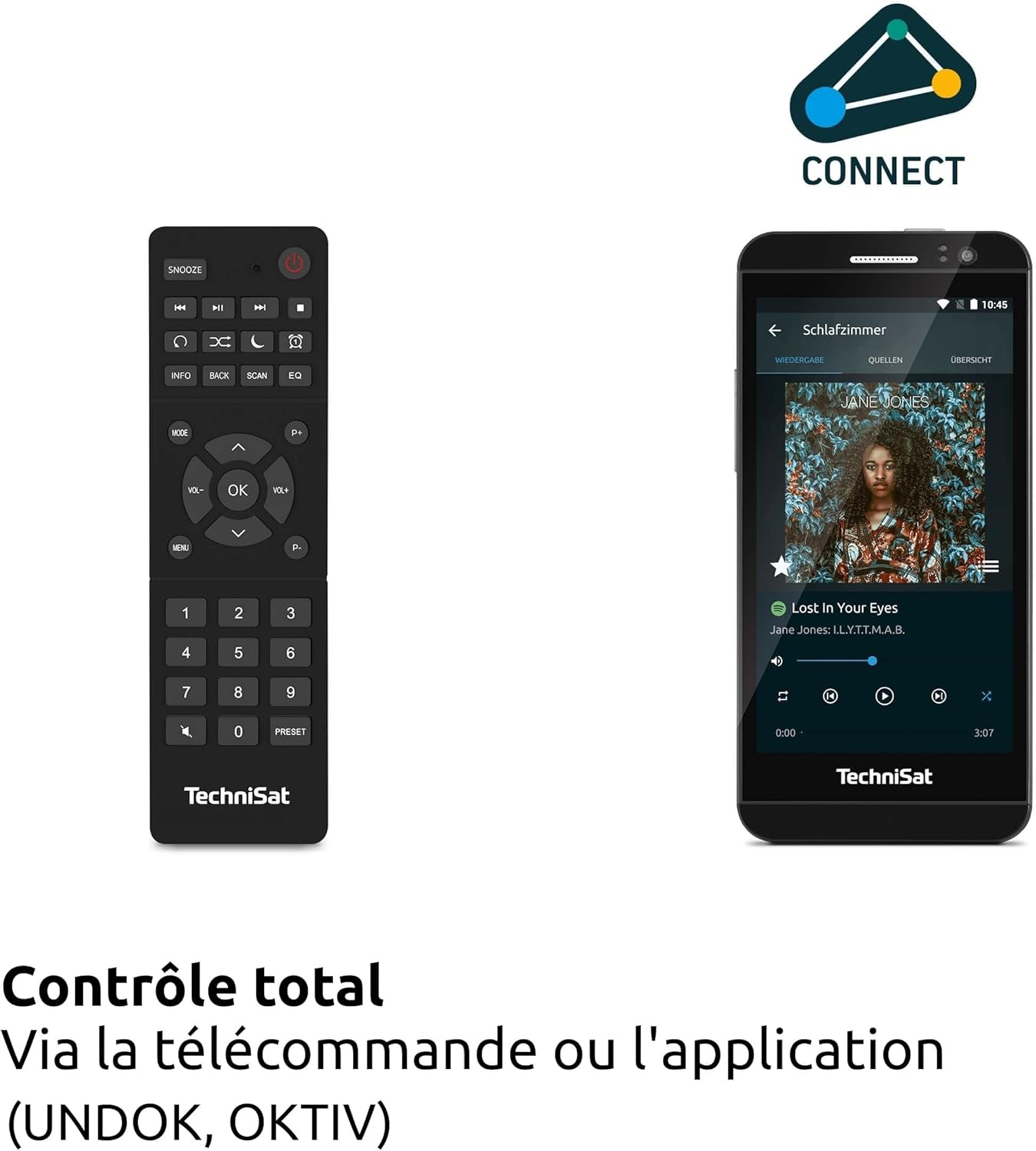
انځور: The remote control and a smartphone showing the UNDOK app, illustrating the various control options for the radio.
Radio Modes (DAB+, FM, Internet Radio)
فشار ورکړئ موډ button to select your desired radio source. For DAB+ and FM, the radio will automatically scan for available stations. For Internet Radio, navigate through the menu to browse stations by genre, location, or search for specific stations.

انځور: Visual representation of the radio's ability to receive DAB+, Internet Radio, and FM broadcasts, offering a wide range of listening options.
بلوتوث آډیو
Select Bluetooth mode. On your smartphone or tablet, enable Bluetooth and search for 'DIGITRADIO 371 IR'. Pair the devices. Once connected, you can stream audio from your device to the radio.

انځور: A smartphone wirelessly connected to the DIGITRADIO 371 IR, demonstrating the Bluetooth audio streaming feature for playing music from personal devices.
د USB پلے بیک او چارج کول
یو USB سټیک دننه کړئ چې MP3 ولري files into the USB port. Select USB mode to browse and play your music. The USB port also functions as a charging port for external devices like smartphones.
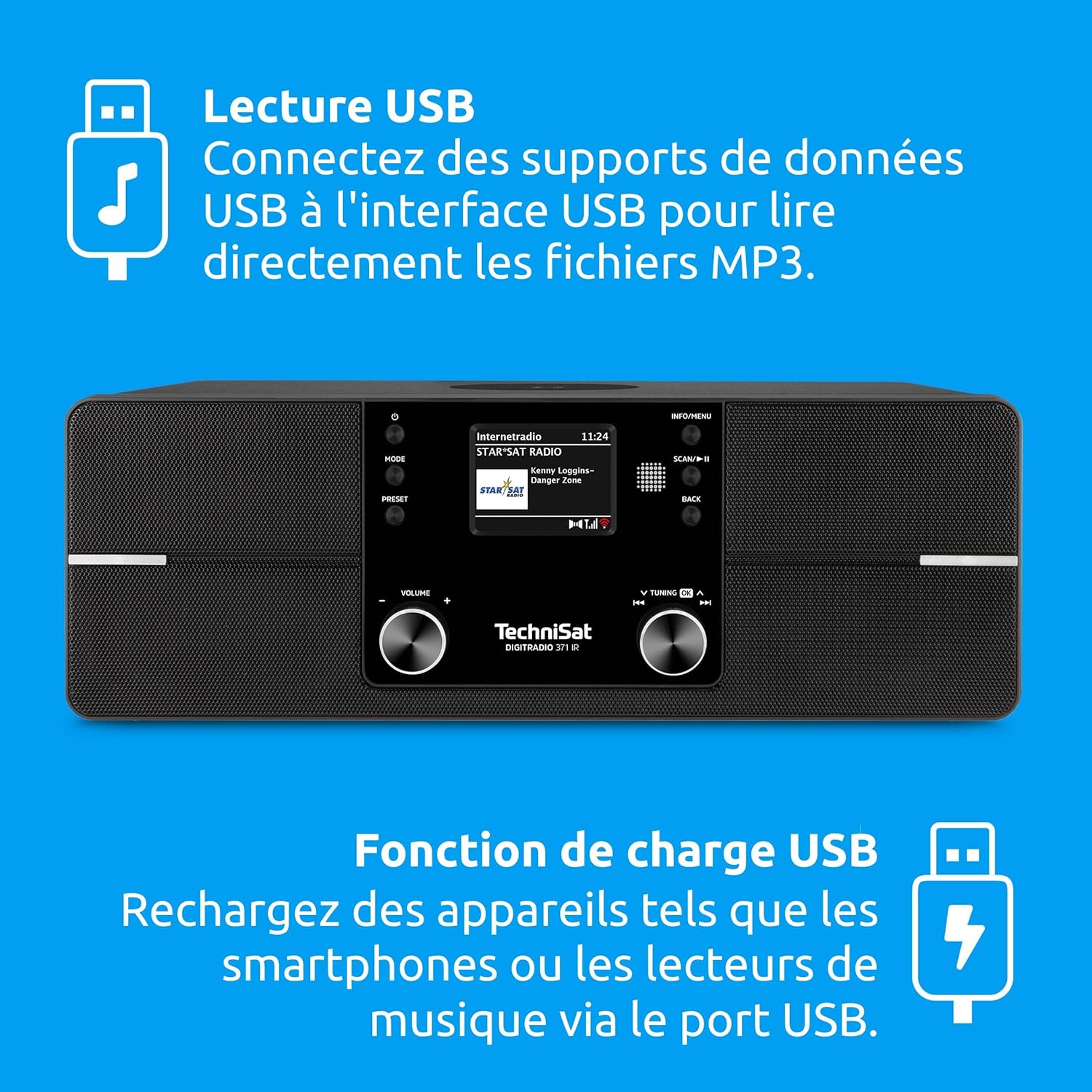
انځور: Icons indicating USB playback and charging capabilities, showing how the radio supports playing MP3s from a USB drive and charging devices.
د AUX-ان اتصال
Connect an external audio device (e.g., an MP3 player) to the AUX-in port on the rear of the radio using a 3.5mm audio cable. Select AUX-in mode to play audio from the connected device.
د بې سیم چارج کولو فعالیت
Place your Qi-compatible smartphone on the designated wireless charging area on top of the radio. Ensure the phone is centered for optimal charging. The radio will automatically begin charging the device.

انځور: A hand placing a smartphone on the radio's top surface, demonstrating the wireless charging feature for compatible devices.
Alarm Clock and Sleep Timer
Access the alarm settings through the menu to set multiple alarms with customizable sources (e.g., buzzer, radio station). The sleep timer allows you to set a duration after which the radio will automatically turn off.
ساتنه
پاکول
د راډیو د پاکولو لپاره، سطحې په نرمۍ سره د نرم، وچ یا لږ څه سره پاک کړئamp cloth. Do not use abrasive cleaners, solvents, or chemical sprays, as these can damage the finish. Ensure the device is unplugged before cleaning.
د سافټویر تازه معلومات
The DIGITRADIO 371 IR may receive software updates to improve performance or add new features. Check the system settings menu for available updates and follow the on-screen instructions to install them. Ensure a stable internet connection during the update process.
د ستونزو حل کول
| ستونزه | احتمالي لامل | د حل لاره |
|---|---|---|
| هیڅ ځواک نشته | د برېښنا کیبل نه دی وصل شوی؛ د برېښنا ساکټ خراب دی. | د بریښنا کیبل اتصال وګورئ؛ یو بل سوري هڅه وکړئ. |
| د DAB+/FM ضعیف استقبال | انتن نه غځول شوی یا په کمزوري موقعیت کې دی؛ د سیګنال کمزوری ساحه. | Fully extend and adjust the telescopic antenna; try relocating the radio. |
| د وائی فای سره وصل نشو | Incorrect password; router too far; Wi-Fi network issues. | Verify Wi-Fi password; move radio closer to router; restart router. |
| بلوتوث جوړه ناکامه ده | Bluetooth not enabled on device; radio not in pairing mode. | Ensure Bluetooth is active on your device; select Bluetooth mode on radio. |
| د بې سیم چارج کار نه کوي | Phone not Qi-compatible; phone not centered; foreign objects on pad. | Check phone compatibility; reposition phone; remove any obstructions. |
| غږ نشته | Volume too low; mute activated; incorrect source selected. | Increase volume; check mute status; ensure correct audio source is selected. |
مشخصات
| فیچر | تفصیل |
|---|---|
| برانډ | TechniSat |
| د ماډل شمیره | ۹/۹۷ |
| رنګ | تور |
| د ارتباط ټیکنالوژي | مرستندویه، بلوتوث، USB، وای فای |
| ځانګړي ځانګړتیاوې | DAB+ Digital Radio, FM Radio with RDS and PLL, Internet Radio, 2.4" TFT Color Display, 20 DAB+/20 FM Station Presets, USB Interface (charging & MP3 playback), Wireless Charging, Integrated Wi-Fi, Bluetooth Audio Streaming |
| ټول USB پورټونه | 1 |
| مطابقت لرونکې وسیلې | Headphones, Smartphone, Tablet |
| د بریښنا سرچینه | د بریښنا تار شوی |
| ملاتړ شوي راډیو بانډونه | DAB+، FM، انټرنیټ راډیو |
| د ټون کولو ټیکنالوژي | FM/DAB+/Internet |
| د محصول ابعاد (L x W x H) | 35 x 21 x 12 سانتي متره |
| شاملې برخې | DIGITRADIO 371 IR unit, User Manual, Remote Control |
| بیټرۍ ته اړتیا ده | 2 AAA (for remote control) |
تضمین او ملاتړ
The TechniSat DIGITRADIO 371 IR comes with a 2-year manufacturer's warranty (Gewährleistung). For warranty claims or technical support, please contact your retailer or visit the official TechniSat website for further assistance. Information regarding spare parts availability and guaranteed software updates is not explicitly provided.


