1. پیژندنه
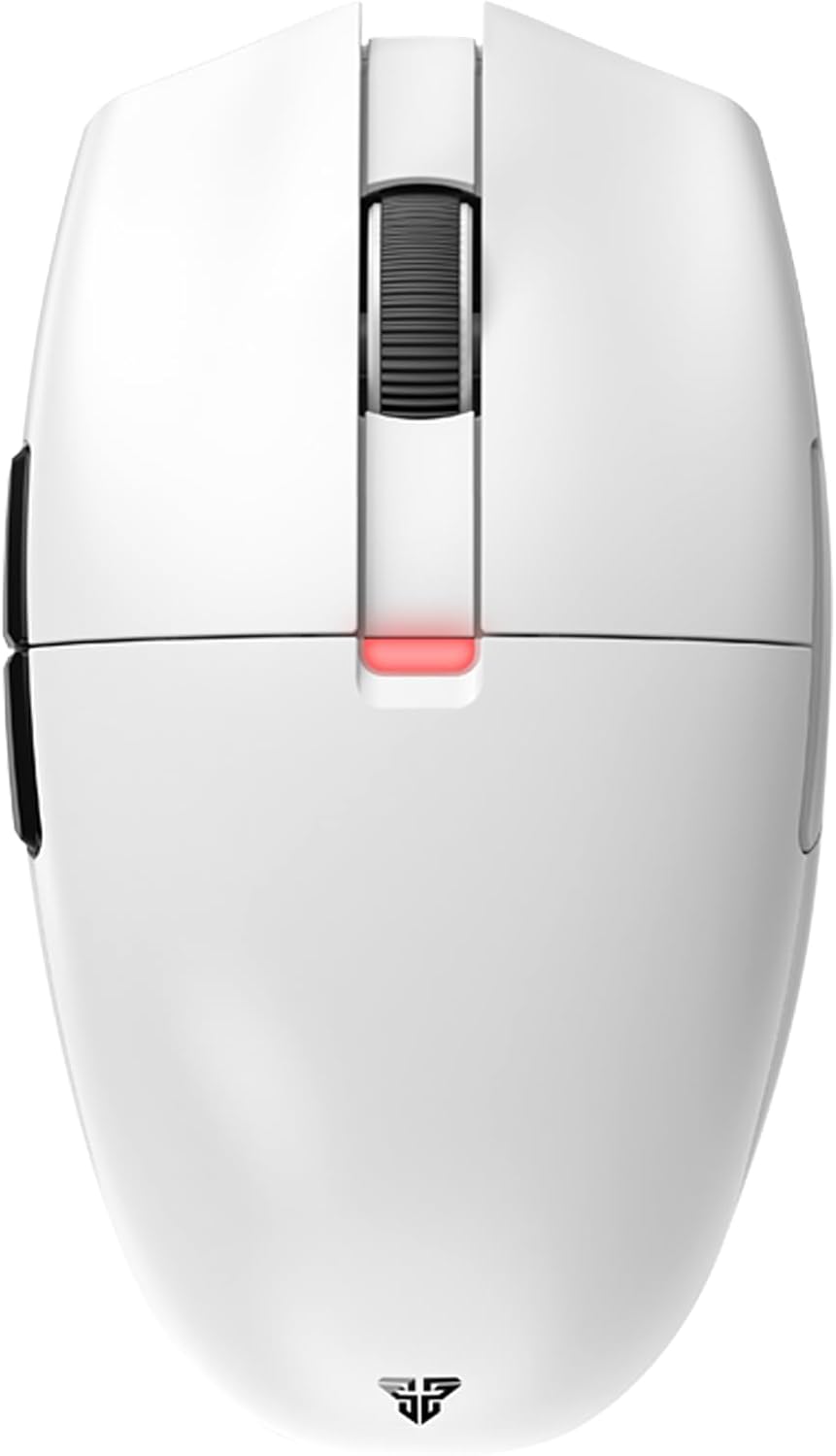
The FANTECH ARIA XD7 is a high-performance wireless gaming mouse designed for competitive gaming. It features a lightweight, ambidextrous egg shape, a precise Pixart 3395 gaming sensor, durable HUANO switches, and versatile 3-mode connectivity (wired, 2.4GHz wireless, Bluetooth). This manual provides essential information for setting up, operating, maintaining, and troubleshooting your ARIA XD7 mouse.

۲. په بکس کې څه دي؟
Upon unboxing your FANTECH ARIA XD7, please verify that all the following components are included:
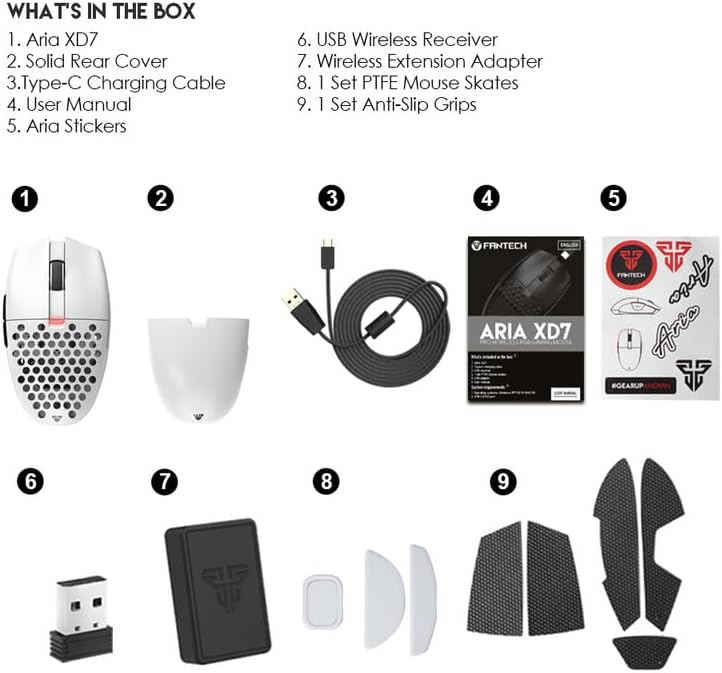
- Aria XD7 Wireless Gaming Mouse
- Solid Rear Cover (interchangeable)
- د ډول - سي چارج کیبل
- د کارونکي لارښود (دا لاسوند)
- آریا سټیکرز
- د USB بې سیم رسیدونکی
- د بې سیم توسیع اډاپټر
- 1 د PTFE موږک سکیټونه تنظیم کړئ
- 1 د سلیپ ضد گرفتونه تنظیم کړئ
3. ترتیب کول
۳.۱ د موږک چارج کول
Before first use, it is recommended to fully charge the mouse. Connect the provided Type-C charging cable to the mouse and a USB power source. The mouse features up to 40 hours of battery life and takes approximately 2 hours for a full charge.
۳.۲ د موږک سره نښلول
The FANTECH ARIA XD7 supports three connectivity modes:
- د بریښنا حالت: Connect the mouse directly to your computer using the provided Type-C charging cable. The mouse will function immediately and charge simultaneously.
- 2.4GHz بې سیم حالت: Insert the USB Wireless Receiver into an available USB port on your computer. The mouse should automatically connect. For optimal signal, use the Wireless Extension Adapter to position the receiver closer to the mouse.
- د بلوتوټ ۵.۰ حالت: Ensure your device has Bluetooth enabled. On the mouse, long-press the connectivity mode button (usually located on the underside) to enter pairing mode. Select "FANTECH ARIA XD7" from your device's Bluetooth settings to connect.

4. عملیاتي لارښوونې
4.1 اساسي دندې
- کیڼ/ښي کلیک: Standard mouse buttons for primary interactions. The ARIA XD7 uses high-end switches for crisp clicks.
- سکرول ویل: Used for vertical scrolling. The TTC Gold scroll wheel encoder provides precise, tactile steps.
- د غاړې تڼۍ: معمولا د مخ په وړاندې / شاته نیویګیشن لپاره کارول کیږي web براوزرونه یا په سافټویر کې د تنظیم وړ.

4.2 د DPI تعدیل
The ARIA XD7 features on-the-fly DPI switching, allowing you to adjust sensitivity from 800 to 26000 DPI. The DPI adjustment button is located on the underside of the mouse to prevent accidental changes during intense gameplay.
4.3 Recommended Grip Styles
The ambidextrous egg shape of the ARIA XD7 is designed to accommodate various grip styles, particularly Claw and Fingertip grips. The mouse's dimensions are optimized for comfortable use across different hand sizes.

۶. اصلاح او سافټویر
To unlock the full potential of your FANTECH ARIA XD7, download the official FANTECH software from the manufacturer's website. The software allows for extensive personalization, including:
- Adjusting DPI settings and creating custom profiles.
- Programming buttons for macros and specific functions.
- Setting the adjustable polling rate up to 1000Hz.
- Fine-tuning Lift-Off Distance (LOD) for precision on various surfaces.

6. ساتنه
To ensure the longevity and optimal performance of your ARIA XD7 mouse, follow these simple maintenance guidelines:
- پاکول: د موږک سطحه د پاکولو لپاره نرم، وچ ټوکر وکاروئ. د سختې خاورې لپاره، یو څه وچampټوکر د اوبو یا نرم پاکولو محلول سره ومینځئ. د سختو کیمیاوي موادو څخه ډډه وکړئ.
- سینسر: Keep the optical sensor on the underside clean and free of dust or debris. Use a cotton swab if necessary.
- ذخیره کول: کله چې د اوږدې مودې لپاره نه کارول کیږي، موږک په پاک او وچ چاپیریال کې د سخت تودوخې څخه لرې وساتئ.
7. ستونزه حل کول
If you encounter any issues with your FANTECH ARIA XD7 mouse, please refer to the official Troubleshooting Guide for detailed solutions. A PDF version is available for download: FANTECH ARIA XD7 Troubleshooting Guide (PDF).
Common issues and tips:
- د ارتباط مسلې: Ensure the USB receiver is properly inserted or Bluetooth is correctly paired. Try a different USB port.
- د بیټرۍ ژوند: If battery life seems shorter than expected, ensure the mouse is fully charged. Avoid leaving the mouse connected to a charger unnecessarily after it's full.
- Scroll Wheel Malfunction: Check for any physical obstructions. If issues persist, refer to the troubleshooting guide.
- د سافټویر / چلوونکي ستونزې: Ensure you have the latest software and firmware installed from the official FANTECH website. Some issues, like double-clicking, may be resolved by updating firmware or adjusting debounce time in the software.
- Unresponsive Mouse: Try restarting your computer, reconnecting the mouse, or switching between wired and wireless modes.
8. تخنیکي مشخصات
| فیچر | مشخصات |
|---|---|
| د محصول ابعاد | 4.49 x 2.56 x 1.54 انچه |
| د توکي وزن | 2.08 اونس |
| د توکي ماډل شمیره | XD7 |
| بیټرۍ | 1 لیتیم پولیمر بیټرۍ ته اړتیا ده (شامل ده) |
| نیټه لومړی شتون لري | د ۲۰۲۴ کال د جولای ۹ مه |
| جوړونکی | فانټیک |
| برانډ | فانټیک |
| رنګ | XD7-White |
| د ارتباط ټیکنالوژي | بلوتوث، ۲.۴GHz بېسیم، تار لرونکی (USB-C) |
| ځانګړي ځانګړتیاوې | Ergonomic Design, Lightweight, Programmable Buttons, Rechargeable, Wireless |
| د حرکت کشف ټیکنالوژي | Optical (Pixart 3395 Gaming Sensor) |
| د DPI حد | 800-26000 DPI (On-the-Fly Adjustable) |
| سرعت | Up to 50G ACC |
| IPS | 650IPS |
| Clicks Lifetime | Huano TBSPD 80 Million Times |
| د بیټرۍ ظرفیت | 300mAh |
| د بیټرۍ ژوند | تر 40 ساعتونو پورې |
| د چارج کولو وخت | نږدې 2 ساعته |
| د تار اوږدوالی | 1.8m Type-C Paracord |
| وزن | 59gr ±1gr |
9. تضمین او ملاتړ
FANTECH products are manufactured to high-quality standards. For warranty information and support, please refer to the warranty card included with your product or visit the official FANTECH website. If you require technical assistance or have questions not covered in this manual, please contact FANTECH customer support through their official channels.


