1. محصول ختم شوview
This manual provides instructions for the JENSEN USB 3.1 Type-C cable, model JU832CC3V. This cable is designed for efficient data transfer and charging of compatible devices. It features reversible connectors and supports data transfer speeds up to 5 Gigabits Per Second (Gbps).
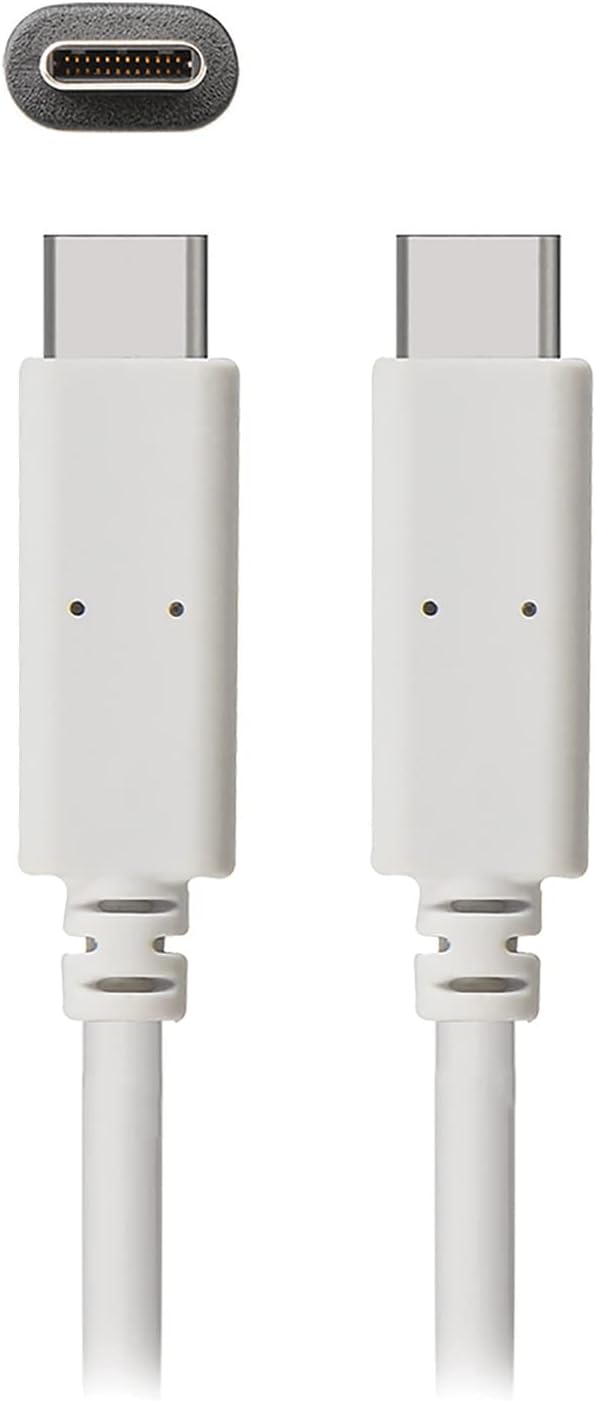
انځور 1: The JENSEN USB 3.1 Type-C cable, showcasing its durable, reversible connectors. This image displays both ends of the white cable, highlighting the USB-C connector design.
کلیدي ځانګړتیاوې:
- USB 3.1 Type-C Compatibility: Ensures broad compatibility with modern devices.
- Durable Molded Ends: Designed for longevity and reliable connection.
- انعطاف وړ کیبل: Allows for easy routing and reduces strain.
- Reversible Connectors: Enables convenient plug-in without concern for orientation.
- د ډیټا لیږد لوړ نرخ: Supports up to 5 Gbps for fast file همغږي کول.
2. تنظیم او پیوستون
The JENSEN USB 3.1 Type-C cable is designed for simple plug-and-play operation. No special drivers or software are required for basic functionality.
د کیبل نښلول:
- د بندرونو پیژندنه: Locate the USB Type-C port on your host device (e.g., computer, power adapter) and the peripheral device (e.g., smartphone, external hard drive).
- Insert Connector 1: Gently insert one end of the JENSEN USB 3.1 Type-C cable into the USB Type-C port of your host device. The reversible design means there is no "up" or "down" orientation.
- Insert Connector 2: Insert the other end of the cable into the USB Type-C port of your peripheral device. Ensure both connections are secure.
Once connected, your devices should automatically recognize the cable for charging or data transfer, depending on their capabilities and configuration.
3. عملیاتي لارښوونې
3.1. د چارج کولو وسایل
To charge a compatible device using the JENSEN USB 3.1 Type-C cable:
- Connect one end of the cable to a USB Type-C power adapter or a powered USB Type-C port on a computer.
- Connect the other end of the cable to your device requiring charge.
- Verify that your device indicates it is charging. Charging speed may vary based on the power source and device specifications.
3.2. د معلوماتو لیږد
To transfer data between compatible devices using the JENSEN USB 3.1 Type-C cable:
- Connect one end of the cable to a USB Type-C port on your computer or host device.
- Connect the other end of the cable to your peripheral device (e.g., external hard drive, smartphone).
- Your computer or host device should recognize the connected peripheral. Follow the operating system's prompts to access and transfer files.
Note: The cable supports USB 3.1 Gen 1 speeds, offering data transfer rates up to 5 Gbps. Actual transfer speeds may vary based on connected devices and file ډولونه
4. ساتنه
Proper care will extend the life of your JENSEN USB 3.1 Type-C cable.
- پاکول: د کیبل او نښلونکو د نرمولو لپاره د نرم، وچ ټوکر څخه کار واخلئ. د سختو کیمیاوي موادو یا کثافاتو موادو کارولو څخه ډډه وکړئ.
- ذخیره کول: کیبل په یو سړه او وچ ځای کې وساتئ چې د مستقیم لمر وړانګو او سختو تودوخې څخه لرې وي. د داخلي زیان څخه د مخنیوي لپاره په تیزو زاویو کې د کیبل د کلک کولو یا کږولو څخه ډډه وکړئ.
- سمبالول: د کیبل د لګولو یا خلاصولو پر مهال تل د نښلونکي کور ونیسئ، پرځای یې چې پخپله کیبل کش کړئ.
5. ستونزه حل کول
If you encounter issues with your JENSEN USB 3.1 Type-C cable, consider the following:
- وسیله نه چارج کیږي:
- ډاډ ترلاسه کړئ چې د کیبل دواړه پایونه په خوندي توګه وصل دي.
- Verify that the power adapter or USB port is functional and providing sufficient power.
- Test the cable with another compatible device or power source to isolate the issue.
- ورو معلومات لیږد:
- Confirm that both connected devices support USB 3.1 (or higher) for optimal speeds.
- Ensure the ports on both devices are USB 3.1 compatible. Connecting to a USB 2.0 port will limit speeds to USB 2.0.
- Check for other active processes on your computer that might be consuming bandwidth.
- موقتي اړیکه:
- Inspect the connectors for any visible damage or debris.
- هڅه وکړئ چې په خپلو وسایلو کې مختلف پورټونو سره وصل شئ.
If problems persist, refer to the support section for further assistance.
6. مشخصات

انځور 2: Retail packaging for the JENSEN USB 3.1 Type-C cable, highlighting key features such as 3ft length, reversible connectors, and 5 Gbps data transfer.
| د ماډل شمیره | JU832CC3V |
| برانډ | جینسن |
| د نښلونکي ډول | د USB ډول C (نارینه څخه نارینه ته) |
| د کیبل ډول | USB 3.1 |
| د معلوماتو د لیږد کچه | Up to 5 Gigabits Per Second (Gbps) |
| د کیبل اوږدوالی | ۳۲ فوټه (نږدې ۱۰ متره) |
| رنګ | سپین |
| مطابقت لرونکې وسیلې | Chargers, Personal Computers, and other USB Type-C enabled devices |
| ځانګړی ځانګړنه | Data Transfer, Reversible Connectors |
| جوړونکی | VOXX INTERNATIONAL |
| د محصول ابعاد | 2.95 x 0.12 x 5.91 انچه |
| د توکي وزن | 0.704 اونس |
| UPC | 044476141812 |
7. تضمین او ملاتړ
This JENSEN product is manufactured by VOXX INTERNATIONAL. For information regarding warranty coverage, terms, and conditions, please refer to the warranty documentation included with your purchase or visit the official Jensen webسایټ
For technical support or customer service inquiries, please contact the manufacturer directly. Contact information can typically be found on the product packaging or the official Jensen support portal.
You can visit the Jensen Store for more products and information: په ایمیزون کې د جینسن پلورنځی


