1. پیژندنه
Thank you for choosing the Skyworth 55-inch 4K QLED Google TV, Model 55SUE9500. This manual provides essential information for the safe and efficient use of your television. Please read it thoroughly before operating the device and retain it for future reference.
This television features a 55-inch QLED 4K UHD display, Google TV operating system, Dolby Vision & HDR 10+ support, Google Assistant with far-field voice control, Dolby Atmos, DTS Virtual X, and built-in Chromecast. It is designed to deliver a high-quality viewing and smart home entertainment experience.
2. د خوندیتوب معلومات
تل د بریښنا شاک، اور، یا تلویزیون ته د زیان رسولو څخه د مخنیوي لپاره لاندې خوندیتوب احتیاطي تدابیر په پام کې ونیسئ:
- تلویزیون باران یا رطوبت ته مه ښکاره کوئ.
- تلویزیون مه خلاصوه casinز؛ ټولې خدمتونه وړ پرسونل ته راجع کړئ.
- ډاډ ترلاسه کړئ چې د تلویزیون شاوخوا مناسب هوا ورکول.
- یوازې د تلویزیون سره ورکړل شوي بریښنا تار وکاروئ.
- تلویزیون د مستقیم لمر وړانګو، تودوخې سرچینو او قوي مقناطیسي ساحو څخه لرې وساتئ.
- تلویزیون د نرم او وچ ټوکر سره پاک کړئ. د مایع پاکوونکو څخه ډډه وکړئ.
3. د بسته محتويات
ډاډ ترلاسه کړئ چې ټول توکي په کڅوړه کې شتون لري:
- Skyworth 55-inch 4K QLED Google TV (Model 55SUE9500)
- ریموټ کنټرول
- د بریښنا کیبل
- د تلویزیون سټینډ (۲ ټوټې)
- د سټینډ نصبولو لپاره پیچونه
- د کارونکي لارښود (دا لاسوند)
4. محصول ختم شوview
مخکی View
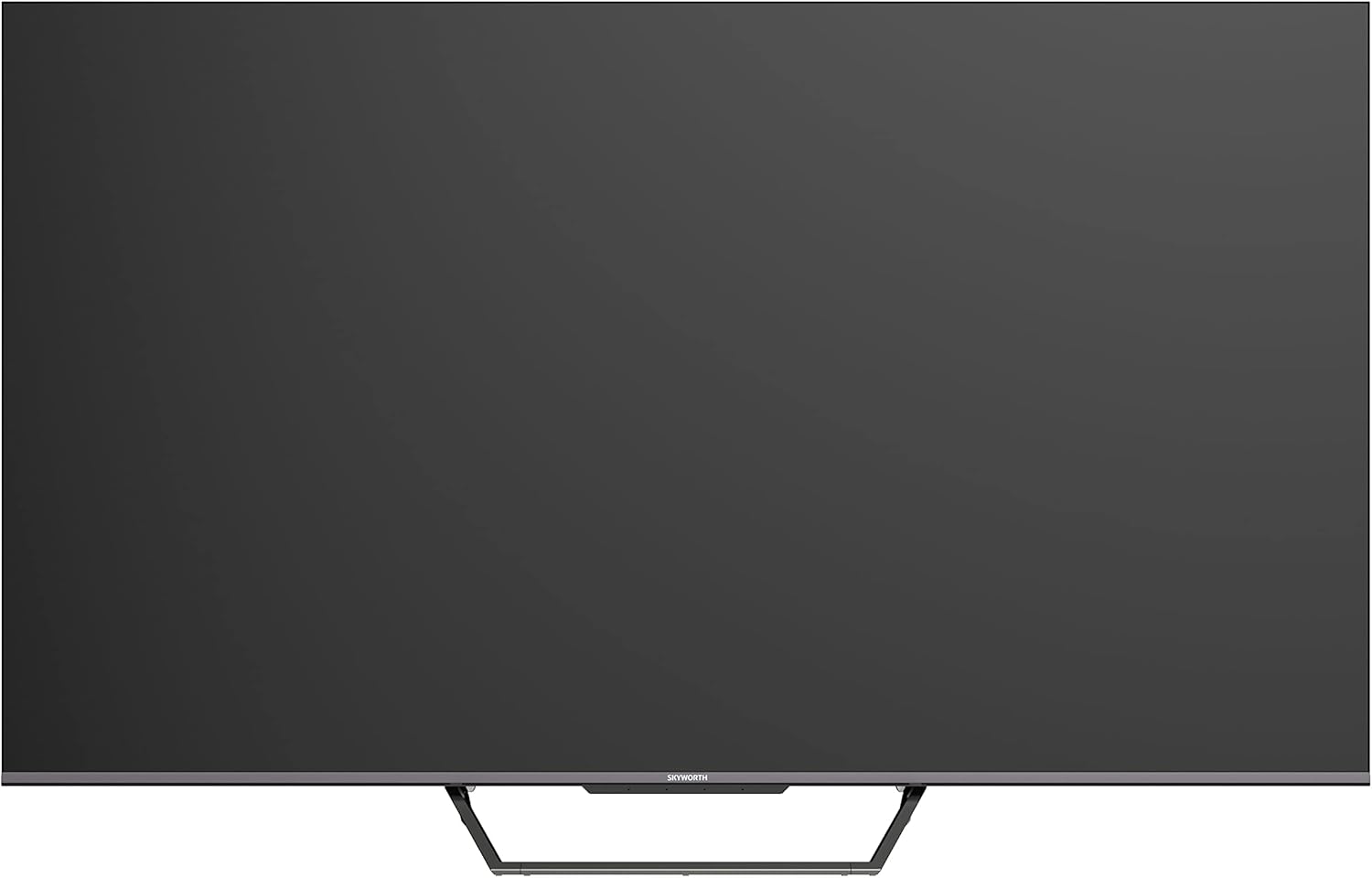
This image displays the front of the Skyworth 55-inch 4K QLED Google TV, showcasing its slim bezels and central stand design.
اړخ View

دا انځور د اړخ پرو ښیيfile of the television, highlighting its thin design and the depth of the screen.
شاته View

دا انځور یو وړاندې کوي view of the back panel of the TV, including the mounting points and general layout.
ان پټ/آؤټ پټ بندرونه

This image details the various input and output ports located on the side/back of the television, including HDMI, USB, and other connectivity options.

The television offers multiple interfaces to meet various connectivity needs, including USB (x2), RF, AV IN, HDMI (x3), LAN, and Digital Out.
5. ترتیب کول
5.1 د سټینډ نصب کول
د تلویزیون سټینډ نصبولو لپاره:
- د سکرین د زیان مخنیوي لپاره د تلویزیون مخ په نرم او فلیټ سطحه په احتیاط سره کیږدئ.
- د سټینډ ټوټې د تلویزیون په ښکته برخه کې د اړوندو سلاټونو سره سم کړئ.
- د ورکړل شویو پیچونو په کارولو سره سټینډ خوندي کړئ. ډاډ ترلاسه کړئ چې دوی په کلکه ټینګ شوي دي.

The TV features a unique U-shaped central base design, crafted with metal die-casting technology for stability.
5.2 د پردیو سره نښلول
Connect your external devices (e.g., cable box, Blu-ray player, gaming console) to the appropriate HDMI or AV IN ports. For internet access, connect an Ethernet cable to the LAN port or use the built-in Wi-Fi.
5.3 ابتدايي پاور آن
After connecting all necessary cables, plug the power cable into an electrical outlet. Press the power button on the remote control or the TV to turn it on. Follow the on-screen instructions to complete the initial setup, including network connection, Google account login, and channel scanning.
6. عملیاتي لارښوونې
6.1 ریموٹ کنټرول
The remote control allows you to navigate the Google TV interface, adjust volume, change channels, and access smart features. Ensure batteries are correctly inserted.
۵.۲ د ګوګل تلویزیون انٹرفیس
Your TV runs on Google TV OS, providing a personalized content experience. The home screen displays recommended content, installed apps, and quick access to settings.

Google TV refines the Android TV experience with personalized content and tailored recommendations based on your viewعادتونه او علاقې.

Enjoy abundant resources with Google TV, including over 700,000 movies & TV series and millions of songs from platforms like Netflix, YouTube, and Prime Video.
6.3 سمارټ ځانګړتیاوې
- د لاسونو څخه پاک غږ کنټرول: Use "Hey Google" to search for shows, get recommendations, and control your TV with your voice.
- د Chromecast جوړ شوی: Easily cast content from your compatible mobile devices (Android and iOS) to the TV.
- دوه اړخیز بلوتوث: Connect Bluetooth headphones or speakers to the TV, or use the TV as a speaker for your mobile devices.
- Kids Care: پرو تنظیم کړئfiles for children with age-appropriate content recommendations and parental controls.
- د ګوګل دوه Make video calls directly from your TV to connect with friends and family.
- ګوګل عکسونه: شریک کړئ او view your memories on the big screen.

Ask Google to quickly search for shows, get recommendations, and control your TV using voice commands. Simply say "Hey Google" to activate.
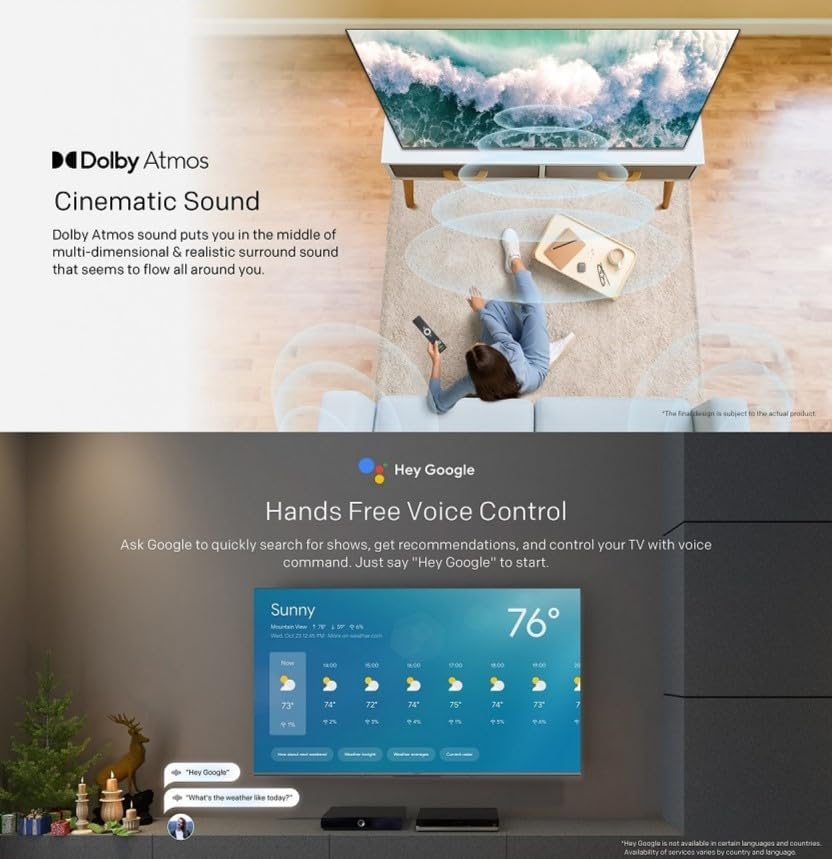
The TV supports bidirectional Bluetooth, allowing connection to mobile phones and Bluetooth audio products for versatile sound options.

This image highlights key features such as Kids Care for child-friendly content, Google Duo for video calls, Google Photos for sharing memories, and Chromecast built-in for easy content casting.
۳.۳ د انځور او غږ ترتیبات
Access the settings menu to customize picture and sound preferences.
- QLED 4K UHD with Dolby Vision & HDR10+: Experience vibrant colors and enhanced contrast.
- د فلم جوړونکي حالت: Disables post-processing to preserve the original aspect ratios, colors, and frame rates as intended by the filmmaker.
- ډولبي اتموس او ډي ټي ايس مجازی ایکس: Enjoy immersive, multi-dimensional sound.
- Health Platform: Includes Eye Protection Mode, Night Mode, and Auto Volume Control for comfortable viewing.
- فلکر وړیا: د سکرین فلکر په کمولو سره د سترګو فشار کموي.

With Dolby Vision and advanced HDR10+, the TV enhances the viewing experience, producing images with greater realism and brightness.

Filmmaker Mode ensures a cinematic experience by disabling post-processing, preserving the director's original vision.
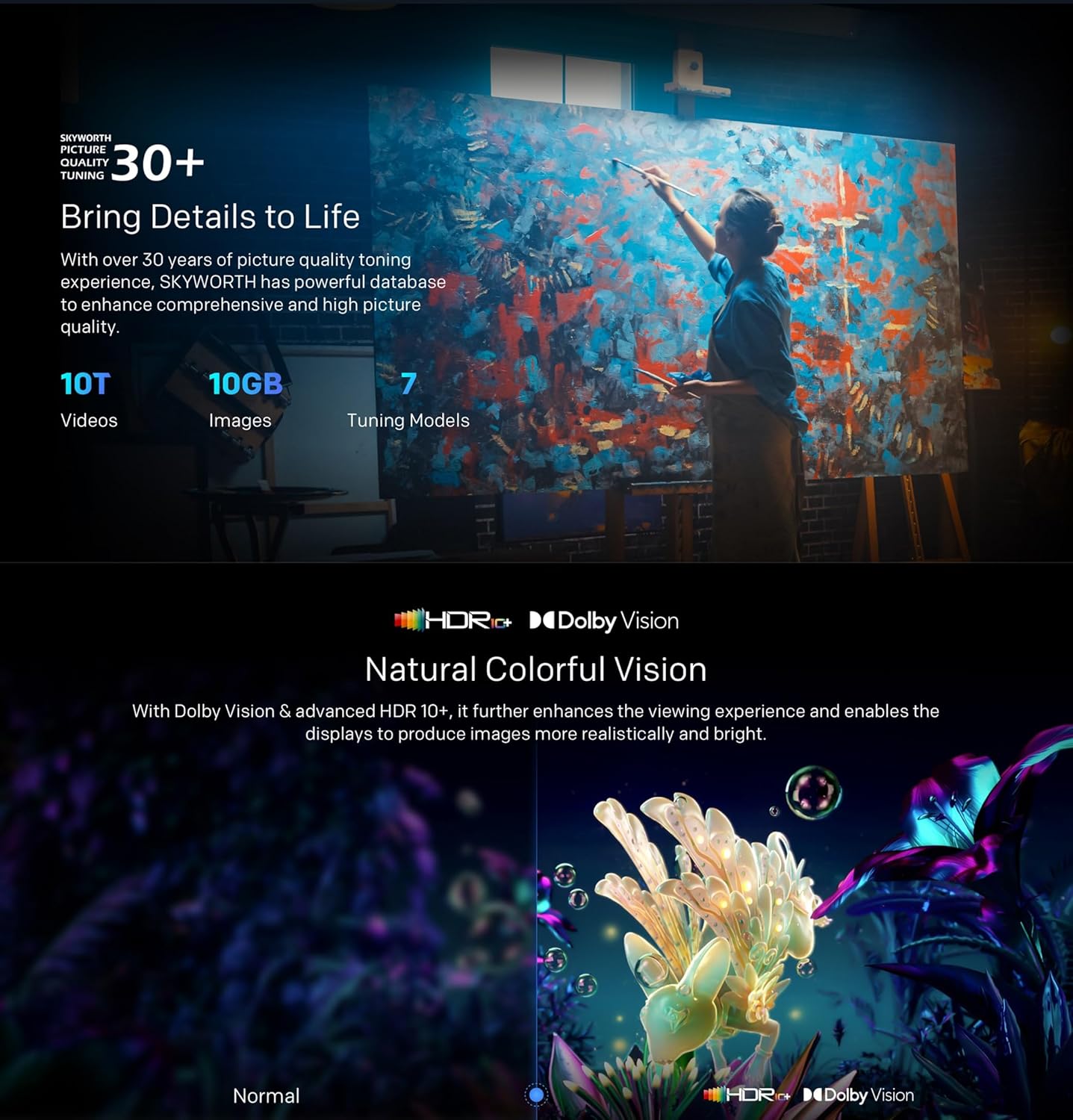
Dolby Atmos sound technology provides a multi-dimensional and realistic surround sound experience that flows around you.

The Health Platform allows you to choose comfort modes such as Eye Protection Mode, Night Mode, or Auto Volume Control for an optimized viewتجربه

Flicker Free technology effectively reduces harm from rapid flickers by adapting direct current backlight, protecting your eye health.
7. ساتنه
7.1 پاکول
To clean the TV screen and casing:
- د پاکولو دمخه تلویزیون د بریښنا له شبکې څخه خلاص کړئ.
- د سکرین د نرمولو لپاره د نرم، لینټ نه پاک ټوکر څخه کار واخلئ. د سختو نښو لپاره، یو څه کم کړئampټوکر د اوبو یا ځانګړي سکرین کلینر سره ومینځئ (ډاډ ترلاسه کړئ چې دا د تلویزیون لپاره خوندي دی).
- ج پاک کړئasing د نرم، وچ ټوکر سره. د کثافاتو پاکوونکو یا محلولونو څخه ډډه وکړئ.
7.2 د سافټویر تازه معلومات
Your Google TV may receive automatic software updates. Ensure your TV is connected to the internet to receive these updates, which can improve performance and add new features. You can also manually check for updates in the settings menu.
8. ستونزه حل کول
که تاسو په خپل تلویزیون کې ستونزې سره مخ شئ، لاندې عام حلونو ته مراجعه وکړئ:
| ستونزه | احتمالي حل |
|---|---|
| هیڅ ځواک نشته | وګورئ چې د بریښنا کیبل په خوندي ډول د تلویزیون او دیوال ساکټ سره نښلول شوی دی. یو بل ساکټ هڅه وکړئ. |
| انځور نشته، خو غږ شته | ډاډ ترلاسه کړئ چې د ننوتلو سمه سرچینه غوره شوې ده. د بهرنیو وسیلو سره د کیبل اتصالونه وګورئ. |
| غږ نشته، خو انځور شته | د غږ کچه او د خاموش کولو ترتیبات وګورئ. د آډیو کیبل اتصالونه تایید کړئ. |
| ریموټ کنټرول کار نه کوي | بیټرۍ بدل کړئ. ډاډ ترلاسه کړئ چې د ریموټ او د تلویزیون د IR سینسر ترمنځ هیڅ خنډ نشته. |
| د وائی فای اتصال مسلې | Restart your router and the TV. Check network settings on the TV. Ensure the TV is within range of your Wi-Fi signal. |
که ستونزه دوام ومومي، مهرباني وکړئ د پیرودونکو ملاتړ سره اړیکه ونیسئ.
9. مشخصات
The following table outlines the key specifications for the Skyworth 55SUE9500 TV:
| فیچر | تفصیل |
|---|---|
| د ماډل شمیره | 55SUE9500 |
| د سکرین اندازه | ۷۸۷ انچه |
| ټیکنالوژي ښکاره کول | QLED |
| قرارداد | 4K UHD (3840 x 2160) |
| د تازه کولو نرخ | 60 Hz |
| عملیاتي سیسټم | ګوګل تلویزیون |
| د HDR ملاتړ | ډولبي ویژن، HDR10+ |
| آډیو ټیکنالوژي | Dolby Atmos, DTS Virtual X |
| پروسیسر | Chameleon Extreme 2.0 |
| RAM | 2GB |
| ذخیره کول | 16GB |
| ارتباط | Wi-Fi, Bluetooth 5.1, Ethernet (LAN) |
| بندرونه | HDMI x3, USB x2, RF, AV IN, Digital Out |
| ځانګړي ځانګړتیاوې | Google Assistant, Chromecast Built-in, Game Mode, Flicker Free, Health Platform, Filmmaker Mode |
| د محصول ابعاد (د سټینډ سره) | ۷۱.۲ x ۲۷.۶ x ۴۵.۹ سانتي متره (تقریبا) |
| وزن (د موقف سره) | 12.2 کیلو ګرامه (تقریبا) |

This diagram provides detailed measurements of the television, including its width, height, and depth, both with and without the stand, along with the corresponding weights.
10. تضمین او ملاتړ
10.1 د تضمین معلومات
Your Skyworth 55-inch 4K QLED Google TV Model 55SUE9500 comes with a 2-year warranty. This warranty covers manufacturing defects and malfunctions under normal use. Please retain your proof of purchase for warranty claims. The warranty does not cover damage caused by misuse, accidents, unauthorized repairs, or acts of nature.
10.2 د پیرودونکي ملاتړ
For technical assistance, troubleshooting beyond this manual, or warranty service, please contact Skyworth customer support. Refer to the contact information provided in your product packaging or on the official Skyworth webستاسو د سیمې لپاره سایټ.


