1. پیژندنه
Thank you for choosing the JTEMAN Portable Phone Stand with Bluetooth Speaker. This versatile device combines a stable phone stand with a high-quality Bluetooth speaker, offering convenience for media consumption, video calls, and audio playback. This manual will guide you through the setup, operation, and maintenance of your new device.

Figure 1: JTEMAN Portable Phone Stand with Bluetooth Speaker (White)
2. د بسته محتويات
مهرباني وکړئ د لاندې توکو لپاره بکس وګورئ:
- د بلوتوټ سپیکر سره د تلیفون سټینډ
- د کارن لارښود
- USB-A to Type-C charger cable (1)
3. محصول ختم شوview
The JTEMAN L9 is designed for multi-functional use, serving as both a phone stand and a Bluetooth speaker. It features an adjustable and foldable design for portability and optimal viewزاویې
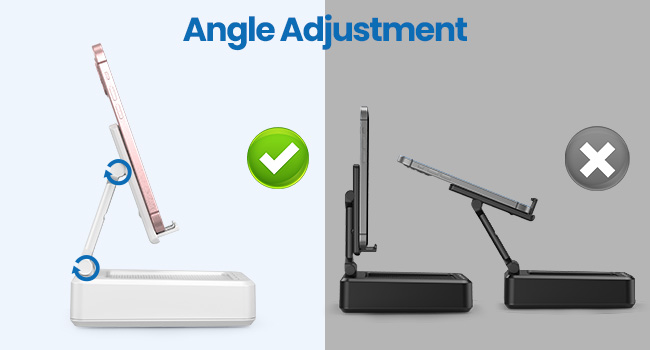
Figure 2: Product Dimensions and Controls
کلیدي ځانګړتیاوې:
- 2-in-1 فعالیت: Combines a phone stand with a Bluetooth speaker.
- پراخه مطابقت: Supports most 4-13 inch smartphones, tablets, and e-readers with Bluetooth.
- Adjustable & Foldable: ګڼ viewing angles and a compact, portable design.
- Stable & Anti-slip: Features anti-slip silicone pads for device protection and stability.
- جوړ شوی مایکروفون: د لاسونو څخه پاک زنګونه فعالوي.

Figure 3: Integrated Features
4. ترتیب کول
4.1 د وسیلې چارج کول
- Connect the provided USB-A to Type-C charging cable to the charging port on the side of the JTEMAN L9.
- د کیبل بل پای د یو مناسب USB بریښنا اډاپټر سره وصل کړئ (شامل نه دی).
- The charging indicator light will show red during charging and turn green when fully charged. A full charge takes approximately 4 hours.
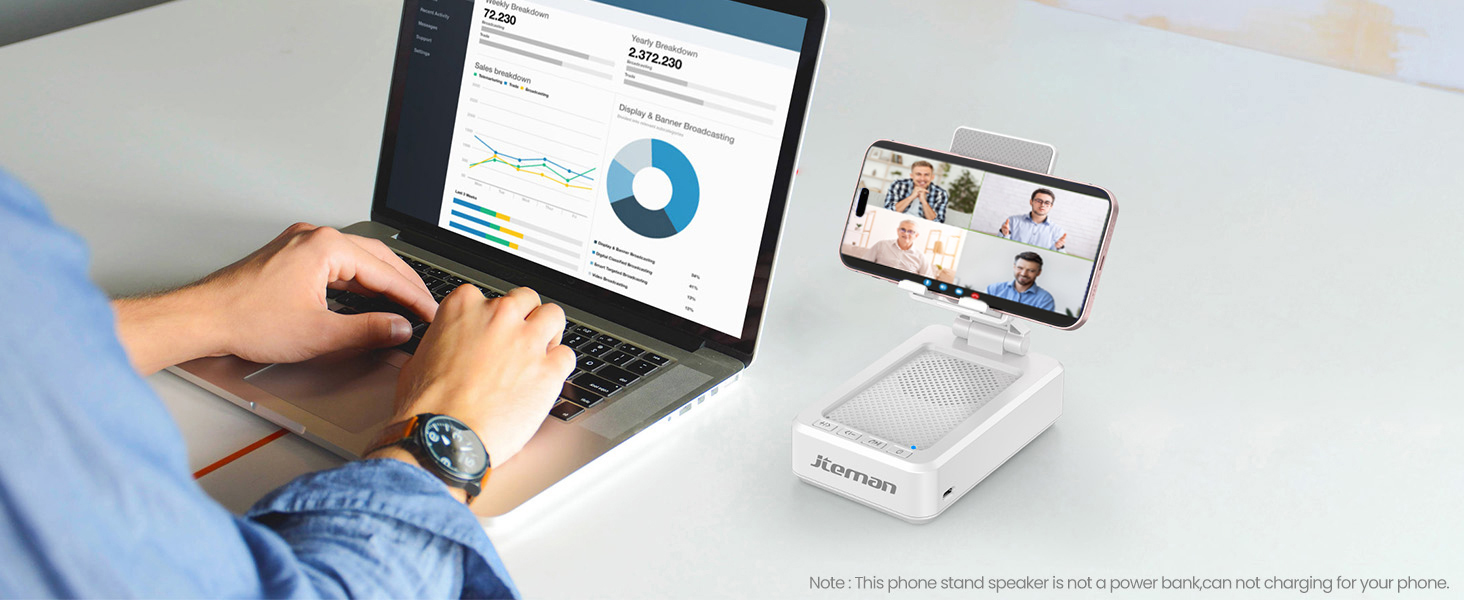
Figure 4: Charging the JTEMAN L9
4.2 د بلوتوټ جوړه کول
- Press and hold the power button on the JTEMAN L9 until you hear an audible prompt indicating it's powered on and in Bluetooth pairing mode. The Bluetooth indicator light will flash.
- On your smartphone, tablet, or e-reader, go to the Bluetooth settings.
- لټون available devices and select "JTEMAN L9" from the list.
- Once connected, you will hear a confirmation tone, and the Bluetooth indicator light will remain solid.
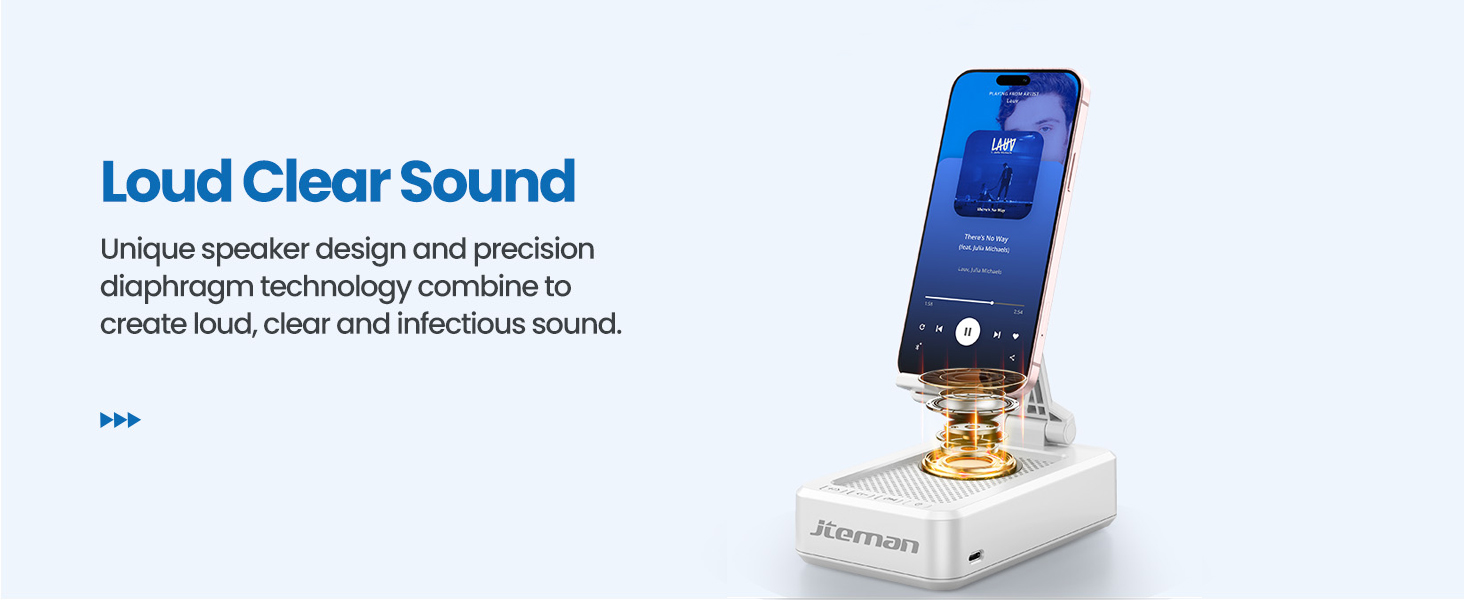
Figure 5: Easy Bluetooth Connection
5. عملیاتي لارښوونې
5.1 Using as a Phone/Tablet Stand
- Gently pull up the phone holder arm from its folded position.
- Adjust the angle of the holder to your preferred viewing position. The stand is designed to be stable at various angles.
- Place your smartphone, tablet, or e-reader onto the holder. The anti-slip silicone pads will secure your device.
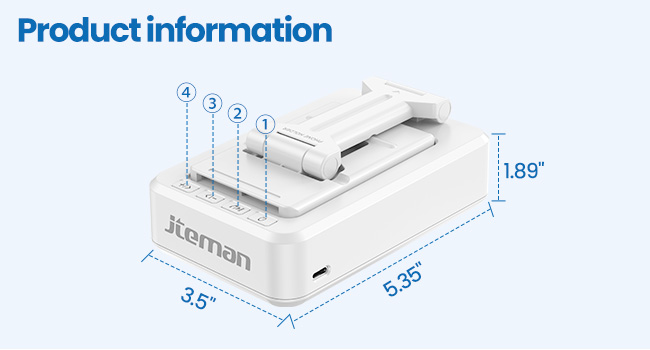
Figure 6: Angle Adjustment for Optimal Viewing
۴.۲ د بلوتوث سپیکر کارول
Once paired with your device, audio will automatically play through the JTEMAN L9 speaker.
- پلی کول / ودرول: Press the Play/Pause button on the speaker to control media playback.
- د حجم کنټرول: Use the volume buttons (+/-) on the speaker to adjust the audio level.
- تګ راتګ: Use the skip buttons (<< / >>) to go to the previous or next track.
- د لاسونو وړیا زنګونه: The built-in microphone allows for clear hands-free communication. Press the phone icon button to answer or end calls.

Figure 7: Loud and Clear Sound Output
۴.۲ د لېږد وړتیا
When not in use, the phone holder arm can be folded down, making the device compact and easy to carry in a bag.

Figure 8: Foldable and Portable Design
۱۰.۲ د محصول رسمي ویډیوګانې
Video 1: Demonstrates the sound quality and instant pairing of the JTEMAN L9.
Video 2: Showcases the power and versatility of the JTEMAN L9 speaker and stand.
Video 3: Highlights the compact design, clear sound, and anti-slip base of the JTEMAN L9.
6. ساتنه
- وسیله د نرم، وچې ټوکر په مسح کولو سره پاکه وساتئ.
- د وسیلې د خورا تودوخې ، رطوبت یا مستقیم لمر وړانګو ته د افشا کولو څخه ډډه وکړئ.
- د کثافاتو پاکوونکي یا محلول مه کاروئ.
7. ستونزه حل کول
| ستونزه | احتمالي لامل | د حل لاره |
|---|---|---|
| وسیله فعاله نه ده | ټیټ بیټرۍ | د ورکړل شوي USB-C کیبل په کارولو سره وسیله چارج کړئ. |
| د بلوتوث له لارې جوړه نشي کېدای | Bluetooth not enabled on source device; device too far; already paired to another device | Ensure Bluetooth is on and within range (approx. 10m). Disconnect from other devices. |
| نه غږ یا ټیټ حجم | Volume too low on speaker or source device; not properly connected | Increase volume on both devices. Re-pair Bluetooth connection. |
| Audio skipping/interruption | Interference; device too far; low battery | Move closer to the source device. Ensure no obstructions. Charge the device. |
8. مشخصات
| فیچر | تفصیل |
|---|---|
| د محصول ابعاد | 5.35 x 3.5 x 1.89 انچه |
| د توکي وزن | 11.5 اونس |
| د توکي ماډل شمیره | L9 |
| برانډ | JTEMAN |
| رنګ | سپین |
| د فارم فکتور | د تلیفون سټینډ د سپیکر سره |
| مطابقت لرونکې وسیلې | Mobile phone, Tablet |
| د مناسب تلیفون ماډلونه | iPhone, Samsung, iPad mini, Samsung Tab, Google Nexus, Kindle |
| د بیټرۍ ظرفیت | 1800mAh (approx. 8-10 hours play time at medium volume) |
9. تضمین او ملاتړ
JTEMAN products are manufactured with high-quality standards. For any issues or support needs, please refer to the contact information provided with your purchase or visit the official JTEMAN webسایټ. د تضمین ادعاوو لپاره د پیرود ثبوت وساتئ.


