1. پیژندنه
The ICY BOX IB-DK8801-TB4 is a versatile Thunderbolt 4 docking station designed to expand the connectivity of your laptop or Mac. It offers a 10-in-1 solution, enabling connection of multiple peripherals, external displays, and providing power delivery through a single Thunderbolt 4 cable. This manual provides instructions for setup, operation, and maintenance to ensure optimal performance.

Figure 1: The IB-DK8801-TB4 docking station integrated into a workspace, demonstrating universal PC connectivity.
2. د بسته محتويات
- 1x ICY BOX IB-DK8801-TB4 Thunderbolt 4 Docking Station
- 1x بریښنا اډاپټر
- 1x تندربولټ 4 کیبل
- 1x د کارونکي لارښود
3. محصول ختم شوview
The IB-DK8801-TB4 docking station features a comprehensive array of ports for various connectivity needs. Familiarize yourself with the port layout before connecting devices.

Figure 2: Port layout and daisy-chaining illustration of the docking station.
د فرنټ پینل بندرونه:
- د SD 4.0 کارت لوستونکی: For high-speed data transfer from SD cards.
- د USB 3.1 ډوله پورټ: Connect USB peripherals.
- د USB-C پورټ: Connect USB-C devices.
- د تندربولټ ۵ اپ سټریم پورټ: Connects to your host laptop/Mac.
- د بریښنا تڼۍ: د ډاکینګ سټیشن د فعالولو/بندولو لپاره.
د شا پینل بندرونه:
- په DC کې: شامل شوي بریښنا اډاپټر سره وصل کړئ.
- د HDMI پورټ: یو بهرنی نندارتون وصل کړئ.
- ایترنیټ پورټ: د تار لرونکي شبکې اتصال لپاره.
- 2x Thunderbolt 4 Downstream Ports: Connect additional Thunderbolt devices or displays, supporting daisy-chaining.
- 3x USB 3.1 Type-A Ports: Connect additional USB peripherals.
4. ترتیب کول
Follow these steps to set up your ICY BOX Thunderbolt 4 Docking Station:
- بریښنا وصل کړئ: Plug the power adapter into the DC IN port on the rear of the docking station, then connect it to a power outlet.
- د کوربه وسیلې سره وصل شئ: Use the provided Thunderbolt 4 cable to connect the Thunderbolt 4 Upstream port on the front of the docking station to a Thunderbolt 4 port on your laptop or Mac.
- د نښلولو ښودنې:
- For a single 8K@30Hz display, connect it to one of the Thunderbolt 4 downstream ports using a compatible cable.
- For dual 4K@60Hz displays, connect one display to the HDMI port and the other to a Thunderbolt 4 downstream port (using a compatible adapter/cable if necessary).

Figure 3: Connecting external monitors to the docking station.
- پرفیریلز وصل کړئ: Connect your USB devices (keyboard, mouse, external drives) to the available USB 3.1 Type-A or USB-C ports. Insert SD cards into the SD 4.0 card reader as needed.
- د نښلولو شبکه: For a wired internet connection, connect an Ethernet cable from your router/modem to the Ethernet port on the rear of the docking station.
5. عملیاتي لارښوونې
پاور آن/بند:
Press the power button on the front panel to turn the docking station on or off. The LED indicator will illuminate when the device is powered on.
د ښودنې تشکیلات:
Your host device should automatically detect connected displays. You can configure display settings (resolution, orientation, extended/mirrored mode) through your operating system's display settings.
د بریښنا تحویل (PD):
The docking station provides up to 96W Power Delivery through the Thunderbolt 4 upstream port to charge your connected laptop or Mac. Ensure your device supports charging via Thunderbolt 4.

Figure 4: The docking station providing 96W Power Delivery to a laptop.
Thunderbolt 4 Capabilities:
The Thunderbolt 4 ports support data transfer speeds of up to 40 Gbit/s. They are compatible with DisplayPort, PCIe, and USB 4, and are backward compatible with previous Thunderbolt versions. This allows for high-speed external storage, external graphics cards, and other high-bandwidth devices.
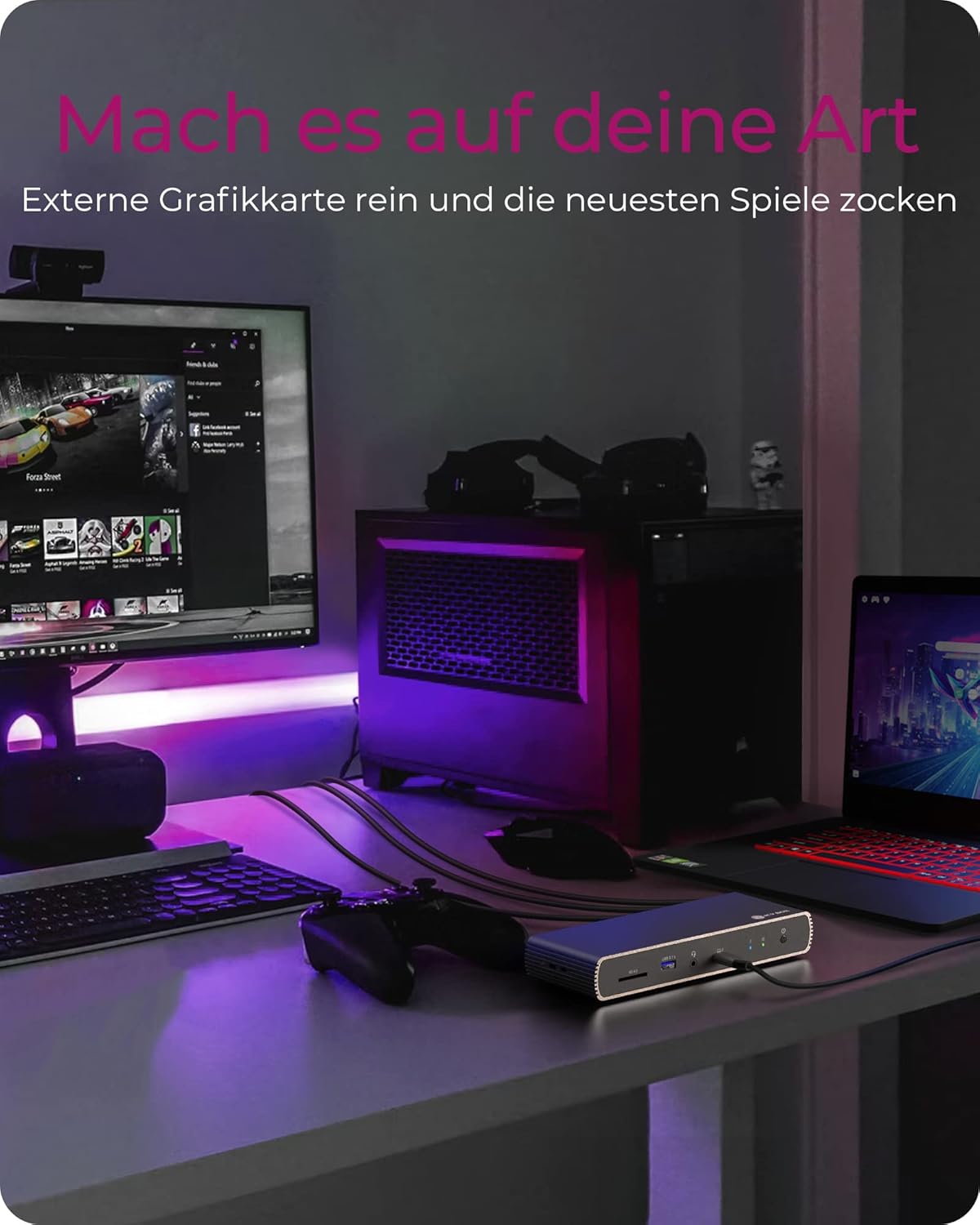
Figure 5: Using the docking station with an external graphics card for enhanced performance.

Figure 6: The docking station facilitating creative workflows with various connected devices.
6. ساتنه
ستاسو د ډاکینګ سټیشن د اوږد عمر او غوره فعالیت ډاډمن کولو لپاره:
- وسیله په وچه، ښه هوا لرونکې سیمه کې وساتئ، د مستقیم لمر وړانګو او تودوخې سرچینو څخه لرې.
- Avoid exposing the device to liquids or excessive moisture.
- بهرنۍ برخه د نرم او وچ ټوکر سره پاکه کړئ. سخت کیمیاوي مواد یا د کثافاتو پاکوونکي مه کاروئ.
- ډاډ ترلاسه کړئ چې ټول کیبلونه په خوندي ډول وصل دي او تر فشار لاندې نه دي.
7. ستونزه حل کول
که تاسو د خپل ډاکینګ سټیشن سره ستونزې سره مخ شئ، لاندې عامې ستونزې او حل لارې وګورئ:
| ستونزه | احتمالي حل |
|---|---|
| د ډاکینګ سټیشن ته بریښنا نشته. | Ensure the power adapter is securely connected to both the docking station and a working power outlet. Check the power button status. |
| په بهرني مانیټر کې هیڅ ښودنه نشته. | Verify display cables are securely connected. Ensure the docking station is powered on and connected to your host device. Check your host device's display settings. Try a different display cable or port. |
| د USB وسایل نه پیژندل شوي. | Ensure the docking station is powered on and connected to your host device. Try connecting the USB device to a different port on the dock or directly to your host device to rule out device issues. |
| Laptop not charging. | Confirm your laptop supports charging via Thunderbolt 4. Ensure the Thunderbolt 4 upstream cable is correctly connected. Check the power adapter connection. |
| د شبکې د اتصال ستونزې. | Check the Ethernet cable connection. Verify your router/modem is working correctly. Ensure network drivers are up to date on your host device. |
8. مشخصات
| فیچر | تفصیل |
|---|---|
| د ماډل نوم | IB-DK8801-TB4 |
| برانډ | د ICY بکس |
| هډوتري برسیر | DisplayPort, HDMI, Thunderbolt, USB, USB Type C |
| مطابقت لرونکې وسیلې | MacBook Air, MacBook Pro, Thunderbolt 4 enabled laptops |
| د بندرونو شمیر | 10 |
| ټول USB پورټونه | 4 (USB 3.1) + 1 (USB-C) |
| ټول HDMI بندرونه | 1 |
| تندربولټ 4 بندرونه | 2x Downstream, 1x Upstream |
| د بریښنا رسول | تر 96W پورې |
| د ویډیو تولید | واحد 8K@30Hz یا دوه ګونی 4K@60Hz |
| ایترنیټ | هو |
| د SD کارت لوستونکی | SD 4.0 |
| د محصول ابعاد | 50 x 50 x 28 سانتي متره |
| د توکي وزن | 440 ګرامه |
9. تضمین او ملاتړ
د ICY بکس محصولات د اعتبار او فعالیت لپاره ډیزاین شوي دي. د تضمین معلوماتو او تخنیکي ملاتړ لپاره، مهرباني وکړئ رسمي ICY بکس ته مراجعه وکړئ. webسایټ یا خپل محلي پرچون پلورونکي سره اړیکه ونیسئ. د تضمین ادعاوو لپاره د پیرود ثبوت وساتئ.


