1. پیژندنه او وروستهview
The Humanscale eFloat Go is an electric height-adjustable desk designed for both home and commercial office environments. It features innovative anti-collision technology, quiet motors, and a programmable hand switch, allowing users to seamlessly adjust their working position throughout the day.
کلیدي ځانګړتیاوې عبارت دي له:
- Electric Height-Adjustable Table for dynamic work postures.
- Programmable hand switch to store and recall preferred height settings.
- Spacious 30" Depth by 60" Width top (for this specific model).
- Designed for quick and easy setup.
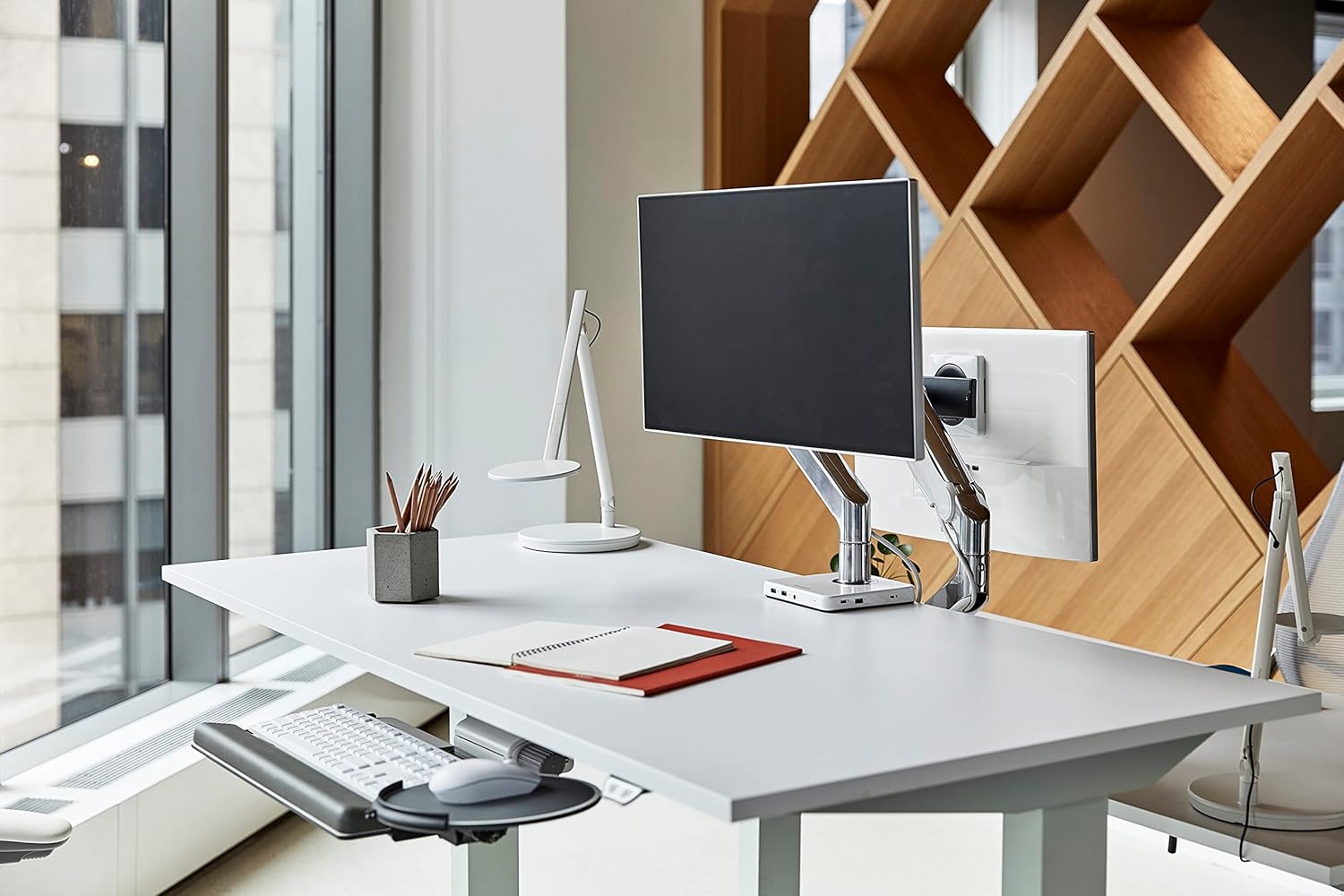
Image 1.1: The Humanscale eFloat Go desk in a modern office environment, showcasing its design and functionality with a monitor and accessories.
2. د خوندیتوب معلومات
Please read and understand all safety instructions before operating the eFloat Go desk. Failure to follow these instructions may result in injury or damage to the product.
- Always keep hands and objects clear of all moving parts during height adjustments.
- د وزن له سپارښتنې څخه زیات مه کوئ ۶ پونډه (۳ کیلو ګرامه) on the desk surface to ensure stability and safe operation.
- Ensure the power cord is properly routed to prevent tripping hazards or damage.
- ماشومانو ته اجازه مه ورکوئ چې د لویانو له څارنې پرته میز وکاروي.
- Avoid placing liquids directly on the desk surface without proper coasters or protection.
3. تنظیم او مجلس
The Humanscale eFloat Go desk is designed for straightforward assembly, typically taking under 5 minutes with the recommended tools. Assembly requires at least one person.
3.1 اړین وسایل
- سکرو ډرایور (شامل نه دی)
3.2 د مجلس مرحلې
- اجزا خلاص کړئ: Carefully remove all parts from the packaging and lay them out on a clean, soft surface to prevent scratches. Verify all components are present according to the packing list.
- Attach Legs to Top: Position the desk top upside down. Align the desk legs with the pre-drilled holes on the underside of the desk top. Secure the legs using the provided screws and a screwdriver.
- Connect Control Box and Hand Switch: Locate the control box and connect the motor cables from each leg. Connect the hand switch cable to the designated port on the control box.
- د لارې کیبلونه: Use the included cable management clips to neatly route all cables, ensuring they do not interfere with the desk's movement.
- بریښنا وصل کړئ: Plug the power cord into the control box, then into a standard electrical outlet.
- Initial Power-On and Reset: After connecting power, the desk may require an initial reset. Refer to Section 4.1 for first-time use and reset procedures.

Image 3.1: Dimensional diagram of the eFloat Go desk, illustrating its 29" depth, 58" width, and 26.5" height.
4. عملیاتي لارښوونې
The eFloat Go desk features an intuitive programmable hand switch for easy height adjustment and memory settings.
4.1 First-Time Use and Reset
Upon initial power-on or after a power interruption, the desk may need to be reset:
- فشار ورکړئ او ونیسئ ښکته arrow button until the desk reaches its lowest position and then slightly rises. Release the button.
- The desk is now calibrated and ready for use.
۵.۲ د میز لوړوالی تنظیم کول
- To raise the desk, press and hold the UP د تیر تڼۍ.
- To lower the desk, press and hold the ښکته د تیر تڼۍ.
- Release the button at your desired height.
۵.۳ د پروګرام کولو حافظې پریسیټونه
The hand switch allows you to save up to three preferred height settings:
- Adjust the desk to your desired height using the UP/DOWN arrow buttons.
- فشار ورکړئ M (Memory) button. The display will show 'S-'.
- د 3 ثانیو دننه، د شمیرې شوي مخکینۍ تڼۍ څخه یو فشار ورکړئ (1, 2، یا 3). The display will show 'S-1', 'S-2', or 'S-3' to confirm the setting is saved.
- Repeat for other desired height settings.
۵.۲ د حافظې پریسیټونو کارول
To move the desk to a saved height:
- په ساده ډول د اړونده شمیرې سره سم تڼۍ فشار ورکړئ (1, 2، یا 3). میز به په اتوماتيک ډول خوندي شوي لوړوالي ته حرکت وکړي.
۴.۲ د ټکر ضد ټیکنالوژي
The eFloat Go desk is equipped with anti-collision technology. If the desk encounters an obstruction during height adjustment, it will automatically stop and reverse slightly to prevent damage. Clear any obstructions before resuming adjustment.

انځور ۲: یوه نږدې انځور view of the programmable hand switch, showing the up/down arrows, memory button (M), and three preset buttons (1, 2, 3).
5. ساتنه
Proper care will ensure the longevity and optimal performance of your Humanscale eFloat Go desk.
- پاکول: Wipe the desk surface and frame with a dry, soft cloth. For stubborn marks, a slightly damp د نرم صابون سره ټوکر کارول کیدی شي، او بیا په بشپړه توګه وچ شي. د زنګ وهلو پاکوونکو یا سخت کیمیاوي موادو څخه ډډه وکړئ.
- د چاپیریال شرایط: Avoid direct sunlight exposure for extended periods, as this may affect the laminate finish.
- د وزن ویش: Do not place heavy objects exclusively on the edges of the desk. Distribute weight evenly across the surface.
- د کیبل مدیریت: Periodically check that all cables are securely routed and not pinched or damaged.
6. ستونزه حل کول
If you encounter issues with your eFloat Go desk, refer to the following common troubleshooting steps:
6.1 Desk Not Moving
- ځواک چیک کړئ: Ensure the power cord is securely plugged into both the desk's control box and a functioning wall outlet.
- د بیا تنظیم کولو طرزالعمل: Perform the reset procedure described in Section 4.1.
- د اوورلوډ محافظت: If the desk has been overloaded (exceeding 250 lbs), the motor may have temporarily shut off. Remove excess weight and wait a few minutes before attempting to operate again.
6.2 Uneven Movement or Noise
- د خنډونو لپاره وګورئ: Ensure there are no objects impeding the legs or frame during movement.
- د سطحې کچه: Verify the desk is placed on a level floor. Adjust the leveling feet if necessary.
- پیچونه بیا ټینګ کړئ: Over time, some assembly screws may loosen. Carefully re-tighten all assembly screws.
6.3 Anti-Collision System Triggering Frequently
- پاکه لاره: Ensure the desk's path of movement is completely clear of any objects, cables, or walls.
- حساسیت: If the issue persists without clear obstructions, contact Humanscale support for potential sensitivity adjustments or further diagnostics.
7. مشخصات
| فیچر | تفصیل |
|---|---|
| د ماډل شمیره | FTR3060BL_FG1230DS |
| د محصول ابعاد (د x څلویښتم x څلویښتم) | ۱.۳۵" x ۳.۷۱" x ۳.۷۱" (۳.۴۳ سانتي متره x ۹.۴۲ سانتي متره x ۹.۴۲ سانتي متره) |
| پورته اندازه | 30" D x 60" W (76.2 cm x 152.4 cm) |
| د اعظمي وزن سپارښتنه | 250 پونډه (113 kg) |
| د توکي وزن | 164 پونډه (74.39 kg) |
| د پورته موادو ډول | لامینټ لرګی |
| اساسی مواد | فلزي |
| رنګ | Silver on Black |
| د پورته کولو میکانیزم | برقی |
| اړین مجلس | هو |
| د اسمبلۍ لپاره د سپارښت شویو کسانو شمیر | 1 |
| د مجلس لپاره وړاندیز شوي وسایل | سکریو ډرایور |
8. تضمین او ملاتړ
Humanscale stands behind the quality of its products.
8.1 د تضمین معلومات
The Humanscale eFloat Go desk is covered by a 10-Year, 24/7 Humanscale Warranty. This comprehensive warranty covers parts and labor for manufacturing defects under normal use. Please retain your proof of purchase for warranty claims.
8.2 د پیرودونکي ملاتړ
For technical assistance, warranty claims, or further inquiries, please contact Humanscale customer support. You can find more information and contact details by visiting the official Humanscale store:


