1. پیژندنه
This manual provides comprehensive instructions for the installation, operation, and maintenance of your SJOYBRING JOY-W005 Double Din Car Stereo. This unit features Wireless Apple CarPlay & Android Auto, Bluetooth connectivity, 4.2-Channel Audio Output, Mirror Link, a 7-inch Touchscreen, and includes a Backup Camera. Please read this manual thoroughly before use to ensure proper functionality and safety.
2. د خوندیتوب معلومات
Always prioritize safety. Improper installation or operation can lead to accidents or damage. Observe the following:
- ډاډ ترلاسه کړئ چې د نصبولو دمخه د موټر بریښنا قطع شوې ده.
- It is recommended to have the unit installed by a professional car audio technician.
- یونټ په داسې ډول مه چلوئ چې تاسو د موټر چلولو څخه منع کړي.
- کار کولtage: 12V. Max power output: 60W*4.
- ډاډ ترلاسه کړئ چې د واحد په شاوخوا کې مناسب هوا ورکول.
3. د بسته محتويات
ډاډ ترلاسه کړئ چې ټول توکي په کڅوړه کې شتون لري:

انځور 3.1: Illustration of included package contents.
- مرکزي واحد
- شاته View کیمره
- د بیک اپ کیمرې کیبل
- د بریښنا مزي
- ریموټ کنټرول
- د قوسونو نصبول
- Screws (various types)
- د کارونکي لارښود (دا لاسوند)
4. محصول ختم شوview
The SJOYBRING JOY-W005 is a versatile car stereo designed to enhance your driving experience with modern connectivity and audio features.

انځور 4.1: SJOYBRING JOY-W005 Head Unit and Accessories.
کلیدي ځانګړتیاوې:
- بېسیم ایپل کارپلی او انډرایډ آټو: Seamless smartphone integration via Wi-Fi and Bluetooth for navigation, calls, and music.
- ۴.۲-چینل آډیو آوټ پټ: Enhanced sound quality with dedicated outputs for front, rear, and two subwoofers.
- Upgraded Bluetooth System: Stable and clear calls/music streaming with independent Bluetooth module and antenna.
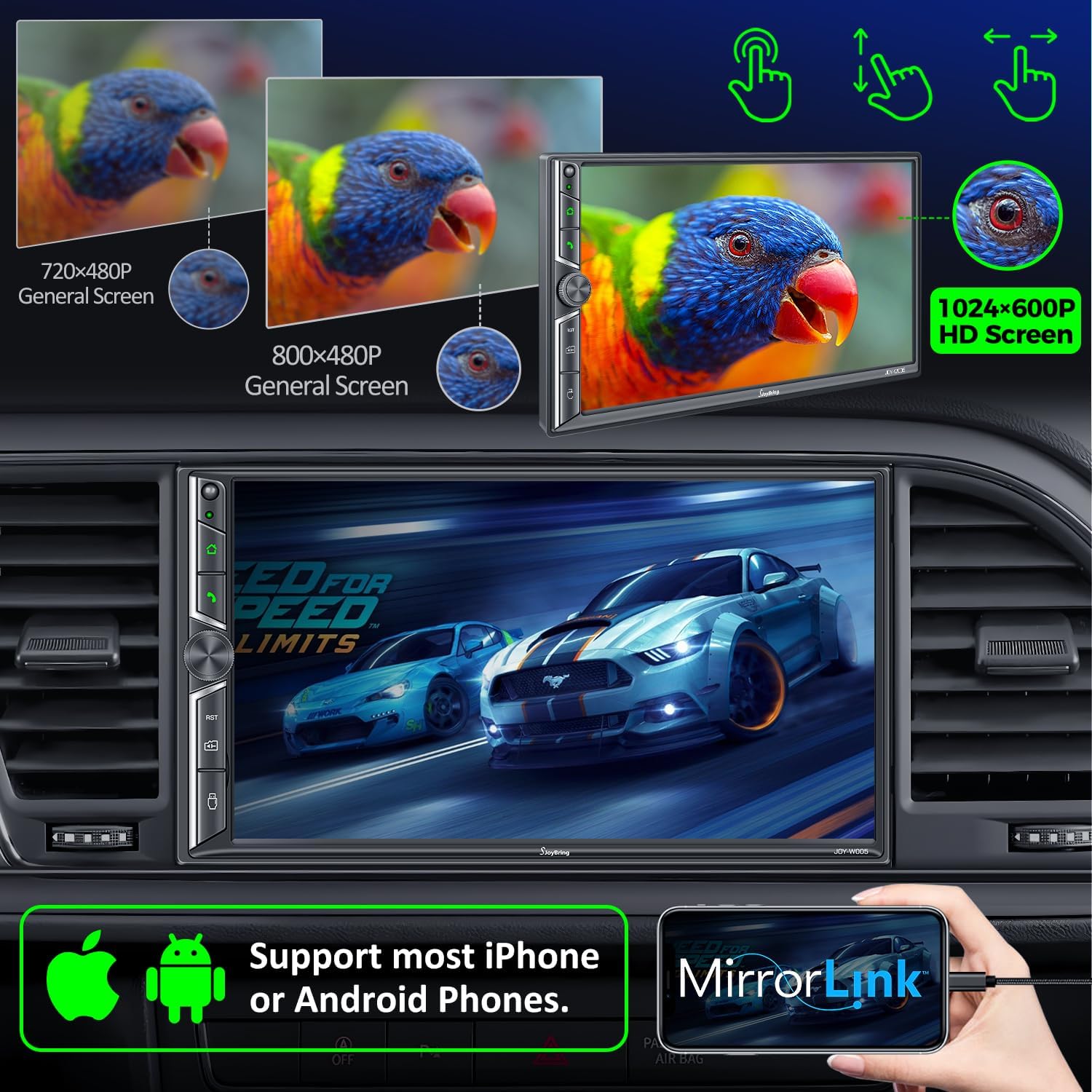
- د عکس لینک: Display your iOS/Android phone screen on the 7-inch HD touchscreen via USB.
- ۱۰.۱ انچه ایچ ډي ټچ سکرین: 1024 x 600 resolution for clear visuals and 1920 x 1080P video playback.
- Backup Camera Included: HD night vision, 170° ultra-wide viewing angle, IP68 waterproof design for safer parking.
- AM/FM راډیو: Standard radio functionality.
۱. تنظیم او نصب کول
5.1 د نصب کولو دمخه چکونه
Before beginning installation, ensure your vehicle's dashboard opening size is compatible with the stereo. The unit supports common double din sizes:
- 170 x 97mm (6.69 x 3.81 inches) - Common for US and European car series.
- 178 x 100mm (7 x 3.93 inches) - Common for Asian car series.
- 189 x 117mm (7.44 x 4.61 inches) - Other common sizes.
If your dash size does not match, an additional suitable dash kit may be required. Some cars may also need a wire harness adapter and a radio antenna adapter.
انځور 5.1: Dash Size Compatibility and Wiring Diagrams.
5.2 د تارونو ډیاګرام
Refer to the following diagram for proper wiring connections. It is crucial to connect wires correctly to avoid damage to the unit or vehicle.
| د تار رنګ | فعالیت |
|---|---|
| ژیړ | +12V Constant Power Supply |
| تور | ځمکه (-) |
| سور | +12V Ignition Switch (ACC) |
| نارنجي | رڼا روښانه کړئ |
| آبي | Power on Antenna/Ampلايف |
| خړ / تور | Right Front Speaker - |
| سپین / تور | Left Front Speaker - |
| شنه / تور | Left Rear Speaker - |
| ارغواني / تور | Right Rear Speaker - |
| نصواري | Brake Detect |
| ګلابي | Back Car Control (Reverse Trigger) |
| خړ | Steering Wheel Control (1) |
| شین | Steering Wheel Control (2) |
| تور | Ground (Steering Wheel Control) |
| ګلابي / تور | مخکی View Camera Power Supply |
5.3 شاته View د کیمرې نصب کول
شامل شوی HD د شپې لید شاته برخه view camera automatically displays the image when the vehicle shifts into reverse. Connect the camera's video output to the unit's "R-CAM" input and its power to the vehicle's reverse light circuit.
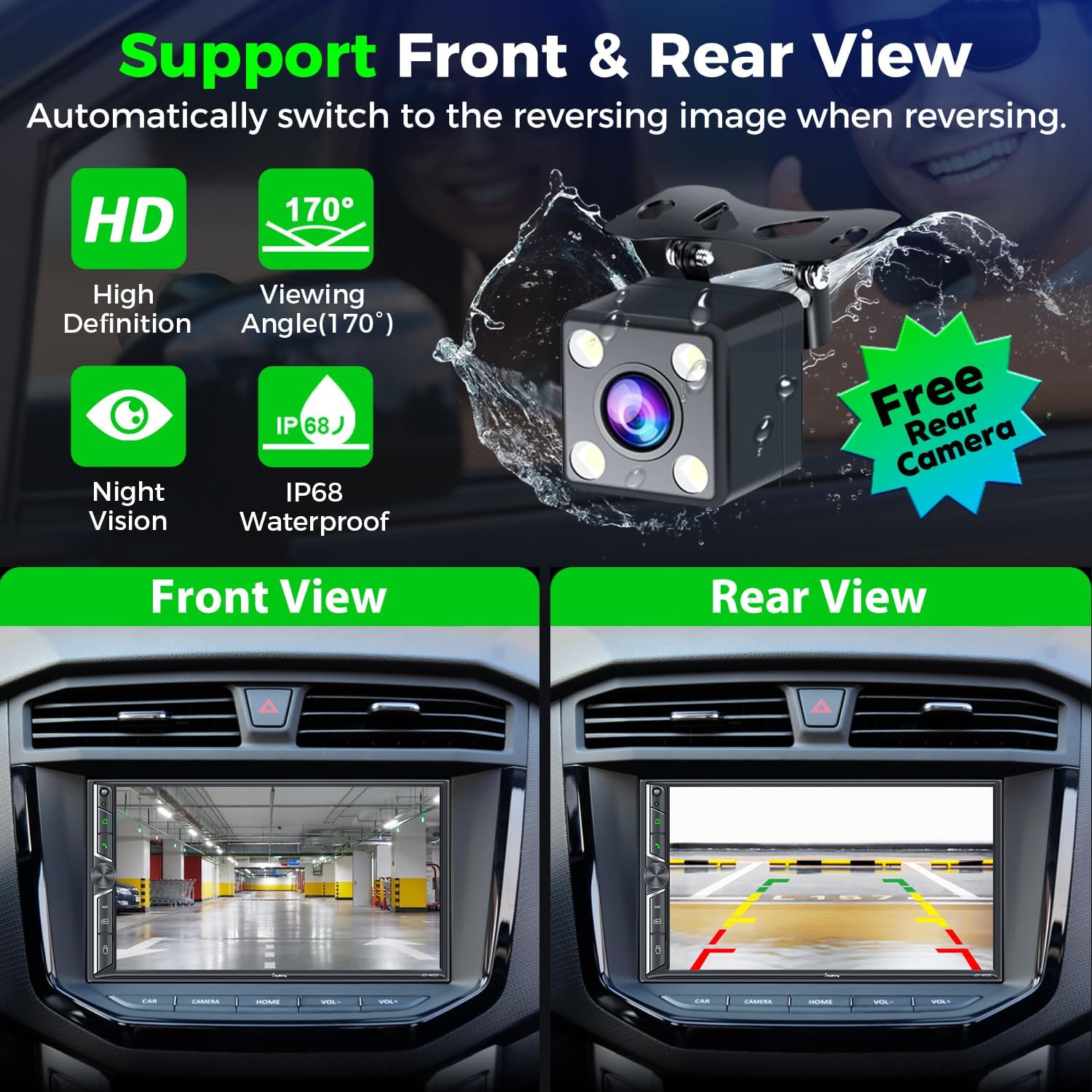
انځور 5.2: شاته View Camera Functionality.
6. عملیاتي لارښوونې
۴.۲ بېسیم ایپل کارپلی او انډرایډ آټو
Connect your smartphone to the car radio via Wi-Fi and Bluetooth to activate Wireless Apple CarPlay or Android Auto. This allows you to access navigation, make calls, play music, and use voice assistants (Siri, Google Assistant) safely while driving.

انځور 6.1: Wireless CarPlay & Android Auto Interface.
6.2 Bluetooth System
The upgraded Bluetooth system provides a stable connection for hands-free calls and music streaming. Pair your device through the unit's Bluetooth settings. The independent Bluetooth module and antenna ensure clear communication.

انځور 6.2: Bluetooth Call and Music Interface.
۵.۵ د عکس لینک
Connect your iOS or Android smartphone via USB to mirror its screen onto the 7-inch display. This allows you to view content like Google Maps, Spotify, or YouTube directly on the car stereo (Note: Not compatible with iOS 18.0 and above).

انځور 6.3: Mirror Link Functionality.
6.4 Audio Output & Equalizer
The unit supports 4.2-channel audio output, including front (FR/FL), rear (RR/RL) speaker outputs, and two subwoofer outputs (SW1/SW2). Utilize the built-in EQ bands and professional DSP to customize your sound experience.

انځور 6.4: 4.2-Channel Audio Output and EQ Setup.
۵.۸ سهار/اېف اېم راډیو
Access your favorite radio stations using the integrated AM/FM tuner. Scan for stations and save presets for quick access.

انځور 6.5: AM/FM Radio Interface.
۶.۸ د سټیرینګ ویل کنټرول (SWC)
If your vehicle supports it, connect the steering wheel control wires to the unit. This allows you to control basic functions like volume, track skipping, and call management directly from your steering wheel.

انځور 6.6: Steering Wheel Control Setup.
6.7 7 Colors LED Buttons
The physical buttons on the unit feature 7-color LED backlighting, which can be customized to match your vehicle's interior lighting or personal preference.

انځور 6.7: Customizable LED Button Colors.
7. ساتنه
- Keep the touchscreen clean using a soft, lint-free cloth. Avoid abrasive cleaners.
- ډاډ ترلاسه کړئ چې د واحد شاوخوا شاوخوا هوا مناسبه وي ترڅو د ډیر تودوخې مخه ونیسي.
- Regularly check wiring connections for security.
- د اوږدې مودې لپاره د یونټ د سختې تودوخې یا مستقیم لمر وړانګو سره د مخ کیدو څخه ډډه وکړئ.
8. ستونزه حل کول
عام مسایل او حل لارې:
- ځواک نشته: Check power connections (Yellow, Red, Black wires). Ensure the fuse is intact.
- غږ نشته: Verify speaker connections. Check audio settings (volume, mute, fader/balance). Ensure external ampلایفیر (که کارول کیږي) فعال دی.
- د بلوتوټ اتصال مسلې: Ensure Bluetooth is enabled on both the unit and your phone. Try unpairing and re-pairing the device. Check for interference.
- کارپلی/انډرایډ آټو نه وصل کیږي: Ensure Wi-Fi and Bluetooth are on. For wired connection, use a high-quality USB data cable. Check phone compatibility (iOS 18.0+ not supported for Mirror Link).
- د بیک اپ کیمره نه ښکاري: Check camera power and video connections. Ensure the "Back Car Control" (Pink) wire is correctly connected to the reverse light trigger.
- Screen Unresponsive/Lagging: Perform a soft reset (refer to the unit's reset button, usually a small pinhole). If persistent, contact customer support.
9. مشخصات
| فیچر | تفصیل |
|---|---|
| د محصول ابعاد | 3.94 x 7.01 x 3.23 انچه |
| د توکي وزن | ۲.۴۵ پونډه |
| د ماډل شمیره | JOY-W005 |
| جوړونکی | SJOYBRING |
| د ارتباط ټیکنالوژي | بلوتوث، وای فای، USB |
| د کنټرولر ډول | iOS، Android |
| ځانګړي ځانګړتیاوې | Touchscreen, Android Auto, Apple CarPlay, AM Tuner, Built-In Wi-Fi |
| مطابقت لرونکې وسیلې | سمارټ فون، سپیکر |
| د نښلونکي ډول | USB، 3.5mm جیک |
| د آډیو وتلې حالت | سټیریو |
| شاوخوا د غږ چینل ترتیب کول | 4 Channel (4.2-channel with 2 subwoofer outputs) |
| د ویډیو کوډ کول | H.264، H.265/HEVC، MPEG-4 |
| رنګ | تور |
| د کار Voltage | 12V |
| د اعظمي بریښنا تولید | 60W*4 |
10. تضمین او ملاتړ
For warranty information and technical support, please refer to the contact details provided with your purchase or visit the official SJOYBRING website. You can also refer to the full User Manual PDF for more detailed instructions:


