1. پیژندنه
This manual provides essential information for the installation, operation, and maintenance of your Intenso 2TB M.2 SSD PCIe Premium. Please read these instructions carefully before proceeding with installation to ensure optimal performance and longevity of your device.
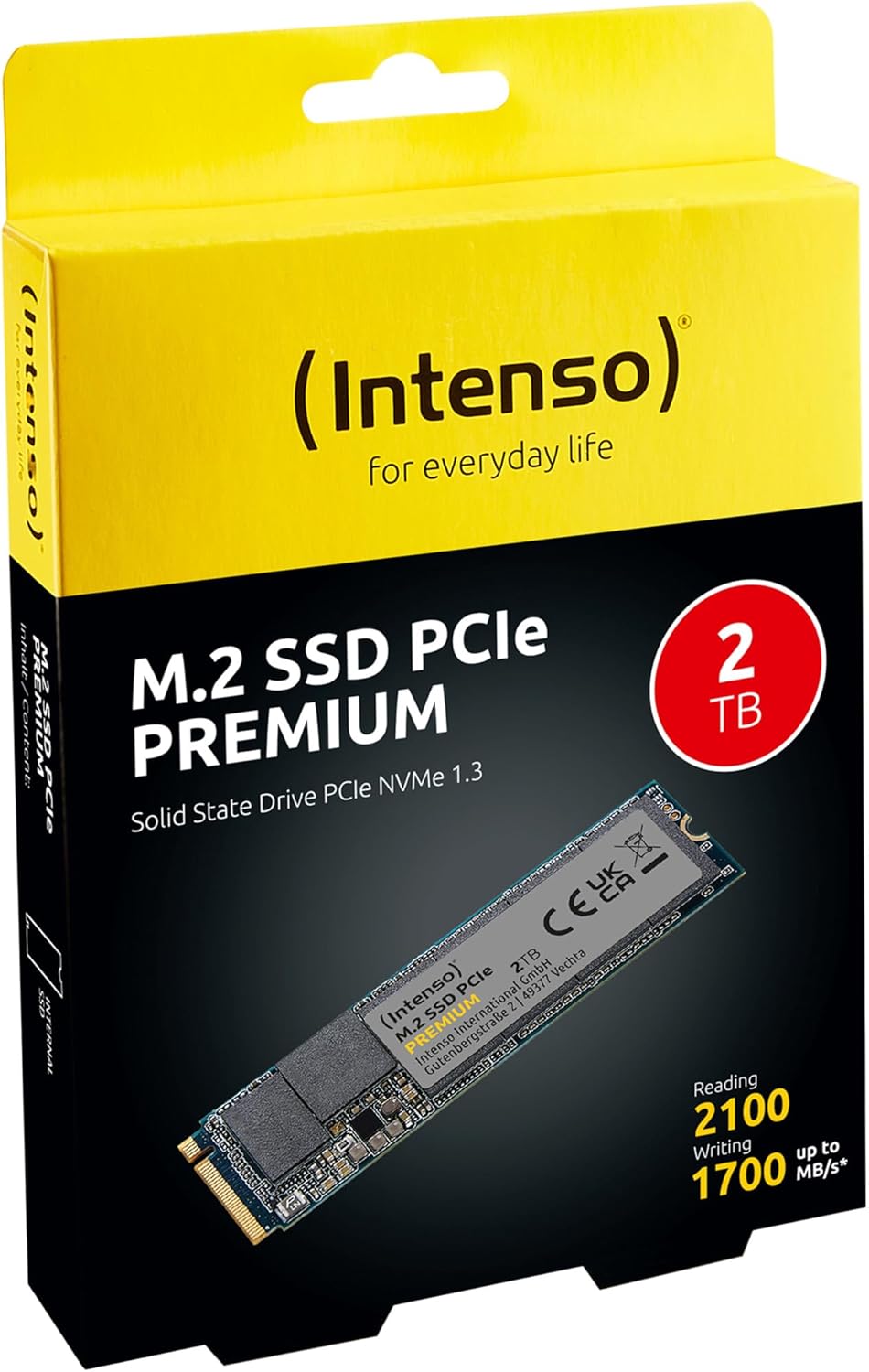
Image 1: Intenso 2TB M.2 SSD PCIe Premium product packaging. The box displays the SSD, capacity, and read/write speeds.
2. ترتیب او نصب کول
Proper installation is crucial for the functionality of your M.2 SSD. Follow these steps carefully.
2.1 د نصب کولو دمخه چک لیست
- مطابقت: Ensure your motherboard has an available M.2 slot that supports PCIe NVMe SSDs. Refer to your motherboard's manual for specific M.2 slot specifications.
- جامد بریښنا: Take precautions against electrostatic discharge (ESD). Use an anti-static wrist strap or touch a grounded metal object before handling the SSD.
- وسیلې: You may need a small Phillips head screwdriver and a motherboard screw for securing the M.2 drive.
2.2 فزیکي نصب کول
- بندول: Completely shut down your computer and disconnect the power cable.
- خلاصه قضیه: د مور بورډ ته د لاسرسي لپاره د خپل کمپیوټر کیس خلاص کړئ.
- د M.2 سلاټ ومومئ: Identify an available M.2 slot on your motherboard. It typically looks like a small horizontal slot with a screw stand-off nearby.
- SSD داخل کړئ: Gently insert the Intenso M.2 SSD into the slot at a 30-degree angle. The gold contacts on the SSD should align with the slot. Push it in until it is fully seated.
- خوندي SSD: Carefully push the SSD down until it is parallel with the motherboard. Secure it with the small screw provided with your motherboard or the SSD.
- قضیه بنده کړئ: د خپل کمپیوټر کیس وتړئ او د بریښنا کیبل بیا وصل کړئ.
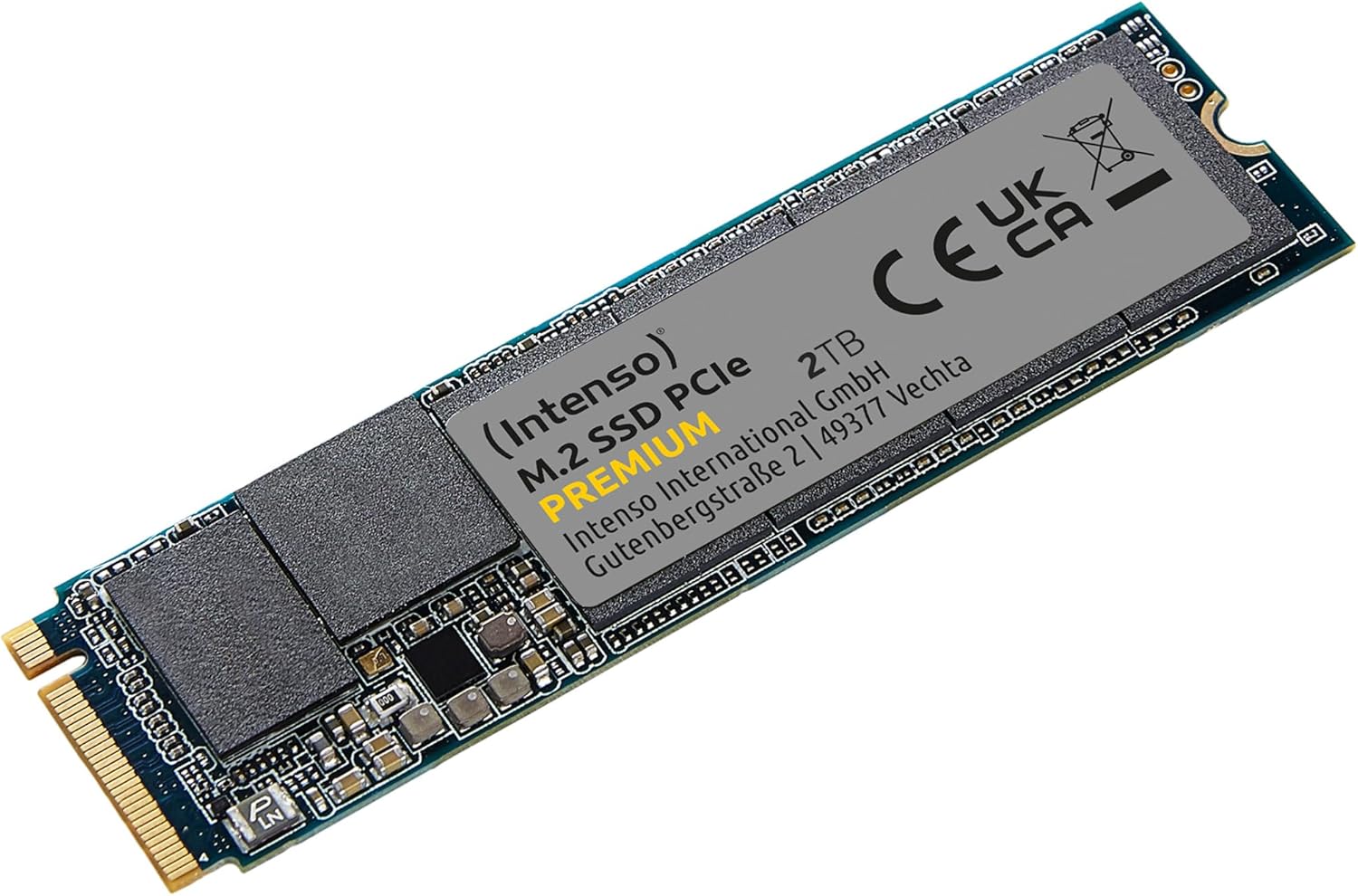
Image 2: The Intenso 2TB M.2 SSD PCIe Premium, showing its compact M.2 2280 form factor and labeling.
2.3 Initial Software Setup (Windows)
- Boot Computer: خپل کمپیوټر پیل کړئ.
- د ډیسک مدیریت ته لاسرسی: د سټارټ تڼۍ کې ښۍ کلیک وکړئ او 'ډیسک مدیریت' غوره کړئ.
- ډیسک پیل کړئ: If prompted, initialize the new SSD. Choose GPT (GUID Partition Table) for modern systems.
- نوی ساده حجم جوړ کړئ: Right-click on the unallocated space of your new SSD and select 'New Simple Volume'. Follow the wizard to assign a drive letter and format the drive (NTFS is recommended for Windows).
- د استعمال لپاره چمتو: Your Intenso M.2 SSD is now ready for use as a storage drive. If you intend to install an operating system, refer to your OS installation guide.
۵. د SSD چلول
The Intenso M.2 SSD PCIe Premium is designed for high-speed data access, making it suitable for various applications from everyday computing to demanding tasks like gaming and graphic design.
- Boot Drive: For fastest system startup and application loading, install your operating system on the SSD.
- د ذخیره کولو ډرایو: Use the SSD to store frequently accessed files, games, or applications that benefit from high read/write speeds.
- فعالیت: This SSD offers sequential read speeds up to 2100 MB/s and sequential write speeds up to 1700 MB/s, significantly faster than traditional SATA SSDs.
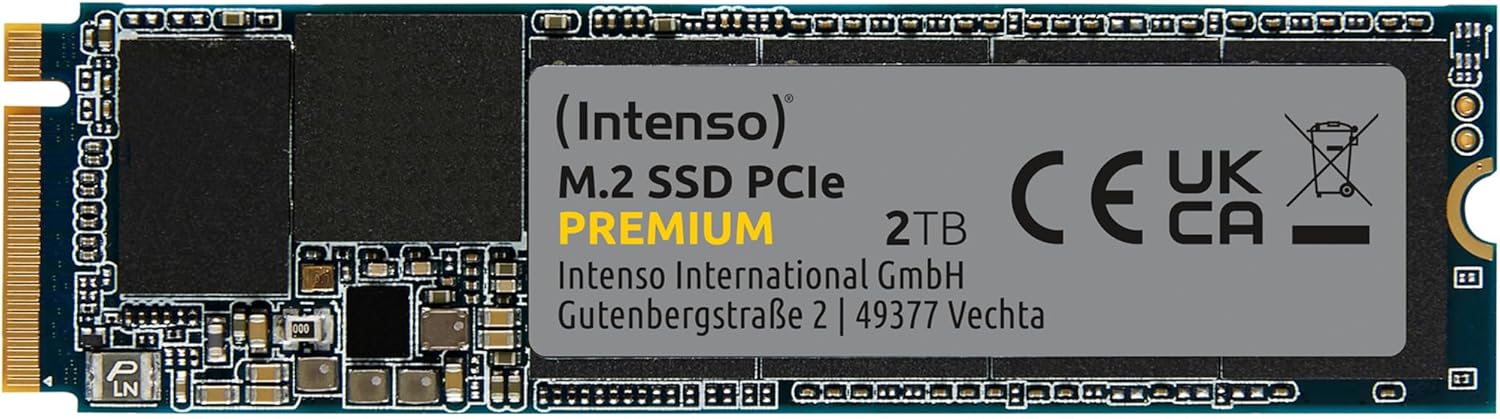
انځور ۸: یو مفصل view of the Intenso 2TB M.2 SSD PCIe Premium, highlighting its internal components and labeling.
4. ساتنه
To ensure the longevity and optimal performance of your Intenso M.2 SSD, consider the following maintenance practices:
- د TRIM قومانده: Ensure your operating system has TRIM enabled. TRIM helps the SSD manage data blocks more efficiently, preventing performance degradation over time. Modern operating systems typically enable TRIM by default.
- د ډیفراګمنټیشن څخه ډډه وکړئ: Unlike traditional hard disk drives (HDDs), SSDs do not benefit from defragmentation. Defragmenting an SSD can reduce its lifespan by causing unnecessary write cycles.
- د فرم ویئر تازه معلومات: Periodically check the Intenso official webستاسو د SSD ماډل لپاره د هر ډول شته فرم ویئر تازه معلوماتو لپاره سایټ. د فرم ویئر تازه معلومات کولی شي فعالیت، ثبات او مطابقت ښه کړي.
- د موټر چلولو روغتیا څارنه: Use S.M.A.R.T. (Self-Monitoring, Analysis and Reporting Technology) tools to monitor the health status of your SSD. Many operating systems and third-party utilities offer this functionality.
- خالي ځای وساتئ: Avoid filling your SSD to its maximum capacity. Keeping some free space (e.g., 10-15%) allows the SSD's wear-leveling algorithms to function effectively.
5. ستونزه حل کول
If you encounter issues with your Intenso M.2 SSD, refer to the following common troubleshooting steps:
۶.۱ SSD ونه موندل شو
- فزیکي اړیکه چیک کړئ: Ensure the SSD is correctly seated in the M.2 slot and securely fastened.
- د BIOS/UEFI ترتیبات: Enter your computer's BIOS/UEFI settings. Verify that the M.2 slot is enabled and configured correctly (e.g., NVMe mode). Some motherboards may disable certain SATA ports when an M.2 drive is in use.
- د ډرایور نصب کول: Ensure your operating system has the necessary NVMe drivers. Windows 10/11 typically includes native NVMe support.
- د ډیسک مدیریت: As described in Section 2.3, check Disk Management to see if the drive is detected but uninitialized.
۵.۳ ورو فعالیت
- M.2 Slot Speed: Confirm that your M.2 slot supports PCIe Gen.3x4 speeds. Some slots may operate at lower speeds (e.g., Gen.2 or x2 lanes).
- د TRIM حالت: ډاډ ترلاسه کړئ چې ستاسو په عملیاتي سیسټم کې TRIM فعال شوی دی.
- فرم ویئر: Check for and install any available firmware updates for the SSD.
- ډیر ګرمول: Ensure adequate airflow within your computer case. Excessive heat can cause performance throttling.
- بشپړ ډرایو: If the drive is nearly full, performance may decrease. Try to free up some space.
۴.۲ د معلوماتو د لیږد مسلې
- Cable/Connection: If using an external enclosure, ensure the USB cable and enclosure connection are secure and functioning correctly.
- File د سیستم تېروتنې: د ډیسک چیک یوټیلټي چلول (د مثال په توګه،
chkdskin Windows) to scan for and repair any file د سیسټم تېروتنې. - Source/Destination Drive: Ensure the source or destination drive is not experiencing issues that could bottleneck transfer speeds.
6. مشخصات
Key technical specifications for the Intenso 2TB M.2 SSD PCIe Premium:
| فیچر | مشخصات |
|---|---|
| د ماډل شمیره | 3835470 |
| ظرفیت | 2 TB |
| انٹرفیس | PCIe Gen.3x4 NVMe 1.3 |
| د فارم فکتور | M.2 2280 |
| د پرله پسې لوستلو سرعت | تر 2100 MB/s پورې |
| د پرله پسې لیکلو سرعت | تر 1700 MB/s پورې |
| ابعاد (LxWxH) | 3.15 x 0.87 x 0.16 انچه |
| د توکي وزن | 0.212 اونس |
| د هارډویر پلیټ فارم | PC |
| رنګ | تور |
| په بکس کې څه دي | M.2 SSD PCIe |
7. تضمین او ملاتړ
For detailed warranty information and technical support, please refer to the official Intenso website or contact their customer service directly. The product is typically covered by a manufacturer's warranty against defects in materials and workmanship.
- جوړونکی: Intenso
- Webسایټ: لیدنه www.intenso.de د ملاتړ سرچینو، FAQs، او د اړیکو معلوماتو لپاره.
- د پیرود ثبوت: د تضمین ادعاوو لپاره د پیرود ثبوت په توګه د پیرود رسید وساتئ.


