پیژندنه
Thank you for choosing the Varmilo Minilo VXB67 65% Bluetooth Mechanical Keyboard. This manual provides detailed instructions for setting up, operating, and maintaining your new keyboard. The VXB67 offers a compact 65% layout, dual-mode connectivity (wired USB-C and Bluetooth), and a comfortable typing experience with Varmilo EC Daisy V2 switches and durable ABS double-shot keycaps. It also features a Type-Cool sound dampening structure for a clear typing sound.

Image: The Varmilo Minilo VXB67 keyboard, showcasing its compact design and color scheme.
د بسته محتويات
مهرباني وکړئ د بسته بندۍ محتويات وګورئ ترڅو ډاډ ترلاسه کړئ چې ټول توکي شتون لري:
- Varmilo Minilo VXB67 Mechanical Keyboard
- USB-C کیبل
- کیکیپ پلر
- سویچ پلر
- د دوړو پوښ
- د کارونکي لارښود (دا لاسوند)

Image: The Varmilo Minilo VXB67 keyboard alongside its USB-C cable, keycap puller, switch puller, and a clear dust cover.
چمتو کول
1. د تار نښلول
- په کیبورډ کې د USB-C پورټ ومومئ.
- د ورکړل شوي USB-C کیبل یوه پای د کیبورډ سره وصل کړئ.
- د USB-C کیبل بل پای ستاسو په کمپیوټر کې موجود USB پورټ سره وصل کړئ.
- کیبورډ به په اتوماتيک ډول ستاسو د عملیاتي سیسټم لخوا وپیژندل شي.
2. د بلوتوث پیوستون
The VXB67 keyboard can connect to up to 3 devices via Bluetooth.
- ډاډ ترلاسه کړئ چې کیبورډ چارج شوی یا د USB-C له لارې وصل دی.
- Turn on Bluetooth on your device (computer, tablet, or smartphone).
- په کیبورډ کې، فشار ورکړئ او ونیسئ Fn key and one of the Bluetooth keys (Q, W، یا E) for 3-5 seconds to enter pairing mode. The indicator light will flash.
- On your device, search for Bluetooth devices and select "Varmilo VXB67" (or similar) from the list.
- یوځل چې جوړه شي، په کیبورډ کې د شاخص رڼا به ځلیدل ودروي او ټینګ پاتې شي.
- Repeat for up to two additional devices using the other Bluetooth keys.
۲. د کیبورډ زاویه تنظیم کول
The keyboard features 3-level adjustable kickstands on the bottom to customize your typing angle for comfort.

Image: The underside of the keyboard, highlighting the foldable kickstands for ergonomic adjustment.
Video: Demonstrates the features of the Varmilo Minilo Eucalyptus keyboard, including the adjustable kickstands and multi-device connectivity.
عملیاتي لارښوونې
۲. د کی کیپ او سویچ بدلول
The VXB67 features hot-swappable switches, allowing you to change switches without soldering. Use the provided keycap and switch pullers for this process.
- د کیلي کیپس لرې کول: Use the keycap puller to gently grip the keycap and pull upwards.
- د سویچونو لرې کول: Use the switch puller to carefully grip the top and bottom clips of the switch and pull upwards.
- د سویچونو نصب کول: د نوي سویچ پنونه د PCB سوریو سره سم کړئ. په کلکه فشار ورکړئ تر هغه چې سویچ په خپل ځای کې کلیک وکړي. ډاډ ترلاسه کړئ چې پنونه کږ شوي نه دي.
- د کی کیپس نصب کول: Place the keycap over the switch stem and press down gently until it is secure.
Video: Demonstrates the process of changing switches and keycaps on the Varmilo Minilo 67 keyboard.
2. د backlight کنټرول
The keyboard features white LED backlighting. Use the following key combinations to control the backlight:
- فېن + \ |: د بیک لایټ اغیزو له لارې تیر کړئ.
- Fn + ↑: د شاته رڼا روښانتیا زیاته کړئ.
- Fn + ↓: د شاته رڼا روښانتیا کمه کړئ.
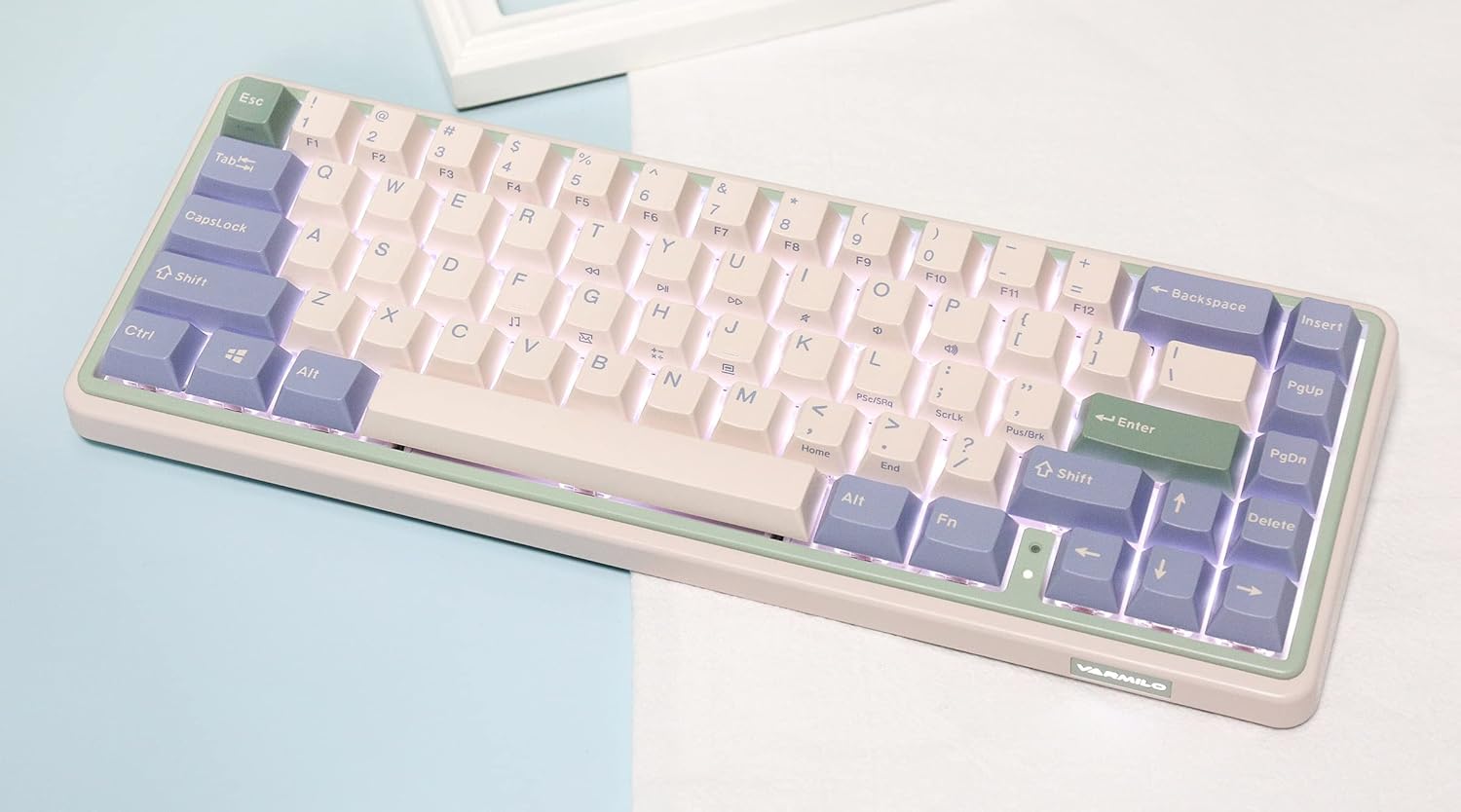
Image: The Varmilo Minilo VXB67 keyboard illuminated by its white LED backlighting.
۱. د څو وسیلو بدلول
To switch between paired Bluetooth devices:
- مطبوعاتي Fn + Q د بلوتوث وسیلې ۱ ته د بدلولو لپاره.
- مطبوعاتي Fn + W د بلوتوث وسیلې ۱ ته د بدلولو لپاره.
- مطبوعاتي Fn + E د بلوتوث وسیلې ۱ ته د بدلولو لپاره.
The keyboard will quickly connect to the selected device.
ساتنه
- پاکول: Use a soft, dry cloth to wipe the keyboard surface. For deeper cleaning, remove keycaps using the provided keycap puller and use compressed air to clear debris.
- د بیټرۍ چارج کول: Connect the keyboard via the USB-C cable to a power source (computer USB port or USB wall adapter). The Escape key will light up while charging and flash when the battery is low.
- ذخیره کول: When not in use, store the keyboard in a cool, dry place. Use the provided dust cover to protect it from dust and spills.
د ستونزو حل کول
- کیبورډ ځواب نه ورکوي (وایر شوی):
- ډاډ ترلاسه کړئ چې د USB-C کیبل په خوندي ډول د کیبورډ او کمپیوټر دواړو سره وصل دی.
- په خپل کمپیوټر کې یو بل USB پورټ هڅه وکړئ.
- یو بل USB-C کیبل هڅه وکړئ.
- کیبورډ ځواب نه ورکوي (بلوتوث):
- ډاډ ترلاسه کړئ چې ستاسو په وسیله بلوتوټ فعال شوی.
- ډاډ ترلاسه کړئ چې کیبورډ چارج شوی.
- Re-enter pairing mode (فېن + قوس/وقت/وروستی) and attempt to re-pair with your device.
- Forget the device on your computer/tablet/phone and try pairing again.
- هغه کیلي چې راجستر نه کیږي:
- Ensure the keycap and switch are properly seated. Remove and re-install if necessary.
- If using hot-swappable switches, ensure the switch pins are not bent.
- د شا څراغ کار نه کوي:
- Check backlight brightness settings (فېن + ↑/↓).
- Ensure the keyboard is not in a low power state.
مشخصات
| ماډل | VXB67 |
| ترتیب | 65% (67 کلیدونه) |
| ارتباط | بلوتوث ۵.۱، USB-C وایرډ |
| سویچونه | Varmilo EC Daisy V2 (Hot-swappable) |
| کیکیپس | 1.5mm thick ABS Double Shot |
| شاته څراغ | سپینه LED |
| د بیټرۍ ظرفیت | 3400mAh |
| مطابقت لرونکې وسیلې | PC (and other Bluetooth-enabled devices) |
| مواد | اکریلونایتریل بوټاډین سټیرین (ABS) |
| ابعاد | Approx. 15 x 7 x 2.5 inches (based on package dimensions) |
| وزن | ۲.۴۵ پونډه |
تضمین او ملاتړ
د تضمین معلوماتو او تخنیکي ملاتړ لپاره، مهرباني وکړئ رسمي ورمیلو ته مراجعه وکړئ webسایټ یا خپل پرچون پلورونکي سره اړیکه ونیسئ. د تضمین ادعاوو لپاره د پیرود ثبوت وساتئ.
ورمیلو رسمي Webسایټ: www.varmilo.com


