1. پیژندنه
The SIIG Thunderbolt 4 Docking Station (Model: JU-DK0U11-S1) is designed to expand the connectivity of your laptop, providing a comprehensive workstation solution. This docking station offers 15 ports, enabling connections for multiple displays, peripherals, network, and power through a single Thunderbolt 4 cable. It supports high-speed data transfer and versatile display configurations for both Mac and Windows systems.

Image 1.1: SIIG Thunderbolt 4 Docking Station (JU-DK0U11-S1) overview.
2. د بسته محتويات
ډاډ ترلاسه کړئ چې ټول توکي ستاسو په کڅوړه کې شتون لري:
- SIIG Thunderbolt 4 Docking Station (JU-DK0U11-S1)
- 150W ځواک اډیپټر
- تندربولټ 4 کیبل
- د کارن لارښود

Image 2.1: Contents included in the SIIG Thunderbolt 4 Docking Station package.
3. محصول ختم شوview
۲.۱ د مخکینۍ پینل بندرونه
- 3.5mm Stereo Out: د هیډفونونو یا بهرنیو سپیکرو لپاره.
- SD 3.0 Card Slot: Supports SD 3.0 UHS-1 memory cards up to 2TB.
- USB-A 3.2 Gen 1 (5Gbps) Ports (x2): For connecting USB-A peripherals, supporting 5V/0.9A charging.
- تندربولټ 4 پورټ: For connecting Thunderbolt 4 devices or displays.
- د بریښنا تڼۍ: To turn the docking station on or off.

انځور ۲: تفصیلي view of the front panel ports.
۳.۲ د شا پینل بندرونه
- DC Power Jack (20V/7.5A): د شامل شوي 150W بریښنا اډاپټر سره وصل کیږي.
- Thunderbolt 4 Port (Host PD 60W): Connects to your laptop via the Thunderbolt 4 cable, providing up to 60W power delivery.
- 3.5mm Mic In: د بهرني مایکروفون سره نښلولو لپاره.
- Micro SD (TF) 3.0 Card Slot: Supports Micro SD (TF) 3.0 UHS-1 memory cards up to 2TB.
- USB-A 2.0 (480Mbps) Ports (x2): For connecting USB-A peripherals, supporting 5V/1.5A charging.
- ګیګابایټ ایترنیټ پورټ: د تار لرونکي شبکې اتصال لپاره.
- د ښودلو پورټ بهر: د بهرنۍ نندارې سره د نښلولو لپاره.
- HDMI بهر: د بهرنۍ نندارې سره د نښلولو لپاره.
- Thunderbolt 4 Ports (x2): For connecting additional Thunderbolt 4 devices or displays, providing 45W power delivery.

انځور ۲: تفصیلي view of the rear panel ports.
۴. د تنظیم لارښوونې
- بریښنا وصل کړئ: Plug the included 150W power adapter into the DC Power Jack on the rear of the docking station, then connect it to a power outlet.
- د کوربه لیپ ټاپ سره وصل شئ: Use the provided Thunderbolt 4 cable to connect the Thunderbolt 4 Host port (60W PD) on the rear of the docking station to your laptop's Thunderbolt 4 or USB-C port.
- پاور آن: Press the power button on the front panel of the docking station. The power indicator LED should illuminate.
- د نښلولو ښودنې: Connect your monitors to the available DisplayPort, HDMI, and Thunderbolt 4 output ports on the docking station. Refer to the 'Display Configuration' section for supported setups.
- پرفیریلز وصل کړئ: Connect your USB devices, Ethernet cable, and audio devices to the corresponding ports on the docking station.
5. عملیاتي لارښوونې
5.1 د ښودلو ترتیب
The docking station supports various display setups, including single 8K or quad 4K displays, utilizing Thunderbolt 4 and DisplayLink technology. Ensure DisplayLink drivers are installed for optimal performance, especially for additional displays beyond native Thunderbolt outputs.
- د واحد ښودنې محصول: Supports up to 8K resolution.
- دوه ګونی ښودنه: Supports up to 2x 4K resolution via two Thunderbolt 4 ports.
- Quad Display Output: Achieved by combining two Thunderbolt 4 ports with the DisplayPort and HDMI ports, enabling four 4K displays.

انځور ۶: پخوانیample of a quad display setup using the docking station.

Image 5.2: Display compatibility and resolution matrix for Windows and Mac M1/M2 systems.
۶.۲ د برېښنا رسولو
The docking station provides power to your connected devices:
- د لپ ټاپ چارج کول: Up to 60W Power Delivery (PD) to the host laptop via the Thunderbolt 4 host port.
- تندربولټ 4 بندرونه: Each of the three downstream Thunderbolt 4 ports provides up to 45W of power.
- USB-A Fast Charging: Two USB-A 5Gbps ports support 5V/0.9A charging, and two USB-A 2.0 ports support 5V/1.5A charging.

Image 5.3: Power delivery capabilities of the docking station.
5.3 د معلوماتو لیږد
Experience high-speed data transfer for efficient workflow:
- تندربولټ 4: Up to 40Gbps data transfer speed, 8 times faster than USB 3.0.
- د USB-A 3.2 جنریشن 1: Up to 5Gbps data transfer speed.
- د میموري کارت لوستونکی: Supports SD 3.0 UHS-1 and Micro SD (TF) 3.0 UHS-1 with data transfer rates up to 104MB/s.
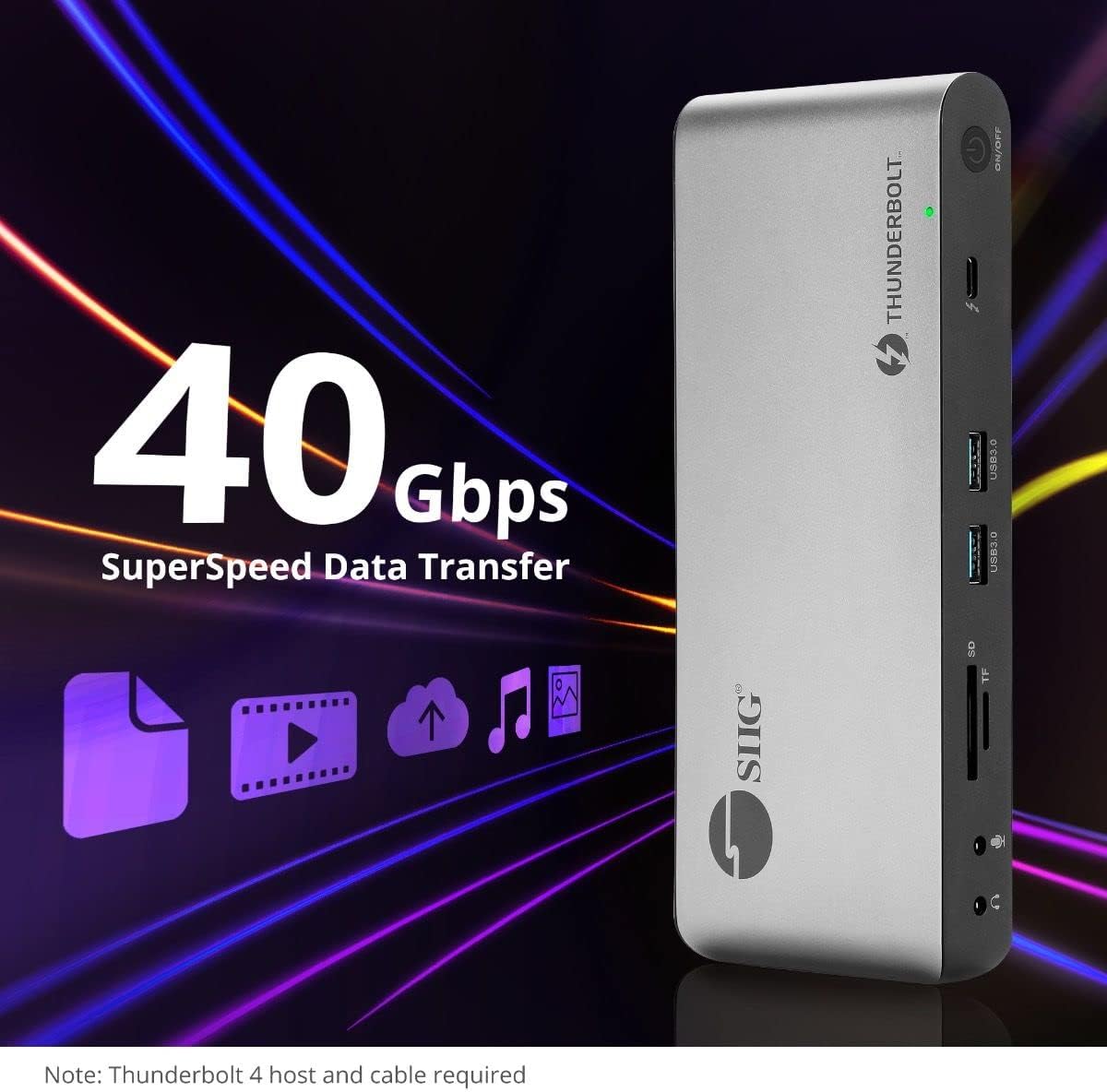
Image 5.4: High-speed data transfer capabilities.
6. مطابقت
The SIIG Thunderbolt 4 Docking Station is broadly compatible with various systems:
- عملیاتي سیسټمونه: Mac M1/M2/M3 Pro & Max, Intel chip Macs, Windows PCs (Intel/AMD/Snapdragon), and Chromebooks.
- شاته مطابقت: Fully compatible with Thunderbolt 3, USB4, and USB-C equipped computers.
7. ساتنه
د خپل ډاکینګ سټیشن د اوږد عمر او غوره فعالیت ډاډمن کولو لپاره، د ساتنې دا لارښوونې تعقیب کړئ:
- پاکول: د وسیلې بهرنۍ برخه پاکولو لپاره نرم، وچ ټوکر وکاروئ. د مایع پاکوونکو یا محلولونو څخه ډډه وکړئ.
- وینټیلیشن: ډاډ ترلاسه کړئ چې د ډاک کولو سټیشن په ښه هوا لرونکي ځای کې ځای پر ځای شوی ترڅو د ډیر تودوخې مخه ونیول شي. د هوا د تودوخې هیڅ خلاصې مه بندوئ.
- ذخیره کول: وسیله په یخ او وچ ځای کې د مستقیم لمر وړانګو او سختې تودوخې څخه لرې وساتئ.
- سمبالول: د قوي تاثیراتو سره د وسیله له مینځه وړلو یا تابع کولو څخه ډډه وکړئ.
8. ستونزه حل کول
If you encounter issues with your SIIG Thunderbolt 4 Docking Station, refer to the following common problems and solutions:
- ځواک نشته:
- ډاډ ترلاسه کړئ چې د بریښنا اډاپټر په خوندي ډول د ډاکینګ سټیشن او کاري بریښنا سایټ دواړو سره وصل دی.
- Verify the power button on the docking station is pressed and the power indicator LED is on.
- Display Issues (No Signal/Incorrect Resolution):
- Check all display cables (HDMI, DisplayPort, Thunderbolt) are securely connected to both the docking station and the monitors.
- Ensure your laptop's display settings are configured correctly to detect and extend/mirror displays.
- For multi-display setups, especially beyond two monitors, ensure DisplayLink drivers are installed and up to date on your operating system.
- Verify your monitors support the selected resolution and refresh rate.
- پردیي توکي نه دي موندل شوي:
- Ensure USB devices are properly connected to the docking station's USB ports.
- Try connecting the peripheral directly to your laptop to confirm it is functional.
- Restart the docking station and your laptop.
- ډیر ګرمول:
- Ensure the docking station is placed in an area with adequate airflow and not covered.
- Reduce the number of high-power devices connected if possible, or consider using a cooling pad if persistent.
- ورو معلومات لیږد:
- Ensure you are using Thunderbolt 4 certified cables for Thunderbolt connections.
- Verify the connected device supports the expected transfer speeds.
9. مشخصات
| فیچر | تفصیل |
|---|---|
| د ماډل شمیره | JU-DK0U11-S1 |
| د محصول ابعاد | 3.27 x 7.8 x 1.14 انچه |
| د توکي وزن | ۱.۶۲ اونس (۰.۱ پونډه) |
| ټول بندرونه | 15 (including 7 USB ports) |
| کوربه پیوستون | تندربولټ 4 (USB-C) |
| د ویډیو محصولات | 1x HDMI, 1x DisplayPort, 3x Thunderbolt 4 (USB-C) |
| د ښودلو اعظمي ریزولوشن | Single 8K@30Hz, Quad 4K@60Hz |
| د بریښنا رسولو (کوربه) | تر 60W پورې |
| Power Delivery (Downstream TB4) | په هر بندر کې تر 45W پورې |
| د ډیټا لیږد سرعت | Thunderbolt 4: 40Gbps, USB-A 5Gbps: 5Gbps |
| ایترنیټ | ګیګابایټ ایترنیټ |
| د کارت لوستونکی | SD 3.0 UHS-1, Micro SD (TF) 3.0 UHS-1 (up to 2TB) |
| آډیو بندرونه | 3.5mm Stereo Out, 3.5mm Mic In |
| مطابقت لرونکی OS | Mac M1/M2/M3 Pro & Max, Intel Macs, Windows, Chromebooks |
| رنګ | تور |
| UPC | 662774045689 |
10. تضمین او ملاتړ
SIIG products are designed for reliability and performance. For warranty information and technical support, please refer to the documentation included with your product or visit the official SIIG webسایټ د تضمین ادعاګانو لپاره خپل د پیرود رسید وساتئ.


