1. پیژندنه
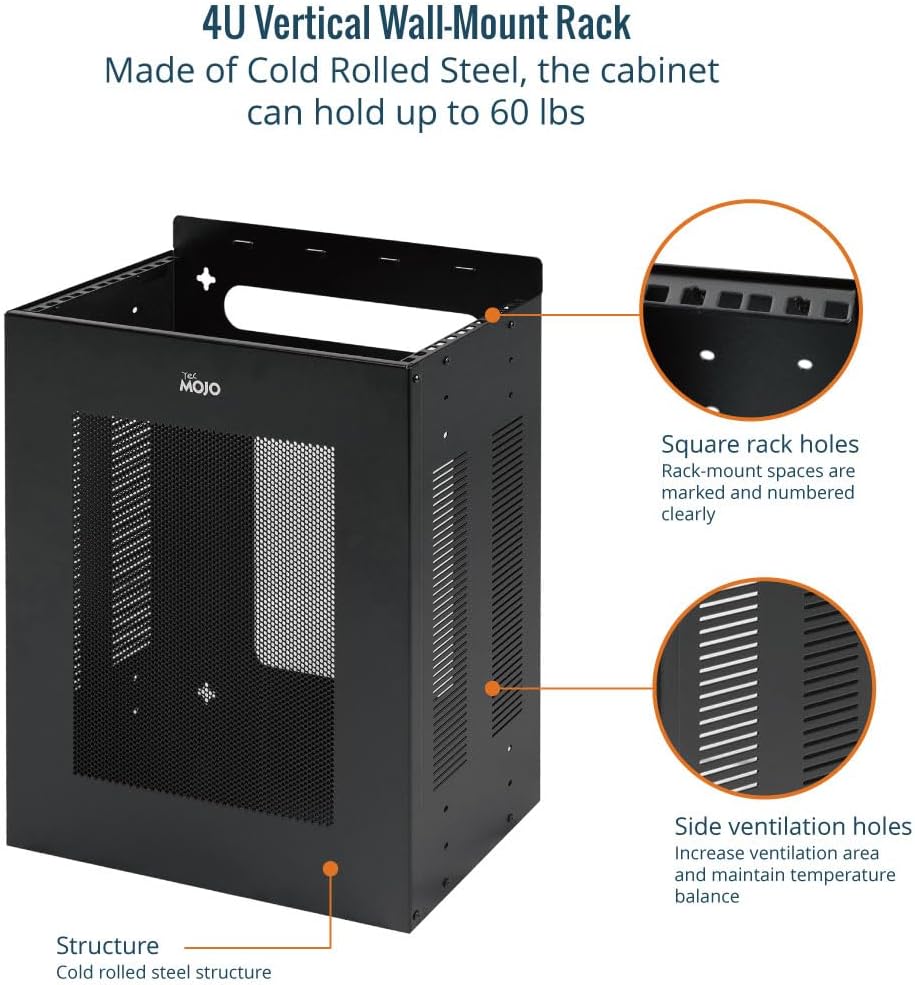
The Tecmojo 4U Server Rack (Model 11130306) is a versatile and durable solution for organizing 19-inch IT equipment. Designed for both vertical and horizontal wall mounting, it features a vented enclosure to ensure optimal airflow and protect your valuable devices. This manual provides essential information for safe installation, proper use, and maintenance.
کلیدي ځانګړتیاوې:
- دوامدار ساختمان: Made from heavy-duty cold rolled steel with an electrostatic powder coat to prevent rust and corrosion.
- لوړ ظرفیت: Supports up to 60 lbs (27 kg) of equipment.
- د فضا خوندي کولو ډیزاین: Offers flexible vertical or horizontal installation options.
- د هوا جریان اصلاح شوی: Features four-sided vents to enhance air circulation and prolong equipment life.
- د پام وړ ډیزاین: Adjustable rack rails and bottom knock-out holes for efficient cable management.
- معیاري موافقت: EIA/ECA-310-E compliant for 19-inch rack-mountable equipment.

2. د خوندیتوب معلومات
Please read and understand all safety instructions before installing or operating the Tecmojo 4U Server Rack. Failure to do so may result in injury or damage to equipment.
- د وزن ظرفیت: Do not exceed the maximum weight capacity of 60 lbs (27 kg). Overloading can cause the rack to fail, leading to equipment damage or personal injury.
- د پورته کولو سطحه: Ensure the wall or mounting surface is structurally sound and capable of safely supporting the combined weight of the rack and all installed equipment.
- وسیلې: Use appropriate tools for installation. Wear safety glasses and gloves as needed.
- بریښنایی خوندیتوب: When installing electrical equipment, ensure all power is disconnected and follow all relevant electrical safety codes and guidelines.
- وینټیلیشن: Do not obstruct the ventilation holes. Proper airflow is crucial for preventing equipment overheating.
3. د بسته محتويات
د نصبولو پیل کولو دمخه ډاډ ترلاسه کړئ چې ټولې برخې په بسته کې شتون لري:
- Tecmojo 4U Server Rack
- د لارښوونې لارښود
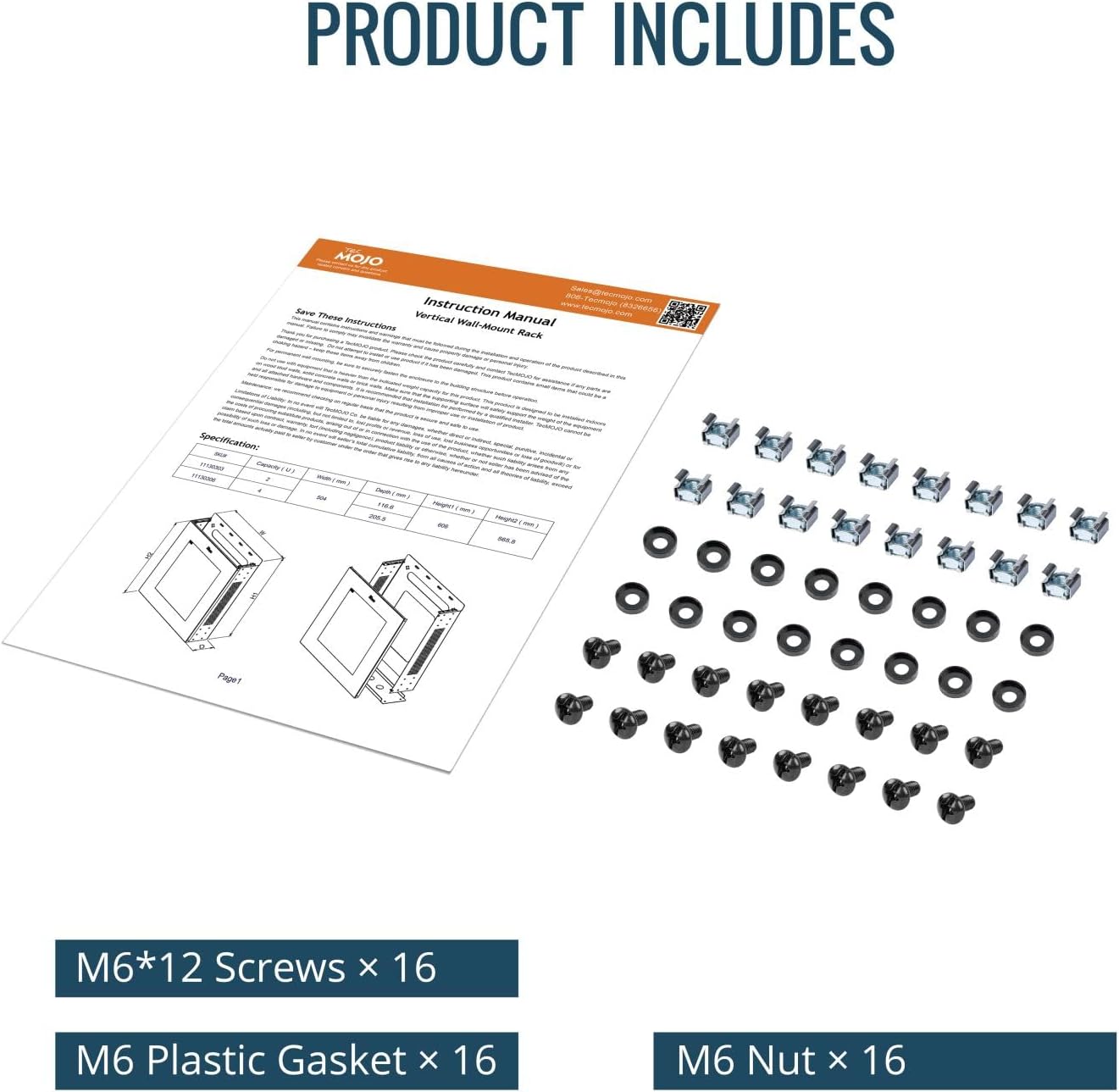
- M6*12 Screws (x16)
- M6 Plastic Gaskets (x16)
- M6 مغز (x16)
4. مشخصات
| فیچر | مشخصات |
|---|---|
| د ماډل شمیره | 11130306 |
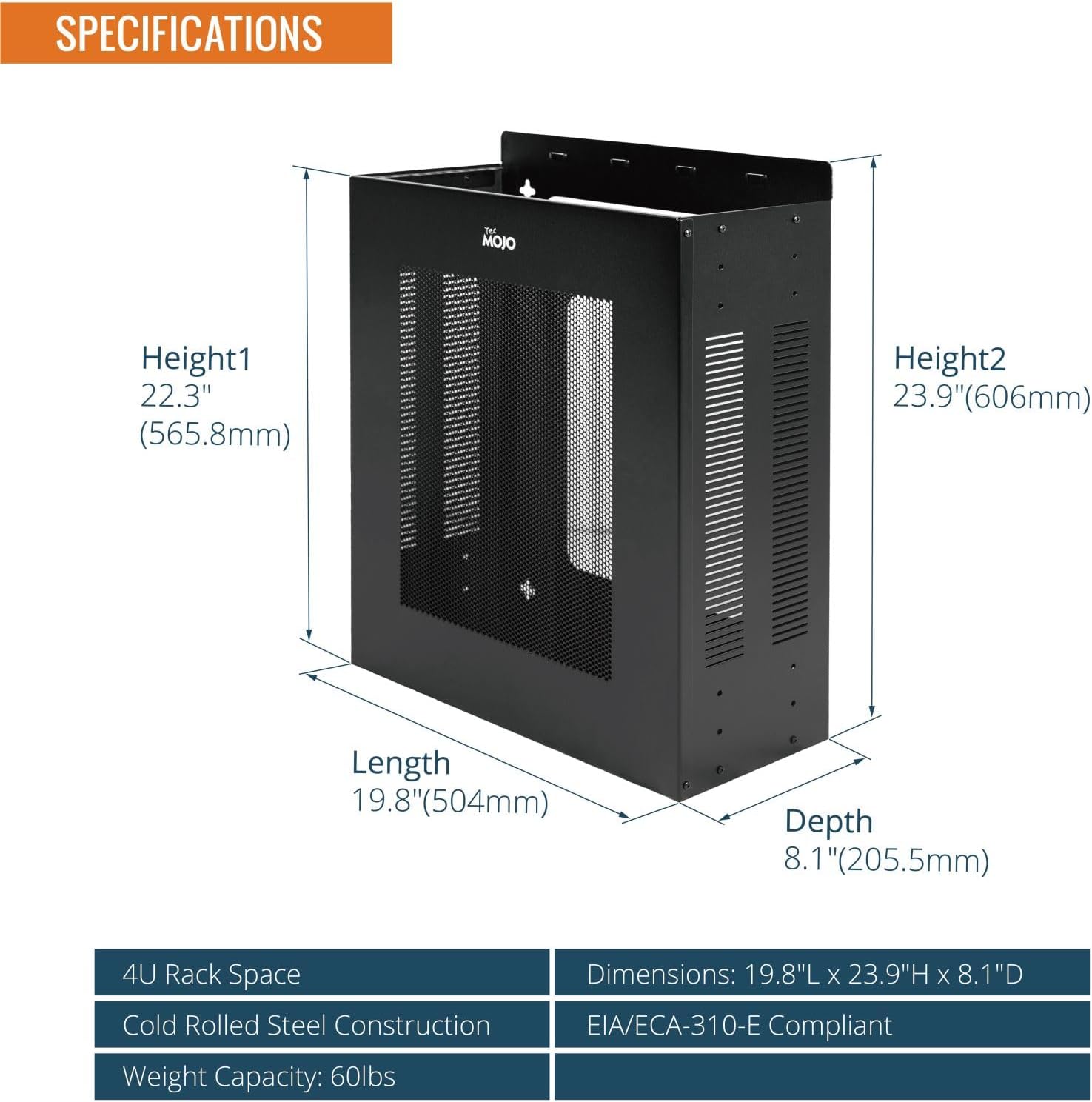
| د ریک واحدونه | 4U |
| د محصول ابعاد (د x څلویښتم x څلویښتم) | ۷.۰" x ۲.۰" x ۷.۰" (۱۷۸ ملي متره x ۵۱ ملي متره x ۱۷۸ ملي متره) |
| د توکي وزن | ۶ پونډه (۳ کیلو ګرامه) |
| د وزن ظرفیت | ۱۱.۵۷ پونډه (۵.۲۵ کیلو ګرامه) |
| مواد | Cold Rolled Steel (Alloy Steel) |
| رنګ | تور |
| موافقت | EIA/ECA-310-E |
5. نصب او تنظیم کول
Follow these steps to properly install your Tecmojo 4U Server Rack:
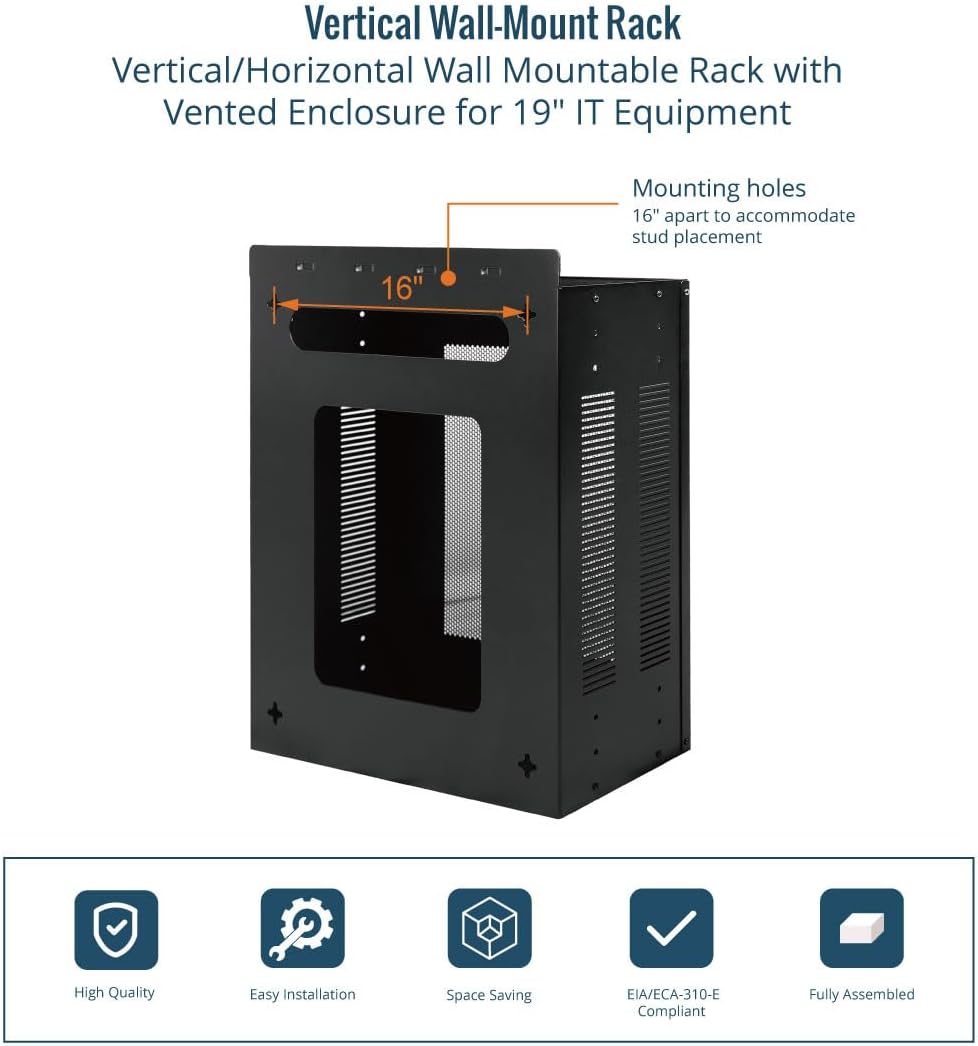
- ځای غوره کړئ: Select a suitable location on a sturdy wall. Ensure there is adequate space around the rack for ventilation, equipment access, and cable routing. The rack can be mounted either vertically or horizontally.
- Identify Studs: The rack's mounting holes are spaced 16 inches apart, designed to align with standard wall stud placement. Use a stud finder to locate and mark the center of the wall studs.
- Secure Rack to Wall: Using appropriate wall mounting hardware (not included), securely fasten the rack to the wall studs. Ensure all fasteners are tightened to prevent any movement or instability.
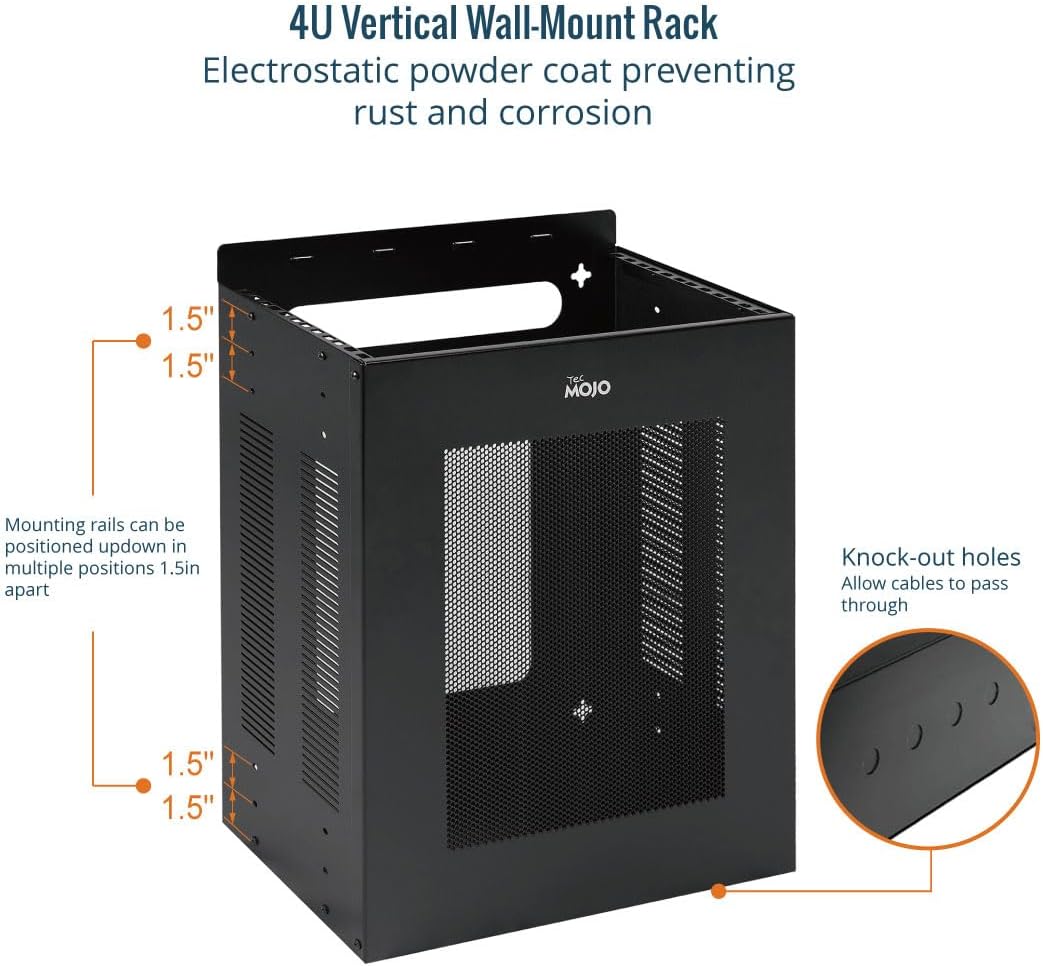
- Adjust Rack Rails: The internal rack rails can be adjusted to different depths. Use the various screw hole combinations to position the rails in 1.5-inch increments to best fit your equipment.
6. عملیات
Once the rack is securely mounted, you can begin installing your equipment:
- د تجهیزاتو نصب کول: Mount your 19-inch rack-mountable equipment into the rack using the provided M6 screws, plastic gaskets, and nuts. Ensure equipment is evenly distributed to maintain balance and stability.
- د کیبل مدیریت: Utilize the bottom knock-out holes for efficient routing and organization of cables. This helps maintain a tidy setup and prevents cable strain.
- د هوا جریان: Ensure that the four-sided vents on the rack are not obstructed by walls, other equipment, or debris. Proper airflow is critical for maintaining optimal operating temperatures for your IT equipment.
7. ساتنه
Regular maintenance helps ensure the longevity and optimal performance of your server rack:
- معاینه: Periodically inspect the rack for any signs of wear, damage, or loose fasteners. Tighten any loose screws or bolts.
- پاکول: Keep the rack and its ventilation panels free from dust and debris. Use a soft, dry cloth for cleaning. Avoid using harsh chemicals or abrasive cleaners, which can damage the electrostatic powder coat finish.
- د وینټیلیشن معاینه: Ensure that all four-sided vents remain unobstructed to allow for continuous and efficient airflow.
8. ستونزه حل کول
دلته ځینې عامې ستونزې او د هغوی احتمالي حلونه دي:
- Equipment Overheating: If equipment within the rack is running hotter than expected, verify that all rack vents are clear and unobstructed. Ensure the rack is not placed in an area with poor ambient airflow. Consider the heat dissipation patterns of your specific equipment; some servers may require additional cooling solutions or different rack configurations.
- Unstable Rack: If the rack feels unstable after installation, immediately remove all equipment. Re-check all wall mounting fasteners to ensure they are securely anchored into structural elements of the wall. Verify that the total weight of the equipment does not exceed the 60 lbs (27 kg) capacity.
- Difficulty Mounting Equipment: Ensure you are using the correct M6 screws and nuts provided. Check that the rack rails are properly aligned and adjusted to the appropriate depth for your equipment.
9. تضمین او ملاتړ
For warranty information regarding your Tecmojo 4U Server Rack, please refer to the purchase documentation or contact Tecmojo customer support directly.
For technical assistance, product inquiries, or to explore other Tecmojo products, please visit the official Tecmojo store:
No official product videos were found that met the criteria for inclusion in this manual.


