پیژندنه
Thank you for choosing the BUFFBEE Sound Machine & Alarm Clock. This versatile 2-in-1 device combines a high-quality sound machine with a fully functional alarm clock, designed to help you achieve restful sleep and wake up refreshed. Its intuitive controls and customizable features make it an essential addition to any bedroom.

Image: The Buffbee Sound Machine and Alarm Clock highlighting its dual functionality as both a sound machine and an alarm clock.
د خوندیتوب معلومات
- وسیله د اوبو یا ډیر رطوبت سره مه مخ کوئ.
- د تودوخې سرچینو او مستقیم لمر څخه لرې وساتئ.
- یوازې چمتو شوي بریښنا اډاپټر وکاروئ.
- هڅه مه کوئ چې وسیله پخپله جلا کړئ یا ترمیم کړئ. د مرستې لپاره د پیرودونکي ملاتړ سره اړیکه ونیسئ.
- ډاډ ترلاسه کړئ چې وسیله په مستحکم، فلیټ سطح کې کیښودل شوې.
د بسته محتويات
- BUFFBEE Sound Machine & Alarm Clock (Model: BK11)
- د بریښنا اډاپټر
- د کارن لارښود
محصول پای ته ورسیدview
د وسیلې د اجزاو او کنټرولونو سره ځان آشنا کړئ:

Image: A detailed diagram illustrating the top panel controls (Alarm, Volume Control, Sound Machine, Night Light) and the rear panel (Display Dimmer, Adapter port).
- د پورته پینل کنټرولونه: Alarm button, Timer button, Volume Up/Down, Previous/Next Sound, Sound Machine button, Night Light button.
- مخکینۍ ښودنه: د ډیجیټل ساعت نندارې.
- لاندې رڼا: Integrated colored light.
- شا پینل: DC 5V Adapter port, 0-100% Display Dimmer knob.
چمتو کول
- ځای په ځای کول: Place the device on a stable surface, such as a nightstand or desk.
- د بریښنا پیوستون: Insert the power adapter into the DC 5V port on the rear of the device, then plug it into a standard electrical outlet.
- ابتدايي بریښنا فعاله: د ساعت ښودنه به روښانه شي.
- وخت ټاکل: Refer to the 'Operating Instructions' section for setting the current time.
عملیاتي لارښوونې
د وخت تنظیم کول
- فشار ورکړئ او ونیسئ وخت button (clock icon) on the top panel until the hour digits flash.
- د کارولو مخکینی (◀︎) or بل (▶︎) buttons to adjust the hour.
- فشار ورکړئ وخت د ساعت تاییدولو او دقیقې ترتیب ته د تګ لپاره بیا تڼۍ.
- د کارولو مخکینی (◀︎) or بل (▶︎) buttons to adjust the minutes.
- فشار ورکړئ وخت button one more time to confirm the minutes and exit time setting.
د الارم تنظیم کول
- فشار ورکړئ او ونیسئ الارم button (bell icon) on the top panel until the alarm hour digits flash.
- د کارولو مخکینی (◀︎) or بل (▶︎) buttons to adjust the alarm hour.
- فشار ورکړئ الارم button again to confirm the hour and move to alarm minute setting.
- د کارولو مخکینی (◀︎) or بل (▶︎) buttons to adjust the alarm minutes.
- فشار ورکړئ الارم button one more time to confirm the minutes. The alarm icon will appear on the display, indicating the alarm is set.
- د الارم بندولو لپاره، فشار ورکړئ الارم button once. The alarm icon will disappear.
د غږ ماشین کارول
The device offers 18 soothing sounds, including 5 white noises, 3 fan sounds, and 10 nature sounds (ocean, lullaby, waves, rain, thunderstorm, brook, croaking, bird chirping, summer night, and campاور).
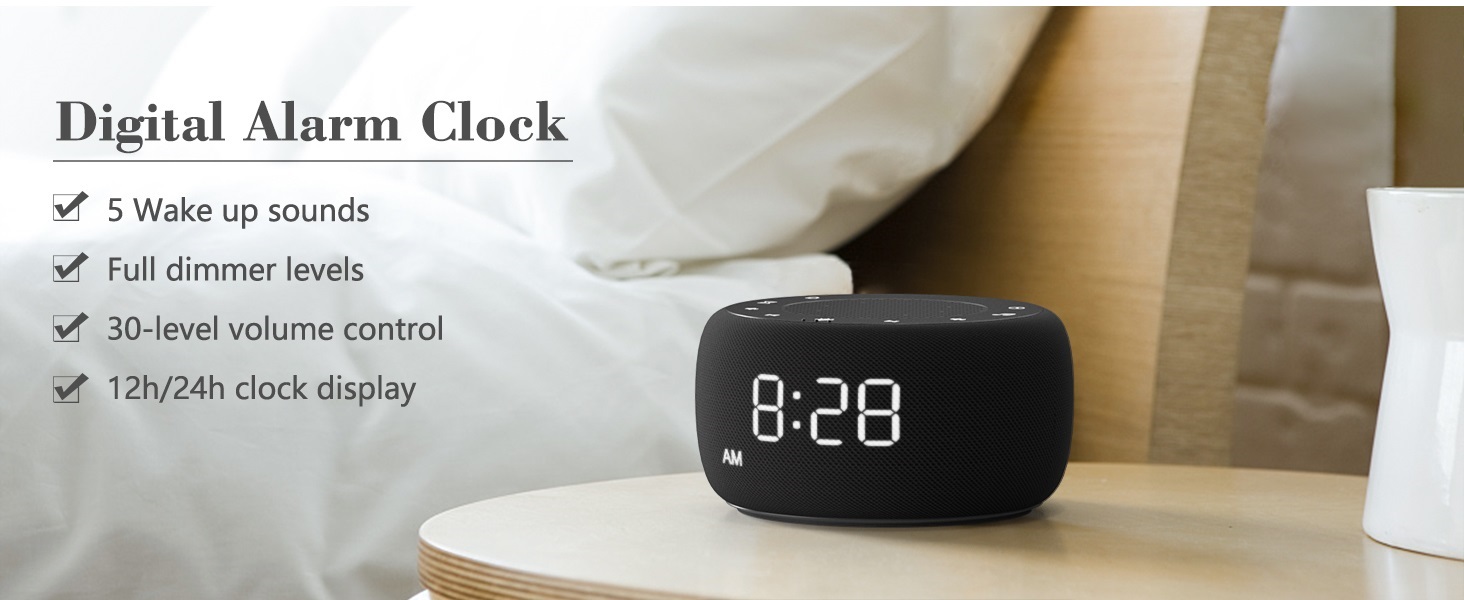
Image: An infographic displaying the 18 soothing sounds categorized into 3 fan sounds, 5 white noises, and 10 nature sounds, including ocean, lullaby, waves, rain, thunderstorm, brook, croaking, bird chirping, summer night, and campاور
- فشار ورکړئ د غږ ماشین button (music note icon) to cycle through the available sounds.
- د کارولو حجم پورته (▲) او حجم ښکته (▼) buttons to adjust the volume (30 levels).
- To turn off the sound, press the د غږ ماشین button until no sound is playing.
د خوب ټیمر
Set a timer for the sound machine to automatically turn off.

Image: The top panel of the Buffbee Sound Machine, highlighting the Auto-Off Timer button and the Volume Control buttons.
- فشار ورکړئ ټایمر button (hourglass icon) to cycle through timer options: 15, 30, 60, 90, 120 minutes, or continuous play.
- The selected timer duration will be displayed on the screen.
Adjusting Clock Face Brightness
The clock display brightness can be adjusted from 0% (completely dark) to 100%.

Image: The Buffbee Sound Machine demonstrating its 0-100% display dimmer feature, showing the clock face at 0%, partial, and 100% brightness.
- موندل دیمر ښودل knob on the rear of the device.
- Rotate the knob to increase or decrease the brightness of the clock display to your preference.
Using the Bottom Colored Light
The device features a bottom light with 7 color options to create a relaxing ambiance.

Image: The Buffbee Sound Machine displaying its bottom colored light feature, showing various color options and the ability to turn it on or off.
- فشار ورکړئ د شپې رڼا button (light bulb icon) to cycle through the 7 color options.
- Continue pressing the button to turn the light off.
ساتنه
- پاکول: وسیله په نرم، وچ ټوکر سره پاک کړئ. د کثافاتو پاکوونکي یا محلولونه مه کاروئ.
- ذخیره کول: کله چې د اوږدې مودې لپاره نه کارول کیږي، وسیله په یخ او وچ ځای کې وساتئ.
د ستونزو حل کول
| ستونزه | احتمالي لامل | د حل لاره |
|---|---|---|
| وسیله فعاله نه ده. | Power adapter not connected properly or power outlet issue. | ډاډ ترلاسه کړئ چې د بریښنا اډاپټر په خوندي ډول د وسیلې او د بریښنایی کارونکي سایټ سره وصل شوی دی. یو بل سایټ هڅه وکړئ. |
| Clock display is too bright/dim. | Display dimmer setting needs adjustment. | Adjust the 0-100% Display Dimmer knob on the rear of the device. |
| غږ په کافي اندازه لوړ نه دی. | حجم ډیر ټیټ دی. | فشار ورکړئ حجم پورته (▲) button to increase the volume. The device has 30 volume levels. |
| الارم نه غږېږي. | Alarm is not set or is turned off. | Ensure the alarm is set correctly and the alarm icon is visible on the display. |
مشخصات
| فیچر | تفصیل |
|---|---|
| د ماډل شمیره | BK11 |
| ابعاد | 5.63 x 4.57 x 3.03 انچه |
| وزن | 11.64 اونس |
| د بریښنا سرچینه | Battery Powered (for backup) / AC Adapter |
| د سپیکر محصول | 5W |
| د غږ انتخابونه | 18 (5 white noises, 3 fan sounds, 10 nature sounds) |
| د حجم کچه | 30 |
| د خوب ټیمر | ۱۵، ۳۰، ۶۰، ۹۰، ۱۲۰ دقیقې، یا پرله پسې |
| د ساعت د ښودلو روښانتیا | 0-100٪ د سمون وړ |
| Bottom Light Colors | 7 اختیارونه |
| مواد | پلاستیک، اکریلونایتریل بوټاډین سټیرین (ABS) |
تضمین او ملاتړ
For warranty information and customer support, please refer to the contact details provided on the product packaging or visit the official BUFFBEE webسایټ د تضمین ادعاګانو لپاره خپل د پیرود رسید وساتئ.


