1. پیژندنه
The Testo 625 Digital Hygrometer is a compact instrument designed for precise measurement of air temperature and relative humidity. It also calculates dew point and wet bulb temperature, providing comprehensive data for assessing air quality in various environments, such as storage rooms or offices. Its robust design and long battery life make it suitable for both quick checks and long-term data collection.
2. د بسته محتويات
د خلاصولو پر مهال ډاډ ترلاسه کړئ چې ټول توکي شتون لري:
- ټیسټو ۴۲۵ آله
- د لیږد قضیه
- د حساب ورکولو پروتوکول
- 3 x AA بیټرۍ
3. محصول ختم شوview
The Testo 625 features a clear display and intuitive controls for easy operation. The integrated probe measures humidity and temperature directly.

شکل 1: مخکی view of the Testo 625 Digital Hygrometer, showing the display and control buttons.

شکل 2: Dimensions of the Testo 625 Digital Hygrometer, approximately 8.19 inches in height and 2.36 inches in width.
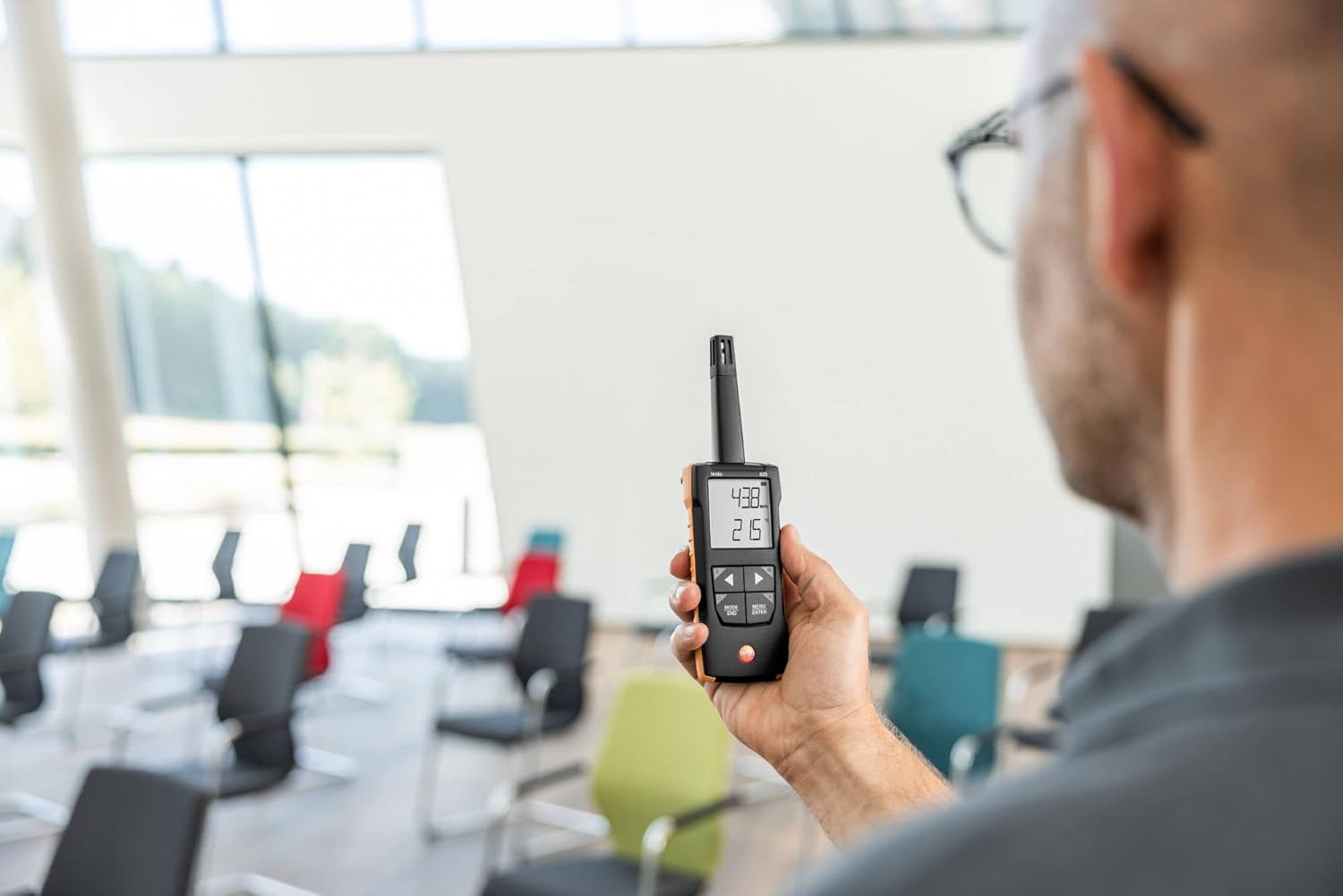
شکل 3: The Testo 625 Digital Hygrometer being used by a person in an indoor environment, demonstrating its portability.
4. ترتیب کول
4.1 د بیټرۍ نصب کول
- د وسیلې په شا کې د بیټرۍ کڅوړه ومومئ.
- د کڅوړې پوښ خلاص کړئ.
- Insert the three AA batteries, ensuring correct polarity.
- د بیټرۍ کمپارټ پوښ په خوندي ډول وتړئ.
4.2 بریښنا کول / بندول
فشار ورکړئ ځواک تڼۍ (معمولا د یوې دایرې او عمودي کرښې سره نښه شوې) ترڅو وسیله چالان یا بند کړي.
5. عملیاتي لارښوونې
۷.۱ اساسي اندازه ګیري
Upon powering on, the Testo 625 will immediately begin measuring air temperature and relative humidity. These values are displayed on the screen.
5.2 Displaying Dew Point and Wet Bulb Temperature
The instrument automatically calculates dew point and wet bulb temperature. Refer to the user interface for specific button presses (e.g., MODE/END or مینو/انټر) to cycle through display modes and view these calculated values.
5.3 د الارم فعالیت
The Testo 625 includes an audible alarm to indicate when user-defined limit values for humidity or temperature are exceeded. Consult the device's menu options to set or adjust these limits.
6. د اپلیکیشن ارتباط
The Testo 625 is compatible with the Testo Smart App, which enhances its functionality. The app allows you to:
- View and document measurement results.
- د وسیلې ترتیبات تنظیم کړئ.
- Store measured values.
- Use your smartphone as a second display for real-time readings.
Download the Testo Smart App from your device's app store and follow the in-app instructions for pairing with your Testo 625.
7. مشخصات
| پیرامیټر | ارزښت |
|---|---|
| د حرارت درجه اندازه کول | -20 څخه تر +140 °F / -20 څخه تر +60 °C پورې |
| د تودوخې دقت | ±0.9 °F / ±0.5 °C |
| د تودوخې حل | 0.1 °F / 0.1 °C |
| د رطوبت اندازه کولو سلسله | له 0 څخه تر 100٪ rH |
| د رطوبت دقت | ±2.5 %rH (5 to 95 %rH) |
| د رطوبت حل | 0.1% rH |
| وزن | 7 اوز / 199 ګرامه |
| Dimensions (Instrument) | په 8.19 x 2.36 x 1.10 in / 208 x 60 x 28 mm کې |
| Operating Temperature (Instrument) | -4 څخه تر +122 °F / -20 څخه تر +50 °C پورې |
| Operating Temperature (Probe) | -4 څخه تر +158 °F / -20 څخه تر +70 °C پورې |
| د کور جوړولو مواد | ABS + PC / TPE |
| د ساتنې ټولګي | IP40، IP20 |
| د بیټرۍ ډول | 3x AA (Alkaline) |
| د بیټرۍ ژوند | ۸ ساعته |
| د ذخیرې د حرارت درجه | -4 څخه تر +122 °F / -20 څخه تر +50 °C پورې |
8. ساتنه
8.1 پاکول
Clean the instrument housing with a damp cloth. Do not use abrasive cleaners or solvents. Ensure no moisture enters the sensor area.
8.2 د بیټرۍ بدلول
When the battery indicator appears on the display, replace the batteries as described in Section 4.1. Use only AA alkaline batteries.
8.3 اندازه کول
The Testo 625 comes with a calibration protocol. Regular calibration is recommended to ensure continued accuracy. Refer to Testo's official guidelines or contact their service department for calibration procedures.
9. ستونزه حل کول
۶.۱ وسیله نه فعالېږي
- وګورئ چې آیا بیټرۍ د مناسب قطب سره سم داخل شوي.
- Ensure the batteries are not depleted. Replace them if necessary.
۷.۲ ناسم لوستل
- Allow the instrument to stabilize in the measurement environment for a few minutes.
- Ensure the sensor is clean and free from obstructions.
- Consider if calibration is due.
۵.۲ د اپلیکیشن اتصال ستونزې
- ډاډ ترلاسه کړئ چې ستاسو په سمارټ فون/ټابلیټ کې بلوتوټ فعال دی.
- Make sure the Testo 625 is within range of your device.
- Restart both the instrument and the Testo Smart App.
10. تضمین او ملاتړ
For detailed warranty information, please refer to the documentation included with your product or visit the official Testo website. For technical support, service, or spare parts, please contact Testo customer service directly. Contact information can typically be found on the Testo webسایټ یا د محصول بسته بندي کې.