1. پیژندنه
This manual provides essential information for the safe and efficient operation, maintenance, and troubleshooting of your ILIFE A10s Robotic Vacuum Cleaner. Please read this manual thoroughly before using the product and retain it for future reference.
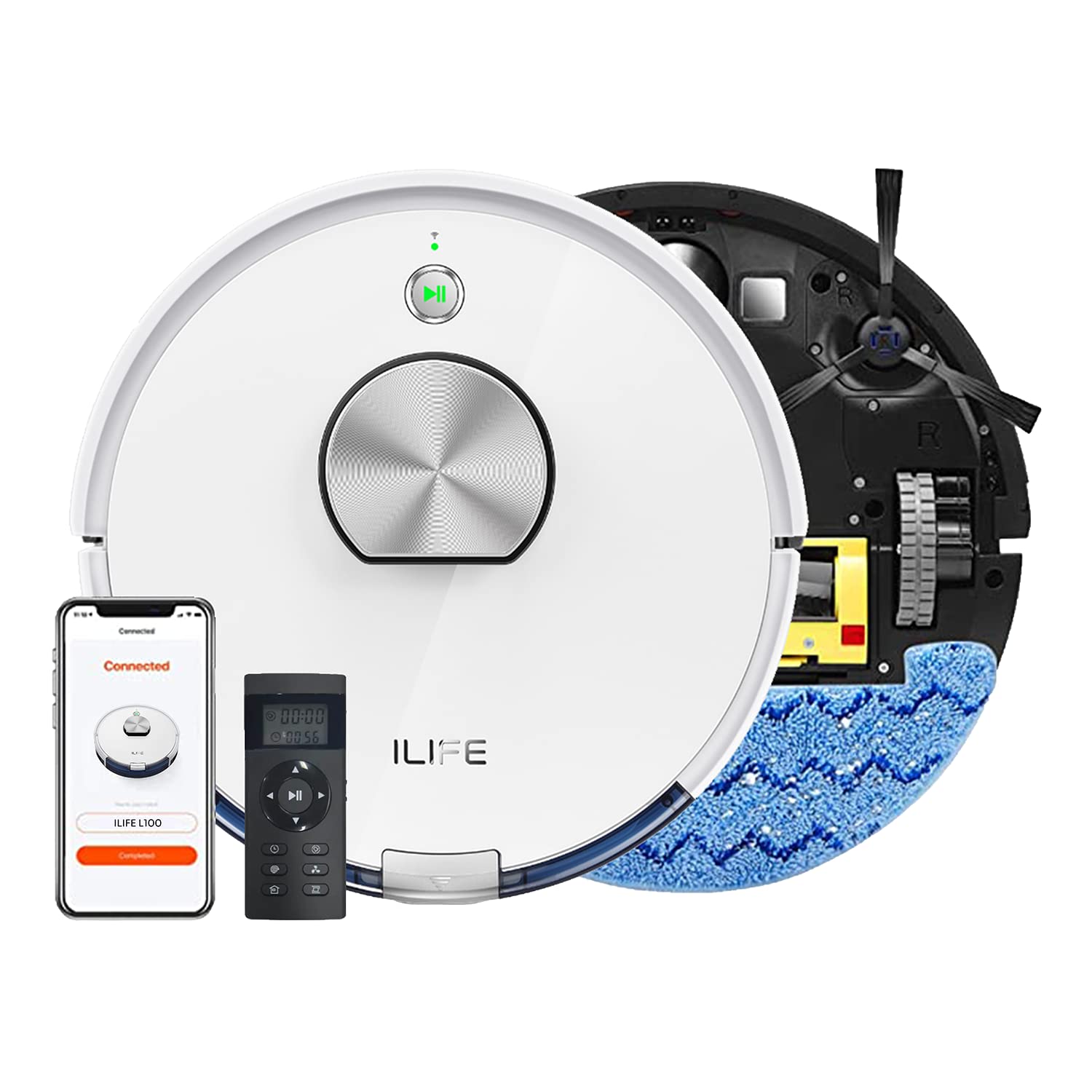
The ILIFE A10s Robotic Vacuum Cleaner, designed for efficient home cleaning.
2. د خوندیتوب لارښوونې
د ټپي کیدو یا زیان د خطر کمولو لپاره، لاندې خوندیتوب احتیاطي تدابیر په پام کې ونیسئ:
- د روبوټ چلولو دمخه ټولې لارښوونې ولولئ.
- Do not allow children or pets to play with the robot. Supervise children when the robot is operating.
- روبوټ په لوند چاپیریال یا اوبو ته نږدې مه کاروئ.
- Remove loose cables, small objects, and fragile items from the cleaning path before operation.
- Ensure the charging dock is placed on a level surface against a wall, with adequate clear space around it.
- د لویو کثافاتو، مایعاتو، یا سوځولو/سګرټ څکولو موادو د راټولولو لپاره له روبوټ څخه کار مه اخلئ.
- یوازې د روبوټ سره چمتو شوي اصلي بریښنا اډاپټر او چارج کولو ډاک وکاروئ.
3. محصول ختم شوview
The ILIFE A10s is a versatile robotic vacuum cleaner featuring powerful suction, customized schedule cleaning, and both vacuuming and mopping capabilities. It is suitable for hard floors and low-pile carpets.
اجزا
- د روبوټ اصلي واحد
- د چارج کولو ډاک
- د بریښنا اډاپټر
- ډسټبین
- د اوبو ټانک (د پاکولو لپاره)
- د غاړې برشونه
- اصلي برش
- د لوړ فعالیت فلټر
- د پاکولو وسیله
پورته view of the ILIFE A10s Robotic Vacuum Cleaner, showing its sleek design.
لاندې view of the ILIFE A10s Robotic Vacuum Cleaner, illustrating the main brush and side brushes.
4. ترتیب کول
4.1 پیک کول
په احتیاط سره د بسته بندۍ څخه ټولې برخې لرې کړئ. ډاډ ترلاسه کړئ چې د روبوټ او د هغې د لوازمو څخه ټول بسته بندۍ توکي لرې شوي دي.
۳.۱ د چارج کولو ډاک ځای پرځای کول
Place the charging dock on a hard, level surface against a wall. Ensure there is at least 1 meter (3 feet) of clear space on both sides and 2 meters (6 feet) in front of the dock for optimal navigation.
The ILIFE A10s Robotic Vacuum Cleaner automatically returning to its charging station.
4.3 ابتدايي چارج کول
Connect the power adapter to the charging dock and plug it into a wall outlet. Place the robot onto the charging dock. For first-time use, charge the robot for at least 5-6 hours to ensure the battery is fully conditioned.
۳.۳ د اپلیکیشن نصب او جوړه کول
Download the official ILIFE app from your smartphone's app store. Follow the in-app instructions to pair your ILIFE A10s with your device. This enables advanced features like customized scheduling, zone cleaning, and multi-floor mapping.
5. عملیاتي لارښوونې
5.1 بریښنا کول / بندول
Press and hold the power button on the robot for a few seconds to power it on or off.
۶.۱ د پاکولو دوره پیل کول
Press the power button once to start an automatic cleaning cycle. Alternatively, use the mobile app or voice commands (via Alexa) to initiate cleaning.
5.3 د پاکولو طریقې
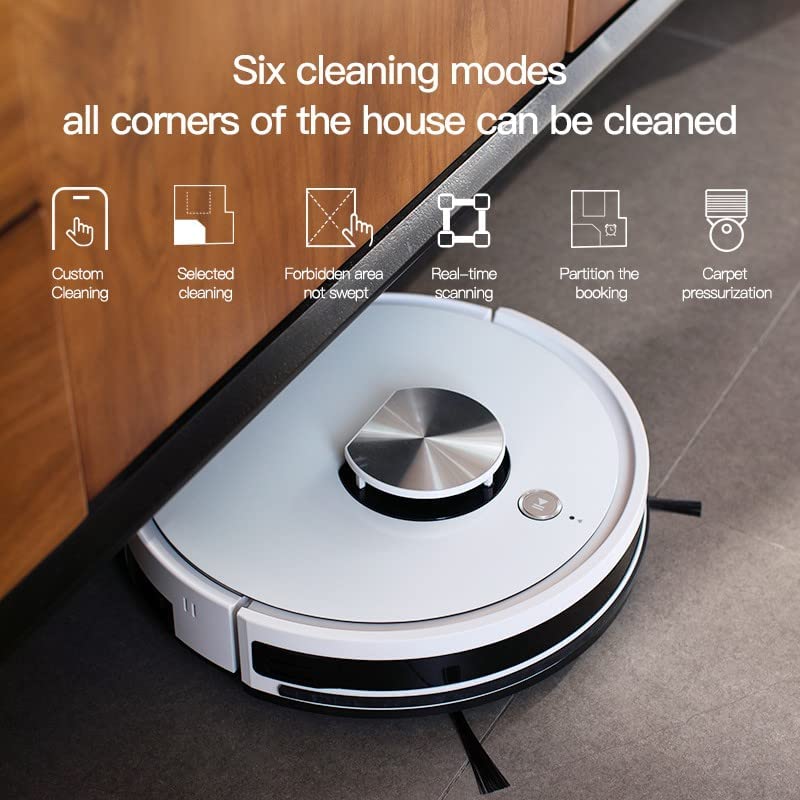
The ILIFE A10s offers multiple cleaning modes for various needs:
- دودیز پاکول: Define specific areas to clean via the app.
- Selected Cleaning: Choose specific rooms or zones for cleaning.
- Forbidden Area: Mark areas the robot should avoid.
- Real-time Scanning: The robot maps its environment in real-time for efficient navigation.
- Partition Cleaning: Divide your home into sections for targeted cleaning.
- Carpet Pressurization: Automatically increases suction power when detecting carpets.

Illustration of various cleaning modes and mapping features available with the ILIFE A10s.
5.4 د پاکولو فعالیت
Attach the water tank and mopping pad to enable the wet mopping function. The robot features an independent motor that drives the water tank to mop the floor with vibrating and friction movements. You can adjust between 3 levels of water flow via the app.
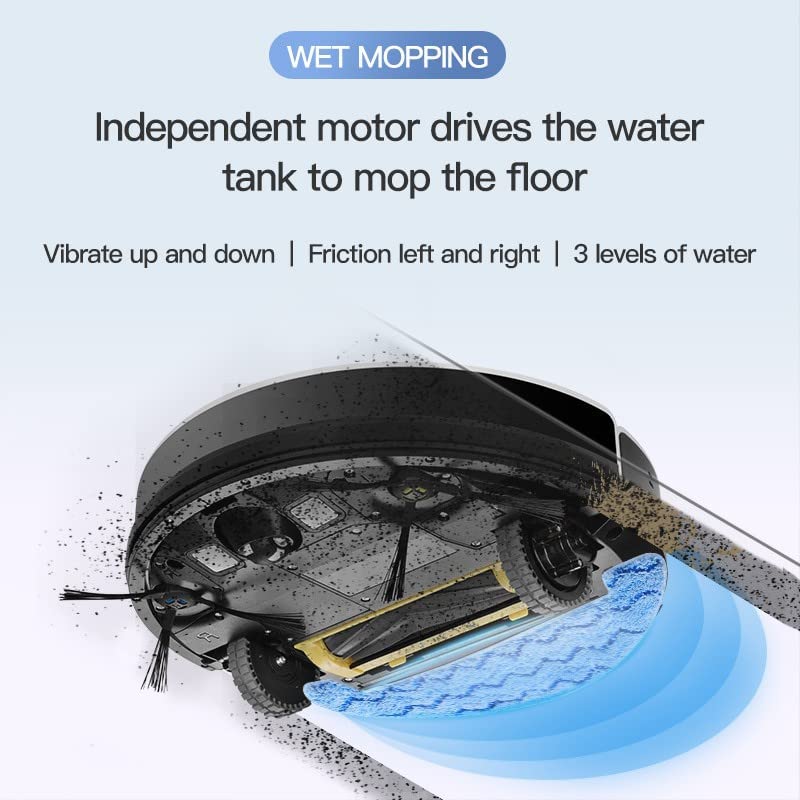
The wet mopping function of the ILIFE A10s Robotic Vacuum Cleaner, showing water tank and cleaning action.

The Patent Vibrating Water Tank of the ILIFE A10s, capable of 12,000 vibrations/min for deep cleaning.
5.5 Multi-floor Mapping and Scheduling
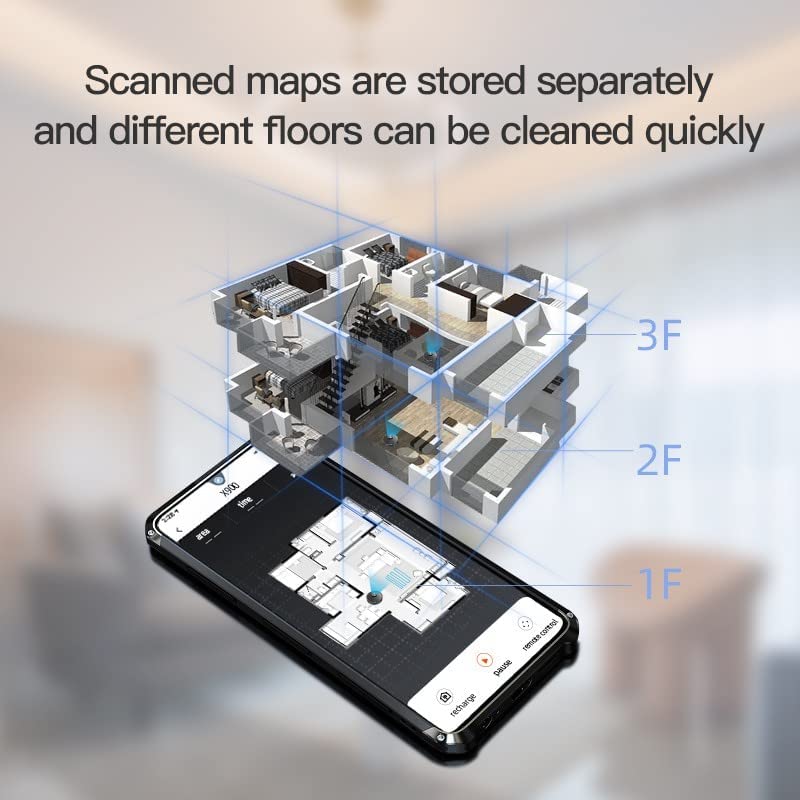
The A10s can store scanned maps for different floors, allowing quick cleaning. You can also set customized cleaning schedules for specific rooms or times using the mobile application.

The ILIFE A10s supports multi-floor mapping and allows scheduling cleanings for specific rooms.
۵.۴ اتوماتیک چارج
When the battery level is low, the robot will automatically return to its charging dock. It will resume cleaning from where it left off after being fully charged.
۴.۶ د محصول ویډیوګانې
Demonstration of ILIFE A10s Robotic Vacuum Cleaner features and operation.
اوورview of ILIFE A10s Robotic Vacuum Cleaner capabilities.
6. ساتنه
Regular maintenance ensures optimal performance and extends the lifespan of your ILIFE A10s.
۵.۱ د کثافاتو د صندوق پاکول
Empty the Cellular Dustbin after each use. The advanced design separates larger debris from fine dust, maintaining suction power. Remove the dustbin, open it, and discard collected debris. Clean the filter as described below.

Detailed diagram of the Cellular Dustbin for the ILIFE A10s, showing components for cleaning.
۶.۳ د فلټر پاکول/بدلول
Tap the filter to remove loose dirt. For thorough cleaning, rinse the filter under running water. Ensure the filter is completely dry before reinserting it into the dustbin. Replace the filter every 3-6 months, depending on usage.
۷.۳ د برش پاکول
- اصلي برش: Remove the main brush cover and lift out the brush. Use the provided cleaning tool to remove hair and debris.
- د غاړې برشونه: Periodically check side brushes for tangled hair or debris. Gently pull them off to clean and reattach. Replace if worn.
۴.۲ د اوبو ټانک او د پاکولو پیډ پاکول
After mopping, empty any remaining water from the tank. Rinse the water tank and mopping pad with clean water. Allow them to air dry completely before storage or next use.
6.5 د سینسر پاکول
د روبوټ او چارجینګ ډاک په اړه د کلیف سینسرونه، دیوال سینسرونه، او د چارج کولو تماسونه د پاک او وچ ټوکر سره پاک کړئ ترڅو د سم فعالیت ډاډ ترلاسه شي.
7. ستونزه حل کول
If your ILIFE A10s encounters an issue, refer to the following common solutions:
| ستونزه | احتمالي لامل | د حل لاره |
|---|---|---|
| روبوټ نه چالانېږي | د بیټرۍ ټیټوالی؛ د بریښنا تڼۍ په سمه توګه نه ده فشار شوې | روبوټ چارج کړئ؛ د بریښنا تڼۍ د 3 ثانیو لپاره فشار ورکړئ او ونیسئ. |
| روبوټ چارج نه کوي | د چارج کولو تماسونه خراب دي؛ د چارج کولو ډاک فعال نه دی | د چارج کولو اړیکې پاکې کړئ؛ ډاډ ترلاسه کړئ چې د بریښنا اډاپټر پلګ ان شوی دی. |
| روبوټ ډېر ځله بندېږي | Obstacles in path; Cliff sensors dirty | Clear obstacles; Clean cliff sensors. |
| د پاکولو ضعیف فعالیت | د کثافاتو ډبې ډکې دي؛ برشونه ګډوډ دي؛ فلټر بند دی | Empty dustbin; Clean brushes; Clean/replace filter. |
| د پاکولو فعالیت کار نه کوي | Water tank empty; Mopping pad not attached | Fill water tank; Attach mopping pad correctly. |
For persistent issues, please contact ILIFE customer support.
8. مشخصات
| فیچر | تفصیل |
|---|---|
| ماډل | A10s |
| برانډ | ILIFE |
| د توکي وزن | ۱ کیلوګرامه ۱ ګرامه |
| د کنټرولر ډول | Alexa, Voice Control, App Control |
| بیټرۍ پکې شاملې دي | هو |
| سکشن ځواک | تر ۴۰۰۰Pa پورې |
| د پاکولو طریقې | Custom, Selected, Forbidden Area, Real-time Scanning, Partition, Carpet Pressurization |
| د پاکولو ځانګړتیا | Vibrating Water Tank, 3 Water Levels |
| نیویګیشن | Smart Laser Navigation and Mapping |
| Dustbin Type | Cellular Dustbin |
9. تضمین او ملاتړ
Your ILIFE A10s Robotic Vacuum Cleaner comes with a 1 Year Onsite Service warranty. For product knowledge, product demonstrations, home installation, product service, or pre-sale queries, please contact ILIFE customer support.

ILIFE India Pan India Offices and support contact number: 1800 258 5433.


