پیژندنه
The Lexip PIXMINDS Steelplay Adventure Twinpads are designed to enhance your gaming experience on compatible systems. These controllers offer precise input and comfortable handling for extended play sessions. This manual provides essential information for setup, operation, maintenance, and troubleshooting.
د بسته محتويات
د بسته بندۍ پرانستلو سره، ډاډ ترلاسه کړئ چې ټولې برخې شتون لري:
- Lexip PIXMINDS Steelplay Adventure Twinpads (Left and Right controllers)
- د کارونکي لارښود (دا لاسوند)
- Required Lithium Ion batteries (pre-installed or included)

Image: The retail packaging for the Lexip PIXMINDS Steelplay Adventure Twinpads, showing the controllers and compatibility information.
چمتو کول
The Twinpads are compatible with Nintendo Switch™ and Nintendo Switch™ OLED models. They connect wirelessly via Bluetooth.
1. Charging the Twinpads
The Twinpads come with Lithium Ion batteries. Before first use, ensure they are fully charged. The LED indicators on the controllers will show charging status.
۲. ستاسو د وسیلې سره جوړه کول
- ډاډ ترلاسه کړئ چې ستاسو د نینټینډو سویچ کنسول فعال دی او وروستي سیسټم سافټویر ته تازه شوی دی.
- د کور مینو څخه، "کنټرولرونه" > "ګریپ/ترتیب بدل کړئ" غوره کړئ.
- On each Twinpad, press and hold the small pairing button located on the side or back until the player LEDs begin to flash.
- Once the LEDs stop flashing and remain solid, the Twinpad is successfully paired.
- Repeat for the other Twinpad.
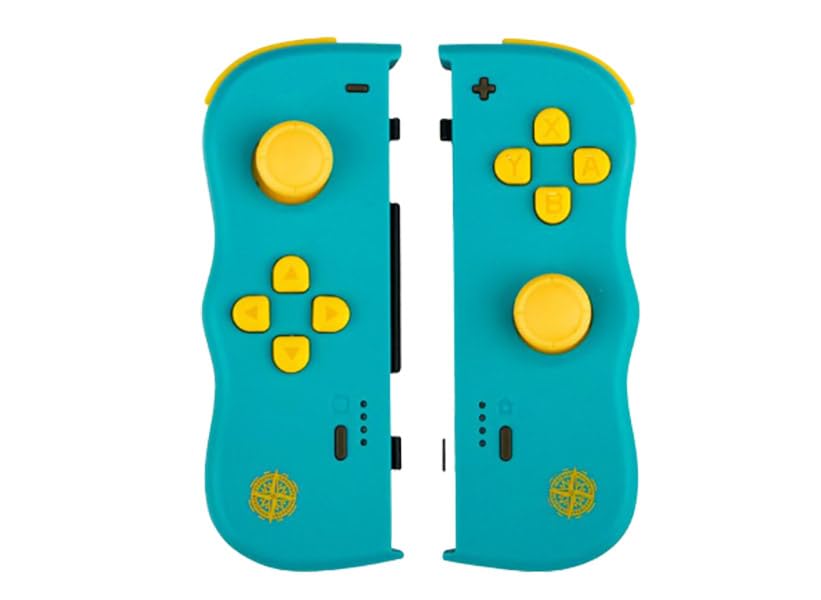
انځور: مخکینۍ برخه view of the Lexip PIXMINDS Steelplay Adventure Twinpads, showing the joysticks, D-pad, and action buttons.
انځور: اړخ view of the Lexip PIXMINDS Steelplay Adventure Twinpads, highlighting the rail for attachment and potential pairing button location.
انځور: شاته view of the Lexip PIXMINDS Steelplay Adventure Twinpads, showing the ergonomic design and additional buttons.
عملیاتي لارښوونې
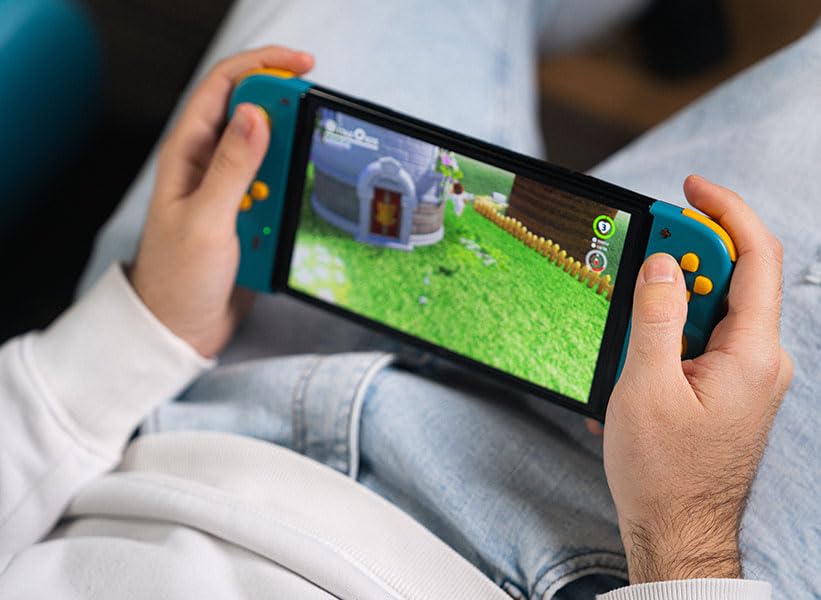
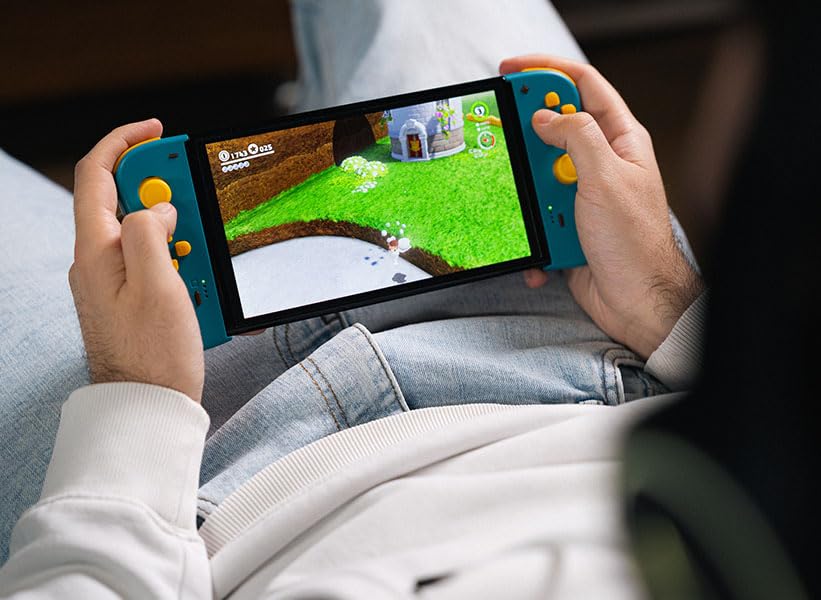
Once paired, the Twinpads function as independent left and right controllers, similar to the original Joy-Con controllers. They can be used for various games that support detached controller play.
د تڼۍ ترتیب او دندې
- Left Twinpad: Analog Stick, D-pad, Minus (-) Button, Screenshot Button, SL/SR Buttons (on side rail).
- Right Twinpad: Analog Stick, A/B/X/Y Buttons, Plus (+) Button, Home Button, SL/SR Buttons (on side rail).
- Note: Specific button functions may vary depending on the game.
بیا نښلول
If the Twinpads disconnect or you wish to reconnect them after turning off the console, simply press any button on each Twinpad. They should automatically reconnect to the last paired console.
ساتنه
Proper care will extend the lifespan of your Twinpads.
- پاکول: Use a soft, dry cloth to wipe the surface of the controllers. For stubborn dirt, slightly dampټوکر د اوبو سره ومینځئ. د سختو کیمیاوي موادو یا د کثافاتو پاکوونکو کارولو څخه ډډه وکړئ.
- ذخیره کول: Store the Twinpads in a cool, dry place away from direct sunlight and extreme temperatures.
- د بیټرۍ پاملرنه: If storing for an extended period, ensure the batteries are partially charged (around 50%) to maintain battery health. Avoid fully discharging the batteries for long periods.
د ستونزو حل کول
If you encounter issues with your Twinpads, try the following solutions:
- کنټرولرونه نه جوړیږي:
- Ensure the Twinpads are charged.
- Verify Bluetooth is enabled on your console.
- Try re-pairing the controllers by following the "Pairing with Your Device" steps.
- Move closer to the console to ensure a strong Bluetooth signal.
- خپل د نینټینډو سویچ کنسول بیا پیل کړئ.
- د ننوتلو ځنډ یا قطع کیدل:
- Ensure there are no obstructions between the controllers and the console.
- د نورو بېسیم وسیلو مداخله کمه کړئ.
- د بیټرۍ کچه وګورئ او د اړتیا په صورت کې بیا چارج کړئ.
- تڼۍ ځواب نه ورکوي:
- د بټونو شاوخوا پاک کړئ ترڅو هر ډول کثافات لرې کړئ.
- Ensure the controllers are properly paired and connected.
- Test the controllers in a different game or the console's controller test menu.
مشخصات
| فیچر | تفصیل |
|---|---|
| ماډل | JVASWI00101 |
| برانډ | Lexip, PIXMINDS, Steelplay |
| ارتباط | بلوتوث |
| مطابقت | Nintendo Switch™, Nintendo Switch™ OLED |
| د بیټرۍ ډول | 1 لیتیم آئن بیټرۍ (شامل ده) |
| د توکي وزن | 5.6 اونس (نږدې 158.76 ګرامه) |
| د کڅوړې ابعاد | ۲.۶۴ x ۲.۳۲ x ۲.۷۶ انچه (تقریبا ۶.۷ x ۵.۹ x ۷ سانتي متره) |
| جوړونکی | PIXMINDS |
| د خپریدو نیټه | د ۲۰۲۴ کال د جنورۍ ۲۸ مه |
تضمین او ملاتړ
The Lexip PIXMINDS Steelplay Adventure Twinpads come with a 5 کلن تضمین, as indicated on the product packaging. To register your product and activate your warranty, please visit the official warranty registration page:
Register Your Product for Warranty
For technical support or further inquiries, please refer to the official Lexip support channels or contact your retailer.


