پیژندنه
This manual provides instructions for the Trust 25025 AZERTY Wireless Keyboard and Mouse Set. This comfortable wireless set features silent keys and buttons, and is constructed using 85% recycled materials. It is designed for ease of use and long-lasting performance.
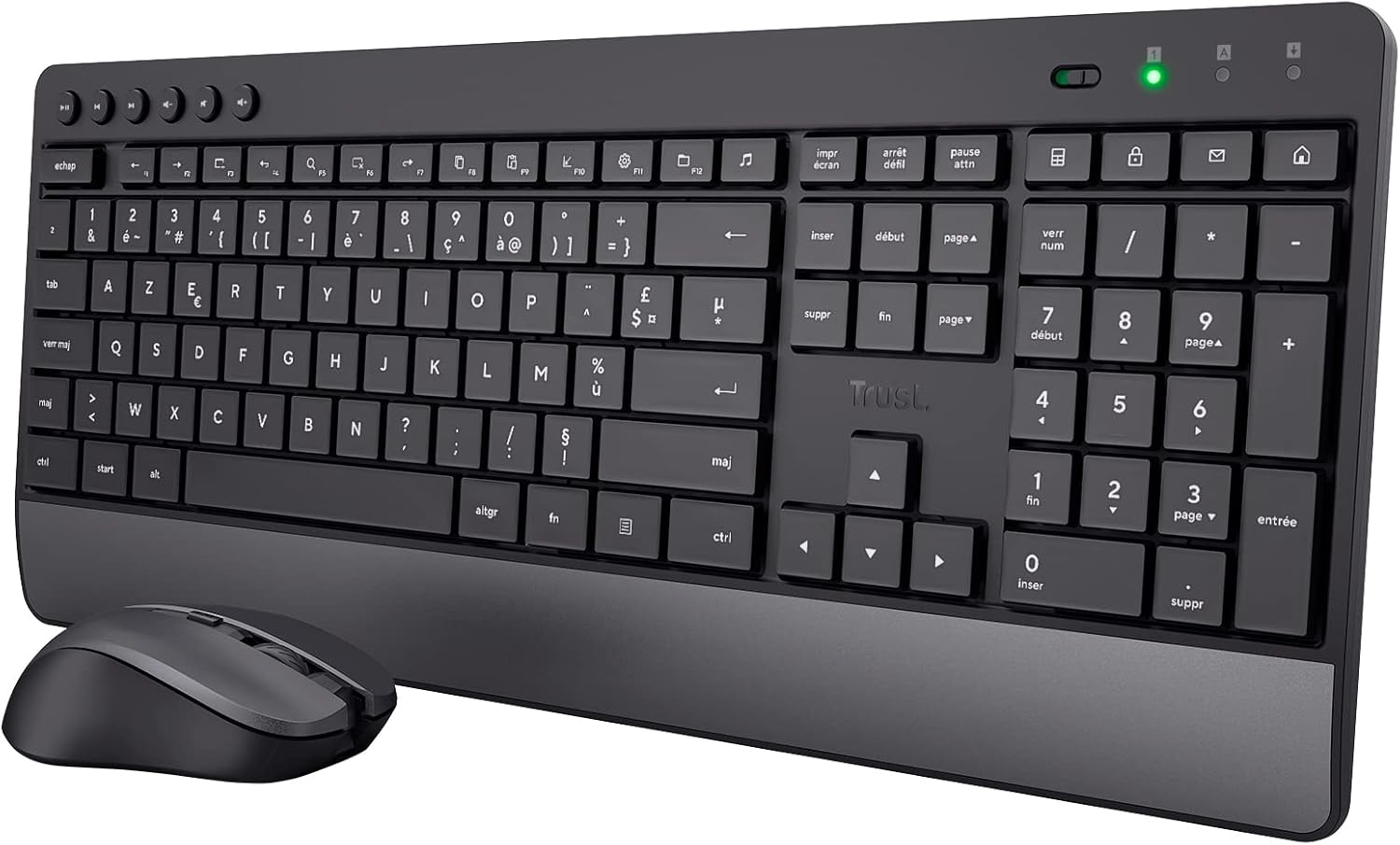
Image: The Trust 25025 AZERTY Wireless Keyboard and Mouse Set, featuring a full-size keyboard with a wrist rest and a compact mouse.
د بسته محتويات
- Trust 25025 AZERTY Wireless Keyboard
- د بې سیم ماؤس باور وکړئ
- د USB مایکرو ریسیور
- ۳ x AA بیټرۍ (مخکې نصب شوي یا په جلا توګه شامل دي)
- د کارونکي لارښود (دا لاسوند)
چمتو کول
1. د بیټرۍ نصب کول
The keyboard requires 2 AA batteries and the mouse requires 1 AA battery. These are typically included. If not, or if replacing, ensure correct polarity.
- Locate the battery compartments on the underside of the keyboard and mouse.
- د بیټرۍ پوښونه خلاص کړئ.
- Insert the AA batteries, matching the + and - indicators.
- د بیټرۍ پوښونه په خوندي ډول وتړئ.
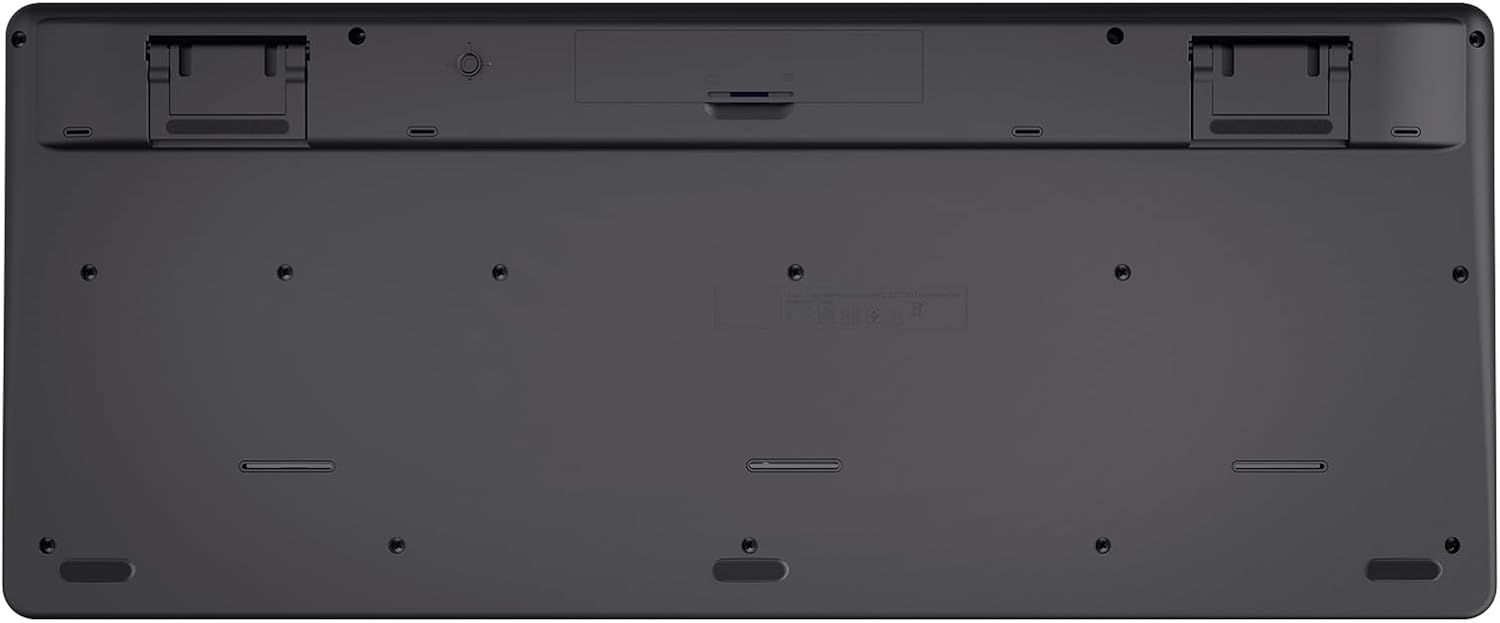
Image: The underside of the Trust 25025 keyboard, showing the battery compartment and the storage slot for the USB micro receiver.
2. Connecting the USB Micro Receiver
The keyboard and mouse connect wirelessly to your computer via a single USB micro receiver.
- Locate the USB micro receiver, usually stored in the mouse's battery compartment or a dedicated slot on the keyboard's underside.
- Plug the USB micro receiver into an available USB port on your computer (PC or Mac).
- Your computer should automatically detect and install the necessary drivers. This is a plug-and-play device, requiring no additional software installation.

Image: An icon representing 'Plug & Play' functionality, indicating easy setup without additional drivers.
3. په بریښنا چالانول
Ensure the keyboard and mouse are switched on. The mouse typically has an on/off switch on its underside. The keyboard may have an indicator light to show it's active.
عملیاتي لارښوونې
د کیبورډ ځانګړتیاوې
- AZERTY Layout: Standard French keyboard layout for comfortable typing.
- خاموش کیلي: Designed for quiet operation, reducing typing noise.
- د مړوند مدغم آرام: Provides ergonomic support during extended use.
- ملټي میډیا کلیدونه: Dedicated keys for quick access to media controls (play, pause, volume, etc.).
- د تودوخې په وړاندې مقاومت لرونکي ډیزاین: Helps protect against accidental liquid spills.
- د بیټرۍ اوږد ژوند: Up to 48 months of battery life under typical usage conditions.

انځور: له پورته څخه ښکته view of the Trust 25025 keyboard and mouse, highlighting the AZERTY layout and multimedia keys.
د موږک ځانګړتیاوې
- خاموش تڼۍ: Reduces click noise for a quieter working environment.
- د تنظیم وړ DPI: Cycle through 1000, 1400, and 1800 DPI settings for precise cursor control. Use the DPI button located near the scroll wheel to change sensitivity.
- محیطي ډیزاین: Suitable for both left-handed and right-handed users.
- د بیټرۍ اوږد ژوند: Up to 12 months of battery life under typical usage conditions.

انځور: نږدې انځور view of the Trust wireless mouse, showing its ergonomic shape and the DPI adjustment button.
ساتنه
پاکول
- Use a soft, dry cloth to clean the surfaces of the keyboard and mouse.
- د سختې خاورې لپاره، لږ څهampټوکر د اوبو یا نرم پاکولو محلول سره ومینځئ. د سختو کیمیاوي موادو څخه ډډه وکړئ.
- Do not immerse the devices in water.
د بیټرۍ بدلول
کله چې د بیټرۍ شاخص څراغ (که شتون ولري) روښانه شي یا فعالیت خراب شي، بیټرۍ بدل کړئ.
- Turn off the mouse using its power switch.
- Open the battery compartments on both devices.
- Remove old batteries and dispose of them according to local regulations.
- Insert new AA batteries, ensuring correct polarity.
- Close the battery covers.
د ستونزو حل کول
د کیبورډ یا موږک څخه هیڅ ځواب نشته
- بیټرۍ چیک کړئ: ډاډ ترلاسه کړئ چې بیټرۍ په سمه توګه نصب شوي او خالي شوي نه دي. که اړتیا وي نو بدل یې کړئ.
- د بریښنا سویچ: Verify that the mouse (and keyboard, if applicable) is switched ON.
- د USB ترلاسه کوونکی: Ensure the USB micro receiver is securely plugged into a working USB port on your computer. Try a different USB port.
- واټن: Make sure the keyboard and mouse are within the operational range of the USB receiver (typically up to 10 meters).
- لاسوهنه: Move the devices away from other wireless devices or large metal objects that might cause interference.
Mouse Cursor Jumps or is Erratic
- سطحه: موږک په پاکه، غیر انعکاسي سطحه وکاروئ. د موږک پیډ سپارښتنه کیږي.
- د DPI تنظیم کول: Adjust the DPI setting using the button on the mouse to find a comfortable sensitivity.
- بیټرۍ: Low battery power can affect mouse performance. Replace batteries if needed.
مشخصات
| فیچر | تفصیل |
|---|---|
| برانډ | باور |
| د ماډل شمیره | 25025 |
| لړۍ | Trezo |
| رنګ | تور |
| د ارتباط ټیکنالوژي | د راډیو فریکونسی (بې سیم) |
| د کیبورډ ترتیب | AZERTY |
| د موږک DPI ترتیبات | 1000, 1400, 1800 |
| د کیبورډ بیټرۍ ژوند | تر 48 میاشتو پورې |
| د موږک د بیټرۍ ژوند | تر 12 میاشتو پورې |
| بیټرۍ ته اړتیا ده | 3 x AA (شامل شوی) |
| د محصول ابعاد | 18.2 x 43.6 x 4.4 سانتي متره |
| د توکي وزن | 752 ګرامه |
| د هارډویر پلیټ فارم | ماک، کمپیوټر |
| د عملیاتي سیسټم مطابقت | Windows, Mac OS, Chrome OS |
| ځانګړي ځانګړتیاوې | 85% recycled plastic, long battery life, silent typing and clicks, wrist rest, single USB adapter for mouse and keyboard |
| مطابقت لرونکې وسیلې | لپ ټاپ، کمپیوټر |

Image: An icon indicating compatibility with multiple devices, including laptops and PCs.
تضمین او ملاتړ
د تضمین معلوماتو او تخنیکي ملاتړ لپاره، مهرباني وکړئ رسمي ټرسټ ته مراجعه وکړئ webسایټ ته مراجعه وکړئ یا مستقیم د دوی د پیرودونکي خدماتو سره اړیکه ونیسئ. د ځانګړي تضمین دورې او ملاتړ چینلونو په اړه توضیحات معمولا د محصول بسته بندۍ یا د تولید کونکي په پاڼه کې چمتو کیږي. webسایټ


