1. پیژندنه
Thank you for choosing the Jesebang BD86 Bluetooth 5.4 Wireless Earbuds. This manual provides detailed instructions on how to set up, operate, and maintain your new earbuds. Please read this manual carefully before use to ensure optimal performance and longevity of your device.

Image 1.1: Jesebang BD86 Wireless Earbuds and Charging Case.
2. د بسته محتويات
مهرباني وکړئ د لاندې توکو لپاره په بسته کې وګورئ:
- Jesebang BD86 Wireless Earbuds (Left and Right)
- د بې سیم چارج قضیه
- د USB-C چارج کیبل
- د کارن لارښود
3. محصول ختم شوview
Familiarize yourself with the components of your Jesebang BD86 earbuds and charging case.
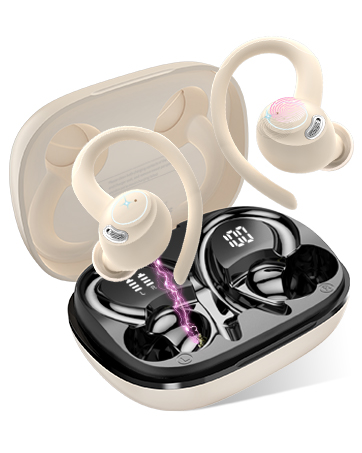
Image 3.1: Component Diagram. This image illustrates the key parts of the earbuds and charging case, including Mic 1, LED Indicator, Mic 2, Charging Pin on the earbuds, and the Dual LED Display and Type-C Input on the charging case.
- ایربودز: Equipped with Mic 1, LED Indicator, Mic 2, and Charging Pins.
- د چارج کولو قضیه: Features a Dual LED Display for battery status and a Type-C Input for charging.
4. ترتیب کول
۴.۱. د غوږۍ او کیس چارج کول
د لومړي ځل کارولو دمخه، د غوږ بډونه او د چارج کولو قضیه په بشپړه توګه چارج کړئ.
- Connect the USB-C charging cable to the Type-C input port on the charging case.
- د کیبل بله پای د USB بریښنا سرچینې سره وصل کړئ (د بیلګې په توګه، کمپیوټر، دیوال اډاپټر).
- د غوږ بډونه د چارج کولو په بکس کې واچوئ. ډاډ ترلاسه کړئ چې دوی په سمه توګه د چارج کولو پیل کولو لپاره ځای پر ځای شوي دي.
د چارج کولو په قضیه کې د LED ښودنه به د بیټرۍ سلنه وښييtage of the case and individual charge levels for each earbud. A full charge takes approximately 1.5 hours. The earbuds provide up to 6 hours of playback on a single charge, with the charging case extending total playback to 30 hours.

Image 4.1: Charging Case LED Display. This image shows the charging case with its LED display indicating the battery levels for both the case and the individual left and right earbuds.
۲. ستاسو د وسیلې سره جوړه کول
The Jesebang BD86 earbuds feature one-touch automatic pairing.
- ډاډ ترلاسه کړئ چې ستاسو د وسیلې بلوتوټ فعال دی.
- د چارج کولو کیس پرانیزئ او دواړه ایربډونه لرې کړئ. دوی به په اتوماتيک ډول فعال شي او د جوړه کولو حالت ته به ننوځي.
- On your device, search for Bluetooth devices and select "BD86" from the list.
- Once connected, you will hear a confirmation prompt, and the earbuds' LED indicators will stop flashing.
After the initial pairing, the earbuds will automatically connect to the last paired device when removed from the case.

Image 4.2: Bluetooth Pairing. This image displays a smartphone screen with the Bluetooth settings open, showing the "BD86" earbuds available for connection.
5. عملیاتي لارښوونې
5.1. د ټچ کنټرولونه
The Jesebang BD86 earbuds feature intuitive touch controls for managing audio playback and calls.

Image 5.1: Smart Touch Controls. This diagram illustrates the various touch gestures and their corresponding functions on the earbuds, including changing tracks, play/pause, rejecting calls, activating voice assistants, power on/off, and answering calls.
| اشاره | فعالیت |
|---|---|
| Touch and hold (L/R) for 2 seconds | ټریک بدل کړئ |
| دوه ځله نل (L/R) | Play/Pause, Reject Call |
| درې ځله نل (L/R) | د غږ معاون فعاله کړئ (سري ، د ګوګل معاون) |
| Touch and hold (L/R) for 5 seconds | پاور آن/بند |
| یو نل (L/R) | زنګ ووهئ |
۴. د آډیو ځانګړتیاوې
The BD86 earbuds are designed for an immersive audio experience:
- د های فای سټیریو غږ: Equipped with 14.2mm composite titanized diaphragm dynamic drivers, these earbuds restore high-frequency elements for rich, detailed audio.
- زنګونه پاک کړئ: Integrated with 4 HD microphones and ENC (Environmental Noise Cancellation) technology to ensure clear call quality by reducing background noise.
- د باد شور کمول: Advanced wind flow technology minimizes wind noise, ensuring clear communication even in windy conditions.

Image 5.2: Acoustic Design. This image illustrates the internal acoustic components of the earbud, highlighting the 13mm drivers, ENC Noise Cancelling, and HD Call capabilities.
۳. د اوبو مقاومت
The earbuds are rated IP7 waterproof, providing protection against sweat and rain. This allows for use during sports and in various weather conditions.

Image 5.3: IP7 Water Resistance. The image shows the earbuds with water droplets, symbolizing their IP7 dust and water resistance, suitable for daily use.
6. ساتنه
د خپلو غوږونو د اوږد عمر او غوره فعالیت ډاډمن کولو لپاره، د ساتنې دا لارښوونې تعقیب کړئ:
- پاکول: د غوږ بډونه او د چارج کولو کیس په منظم ډول د نرم، وچ، لینټ نه پاک ټوکر سره پاک کړئ. د کثافاتو موادو یا سخت کیمیاوي موادو کارولو څخه ډډه وکړئ.
- د اړیکو چارج کول: په دوره یي ډول د غوږونو او د قضیې دننه د چارج کولو تماسونه د وچ کاټن سویب سره پاک کړئ ترڅو ښه اړیکه یقیني شي.
- ذخیره کول: کله چې په کارولو کې نه وي، د غوږ بډونه د چارج کولو په قضیه کې وساتئ ترڅو دوی د دوړو او زیان څخه خوندي کړي.
- د سختو شرایطو څخه ډډه وکړئ: Do not expose the earbuds to extreme temperatures, high humidity, or direct sunlight for extended periods.
7. ستونزه حل کول
If you encounter any issues with your Jesebang BD86 earbuds, refer to the following common solutions:
| ستونزه | احتمالي حل |
|---|---|
| Earbuds نه جوړیږي | Ensure earbuds are charged. Turn off and on your device's Bluetooth. Place earbuds back in case, close, then reopen and try pairing again. |
| د یو غوږ بډ څخه هیڅ غږ نشته | Check individual earbud charge. Try re-pairing both earbuds. Ensure both earbuds are removed from the case simultaneously. |
| ټیټ حجم یا د غږ خراب کیفیت | Adjust volume on both your device and the earbuds. Clean any debris from the earbud speakers. Ensure earbuds are properly seated in your ears. |
| د چارج کولو مسلې | Ensure the charging cable is securely connected. Clean the charging contacts on both earbuds and the case. Try a different USB power source or cable. |
| د ایربډونه په مکرر ډول منقطع کیږي | Ensure you are within the Bluetooth range (up to 15 meters). Avoid obstacles between your device and the earbuds. Try re-pairing. |
8. مشخصات
| فیچر | تفصیل |
|---|---|
| ماډل | BD86 |
| برانډ | جیسبنګ |
| بلوتوث نسخه | 5.4 |
| د بیسیم رینج | تر 15 مترو پورې |
| د ایربډ بیټرۍ ژوند | تر اتو ساعتونو پورې (یو ځل چارج) |
| د لوبې ټول وخت (د قضیې سره) | تر 30 ساعتونو پورې |
| د چارج کولو وخت | نږدې 1.5 ساعته |
| د اوبو مقاومت | IP7 (Impermeabile) |
| مایکروفون | 4 HD Mics with ENC Noise Cancellation |
| د موټر چلوونکي اندازه | 14.2mm Composite Titanized Diaphragm Dynamic Driver |
| د کنټرول طریقه | ټچ کنټرول |
| د غږ معاون ملاتړ | سري ، د ګوګل مرستې |
| د چارج کولو بندر | USB-C |
| وزن (په هر غوږۍ کې) | 3.3 ګرامه |
| ابعاد (محصول) | 5.5 x 4.5 x 1.8 سانتي متره |
| مطابقت لرونکې وسیلې | IOS, Android, PC, Tablets, Laptops, Car Audio Systems |
9. تضمین او ملاتړ
9.1. د محصول تضمین
Jesebang offers a 2 کلن تضمین for the BD86 Wireless Earbuds. This warranty covers manufacturing defects and ensures that any issues arising within this period will be addressed. Please retain your proof of purchase for warranty claims.
Image 9.1: 2 Years Warranty. This image displays a badge indicating a 2-year warranty, highlighting Jesebang's commitment to quality.
9.2. د پیرودونکي ملاتړ
Our professional customer support team is available 24/7 to assist you with any questions or concerns you may have regarding your product. Our goal is to provide high-level customer support to ensure a satisfying purchase experience.
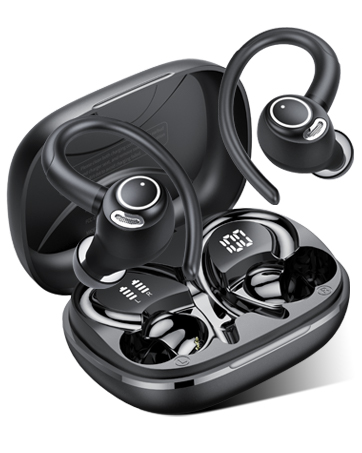
Image 9.2: 24/7 Customer Support. This image shows hands holding a glowing clock icon with '24/7', representing continuous customer support.
For support, please refer to the contact information provided with your product packaging or visit the official Jesebang webسایټ
