پیژندنه
The LaCie Rugged Mini SSD is a durable, fast, and portable external solid state drive designed for efficient data management. It offers high-speed data transfer and universal compatibility across various devices, making it suitable for professionals and enthusiasts alike. This manual provides essential information for setting up, operating, and maintaining your LaCie Rugged Mini SSD.

Image: The LaCie Rugged Mini SSD 2TB, featuring its distinctive orange protective casing.
د بکس منځپانګې
ډاډ ترلاسه کړئ چې ستاسو کڅوړه لاندې توکي لري:
- LaCie Rugged Mini SSD 2TB USB3.2 GEN 2X2
- USB-C ته USB-C کیبل
- د چټک نصبولو لارښود

Image: The retail packaging for the LaCie Rugged Mini SSD, showing the drive and key features.
چمتو کول
لومړنی پیوستون
To begin using your LaCie Rugged Mini SSD, connect it to your computer or compatible device using the provided USB-C cable. The drive is designed for plug-and-play functionality.
Video: This short clip demonstrates the unboxing of the LaCie Rugged Mini SSD, highlighting its compact size and the included USB-C cable. It shows the connection process to a laptop and the drive's indicator light.
Remove the protective rubber cap from the USB-C port on the drive. Connect one end of the USB-C cable to the drive and the other end to an available USB-C port on your computer (PC, Mac, or iPad). The drive's indicator light will flash initially and then become solid, indicating a successful connection.
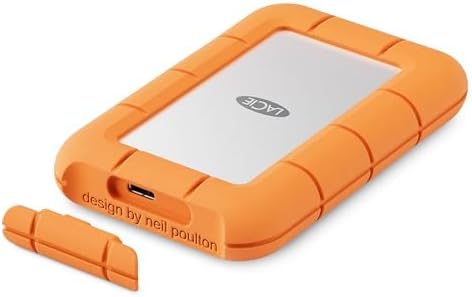
انځور: یوه خوا view of the LaCie Rugged Mini SSD, clearly showing the USB-C port for connection.
د ډرایور نصب کول
Upon initial connection, your operating system (Windows or macOS) may prompt you to install necessary drivers or software. Follow the on-screen instructions to complete the installation. For Mac users, the drive may present options for 'Start Here Mac' or 'Start Here Windows' to guide you through the setup process, including driver installation and warranty registration.
عملیات
File لیږد
Once connected and recognized by your system, the LaCie Rugged Mini SSD will appear as an external drive. You can drag and drop files to and from the drive, or use your system's file management tools to copy, move, and delete data. The drive supports USB 3.2 Gen 2x2 technology, offering read speeds up to 2000MB/s for rapid file لیږدونه

Image: A graphic highlighting the drive's high transfer speeds, up to 2000MB/s, with a laptop and tablet connected.
مطابقت
The LaCie Rugged Mini SSD offers universal compatibility with PC, Mac, and iPad devices, thanks to its USB-C interface. This ensures a seamless workflow across different platforms.

Image: A graphic illustrating the universal compatibility of the LaCie Rugged Mini SSD with various devices, including PC, Mac, and iPad.
پایښت
Designed for an active lifestyle, the Rugged Mini SSD features a robust construction with an IP54 rating, providing resistance against dust and water. Its sturdy design is built to withstand shock, pressure, and drops, protecting your valuable data.
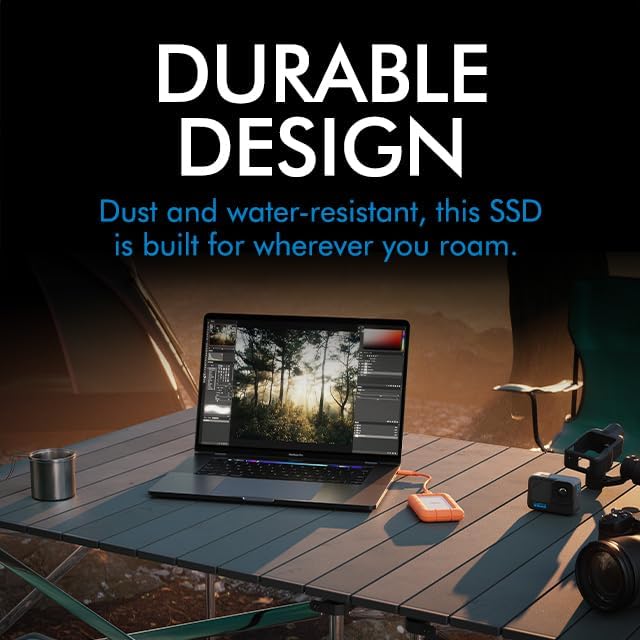
Image: A graphic emphasizing the durable design of the LaCie Rugged Mini SSD, shown in an outdoor environment with a laptop and camera gear.
Video: This video showcases the durability of the LaCie Rugged Mini SSD, demonstrating its water resistance with a spray test. It also highlights its fast transfer speeds and portable design, showing it being used for video editing on an iPad and fitting into a pocket.
د پورت وړتیا
With its palm-sized and lightweight design, the LaCie Rugged Mini SSD is highly portable, allowing you to carry your data wherever you go. It is ideal for users who need reliable storage on the move.
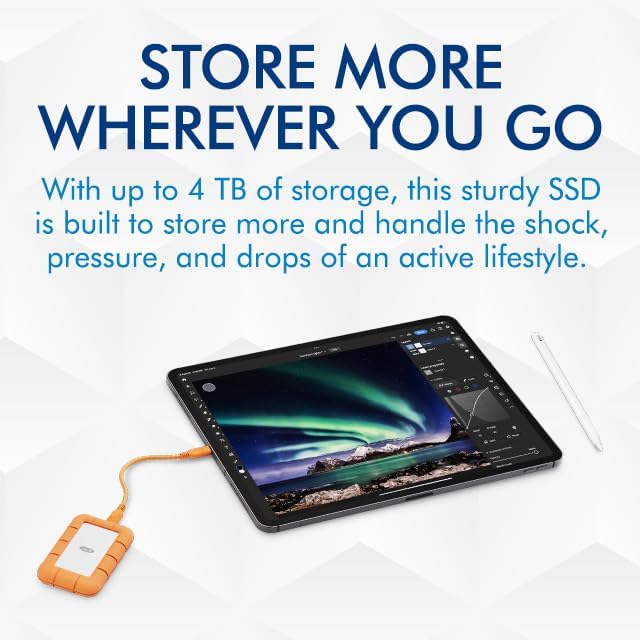
Image: A graphic promoting the portability of the LaCie Rugged Mini SSD, shown connected to an iPad, emphasizing its ability to store large amounts of data on the go.
ساتنه
- خوندي اخراج: تل د معلوماتو د فساد د مخنیوي لپاره د ډیسک له منقطع کولو دمخه په خوندي ډول له خپل کمپیوټر څخه ډرایو وباسئ.
- فزیکي ساتنه: Keep the rubber protective casing on the drive to maintain its dust and water resistance.
- دحرارت درجه: د اوږدې مودې لپاره د موټر چلولو ځای د سختې تودوخې یا مستقیم لمر وړانګو سره مخ کیدو څخه ډډه وکړئ.
- پاکول: Use a soft, dry cloth to clean the exterior of the drive. Do not use harsh chemicals or abrasive materials.
د ستونزو حل کول
- ډرایو ونه موندل شو: Ensure the USB-C cable is securely connected to both the drive and your computer. Try a different USB-C port or cable if available. Restart your computer.
- د لیږد ورو سرعت: Verify that your computer's USB-C port supports USB 3.2 Gen 2x2 speeds. Older USB standards will result in slower performance. Close any unnecessary applications running in the background.
- د معلوماتو فساد: If you experience data corruption, ensure you are always safely ejecting the drive. If the issue persists, consider reformatting the drive (this will erase all data).
- فزیکي زیانونه: If the drive has sustained physical damage (e.g., severe drop, water immersion), contact LaCie support for assistance.
مشخصات
| فیچر | تفصیل |
|---|---|
| د ډیجیټل ذخیره کولو ظرفیت | 2 TB |
| د هارډ ډیسک انٹرفیس | USB 3.0 (compatible with USB 3.2 Gen 2x2) |
| د ارتباط ټیکنالوژي | USB |
| برانډ | Seagate (LaCie) |
| ځانګړی ځانګړنه | Data Recovery Service (3 years included) |
| د هارډ ډیسک فارم فکتور | ۷۸۷ انچه |
| د هارډ ډیسک توضیحات | د سولیډ ریاست ډرایو |
| مطابقت لرونکې وسیلې | Desktop, Laptop, Smartphone, Tablet (PC, Mac, and iPad) |
| د لګولو ډول | بهرنۍ هارډ ډرایو |
| د توکي وزن | 4 اونس |
| د محصول ابعاد (LxWxH) | 0.68 x 2.63 x 4.15 انچه |
| د ماډل شمیره | STMF2000400 |
تضمین او ملاتړ
Your LaCie Rugged Mini SSD includes a 3-year Rescue Data Recovery Services plan. This service helps protect your data against unexpected events like water damage or natural disasters, covering data loss and retrieval costs.
- Data Recovery Plan: 3-Year Data Recovery Plan included.
- د تولید کونکي ملاتړ: For technical assistance, product registration, or warranty claims, please visit the official Seagate/LaCie support webسایټ یا د دوی پیرودونکي خدمت سره اړیکه ونیسئ.


