1. پیژندنه
The BuzzTV B5 is an advanced Android 11 TV Box designed to deliver a superior 4K UHD streaming experience. This device allows you to access a wide range of entertainment, including movies, TV shows, and applications, directly on your television. This manual provides essential information for the proper setup, operation, maintenance, and troubleshooting of your BuzzTV B5.
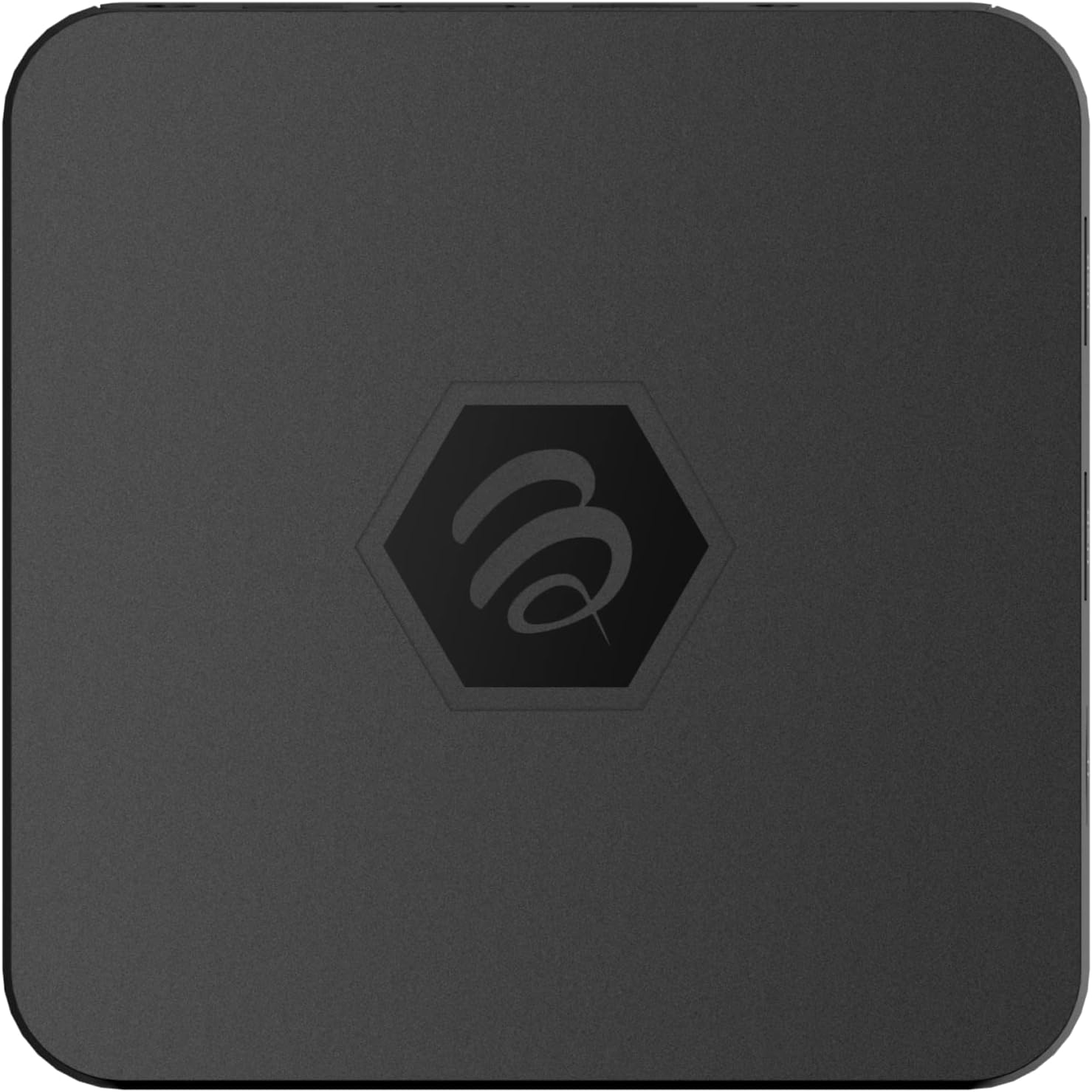
انځور ۴.۱: پورته view of the BuzzTV B5 Android 11 TV Box.
2. د بسته محتويات
Please verify that all items listed below are included in your BuzzTV B5 package:
- BuzzTV B5 Set Top Box
- IR-100 Remote Control
- د بریښنا رسولو اډاپټر
- ۲x AAA بیټرۍ (د ریموټ کنټرول لپاره)
- HDMI کیبل
- د کارونکي لارښود (دا لاسوند)

Image 2.1: Contents included in the BuzzTV B5 retail package.
3. د تنظیم کولو لارښود
Follow these steps to set up your BuzzTV B5 TV Box:
- له تلویزیون سره وصل شئ: Connect one end of the provided HDMI cable to the HDMI port on the BuzzTV B5 and the other end to an available HDMI input on your television.
- بریښنا وصل کړئ: Plug the power supply adapter into the DC 5V port on the BuzzTV B5, then plug the adapter into a wall outlet. The device should power on automatically or can be powered on using the remote control.
- په ریموټ کې بیټرۍ داخل کړئ: Open the battery compartment on the back of the IR-100 Remote Control and insert the two AAA batteries, ensuring correct polarity (+/-).
- د شبکې پیوستون: Once the device boots up, follow the on-screen instructions to connect to your network. You can choose between Wi-Fi (wireless) or Ethernet (wired) connection. For a wired connection, connect an Ethernet cable from your router to the Ethernet port on the BuzzTV B5.
- ابتدايي ترتیب: Complete the initial Android setup process, which may include language selection, Google account login, and time zone settings.

Image 3.1: Rear ports of the BuzzTV B5 for connectivity.
4. عملیاتي لارښوونې
The BuzzTV B5 operates on Android 11, providing a user-friendly interface for navigation and content access.
4.1 د ریموټ کنټرول فعالیتونه
The IR-100 Remote Control is your primary interface for the BuzzTV B5. Key functions include:
- د بریښنا تڼۍ: وسیله آن یا بندوي.
- د نیویګیشن پیډ (پورته/ښکته/کیڼ/ښي/ښه): د مینو نیویګیټ کولو او توکو غوره کولو لپاره کارول کیږي.
- د شا تڼۍ: مخکینۍ سکرین یا مینو ته راستنیږي.
- د کور تڼۍ: د Android اصلي کور سکرین ته راستنیږي.
- د حجم تڼۍ: د آډیو حجم تنظیموي.
- App/Menu Buttons: Accesses specific applications or context menus.

Image 4.1: Layout of the IR-100 Remote Control.
۳.۵ غوښتنلیکونو ته لاسرسی
From the home screen, you can access pre-installed applications like Netflix and YouTube, or download new applications from the Google Play Store. Use the navigation pad on your remote to select and launch applications.
4.3 4K UHD Streaming
The BuzzTV B5 supports 4K UHD resolution. Ensure your television is 4K compatible and that you are using a high-speed HDMI cable for optimal picture quality. Streaming quality will also depend on your internet connection speed and the content source.
5. ساتنه
To ensure the longevity and optimal performance of your BuzzTV B5, consider the following maintenance tips:
- پاکول: د وسیلې بهرنۍ برخه پاکولو لپاره نرم، وچ ټوکر وکاروئ. د مایع پاکوونکو یا کثافاتو موادو څخه ډډه وکړئ.
- وینټیلیشن: ډاډ ترلاسه کړئ چې وسیله په ښه هوا لرونکي ځای کې ځای پر ځای شوې ده ترڅو د ډیر تودوخې مخه ونیول شي. د هوا د توییدو دروازې مه پوښئ.
- د سافټویر تازه معلومات: Periodically check for and install system updates to benefit from new features, performance improvements, and security patches. These can usually be found in the device's settings menu.
- د بریښنا دوره: If the device becomes unresponsive, disconnect the power adapter, wait 10 seconds, and then reconnect it to perform a power cycle.
6. ستونزه حل کول
If you encounter issues with your BuzzTV B5, refer to the following common problems and solutions:
| ستونزه | احتمالي لامل | د حل لاره |
|---|---|---|
| هیڅ ځواک نشته | د بریښنا اډاپټر نه دی وصل شوی؛ آوټ لیټ کار نه کوي. | Ensure power adapter is securely connected to the device and a working power outlet. Try a different outlet. |
| No Signal on TV | Incorrect HDMI input selected; faulty HDMI cable. | Select the correct HDMI input on your TV. Check HDMI cable connections or try a different HDMI cable. |
| ریموټ کنټرول ځواب نه ورکوي | Dead batteries; remote not paired (if applicable); obstruction. | Replace AAA batteries. Ensure no obstructions between remote and device. |
| د شبکې د اتصال ستونزې | د وای فای غلط پټنوم؛ د روټر ستونزې؛ کمزوری سیګنال. | Verify Wi-Fi password. Restart your router. Move the device closer to the router or use an Ethernet cable. |
| Applications Crashing/Freezing | Insufficient memory; outdated app; software glitch. | Close background apps. Update the app or the device's firmware. Clear app cache/data in settings. |
7. مشخصات
Detailed technical specifications for the BuzzTV B5 Android 11 TV Box:
- عملیاتي سیسټم: د Android OS 11
- CPU: Amlogic S905W2 Quad-Core A-35
- GPU: Mali-G31 MP2
- رام: 2GB DDR
- ذخیره کول: 16GB eMMC
- وای فای: Dual Band AC
- لین: 10/100 Mbps ایترنیټ
- بلوتوث: 4.2
- USB پورټونه: 2x USB 2.0
- د مایکرو ایس ډی سلاټ: 1
- د بریښنا انٹرفیس: DC 5V
- د HDMI محصول: 1
- د نظري آډیو محصول: 1
- د محصول حل: 4K (32 FPS)
- ابعاد: 9.06 x 5.63 x 2.32 انچه
- د توکي وزن: ۲.۴۵ پونډه

Image 7.1: BuzzTV B5 with a summary of its technical specifications.
8. د تضمین معلومات
For detailed warranty information regarding your BuzzTV B5, please refer to the warranty card included in your product packaging or visit the official BuzzTV webسایټ. د تضمین شرایط او مقررات ممکن د سیمې او پرچون پلورونکي له مخې توپیر ولري.
9. ملاتړ
If you require further assistance or have questions not covered in this manual, please contact BuzzTV customer support or visit their official webد FAQs، سافټویر ډاونلوډونو، او اضافي سرچینو لپاره سایټ.
BuzzTV Official Webسایټ: www.buzztv.com


