1. پیژندنه
Thank you for choosing the itel IEB54 Pro Bluetooth in-ear earphones. These earphones are designed to provide a superior audio experience with features like AI Environmental Noise Cancellation (ENC), extended playback time, powerful bass, and fast charging. This manual will guide you through the proper use and care of your new earphones.

Image: itel IEB54 Pro Bluetooth Earphones in blue, showcasing the neckband design and magnetic earbuds.
۲. په بکس کې څه دي؟
مهرباني وکړئ د بسته بندۍ محتويات وګورئ ترڅو ډاډ ترلاسه کړئ چې ټول توکي شتون لري:
- itel IEB54 Pro Bluetooth Earphones
- د چارج کولو کیبل (USB)
- د غوږونو ټپونه (مختلف اندازې)
- د کارن لارښود
3. ترتیب کول
۱. د غوږونو چارج کول
Before first use, fully charge your earphones. The itel IEB54 Pro supports fast charging, providing 4 hours of playback with just a 10-minute charge.
- د چارج کولو کیبل په اییرفونونو کې د چارج کولو بندر سره وصل کړئ.
- د کیبل بل پای د USB بریښنا سرچینې سره وصل کړئ (د مثال په توګه، د کمپیوټر USB پورټ، دیوال اډاپټر).
- The LED indicator will show charging status (refer to the LED indicator section for details).
- یوځل چې په بشپړ ډول چارج شو ، کیبل یې وصل کړئ.

Image: Illustration of the fast charging capability, highlighting 10 minutes of charge for 4 hours of playback.
3.2. د بلوتوث جوړه کول
The earphones use Bluetooth v5.3 for stable and efficient wireless connectivity. They also support dual pairing.
- پاور آن: د ملټي فنکشن تڼۍ فشار ورکړئ او ونیسئ تر هغه چې د LED شاخص نیلي او سور روښانه شي، د جوړه کولو حالت په ګوته کوي.
- بلوتوث فعال کړئ: په خپل وسیله (سمارټ فون، ټابلیټ، لپ ټاپ) کې، بلوتوث فعال کړئ.
- وسیله غوره کړئ: In your device's Bluetooth settings, search for "itel IEB54 Pro" and select it to connect.
- تایید: The LED indicator on the earphones will turn solid blue (or flash slowly) once successfully paired, and you may hear an audio prompt.
دوه ګونی جوړه: To connect to a second device, disconnect from the first device (or put the earphones back into pairing mode if they support it automatically after disconnection). Pair with the second device. The earphones will remember both devices and can switch between them effortlessly when both are in range and Bluetooth is active.

Image: itel IEB54 Pro earphones shown with a laptop and smartphone, illustrating dual pairing capability.
4. عملیاتي لارښوونې
4.1. کنټرولونه
The itel IEB54 Pro features intuitive touch controls for easy management of your audio and calls.
| فعالیت | عمل |
|---|---|
| پاور آن/بند | Press and hold multi-function button |
| میوزیک پلی کړئ / بند کړئ | Single tap multi-function button |
| بله لار | د حجم + تڼۍ فشار او وساتئ |
| مخکینی ټریک | Press and hold Volume - button |
| حجم پورته | Single tap Volume + button |
| حجم ښکته | Single tap Volume - button |
| ځواب / پای کال | Single tap multi-function button |
| زنګ رد کړئ | Press and hold multi-function button |
| د غږ معاون فعال کړئ | Double tap multi-function button |
4.2. AI Environmental Noise Cancellation (ENC)
The AI ENC technology reduces background noise during calls, ensuring clear communication. This feature is automatically active during phone calls.

Image: Visual representation of Environmental Noise Cancellation (ENC) with sound waves.
4.3. Extended Playback Time
Enjoy up to 35 hours of continuous audio playback on a single full charge. Actual battery life may vary based on volume level and audio content.
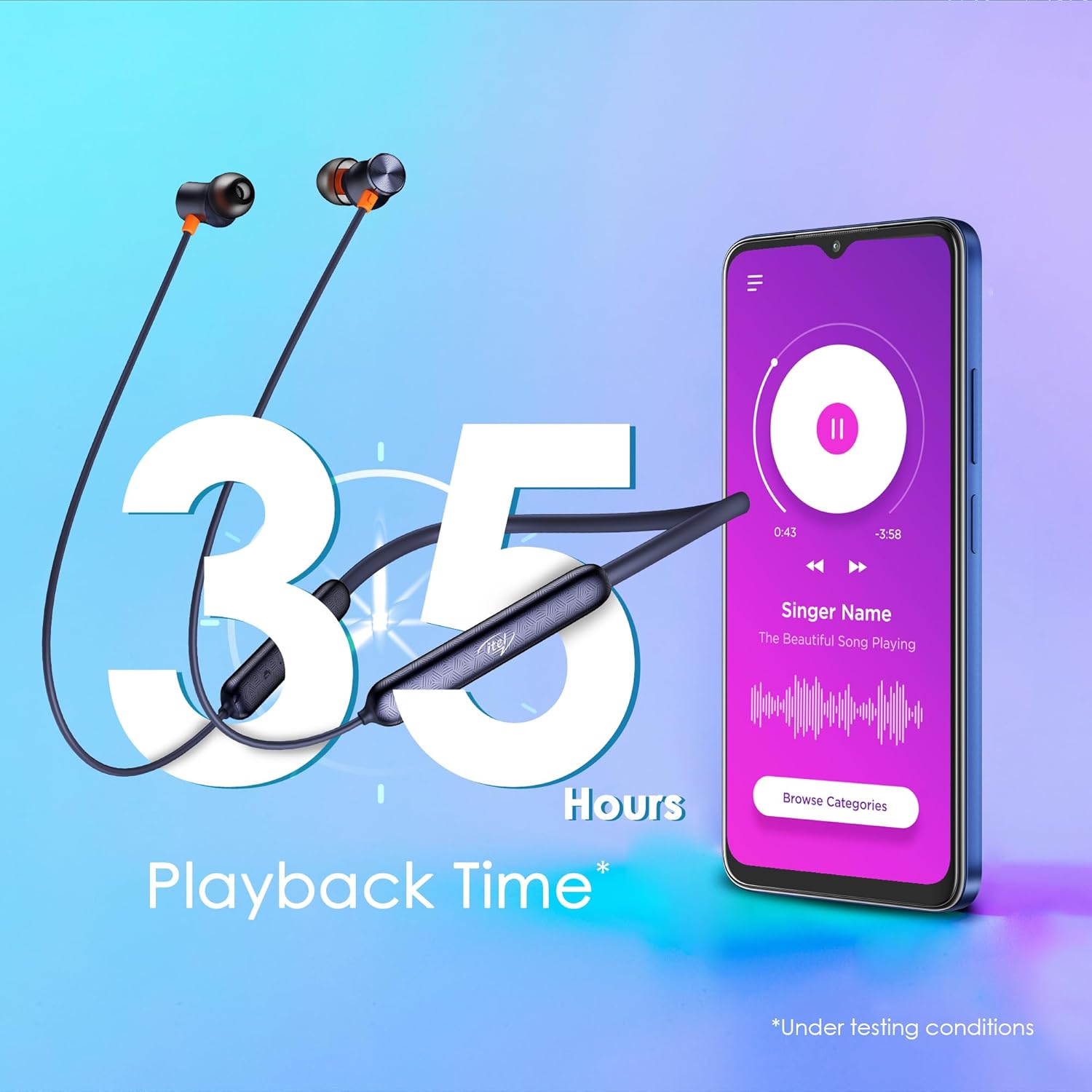
Image: Graphic illustrating 35 hours of playback time with the earphones and a smartphone playing music.
4.4. مقناطیسي Earbuds
The earbuds feature a magnetic design, allowing them to securely snap together when not in use. This prevents tangles and makes them convenient to carry around your neck.

Image: Close-up of the magnetic earbuds snapping together, preventing tangles.
5. ساتنه
5.1. پاکول
د غوره فعالیت او حفظ الصحې ساتلو لپاره، په منظم ډول خپل غوږونه پاک کړئ:
- Use a soft, dry, lint-free cloth to wipe the surface of the earphones.
- د غوږونو او سپیکر میش څخه د غوږونو موم یا کثافات په نرمۍ سره د کوچني، نرم برش یا کاټن سویب په کارولو سره لرې کړئ.
- سخت کیمیاوي مواد، د پاکولو محلول، یا قوي صابون مه کاروئ.
۲. د اوبو مقاومت (IPX5)
The itel IEB54 Pro earphones are rated IPX5 water resistant, meaning they can withstand sweat and light splashes of water. They are suitable for workouts and outdoor activities. However, they are not designed for submersion in water or exposure to pressurized water jets.
- په قصدي ډول غوږۍ په اوبو کې مه ډوبوئ.
- If they get wet, wipe them dry thoroughly before charging or storing.

Image: Illustration showing the earphones with water splashing, indicating IPX5 water resistance.
6. ستونزه حل کول
If you encounter any issues with your itel IEB54 Pro earphones, please refer to the following common solutions:
- اییرفونونه نه چالانیږي: ډاډ ترلاسه کړئ چې اییرفونونه په بشپړ ډول چارج شوي دي. د بریښنا سرچینې سره یې وصل کړئ او بیا هڅه وکړئ.
- د وسیلې سره جوړه نشي کیدی:
- Make sure Bluetooth is enabled on your device and the earphones are in pairing mode (flashing blue and red LED).
- ډاډ ترلاسه کړئ چې اییرفونونه ستاسو د وسیلې د 10 مترو بلوتوث رینج کې دي.
- Forget "itel IEB54 Pro" from your device's Bluetooth list and try pairing again.
- Restart both your device and the earphones.
- بې غږه یا ټیټ غږ:
- په خپلو اییرفونونو او وصل شوي وسیلې دواړو کې د غږ کچه وګورئ.
- ډاډ ترلاسه کړئ چې اییرفونونه ستاسو وسیله سره په سمه توګه وصل دي.
- د مختلف غږ غږولو هڅه وکړئ files or from different applications.
- Clean any debris from the eartips and speaker mesh.
- د چارج کولو مسلې:
- ډاډ ترلاسه کړئ چې د چارج کولو کیبل په خوندي ډول د اییرفونونو او د بریښنا سرچینې دواړو سره وصل دی.
- یو بل USB پورټ یا د بریښنا اډاپټر هڅه وکړئ.
- Ensure the charging port on the earphones is clean and free of debris.
که ستونزه دوام ومومي، مهرباني وکړئ د پیرودونکي ملاتړ سره اړیکه ونیسئ.
7. مشخصات
| فیچر | تفصیل |
|---|---|
| د ماډل نوم | IEB 54 Pro |
| د ارتباط ټیکنالوژي | بېسیم (بلوتوث v5.3) |
| د آډیو ډرایور اندازه | 10mm متحرک چلوونکي |
| د شور کنټرول | AI Environmental Noise Cancellation (ENC) |
| د پلې بیک وخت | تر 35 ساعتونو پورې |
| چټک چارج کول | ۱۰ دقیقې چارج = ۵ ساعته پلې بیک |
| د اوبو مقاومت | IPX5 |
| د کنټرول ډول | ټچ کنټرول |
| مطابقت لرونکې وسیلې | لپټاپونه، سمارټ فونونه، ټابلیټونه |
| د توکي وزن | 30 ګرامه |
| د محصول ابعاد | 18.5 x 13 x 1.3 سانتي متره |
| جوړونکی | IMMORTECH PRIVATE LIMITED |
| د اصلي هیواد | هند |

Image: A comprehensive collage highlighting key features of the itel IEB54 Pro earphones.
8. تضمین او ملاتړ
Your itel IEB54 Pro earphones come with a standard manufacturer's warranty. For specific warranty terms and conditions, please refer to the warranty card included in your product packaging or visit the official Itel webسایټ
For technical support, troubleshooting assistance, or warranty claims, please contact Itel customer service. Contact details can typically be found on the product packaging or the official Itel support webسایټ
Manufacturer: IMMORTECH PRIVATE LIMITED


