1. پیژندنه او وروستهview
The Buffbee Sound Machine & Alarm Clock is a versatile 2-in-1 device designed to enhance your sleep and wake-up experience. It combines a high-quality sound machine with a precise digital alarm clock, offering a range of features to create a peaceful environment and ensure timely waking.

Image 1.1: The Buffbee device highlighting its dual functionality as a sound machine and an alarm clock.
کلیدي ځانګړتیاوې:
- 2-in-1 فعالیت: Combines a sound machine and a digital alarm clock in one compact unit.
- 18 ارامه غږونه: Includes 5 white noises, 3 fan sounds, and 10 nature sounds (ocean, lullaby, waves, rain, thunderstorm, stream, croaks, bird chirps, summer night, campfire) to aid sleep and relaxation.
- Adjustable Display Brightness: Clock face brightness can be dimmed from 0% to 100% to suit your preference.
- دقیق حجم کنټرول: Offers 30 levels of volume adjustment for optimal sound output.
- د خوب وخت Set the sound machine to automatically turn off after 15, 30, 60, 90, or 120 minutes, or allow continuous play.
- ۷-رنګ د شپې رڼا: Features a soothing colored light at the base with 7 color options and ON/OFF functionality.
- د لوړ کیفیت سپیکر: Equipped with a 5W speaker for rich, detailed sound.

انځور 1.2: مخکی view of the Buffbee Sound Machine & Alarm Clock, displaying the time and the top control panel.
2. ترتیب کول
۳.۱ د بکس خلاصول او محتوا
Carefully remove the Buffbee Sound Machine & Alarm Clock from its packaging. Verify that all components are present:
- Buffbee Sound Machine & Alarm Clock unit
- Power Adapter (USB cable and wall adapter)
- د کارونکي لارښود (دا لاسوند)
2.2 د بریښنا نښلول
The device is powered by an electrical cable.
- Insert the small end of the USB power cable into the DC IN port on the back of the Buffbee unit.
- Plug the larger end of the USB cable into the provided wall adapter.
- د دیوال اډاپټر په معیاري بریښنایی آوټ لیټ کې ولګوئ.
The device will power on automatically, and the digital display will illuminate.
2.3 د وخت ټاکل
Upon initial power-on or after a power outage, you may need to set the correct time.
- فشار ورکړئ او ونیسئ د وخت ټاکل button (usually indicated by a clock icon) on the top panel until the hour digits begin to flash.
- د کارولو +/- buttons (or arrow buttons) to adjust the hour.
- فشار ورکړئ د وخت ټاکل د دقیقې تنظیم کولو ته د بدلولو لپاره بیا تڼۍ.
- د کارولو +/- د دقیقو تنظیم کولو لپاره تڼۍ.
- فشار ورکړئ د وخت ټاکل د وخت تنظیم کولو حالت تایید او وتلو لپاره یو ځل بیا تڼۍ فشار ورکړئ.
3. عملیاتي لارښوونې
3.1 Sound Machine Function
The Buffbee Sound Machine offers 18 soothing sounds to help you relax and sleep.

انځور ۲: داخلي view illustrating the upward-firing speaker for enhanced sound quality.
غږونه غږول:
- فشار ورکړئ د غږ حالت button (often a music note icon) to cycle through the available sound categories (White Noise, Fan Sounds, Nature Sounds).
- د کارولو Next/Previous Sound buttons (arrow icons) to select a specific sound within the chosen category.
- The sound will begin playing automatically.
د حجم تنظیمول:
The device features 30 levels of precise volume control.
- فشار ورکړئ حجم پورته کول (+) or حجم کم (-) د غږ حجم زیاتولو یا کمولو لپاره تڼۍ.

Image 3.2: Illustration of the auto-off timer and 30-level precise volume control features.
د خوب وخت ټاکل
The sleep timer allows the sound machine to turn off automatically after a set duration.
- فشار ورکړئ ټایمر button (often an hourglass icon) repeatedly to cycle through the available timer options: 15 minutes, 30 minutes, 60 minutes, 90 minutes, 120 minutes, or continuous play (indicated by 'ON' or no timer display).
- The selected timer duration will be displayed briefly on the screen.
۴.۴ د الارم ساعت فعالیت
The Buffbee device functions as a digital alarm clock with customizable wake-up sounds.
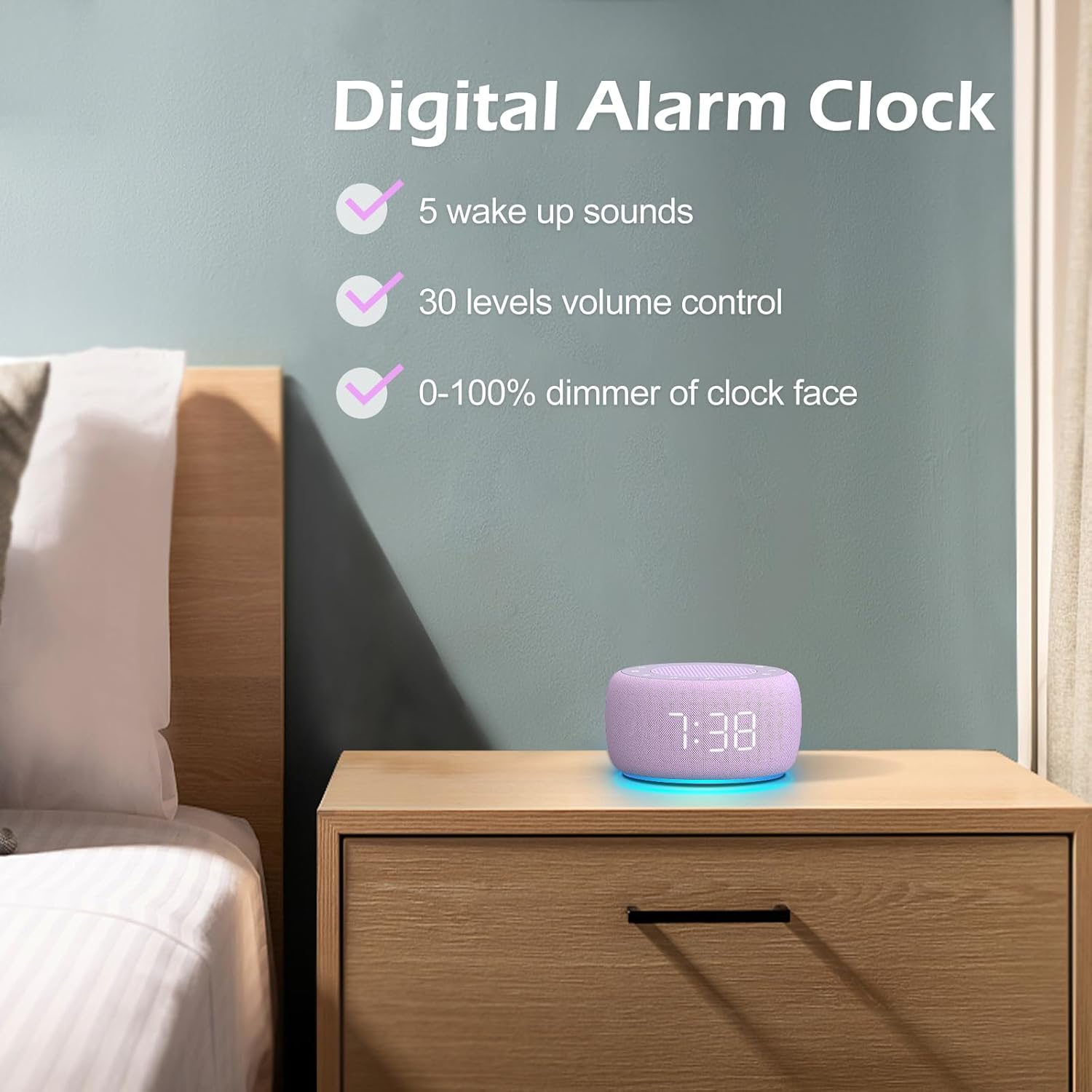
انځور 3.3: اوورview of the digital alarm clock features, including wake-up sounds, volume control, and display dimmer.
د الارم ترتیب کول:
- فشار ورکړئ او ونیسئ الارم سیټ button (often an alarm clock icon) until the alarm hour digits begin to flash.
- د کارولو +/- د الارم ساعت تنظیم کولو لپاره تڼۍ.
- فشار ورکړئ الارم سیټ د دقیقې تنظیم کولو ته د بدلولو لپاره بیا تڼۍ.
- د کارولو +/- د الارم دقیقې تنظیم کولو لپاره تڼۍ.
- فشار ورکړئ الارم سیټ button one more time to confirm the alarm time.
- After setting the time, you can select the wake-up sound by pressing the د غږ انتخاب button (if available, or use +/- buttons while alarm sound is flashing). There are 5 wake-up sounds available.
- فشار ورکړئ الارم سیټ button again to activate the alarm. An alarm icon will appear on the display.
د سنوش دنده:
کله چې د الارم غږ کیږي ، فشار ورکړئ snooze button (usually a large button on top or a dedicated snooze icon) to temporarily silence the alarm for a few minutes (typically 9 minutes). The alarm will sound again after the snooze period.
د الارم بندول:
د الارم په بشپړه توګه بندولو لپاره، فشار ورکړئ الارم آن/آف button (often the same as the Alarm Set button, or a dedicated toggle). The alarm icon will disappear from the display.
3.3 Display & Light Functions
د ښودنې روښانتیا تنظیمول:
The digital display brightness can be adjusted from 0% (completely dark) to 100% (brightest).

Image 3.4: Demonstration of the 0-100% display dimmer feature, showing various brightness levels.
- فشار ورکړئ ډیمر button (often a sun icon) repeatedly to cycle through different brightness levels.
- نیول ډیمر button to smoothly adjust the brightness from 0% to 100% and vice versa. Release the button at your desired brightness.
د شپې ر Lightا کارول:
The device features a colored night light at its base with 7 color options.

Image 3.5: The Buffbee device showcasing its 7-color night light feature in a bedroom setting.
- فشار ورکړئ رڼا button (often a light bulb icon) to turn the night light ON.
- فشار ورکړئ رڼا د 7 شته رنګونو له لارې د ګرځولو لپاره په مکرر ډول تڼۍ فشار کړئ.
- فشار ورکړئ رڼا button one more time after cycling through all colors to turn the night light OFF.
4. ساتنه
4.1 پاکول
To maintain the appearance and functionality of your Buffbee device:
- تل د پاکولو دمخه وسیله د بریښنا له سایټ څخه جلا کړئ.
- د بهرنۍ سطحې د پاکولو لپاره نرم، وچ، له لینټ څخه پاک ټوکر وکاروئ.
- Do not use abrasive cleaners, waxes, or solvents, as these may damage the finish.
- په هر ډول خلاصیدو کې د رطوبت له ننوتلو څخه ډډه وکړئ.
4.2 ذخیره کول
کله چې د اوږدې مودې لپاره نه کارول کیږي، وسیله په یخ، وچ ځای کې وساتئ، د مستقیم لمر وړانګو او سختې تودوخې څخه لرې.
4.3 د خوندیتوب خبرداری
مهرباني وکړئ لاندې خوندیتوب احتیاطات په پام کې ونیسئ:
- دا محصول د لوبو نه دی. د ماشومانو د لاسرسي څخه لرې وساتئ.
- Handle with care to avoid electric shock. Do not expose the device to water or excessive moisture.
- Use within recommended noise exposure limits to prevent hearing damage.
- هڅه مه کوئ چې وسیله پخپله جلا کړئ یا ترمیم کړئ. ټولې خدمتونه وړ پرسونل ته راجع کړئ.
5. ستونزه حل کول
If you encounter issues with your Buffbee Sound Machine & Alarm Clock, please refer to the following common problems and solutions:
| ستونزه | احتمالي لامل | د حل لاره |
|---|---|---|
| وسیله فعاله نه ده. | د بریښنا اتصال نشته یا اډاپټر خراب دی. | Ensure the power cable is securely plugged into the device and the wall outlet. Try a different outlet. |
| د سپیکر څخه هیڅ غږ نشته. | غږ ډېر ټیټ یا خاموش دی. غلط غږ غوره شوی دی. | په کارولو سره حجم زیات کړئ حجم پورته کول (+) button. Ensure a sound is selected and not paused. |
| الارم نه غږېږي. | Alarm is not set or not activated. Alarm volume is too low. | Verify that the alarm time is set correctly and the alarm icon is displayed. Increase the alarm volume (if separate from main volume). |
| ښودنه ډېره تیاره یا ډېره روښانه ده. | Display dimmer setting is incorrect. | فشار ورکړئ یا ونیسئ ډیمر button to adjust the brightness to your preference. |
| د شپې څراغ کار نه کوي. | Night light is turned off. | فشار ورکړئ رڼا button to turn on and cycle through colors. |
6. مشخصات
Detailed technical specifications for the Buffbee Sound Machine & Alarm Clock (Model BK11):
| فیچر | مشخصات |
|---|---|
| برانډ | BUFFBEE |
| د ماډل شمیره | BK11 |
| رنګ | وایلټ |
| مواد | پلاستیک |
| د بریښنا سرچینه | د بریښنا تار شوی |
| د محصول ابعاد | 14.3 x 11.2 x 7.7 سانتي متره (5.6 x 4.4 x 3.0 انچه) |
| د توکي وزن | 322 ګرامه (0.71 پونډه) |
| د سپیکر محصول | 5W |
| د غږ انتخابونه | 18 Soothing Sounds (5 White Noise, 3 Fan, 10 Nature) |
| د حجم کچه | 30 Precise Levels |
| دیمر ښودل | 0-100% Adjustable Brightness |
| د شپې رڼا رنګونه | 7 رنګونه |
| د خوب ټیمر اختیارونه | 15, 30, 60, 90, 120 minutes, or Continuous Play |
| Wake-up Sounds | 5 Alarm Sounds |
7. تضمین او ملاتړ
7.1 د تضمین معلومات
This product comes with a standard manufacturer's warranty. Please refer to the product packaging or the seller's website for specific warranty terms and conditions, including duration and coverage details.
7.2 د پیرودونکي ملاتړ
For any questions, technical assistance, or warranty claims, please contact Buffbee customer support through the retailer's platform or the official Buffbee website. Have your product model number (BK11) and purchase details ready when contacting support.


