1. پیژندنه
This manual provides instructions for the VTech CS2051 DECT 2 Handset Cordless Home Telephone with Answering Machine. It covers setup, operation, maintenance, and troubleshooting to ensure optimal performance of your device. Please read these instructions carefully before using your telephone.
2. د بسته محتويات
ډاډ ترلاسه کړئ چې ستاسو کڅوړه لاندې توکي لري:
- ۱ x د بنسټ واحد
- ۲ x بې تاره هینډسیټونه
- ۵ x هینډسیټ چارجرونه
- 2 x AC Adaptors (for base unit and chargers)
- 2 x Battery Packs (AAA batteries required, included)
- ۱ x د ټیلیفون لاین تار
- 1 x د چټک پیل لارښود

Image: The VTech CS2051 system, showing the main base unit with one handset, and a separate charger with the second handset.
3. ترتیب کول
3.1 د بیټرۍ نصب کول
- د هر هینډسیټ په شا کې د بیټرۍ د برخې پوښ خلاص کړئ.
- Insert the supplied AAA battery pack, ensuring correct polarity.
- د بیټرۍ کمپارټ پوښ وتړئ.
- Place each handset on its respective charger or the base unit to charge for at least 16 hours before first use.
۲.۲ د بنسټ واحد اتصال
- د ټیلیفون لاین تار یوه پای د بیس واحد کې د لاین پورټ سره وصل کړئ.
- د ټیلیفون لاین بل پای د خپل ټیلیفون دیوال ساکټ سره وصل کړئ.
- Connect the AC adaptor to the POWER port on the base unit.
- Plug the AC adaptor into a mains power outlet.
- For the additional charger, connect its AC adaptor to the charger and then to a mains power outlet.
۱.۴ د لاسي صنایعو ثبتول
Your handsets are typically pre-registered to the base unit. If a handset displays 'Unregistered' or 'Register Handset', follow these steps:
- په بیس واحد کې، فشار ورکړئ او ونیسئ پاڼه button for approximately 5 seconds until the registration indicator light flashes.
- On the handset, navigate to the 'Registration' menu (refer to the Quick Start Guide for specific menu navigation).
- Select 'Register Handset' and enter the system PIN (default is usually 0000).
- The handset will display 'Registering...' and then 'Handset Registered' upon successful completion.
4. عملیاتي لارښوونې
4.1 تلیفونونه کول او ترلاسه کول
- د تلیفون کولو لپاره: فشار ورکړئ خبرې تڼۍ، بیا شمیره ډایل کړئ. په بدیل سره، لومړی شمیره ډایل کړئ او بیا فشار ورکړئ خبرې.
- د تلیفون ترلاسه کولو لپاره: کله چې تلیفون زنګ ووهي، فشار ورکړئ خبرې تڼۍ
- د تلیفون پای ته رسولو لپاره: فشار ورکړئ پای تڼۍ فشار ورکړئ یا هینډسیټ بیرته په بیس یونټ/چارجر کې ځای په ځای کړئ.
۴.۲ د ډیجیټل ځواب ورکولو ماشین
The base unit includes a digital answering machine to record messages when you are unavailable.
- د پیغامونو غږول: فشار ورکړئ پلی/درول button on the base unit. The display will show the number of new messages.
- د پیغامونو حذف کول: د پیغام پلې بیک پرمهال، فشار ورکړئ ړنګول د اساس واحد تڼۍ.
- تنظیم کول: Access the answering machine settings via the handset menu to record your outgoing message or adjust settings.

Image: The base unit of the VTech CS2051, highlighting the digital answering system with a message count display.
۴.۱ د ځورونې زنګ وهلو بلاکر
This feature allows you to block unwanted incoming calls.
- د شمېرې بندول: During or after a call, access the call blocker menu on the handset. You can add numbers to a block list.
- Blocking Unknown Numbers: The system can be configured to block calls from numbers not stored in your phonebook or from withheld numbers.

Image: A VTech CS2051 handset, illustrating the call blocker feature for managing unwanted calls.
4.4 Caller ID and Call Waiting
These features require subscription from your telephone service provider.
- د زنګ وهونکي پیژندنه: The handset display shows the caller's number (and name if stored in your phonebook) before you answer. The phone stores up to 20 incoming call records.
- د زنګ انتظار: If you are on a call and another call comes in, you will hear a tone. You can switch between calls.

Image: A close-up of the VTech CS2051 handset display showing an incoming call number, demonstrating the Caller ID feature.
4.5 سپیکرفون
The speakerphone function allows for hands-free conversations.
- د فعالولو لپاره: د زنګ وهلو پرمهال سپیکر تڼۍ
- د غیر فعالولو لپاره: فشار ورکړئ سپیکر button again or lift the handset to your ear.
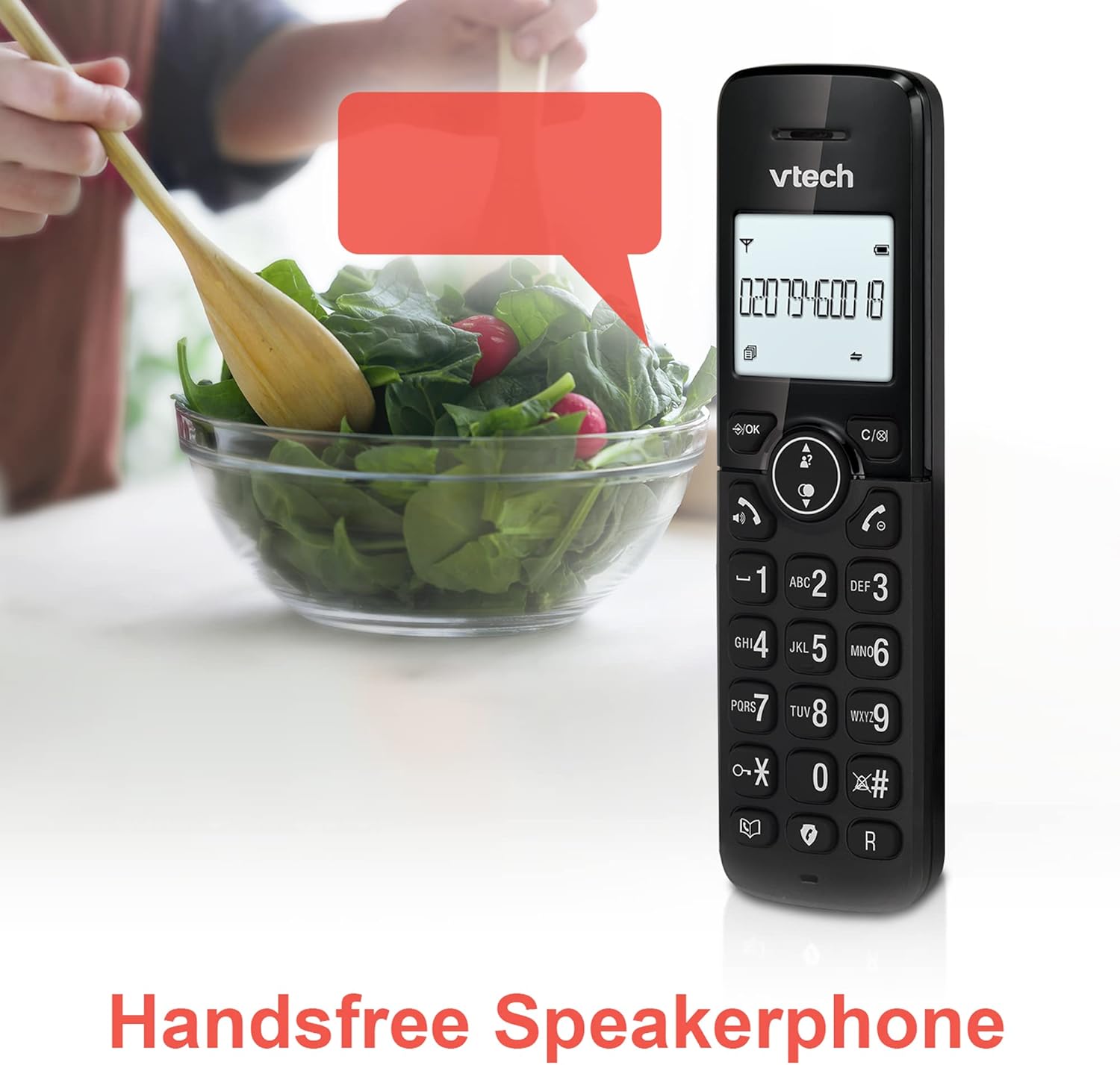
Image: A VTech CS2051 handset positioned for hands-free use, illustrating the speakerphone capability.
4.6 انټرکام
You can use the handsets to communicate with each other internally.
- To Initiate: فشار ورکړئ INT button on one handset and select the desired handset to call.
4.7 Adjustable Ring Volume and Melody
Customize the ringtone and volume to your preference.
- Access the 'Ringtone Settings' or 'Volume Settings' menu on the handset to choose from available melodies and adjust the ring volume.

Image: A VTech CS2051 handset, highlighting the controls for adjusting ring volume and melody settings.
۴.۹ د الارم او خاموش فعالیت
- الارم: د هینډسیټ مینو له لارې الارم تنظیم کړئ.
- خاموش: د زنګ وهلو پرمهال خاموش د لنډمهاله لپاره د مایکروفون د خاموشولو لپاره تڼۍ. د غږ خلاصولو لپاره بیا فشار ورکړئ.

Image: Illustrates the alarm function (represented by a clock icon) and the mute function (represented by a musical note icon) available on the VTech CS2051.
5. ساتنه
- پاکول: Wipe the telephone and handsets with a soft, damp ټوکر د کثافاتو پاکوونکي یا محلول مه کاروئ.
- د بیټرۍ پاملرنه: Ensure handsets are placed on the charger when not in use to maintain battery life. Replace batteries when performance significantly degrades.
- ځای: Place the base unit in a central location, away from other electrical appliances that may cause interference.
6. ستونزه حل کول
- د ډایل ټون نشته: ډاډ ترلاسه کړئ چې د ټیلیفون لاین تار په خوندي ډول د بیس یونټ او دیوال ساکټ دواړو سره وصل دی. وګورئ چې ایا د AC اډاپټر په سمه توګه پلګ شوی دی.
- هغه هینډسیټ چې چارج نه کیږي: Verify the handset is correctly seated in the charger/base unit. Clean the charging contacts on both the handset and charger with a dry cloth.
- د زنګ وهلو خراب کیفیت/لاسوهنه: د بیس یونټ د نورو بریښنایی وسیلو څخه لرې کړئ (د بیلګې په توګه، وای فای روټرونه، مایکروویو). ډاډ ترلاسه کړئ چې هینډسیټ د بیس یونټ په حد کې دی.
- Handset Displays 'Unregistered': په ۴.۴ برخه کې د هینډسیټ د ثبت مرحلې تعقیب کړئ.
- Answering Machine Not Recording: Check the answering machine settings via the handset menu to ensure it is enabled and has sufficient recording time.
7. مشخصات
| فیچر | مشخصات |
|---|---|
| ماډل | CS2051 |
| د تلیفون ډول | DECT بې تاره |
| د لاسي صنایعو شمیر | 2 |
| د ځواب ورکولو سیسټم ډول | Digital (up to 15 minutes record time) |
| د زنګ وهونکي پیژندنه | هو (ګډون اړین دی) |
| د ځورونې زنګ وهلو بلاکر | هو |
| ښودل | ۴.۶ انچه بیک لایټ ډسپلې |
| بیټرۍ | 4 AAA بیټرۍ اړین دي (شامل دي) |
| مواد | اکریلونایتریل بوټاډین سټیرین (ABS) |
| د بریښنا سرچینه | د بیټرۍ چلول |
| څو کرښې عملیات | هو |
8. تضمین او ملاتړ
This VTech CS2051 product is supplied as an Amazon Renewed item. For specific warranty details and support, please refer to the Amazon Renewed program terms and conditions or contact Amazon Renewed customer service directly. VTech provides manufacturing support for its products. For technical assistance or further information, please visit the official VTech support website or consult the full user manual if available from the manufacturer.


