1. پیژندنه
This manual provides detailed instructions for the installation, adjustment, operation, and maintenance of the Vision TriMax Carbon Si013 Aero Handlebar. Designed for triathlon and time trial applications, this handlebar features a carbon fiber construction for optimal stiffness and lightweight performance, an ergonomic JS-Bend design, and internal cable routing. Please read this manual thoroughly before installation and use to ensure proper function and safety.
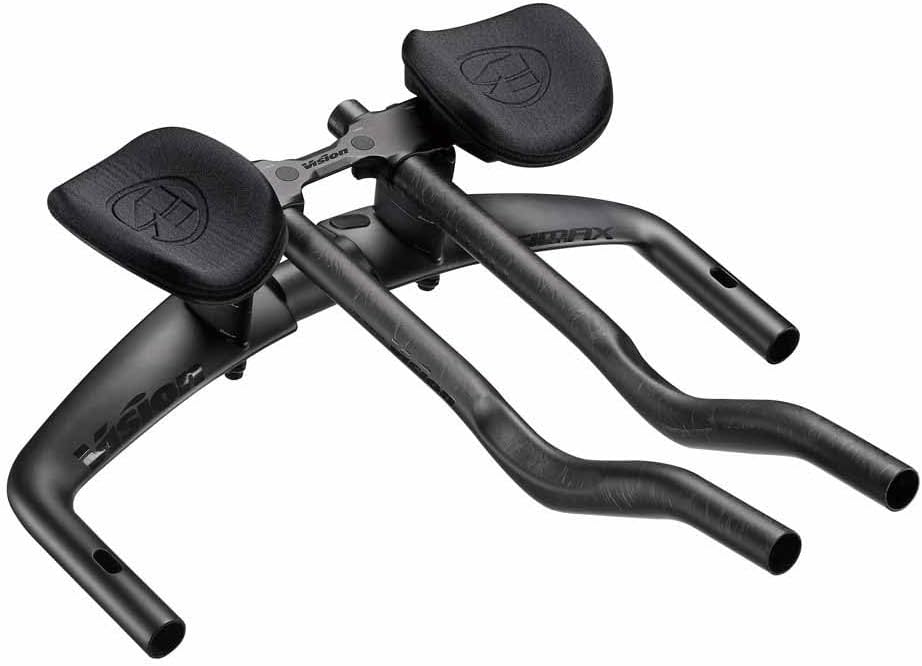
Image 1.1: The Vision TriMax Carbon Si013 Aero Handlebar, showcasing its integrated design and carbon finish.
2. د محصول ب Featuresې
- پرمختللی هوایی ډینامیک: Crafted from carbon fiber for optimal stiffness, durability, and lightweight performance.
- Ergonomic JS-Bend Extension: Offers an ergonomic wrist angle to reduce fatigue and improve comfort during long-distance aero events.
- Internal Cable Routing: Features internal cable routing and rear exit technology for a clean cockpit and reduced wind resistance.
- د تنظیم وړ فټ: Designed with a 31.8mm clamp diameter and adjustable armrests for a customizable fit.
- Di2 Compatibility: Seamless integration with electronic shifting systems for precise gear changes.
۲. په بکس کې څه دي؟
د خلاصولو پر مهال، ډاډ ترلاسه کړئ چې ټولې برخې شتون لري:
- Integrated Handlebar/Aero Bar Assembly
4. ترتیب او نصب کول
Proper installation is crucial for safety and performance. If you are unsure about any step, consult a professional bicycle mechanic.
4.1 Handlebar Mounting
- Ensure your stem has a 31.8mm clamp قطر
- Carefully position the handlebar in the stem clamp.
- Tighten the stem bolts evenly to the manufacturer's recommended torque specifications. Refer to your stem's manual for exact values.
4.2 داخلي کیبل روټینګ
The TriMax Carbon Si013 features internal cable routing. Guide your brake and shifter cables (or Di2 wires) through the designated entry and exit ports. This design reduces aerodynamic drag and provides a clean aesthetic.
4.3 Di2 Compatibility
This handlebar is compatible with Shimano Di2 electronic shifting systems. Ensure proper routing and connection of Di2 wires according to Shimano's instructions.
4.4 تعدیلات
The handlebar offers extensive adjustability to optimize your riding position. Refer to the diagrams below for specific adjustment ranges.

Image 4.1: Visual representation of the TriMax Carbon Si013 Aero Handlebar's adjustable dimensions.

Image 4.2: Detailed textual specifications for the handlebar's adjustability.
- Stack (01): 70mm to 145mm (Bottom of stem at center to top of uncompressed pad - 5mm increments).
- Reach (02): -9mm to -99mm (Center of base bar to rear edge of armrest - 7.5mm increments).
- Armrest Width (03): 210mm to 360mm (outside to outside - 15mm increments).
- Extension Length Adjustment (04): 245mm to 385mm (Center of base bar to tip).
- Extension Length (05): 412mm.
- Extension Height (06): 60mm (c-c).
- Extension Angle (07): 35° (12° at extension tip).
- Extension Width (08): 80mm (c-c).
- Base Bar Width (09): 400mm (c-c).
- Base Bar Drop/Rise (10): -25mm / +25mm (c-c).
- Armrest Rotation (11): 0 - 13°.
- Bracket Tilt Adjustment (12): 0 - 16°.
Loosen the appropriate bolts, make small adjustments, and re-tighten to recommended torque specifications. Always ensure all bolts are securely fastened before riding.
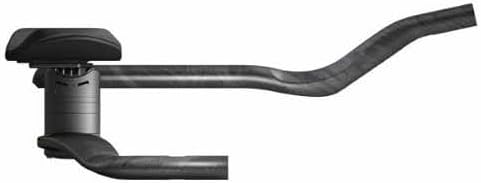
انځور ۴.۱: سایډ پروfile of the handlebar, illustrating the extension and armrest setup.
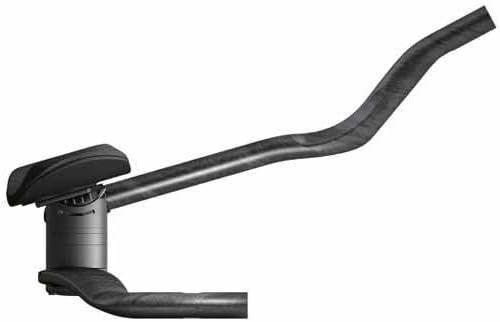
Image 4.4: Alternate side profile, showing the ergonomic curve of the extensions.
۴. عملیات او کارول
The Vision TriMax Carbon Si013 Aero Handlebar is designed for competitive cycling, specifically triathlon and time trial events. Its JS-Bend extensions promote a comfortable and aerodynamic hand position, reducing fatigue over long distances. Always maintain control of your bicycle and be aware of your surroundings, especially when in the aerodynamic position.
6. ساتنه
Regular maintenance ensures the longevity and safe operation of your handlebar.
- پاکول: Clean the handlebar regularly with a mild soap and water solution. Avoid harsh chemicals or abrasive cleaners that could damage the carbon finish.
- معاینه: Periodically inspect the handlebar for any signs of damage, cracks, or stress marks, especially around clamp areas and extension bends.
- بولټ تورک: Check all bolts (stem clamp, extension clamps, armrest bolts) regularly to ensure they are tightened to the manufacturer's recommended torque specifications. Loose bolts can lead to component failure.
- Cable/Wire Check: Ensure internal cables and Di2 wires are not pinched or frayed.
7. ستونزه حل کول
دا برخه هغه عامې ستونزې په ګوته کوي چې تاسو ورسره مخ کیدی شئ.
- Handlebar Slippage: If the handlebar slips in the stem clamp، ډاډ ترلاسه کړئ چې کلamp bolts are tightened to the correct torque. Consider using carbon assembly paste if recommended by your stem manufacturer.
- Extension Movement: If extensions or armrests move, check and re-tighten their respective clamping bolts to the specified torque.
- Shifting Issues (Di2): If experiencing issues with Di2 shifting, verify all connections are secure and consult the Shimano Di2 manual for diagnostic procedures.
- غیر معمولي غږونه: Creaking or clicking noises often indicate loose components. Systematically check all bolts on the handlebar, stem, and extensions for proper torque.
8. مشخصات
| مشخصات | ارزښت |
|---|---|
| برانډ | ویژن |
| د ماډل شمیره | 670-0441031030 |
| مواد | Carbon Fiber (wing and extensions), Forged 6061-T6 AL (brackets and hardware) |
| Clamp قطر | 31.8mm |
| Base Bar Width | 400mm (c-c) |
| وزن | Approximately 695g (as per product description) |
| د کیبل لاره | Internal, Di2 Compatible |
| آرمرسټ پیډونه | Composite material with flat ergonomic pads |
| Stack Adjustment | له 70mm څخه تر 145mm پورې |
| سمون ته رسي | -۴۰ ملي میتره تر -۲۰ ملي میتره پورې |
| د آرمرسټ د عرض تعدیل | له 210mm څخه تر 360mm پورې |
| د تمدید اوږدوالی سمون | له 245mm څخه تر 385mm پورې |
| Extension Angle | 35° (12° at extension tip) |
| آرمرسټ گردش | ۰ - ۷۵ درجې |
| Bracket Tilt Adjustment | ۰ - ۷۵ درجې |
9. تضمین او ملاتړ
For warranty information, please refer to the documentation provided with your purchase or visit the official VISION website. For technical support or inquiries, please contact VISION customer service through their official channels.
جوړونکی: لید
د لومړي شتون نیټه: د می 30، 2019


