پیژندنه
Thank you for choosing Kinganda Bluetooth Headphones. This user manual provides detailed instructions on how to set up, operate, and maintain your new headphones. Please read this manual thoroughly before use to ensure optimal performance and longevity of your device.
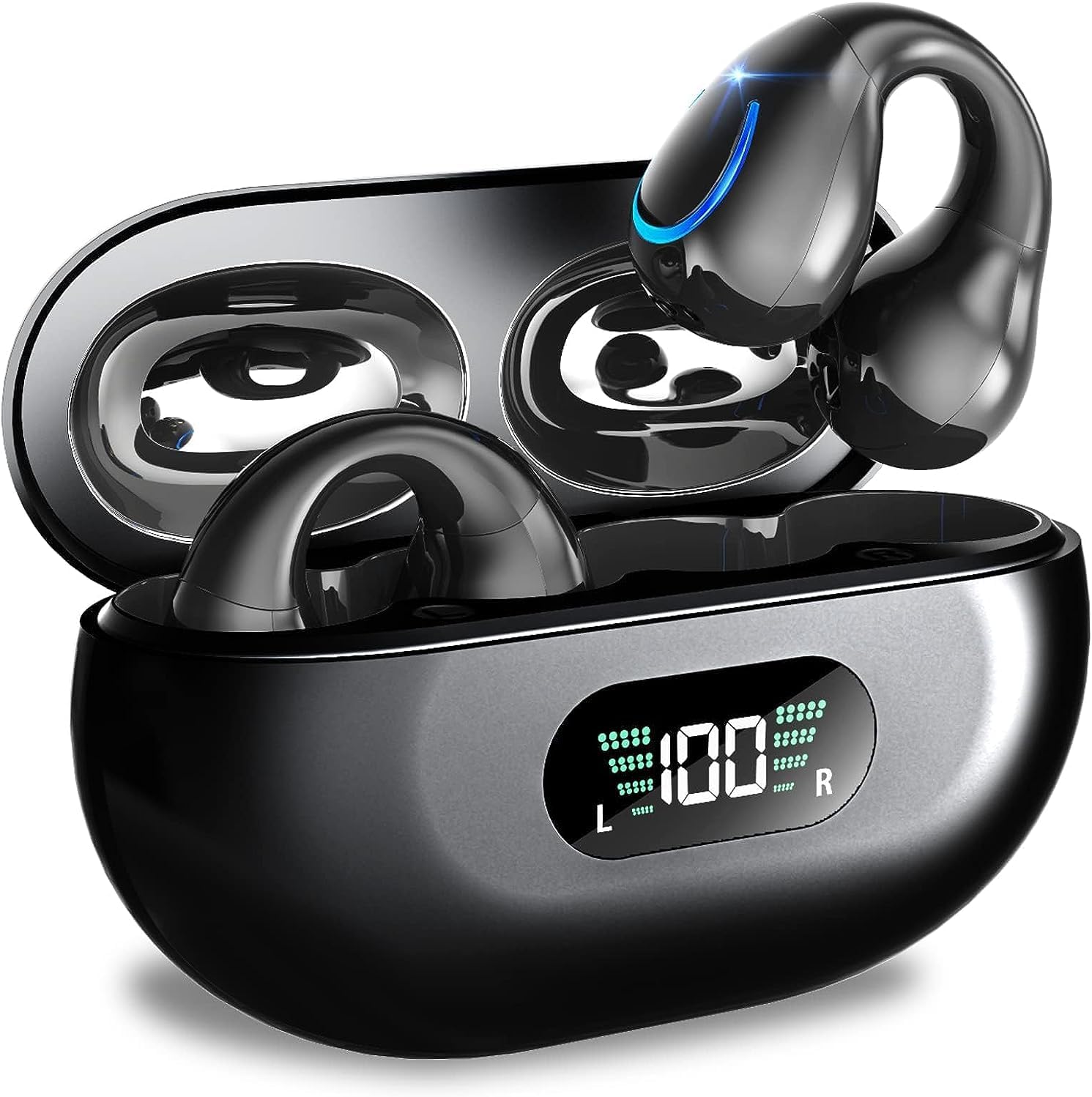
Image: Kinganda Bluetooth Headphones (Model Q71) in their charging case, showcasing the sleek design and LED display.
په بکس کې څه دي
مهرباني وکړئ د بسته بندۍ محتويات وګورئ ترڅو ډاډ ترلاسه کړئ چې ټول توکي شتون لري:
- Wireless Headphones (Left and Right)
- د بې سیم چارج قضیه
- د USB-C چارج کیبل
- د کارن لارښود

Image: An illustration showing the Kinganda headphones, charging case, USB-C cable, and user manual, representing the package contents.
د خوندیتوب معلومات
To ensure safe operation and prevent damage to your headphones, please observe the following safety guidelines:
- Do not swim underwater or take hot baths with the headphones. Exposure to high temperatures or prolonged submersion can cause damage to the internal components.
- Keep the headphones and charging case away from extreme temperatures, direct sunlight, and high humidity.
- د قوي تاثیراتو سره د وسیله له مینځه وړلو یا تابع کولو څخه ډډه وکړئ.
- Do not attempt to disassemble, repair, or modify the headphones yourself. Contact qualified service personnel for any repairs.
- د ماشومانو او څارویو د لاسرسي څخه لرې وساتئ.
محصول پای ته ورسیدview او ځانګړتیاوې
The Kinganda Q71 headphones are designed for comfort and high-quality audio, featuring advanced technology for an enhanced listening experience.
کلیدي ځانګړتیاوې:
- پرمختللي بلوتوټ 5.3 ټیکنالوژي: Ensures a stable, low-latency connection with lower power consumption and faster transmission.
- Comfortable Open Ear Clip Design: Ergonomically designed to fit the contours of the ear, providing a secure and comfortable fit without entering the ear canal. This design allows you to remain aware of your surroundings.
- د لوبې 36 ساعته وخت: Enjoy up to 6 hours of continuous playback on a single charge, with an additional 30 hours provided by the compact magnetic charging case.
- د LED ډیجیټل ښودنه: The charging case features an LED screen that clearly shows the remaining power of both the headphones and the charging case.
- IPX7 پنروک درجه: Designed to withstand sweat and light rain, making them suitable for various activities.
- ۴۰ ملي متره چلوونکي: Deliver deep bass and stereo sound for a rich audio experience.
- Built-in ENC Mic: Enhanced Noise Cancellation microphone for clear calls.

انځور: یوه ټوټه ټوټه view of the Kinganda earbud, highlighting the advanced V5.3 chip and 10mm driver for high-quality sound.

Image: A person wearing the Kinganda Q71 headphones, demonstrating the comfortable and secure open-ear clip design.
چمتو کول
Pairing Your Headphones:
- هیډفون چارج کړئ: Before first use, ensure both the headphones and the charging case are fully charged. Place the earbuds into the charging case and connect the USB-C cable to a power source. The LED display on the case will indicate charging status.
- پاور آن: د چارج کولو کیس خلاص کړئ. هیډفونونه به په اوتومات ډول چالان شي او د جوړه کولو حالت ته به ننوځي.
- بلوتوث فعال کړئ: On your device (smartphone, tablet, laptop, etc.), go to the Bluetooth settings and turn on Bluetooth.
- وسیله غوره کړئ: In the list of available Bluetooth devices, look for "YYK-Q71" and select it to connect.
- تایید: Once connected, you will hear an audio prompt from the headphones, and the device will show "YYK-Q71" as connected.
The headphones are widely compatible with iOS, Android, and Windows devices.

Image: An illustration demonstrating the simple one-step pairing process and wide compatibility of the Kinganda Q71 headphones with various devices.
عملیاتي لارښوونې
Charging the Headphones and Case:
- د ایربډ چارج کول: Place the earbuds back into the charging case. They will automatically begin charging. The LED display on the case will show the charging status of each earbud.
- د قضیې چارج کول: Connect the provided USB-C cable to the charging port on the case and the other end to a USB power adapter (not included). The LED display will show the battery percentage of the case.
- A full charge of the earbuds provides approximately 6 hours of playtime. The charging case provides an additional 30 hours of battery life, allowing for multiple recharges on the go.
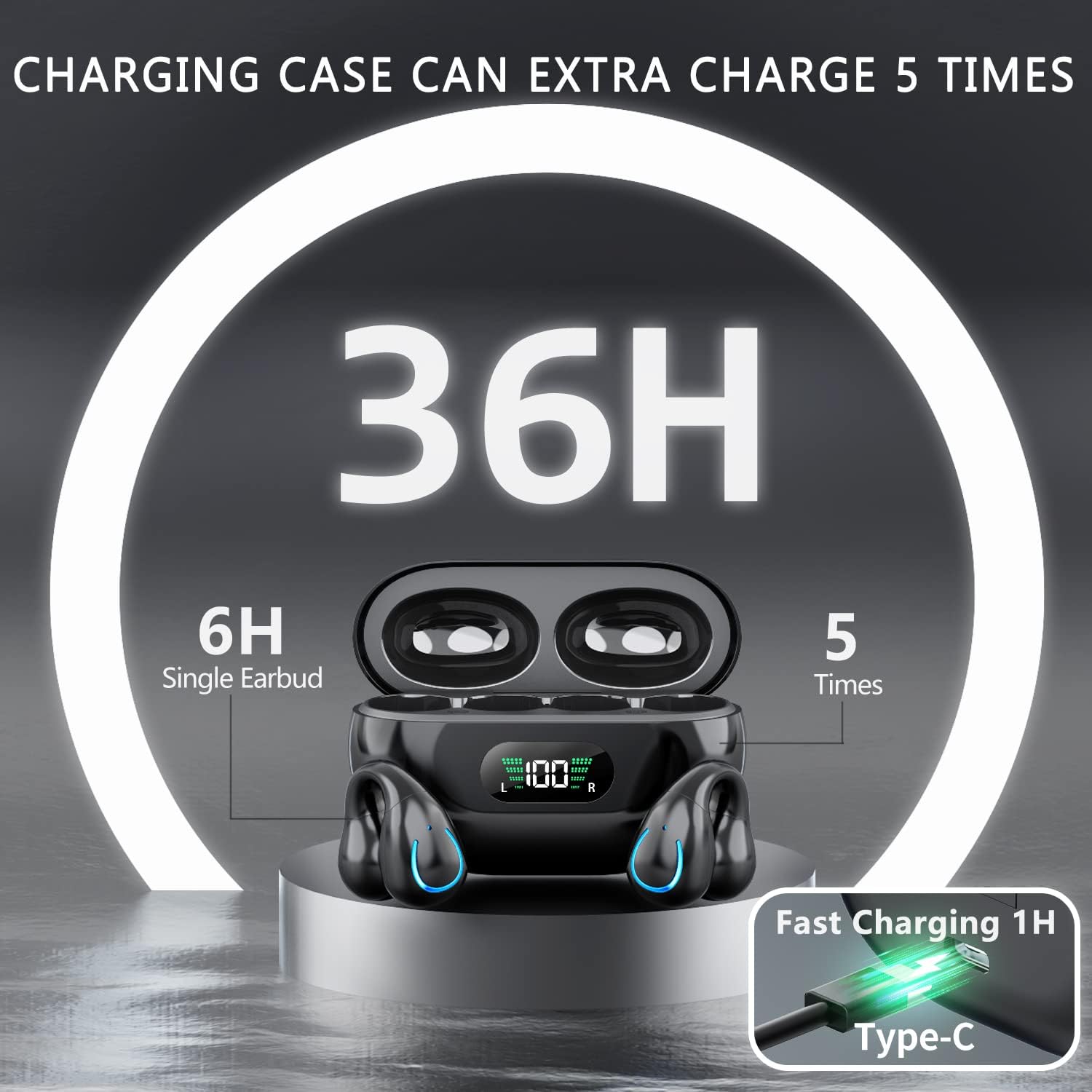
Image: The Kinganda charging case displaying "36H" total playtime, indicating 6 hours from a single earbud charge and 5 additional charges from the case.
د ټچ کنټرولونه:
The Kinganda Q71 headphones feature physical buttons for precise control, preventing accidental touches.
| عمل | کنټرول |
|---|---|
| پاور آن/بند | Automatically On/Off when taken out/put into case. |
| ځواب / پای کال | Click 1 time (either earbud) |
| زنګ رد کړئ | فشار ورکړئ او ونیسئ (یا هم د غوږ بډ) |
| میوزیک پلی کړئ / بند کړئ | Click 1 time (either earbud) |
| بله لار | Click Right earbud 2 times |
| مخکینی ټریک | Click Left earbud 2 times |
| د غږ معاون فعاله کړئ (سري ، د ګوګل معاون) | Click 3 times (either earbud) |

Image: Diagram illustrating the one-button physical controls for the Kinganda headphones, including call management, music playback, and voice assistant activation.
ساتنه
Proper maintenance will extend the life of your Kinganda headphones:
- پاکول: د غوږونو او چارج کولو کیس پاکولو لپاره نرم، وچ، له لینټ څخه پاک ټوکر وکاروئ. سخت کیمیاوي مواد، د پاکولو محلولونه، یا قوي صابون مه کاروئ.
- ذخیره کول: کله چې په کارولو کې نه وي، هیډفونونه د چارج کولو په قضیه کې وساتئ ترڅو د دوړو او زیان څخه یې وساتئ. په یخ او وچ ځای کې وساتئ.
- د اوبو مقاومت: While the headphones are IPX7 waterproof (resistant to sweat and light rain), they are not designed for swimming or submersion in water. Avoid exposure to hot water or steam.
- د بیټرۍ پاملرنه: To preserve battery life, charge the headphones regularly, even if not used for extended periods. Avoid fully draining the battery frequently.
د ستونزو حل کول
که تاسو د خپلو هیډفونونو سره کومې ستونزې سره مخ شئ، مهرباني وکړئ لاندې عامې ستونزې او حل لارې وګورئ:
هیډفونونه نه جوړیږي:
- ډاډ ترلاسه کړئ چې دواړه غوږونه په بشپړ ډول چارج شوي دي.
- ډاډ ترلاسه کړئ چې ستاسو په وسیله بلوتوټ فعال شوی.
- Place the earbuds back into the charging case, close the lid, wait a few seconds, then open the lid again to re-enter pairing mode.
- Forget "YYK-Q71" from your device's Bluetooth list and try pairing again.
- Ensure the headphones are within the effective Bluetooth range (typically 10 meters/33 feet) of your device.
یوازې یو ایربډ کار کوي:
- Place both earbuds back into the charging case and ensure they are charging correctly.
- Take both earbuds out simultaneously. They should automatically connect to each other.
- If the issue persists, try resetting the headphones (refer to the manufacturer's website or contact support for specific reset instructions if not detailed here).
د غږ خراب کیفیت یا قطع کیدل:
- Ensure there are no obstructions between your device and the headphones.
- د مداخلې کمولو لپاره خپل وسیله ته نږدې شئ.
- وګورئ چې ایا د غوږ بډونه پاک دي او له کثافاتو څخه پاک دي.
- د بلې سرچینې یا اپلیکیشن څخه آډیو غږولو هڅه وکړئ.
هیډفونونه چارج نه کوي:
- Ensure the USB-C charging cable is securely connected to both the case and the power source.
- د یو بل USB-C کیبل یا بریښنا اډاپټر کارولو هڅه وکړئ.
- د غوږونو او د چارج کولو کیس دننه د چارج کولو تماسونه د وچ کاټن سویب سره پاک کړئ.
مشخصات
| فیچر | تفصیل |
|---|---|
| د ماډل شمیره | Q71 (YYK-Q71) |
| برانډ | کنیندا |
| د ارتباط ټیکنالوژي | بېسیم (بلوتوث ۵.۳) |
| د غوږ ځای پرځای کول | غوږ خلاص کړئ |
| د فارم فکتور | کليپ دي |
| د شور کنټرول | Sound Isolation (via ENC Mic) |
| د محصول ابعاد | 3 x 3 x 3 cm; 6.2 g (per earbud) |
| بیټرۍ | 2 لیتیم پولیمر بیټرۍ (شامل) |
| شاملې برخې | Wireless Headphones, User Manual, USB-C Charging Cable, Wireless Charging Case |
| رنګ | تور |
| جوړونکی | کنیندا |
تضمین او ملاتړ
Kinganda products are manufactured to the highest quality standards. For any warranty claims or technical support, please contact your original retailer or the manufacturer directly. Please retain your proof of purchase for warranty service.
For further assistance, please refer to the contact information provided with your purchase or visit the official Kinganda webسایټ


