پیژندنه
This manual provides detailed instructions for the setup, operation, and maintenance of your PDP Afterglow Wave Wireless Headset. Designed for an immersive audio experience, this headset is compatible with Xbox Series X|S, Windows 10/11 PC, PlayStation PS5/PS4, and various Bluetooth-enabled devices.

Image: The PDP Afterglow Wave Wireless Headset, showcasing its black design and customizable RGB lighting on the earcups.
د محصول ځانګړتیاوې
- د اصلاح وړ RGB رڼا: Personalize your headset with millions of color combinations and lighting effects via the free PDP Control Hub app.
- راحته ډیزاین: Features soft, memory foam ear cushions and swivel earcups for extended gaming sessions and comfortable storage.
- په زړه پوری آډیو: Equipped with 50mm drivers for clear highs and deep lows.
- آسان کنټرولونه: On-ear volume controls and a game/chat balance dial for quick audio adjustments.
- د شور له منځه وړونکی مایکروفون: Provides clear communication, with a flip-to-mute function for privacy.
- څو اړخیز ارتباط: Connects wirelessly via a low-latency USB dongle to consoles or via Bluetooth to mobile devices.
- پراخه مطابقت: Officially licensed for Xbox, and compatible with Windows 10/11 PC, PlayStation consoles (PS5/PS4), and most Bluetooth devices.
- د بیټرۍ اوږد ژوند: په یوه چارج کې تر 16 ساعتونو پورې د لوبې وخت.
د تنظیم کولو لارښوونې
1. د هیډسیټ چارج کول
Before initial use, fully charge the headset. Connect the included USB charging cable to the headset's charging port and to a powered USB port (e.g., console, PC, USB wall adapter). The headset's RGB lights will pulse during charging and should turn solid when fully charged. A full charge typically takes approximately 8 hours and provides up to 16 hours of battery life.
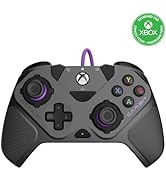
Image: The headset highlighting its 16-hour battery life for extended gaming sessions.
2. Connecting to Xbox/PC (Wireless Dongle)
- Insert the USB wireless dongle into an available USB port on your Xbox console or PC.
- Power on the headset by pressing and holding the Power button until the lights illuminate.
- The headset and dongle should automatically pair. A solid light on the dongle and headset indicates a successful connection.
- Adjust volume using the on-ear controls.
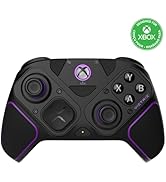
Image: The headset emphasizing its cross-compatibility with various gaming platforms and Bluetooth devices.
3. Connecting via Bluetooth (Mobile Devices, PS5/PS4)
- ډاډ ترلاسه کړئ چې هیډسیټ بند دی.
- Press and hold the Bluetooth button on the headset until the indicator light begins to flash, indicating pairing mode.
- On your device (e.g., smartphone, tablet, PlayStation console), navigate to Bluetooth settings and select "Afterglow Wave" from the list of available devices.
- Once connected, the headset's Bluetooth indicator light will become solid.
عملیاتي لارښوونې
د هیډسیټ کنټرولونه
- د بریښنا تڼۍ: د بریښنا د فعالولو/بندولو لپاره فشار ورکړئ او ونیسئ. د بیټرۍ حالت چک کولو لپاره لنډ فشار ورکړئ.
- حجم ډایل: Rotate to adjust the overall audio volume.
- د لوبې/چیټ بیلانس ډایل: Adjusts the balance between game audio and chat audio.
- د حالت تڼۍ: Cycles through different RGB lighting effects. Press and hold to turn RGB lights on/off.
- مایکروفون: Flip the microphone boom up to mute. Flip down to unmute.
Image: Close-up of the headset's noise-canceling microphone, illustrating the flip-to-mute feature.
PDP Control Hub App
Download the free PDP Control Hub app from the Microsoft Store (for Xbox/PC) or your device's app store (for mobile) to customize your headset:
- Modify RGB lighting zones and effects.
- Adjust audio settings and equalizer presets.
- د هیډسیټ فرم ویئر تازه کړئ.
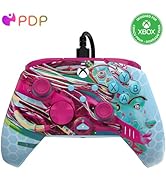
Image: Diagram showing the customizable RGB lighting zones on the headset, managed via the PDP Control Hub app.
ساتنه
- پاکول: Use a soft, dry cloth to clean the headset. Avoid abrasive cleaners or solvents.
- ذخیره کول: Store the headset in a cool, dry place away from direct sunlight and extreme temperatures. The swivel earcups allow for a flat storage position.
- د بیټرۍ پاملرنه: To prolong battery life, avoid fully discharging the headset frequently. Charge regularly, even if not in use for extended periods.
- د اوبو مقاومت: This headset is not water resistant. Avoid exposure to liquids.
د ستونزو حل کول
| مسله | احتمالي حل |
|---|---|
| غږ نشته یا ټیټ غږ |
|
| مایکروفون کار نه کوي |
|
| Headset disconnects randomly or poor signal |
|
| د RGB څراغونه کار نه کوي |
|
مشخصات
| فیچر | تفصیل |
|---|---|
| د ماډل نوم | افټرګلو ویو بې سیم هیډسیټ |
| د ماډل شمیره | 049-032-BK |
| ارتباط | Wireless (USB Dongle), Bluetooth |
| بلوتوث نسخه | 4.0 |
| د بلوتوټ رینج | 20 پښه |
| د آډیو ډرایور اندازه | 50mm متحرک چلوونکي |
| خنډ | 32 اوهم |
| د بیټرۍ ژوند | تر 16 ساعتونو پورې |
| د چارج کولو وخت | نږدې 8 ساعته |
| مایکروفون | Noise-Canceling, Flip-to-Mute |
| کنټرولونه | On-ear Volume, Game/Chat Balance, Mode Button (RGB) |
| مطابقت | Xbox Series X|S, Windows 10/11 PC, PlayStation PS5/PS4, Bluetooth devices |
| وزن | ۱.۹ پونډه (تقریبا ۰.۸۶ کیلوګرامه) |
| مواد | پولی کاربونیټ (PC) |
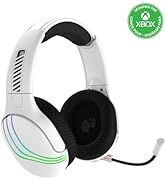
Image: The headset highlighting its 50mm drivers for immersive audio quality.
د تضمین معلومات
PDP products are covered by a manufacturer's warranty. For specific details regarding your PDP Afterglow Wave Wireless Headset warranty period and terms, please refer to the official PDP webسایټ ته مراجعه وکړئ یا د دوی د پیرودونکو ملاتړ سره اړیکه ونیسئ. د تضمین ادعاوو لپاره د پیرود ثبوت وساتئ.
ملاتړ
For further assistance, technical support, or to download the PDP Control Hub app, please visit the official PDP webسایټ:
تاسو کولی شئ د دوی په ملاتړ پاڼو کې د FAQs او اضافي سرچینې هم ومومئ.


