1. پیژندنه
The Gemini GMU-M100 is a handheld UHF wireless microphone system designed for a variety of audio applications. This system provides wireless freedom, allowing users to move without cable restrictions, and is suitable for performances, presentations, karaoke, and more. The system operates within the 512 to 541.7 MHz frequency range (for the US market) and offers a stable signal transmission.
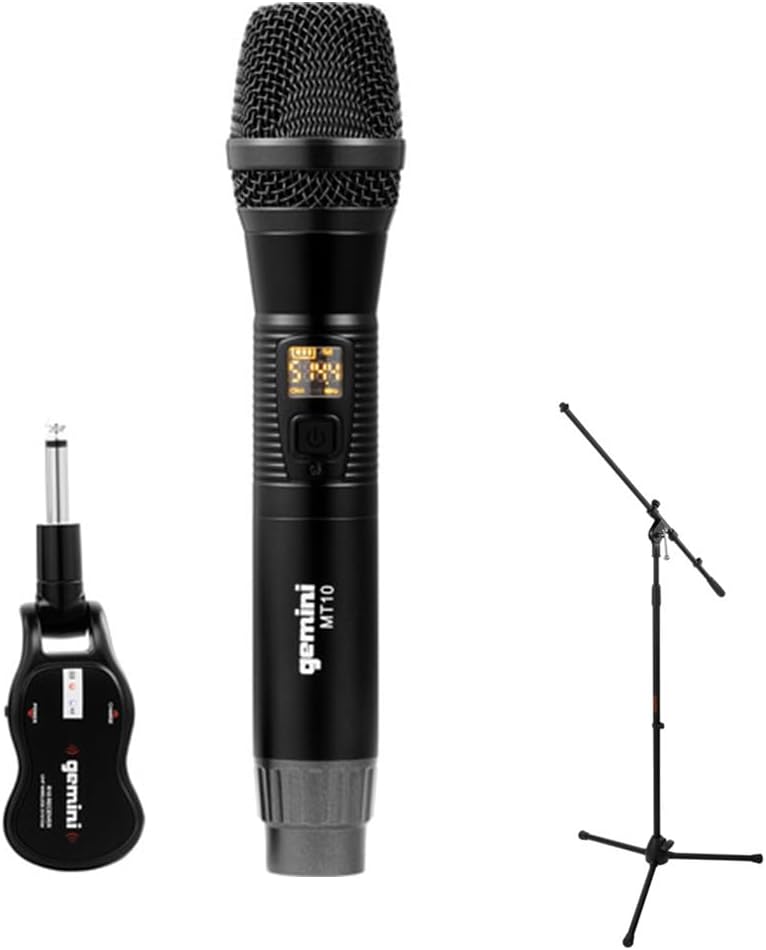
Image 1.1: The Gemini GMU-M100 Handheld UHF Wireless Microphone System, including the handheld microphone, plug-in receiver, and an optional microphone stand.
2. د بسته محتويات
مهرباني وکړئ د کڅوړې محتويات وګورئ ترڅو ډاډ ترلاسه کړئ چې ټول توکي شتون لري او په ښه حالت کې دي:
- GMU-M100 Handheld Wireless Microphone
- GMU-M100 Plug-in Wireless Receiver
- Rechargeable Lithium Batteries (pre-installed or included for both units)
- د مایکرو USB چارج کولو کیبل
- د کارونکي لارښود (دا لاسوند)
Note: Additional accessories such as a microphone stand may be included if purchased as part of a bundle.
3. محصول ختم شوview
3.1 Handheld Microphone (MT10)
The handheld microphone features a dynamic capsule with a cardioid pickup pattern, designed to focus on the sound source while minimizing background noise. It includes an LED screen for displaying battery life and frequency information, and a SET button for frequency adjustment.
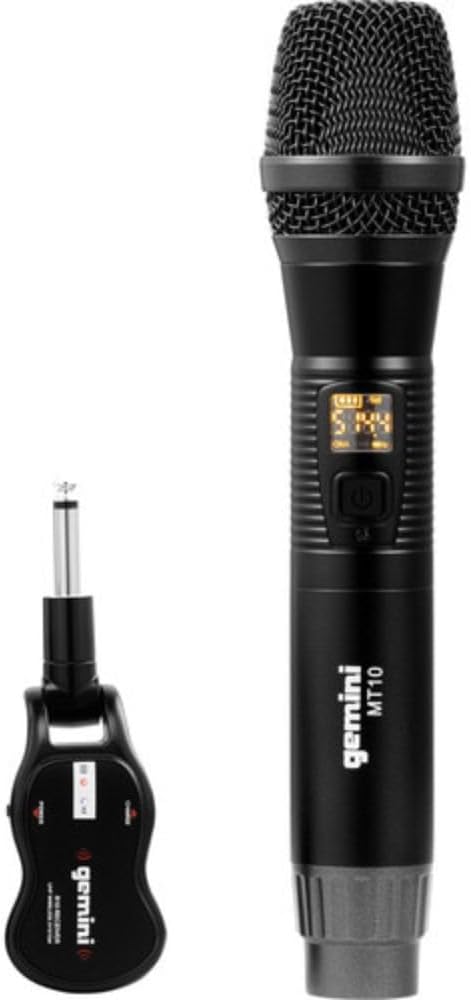
Image 3.1: The GMU-M100 handheld microphone and its compact plug-in receiver.
3.2 Plug-in Receiver (R10)
The compact receiver connects directly to your audio equipment via a standard 1/4" TS plug. It receives the wireless signal from the microphone and outputs it to your PA system, amplifier, or mixer.

انځور ۱.۱: زاویه لرونکی view highlighting the design of the microphone and receiver.
4. ترتیب کول
۵.۱ د واحدونو چارج کول
Both the microphone and receiver are powered by rechargeable lithium batteries. Before first use, ensure both units are fully charged.
- Locate the Micro-USB charging port on the bottom of the microphone and on the side of the receiver.
- Connect the included Micro-USB cable to the charging port of each unit and plug the other end into a USB power source (e.g., computer USB port, USB wall adapter).
- The LED indicator on each unit will show charging status (refer to the unit's specific LED behavior for full charge indication).

Image 4.1: Close-up of the microphone's Micro-USB charging port (DC-5V).

Image 4.2: The Micro-USB charging cable provided for both units.
4.2 Battery Installation (Microphone)
The microphone uses a user-replaceable 18650 1200mAh battery. If the battery needs replacement or initial installation:
- د مایکروفون لاندې کیپ خلاص کړئ.
- Insert the 18650 battery, ensuring correct polarity (+/-).
- لاندې خولۍ په خوندي ډول بیرته ولګوئ.

Image 4.3: The microphone with its battery compartment open, revealing the 18650 battery.
۴.۱ د رسیدونکي سره نښلول
The receiver connects directly to your audio input device.
- Plug the 1/4" TS connector of the receiver into an available 1/4" input jack on your PA speaker, ampلایفیر، مکسر، یا نور غږیز تجهیزات.
- Ensure the audio equipment is powered off before connecting the receiver.
۵.۳ بریښنا فعالول او جوړه کول
The microphone and receiver are designed for automatic pairing.
- Power on your audio equipment.
- Press and hold the power button on the handheld microphone until the LED screen illuminates.
- Press and hold the power button on the plug-in receiver.
- The units will automatically pair. A successful connection is typically indicated by a stable signal icon on the microphone's LED screen.
5. عملیاتي لارښوونې
5.1 د حجم کنټرول
The output volume can be controlled directly from the handheld microphone using the designated volume buttons (if present) or through the connected audio equipment's input gain/volume controls.
۵.۱ د فریکونسي تنظیم
If you experience interference, you can change the operating frequency of the microphone system:
- With the microphone powered on, press the SET تڼۍ
- The microphone will cycle through available UHF frequencies. The receiver will automatically sync to the new frequency.
- Select a clear frequency to ensure optimal performance.
۵.۳ د بېسیم رینج
The GMU-M100 system offers a wireless range of over 164 feet (50 meters) in optimal conditions. Obstacles, other wireless devices, and environmental factors can affect this range.
6. ساتنه
6.1 د بیټرۍ پاملرنه
- د اوږدې مودې ذخیره کولو دمخه بیټرۍ په بشپړ ډول چارج کړئ.
- د بیټرۍ د سختې تودوخې سره د مخ کیدو څخه ډډه وکړئ.
- If the microphone will not be used for a long period, remove the 18650 battery.
6.2 پاکول
- Wipe the microphone and receiver with a soft, dry cloth.
- سخت کیمیاوي توکي او کثافات پاکونکي مه کاروئ.
- Avoid moisture contact with electronic components.
7. ستونزه حل کول
| ستونزه | احتمالي لامل | د حل لاره |
|---|---|---|
| د غږ تولید نشته | Microphone or receiver not powered on; low battery; incorrect connection; receiver not paired. | Ensure both units are charged and powered on. Check all cable connections. Verify pairing (power cycle both units). Adjust volume on microphone and audio equipment. |
| مداخله یا جامد | Operating on a crowded frequency; proximity to other wireless devices; environmental interference. | فشار ورکړئ SET button on the microphone to change to a different frequency. Move away from other wireless devices or sources of electromagnetic interference. |
| د بې سیم لنډ واټن | Obstacles between microphone and receiver; low battery; environmental factors. | Ensure a clear line of sight between microphone and receiver. Fully charge batteries. Reduce distance between units. |
| د مایکروفون LED سکرین بند دی | Microphone is off; battery is depleted. | Press the power button to turn on. Charge the microphone battery. |
8. مشخصات
| فیچر | مشخصات |
|---|---|
| ماډل | GMU-M100 |
| د مایکروفون فارم فکتور | د لاسي مایکروفون سیسټم |
| د فریکونسی رینج (امریکا) | ۸۷.۵ - ۱۰۸.۰ میګاهرتز |
| د بیسیم رینج | له ۲۰.۶۷ فوټو (۶.۳ مترو) څخه زیات |
| د بریښنا سرچینه | Rechargeable Lithium Battery (USB Powered) |
| د مایکروفون بیټرۍ | 18650 1200mAh (user-replaceable) |
| د رسیدونکي نښلونکی | 1/4" TS Plug |
| مواد | فلزي |
| قطبي بڼه | یو اړخيزه |
| د چینلونو شمیر | 16 |
| د توکي وزن | ۷.۳۷ اونس (تقریبا ۲۰۹ ګرامه) |
| د کڅوړې ابعاد | ۲.۶۴ x ۲.۳۲ x ۲.۷۶ انچه (تقریبا ۶.۷ x ۵.۹ x ۷ سانتي متره) |
9. تضمین او ملاتړ
For warranty information, technical support, or service inquiries, please refer to the official Gemini webسایټ ته مراجعه وکړئ یا مستقیم د دوی د پیرودونکي ملاتړ سره اړیکه ونیسئ. د هر ډول تضمین ادعا لپاره د پیرود ثبوت وساتئ.
د جیمني پیرودونکي ملاتړ: مهرباني وکړئ لیدنه وکړئ www.geminisound.com/support د وروستي ملاتړ معلوماتو او اړیکو توضیحاتو لپاره.


