1. پیژندنه
This manual provides detailed instructions for the installation, operation, and maintenance of your JOOAN 3MP Wireless Security Camera System. This system offers high-definition surveillance with advanced features designed for reliable home and business security. Please read this manual thoroughly before setting up and operating the system.

Image 1.1: JOOAN 3MP Wireless Security Camera System overview, showing the NVR unit and four wireless cameras.
2. د محصول ب Featuresې
The JOOAN 3MP Wireless Security Camera System is equipped with a range of features to ensure comprehensive surveillance:
- د ۱۲ میګاپکسله الټرا ایچ ډي ریزولوشن: روښانه او مفصل ویډیو foo چمتو کويtage (1296P, clearer than 1080P).
- 8-Channel NVR: Supports up to 8 cameras, allowing for future expansion (system includes 4 cameras, can add 4 more).
- د بیسیم اتصال: Cameras connect wirelessly to the NVR for flexible placement.
- یو طرفه آډیو: Built-in microphone on cameras allows for audio monitoring of the surveillance area.
- IP67 پنروک درجه: کیمرې د بهرنۍ کارونې لپاره ډیزاین شوي، د دوړو او اوبو په وړاندې مقاومت لري.
- Great Night Vision: Enhanced night vision capabilities for clear monitoring in low-light or no-light conditions.
- د انسان د AI کشف: Advanced motion detection specifically identifies human shapes, reducing false alarms.
- Multiple Alert Options: Receive NVR buzzer, email alerts, and APP notifications upon motion detection.
- H.265+ ویډیو کمپریشن: Efficient video compression technology saves storage space and bandwidth.
- لرې لاسرسی: View ژوندی اوسیtage and playback recordings from anywhere using the Eseecloud mobile app or software.
- Auto Pair & Plug N Play: Simplified setup with automatic camera pairing to the NVR.
- Signal Extension (Cascade Technology): Use one camera as a repeater to extend wireless signal range.

Image 2.1: The system provides 24/7 protection, suitable for various environments including home, outdoor, day, night, and in rainy conditions.
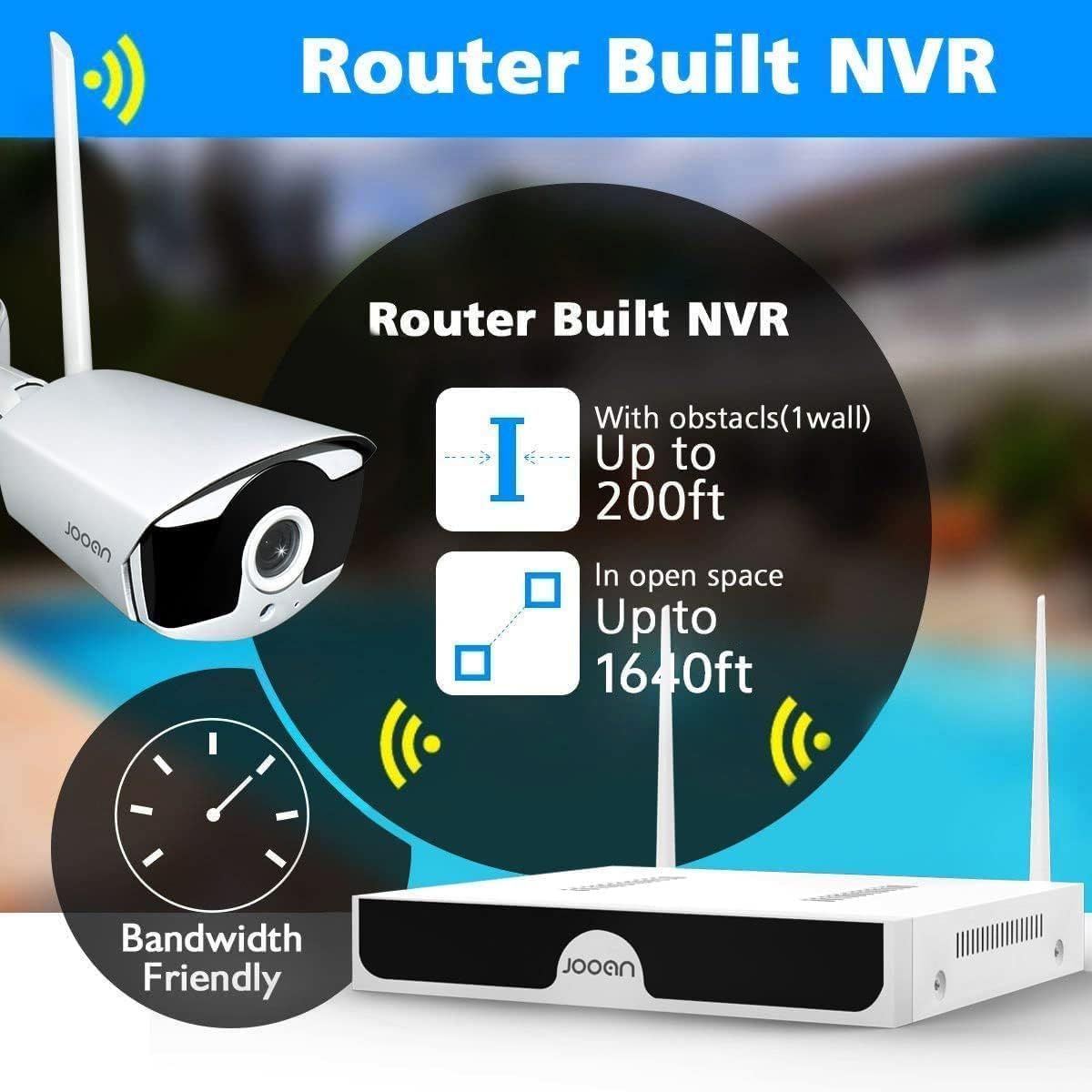
Image 2.2: The NVR features a built-in router, offering wireless range up to 200ft with one wall obstacle and up to 1640ft in open space.
3. د بسته محتويات
مهرباني وکړئ د کڅوړې د خلاصولو پر مهال د کڅوړې محتويات وګورئ ترڅو ډاډ ترلاسه کړئ چې ټولې برخې شتون لري:
- 1 x 8-Channel Wireless NVR (No HDD included)
- ۲ x ۴ میګاپکسله بېسیم IP کیمرې
- ۱ x د NVR بریښنا اډاپټر
- 4 x Camera Power Adapters
- 1 ایکس USB ماؤس
- 1 ایکس ایترنیټ کیبل
- د کیمرې لپاره د سکرو او پلګونو نصب کول
- د کارونکي لارښود (دا لاسوند)
- د خبرتیا سټیکر

Image 3.1: All components included in the JOOAN 3MP Wireless Security Camera System package.
4. د تنظیم کولو لارښود
The JOOAN system is designed for easy setup with its auto-pairing feature.
4.1 ابتدايي ترتیب
- NVR سره وصل کړئ:
- Connect the NVR to a power outlet using the provided NVR power adapter.
- Connect the NVR to a monitor or TV via HDMI or VGA cable (not included) to view انٹرفیس.
- د نیویګیشن لپاره USB موږک NVR سره وصل کړئ.
- (Optional) Connect the NVR to your router using the Ethernet cable for internet access and remote viewing.
- د کامرو بریښنا:
- هره کیمره د هغې اړوند بریښنا اډاپټر په کارولو سره د بریښنا آوټ لیټ سره وصل کړئ.
- The cameras will automatically pair with the NVR within a few moments. You should see the camera feeds appear on the monitor connected to the NVR.
- د هارډ ډرایو نصب کول (اختیاري):
- که تاسو غواړئ چې foo ثبت کړئtage, install a 3.5-inch SATA hard drive (not included) into the NVR. Refer to the detailed PDF user guide for installation steps.

Image 4.1: The system features auto-pairing for easy plug-and-play setup, connecting cameras wirelessly to the NVR.
د کیمرې لګول
Choose suitable locations for your cameras, considering coverage area, power access, and wireless signal strength.
- Mount cameras securely using the provided screws and plugs.
- Adjust the camera angle to cover the desired area.
- Ensure cameras are within the NVR's wireless range. For extended range, consider using the cascade technology (see Section 6.3).
- The cameras are IP67 waterproof, suitable for outdoor installation.

Image 4.2: Cameras can be mounted on ceilings or walls, offering flexible installation options.
5. عملیاتي لارښوونې
5.1 ژوندی View او پلې بیک
کله چې سیسټم تنظیم شي، تاسو کولی شئ view live feeds and playback recorded footage through the NVR's connected monitor or via the mobile application.
- د NVR انٹرفیس: Use the USB mouse to navigate the NVR's on-screen menu. Right-click to access main menu options like Live View, Playback, System Setup, etc.
- پلې بیک: Select the 'Playback' option from the main menu. Choose the date and time to review ثبت شوي پیښې.
5.2 One-Way Audio Function
Each camera is equipped with a microphone, allowing you to hear audio from the surveillance area.
- د ژوند پرمهال viewing or playback, ensure the audio output on your monitor/TV or mobile device is enabled and volume is adjusted.
- The system records video and audio simultaneously, allowing for comprehensive event review.
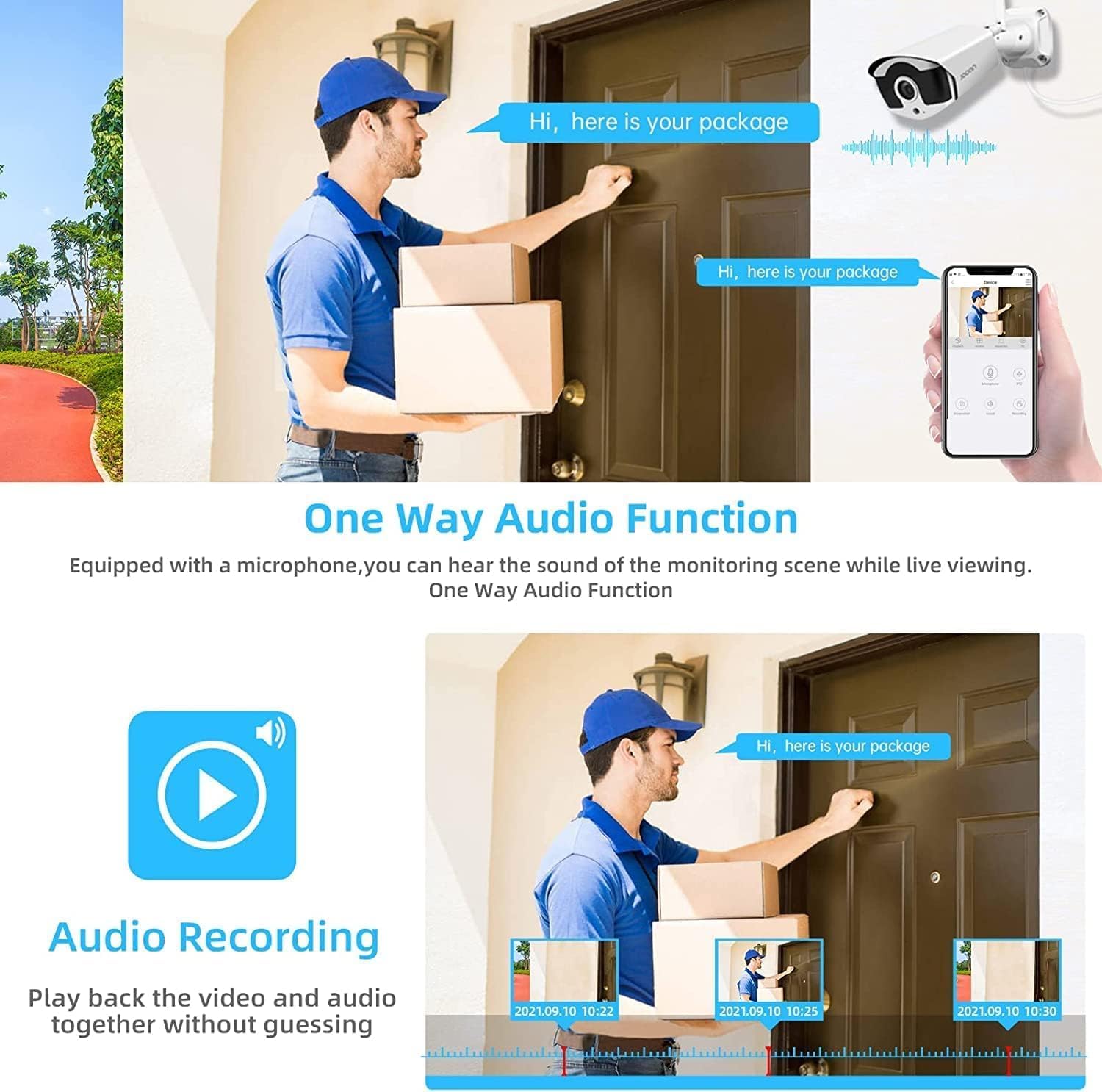
Image 5.1: The system supports one-way audio, allowing users to hear sound from the monitoring scene during live viewing او playback.
6. پرمختللي ځانګړتیاوې
6.1 AI Human Detection & Alerts
The system utilizes advanced AI algorithms to distinguish human shapes from other moving objects, significantly reducing false alarms caused by pets, vehicles, or swaying branches.
- When a human is detected, the system can trigger various alerts:
- NVR Buzzer: An audible alarm from the NVR.
- Email Alert: An email notification sent to a configured address.
- APP Notification: A push notification to your mobile device via the Eseecloud app.
- Configure detection zones and sensitivity settings via the NVR menu or mobile app.

Image 6.1: AI Human Detection minimizes false alerts, and the system provides NVR buzzer, email, and app notifications.
۳.۴ H.265+ ویډیو کمپریشن
The system employs advanced H.265+ video compression technology, which significantly reduces bandwidth usage and storage requirements compared to older H.264 or H.265 standards. This allows for longer recording times and smoother streaming with less data.

Image 6.2: H.265+ compression reduces storage occupation by up to 50% compared to H.264, while maintaining clear picture quality.
6.3 Wireless Signal Extension (Cascade Technology)
To overcome wireless range limitations, the system supports "Cascade Technology," allowing one camera to act as a repeater for another. This extends the effective wireless coverage.
- Position a camera strategically between the NVR and a distant camera to boost the signal.
- Refer to the NVR's system settings for configuring cascade mode.

Image 6.3: Cascade Technology allows one camera to serve as a repeater, extending the wireless signal for other cameras.
7. Mobile App and Remote Access
The Eseecloud app provides convenient remote access to your security system from anywhere.
7.1 د اپلیکیشن ډاونلوډ او نصب کول
- لټون "Eseecloud" in the Apple App Store (for iOS devices) or Google Play Store (for Android devices).
- په خپل سمارټ فون یا ټابلیټ کې اپلیکیشن ډاونلوډ او نصب کړئ.
7.2 Connecting to Your NVR
- Open the Eseecloud app and create an account or log in.
- Add your NVR by scanning the QR code displayed on the NVR's monitor (found in System Info) or by manually entering the device ID.
- Ensure your NVR is connected to the internet via an Ethernet cable.
7.3 د اپلیکیشن ځانګړتیاوې
- ژوندی View: Watch live feeds from all connected cameras.
- پلې بیک: لاسرسی او بیاview ثبت شوی footage د NVR په هارډ ډرایو کې زیرمه شوی.
- خبرتیاوې: Receive instant push notifications for motion detection events.
- ترتیبات: Adjust camera and NVR settings remotely.
- شریک لاسرسی: Share access to your system with family members.

Image 7.1: The Eseecloud app allows remote access to your security system from various devices, including smartphones, tablets, and laptops.
8. ساتنه
منظم ساتنه ستاسو د امنیتي سیسټم د اوږد عمر او غوره فعالیت ډاډمن کولو کې مرسته کوي.
- د کیمرې لینز پاکول: په دوره یي ډول د کیمرې لینزونه د نرم، ډamp ټوکر د دوړو، خاورې، یا د اوبو داغونو لرې کولو لپاره چې ممکن د خنډ سره مخ شي viewسخت کیمیاوي مواد مه کاروئ.
- اړیکې چیک کړئ: Ensure all power adapters and cables are securely connected to prevent power interruptions or signal loss.
- د فرم ویئر تازه معلومات: Check the JOOAN official website or the Eseecloud app for any available firmware updates for your NVR and cameras. Keeping firmware updated can improve performance and add new features.
- د هارډ ډرایو روغتیا: If a hard drive is installed, monitor its health through the NVR's system settings to prevent data loss.
- د چاپیریال په اړه نظرونه: While cameras are IP67 rated, avoid directing high-pressure water jets directly at them. Ensure proper ventilation for the NVR unit.
9. ستونزه حل کول
دا برخه هغه عامې ستونزې په ګوته کوي چې تاسو ورسره مخ کیدی شئ.
| ستونزه | احتمالي لامل | د حل لاره |
|---|---|---|
| No image on monitor/TV from NVR. |
|
|
| په NVR کې کیمرې نه ښکاري. |
|
|
| No remote access via Eseecloud app. |
|
|
| پرله پسې غلط الارمونه. |
|
|
10. مشخصات
| فیچر | تفصیل |
|---|---|
| ماډل | JOOAN 8CH 1296P Wireless Security Camera System |
| د ویډیو حل | 3MP (1296P) |
| د NVR چینلونه | 8 چینلونه |
| د ویډیو کمپریشن | H.265 + |
| آډیو | One-Way Audio (Built-in Microphone) |
| د هوا ضد درجه | IP67 |
| د شپې لید | هو |
| د حرکت کشف | د AI انسان کشف |
| ذخیره کول | Supports 3.5" SATA HDD (not included) |
| ارتباط | Wireless (Auto Pair), Ethernet |
| د لرې لاسرسي اپلیکیشن | Eseecloud (iOS & Android) |
| د عملیاتي حرارت درجه | -35°C ته 60°C (-31°F ته 140°F) |

Image 10.1: The cameras are IP67 waterproof and can operate in temperatures ranging from -35°C (-31°F) to 60°C (140°F).

انځور ۶: پخوانیample of the system's clear night vision capabilities.
11. تضمین او ملاتړ
For warranty information and technical support, please refer to the official JOOAN webسایټ یا د دوی پیرودونکي خدمت سره اړیکه ونیسئ.
- د کارونکي رسمي لارښود: د PDF کارونکي مفصل لارښود د ډاونلوډ لپاره شتون لري په لاندې لینک کې https://manuals.plus/m/8b300119d4784c8e0500e9c84e9766aa0d73934fd41381c88615f272c2a079f5.
- د پیرودونکو خدمت: For further assistance, troubleshooting, or warranty claims, please contact JOOAN customer support through the contact information provided on their official webسایټ یا ستاسو د پیرود پلیټ فارم له لارې.


