پیژندنه
This manual provides comprehensive instructions for the setup, operation, and maintenance of your Surfans F22 Portable HiFi MP3 Player. Please read this manual thoroughly before using the device to ensure proper functionality and to maximize your listening experience.
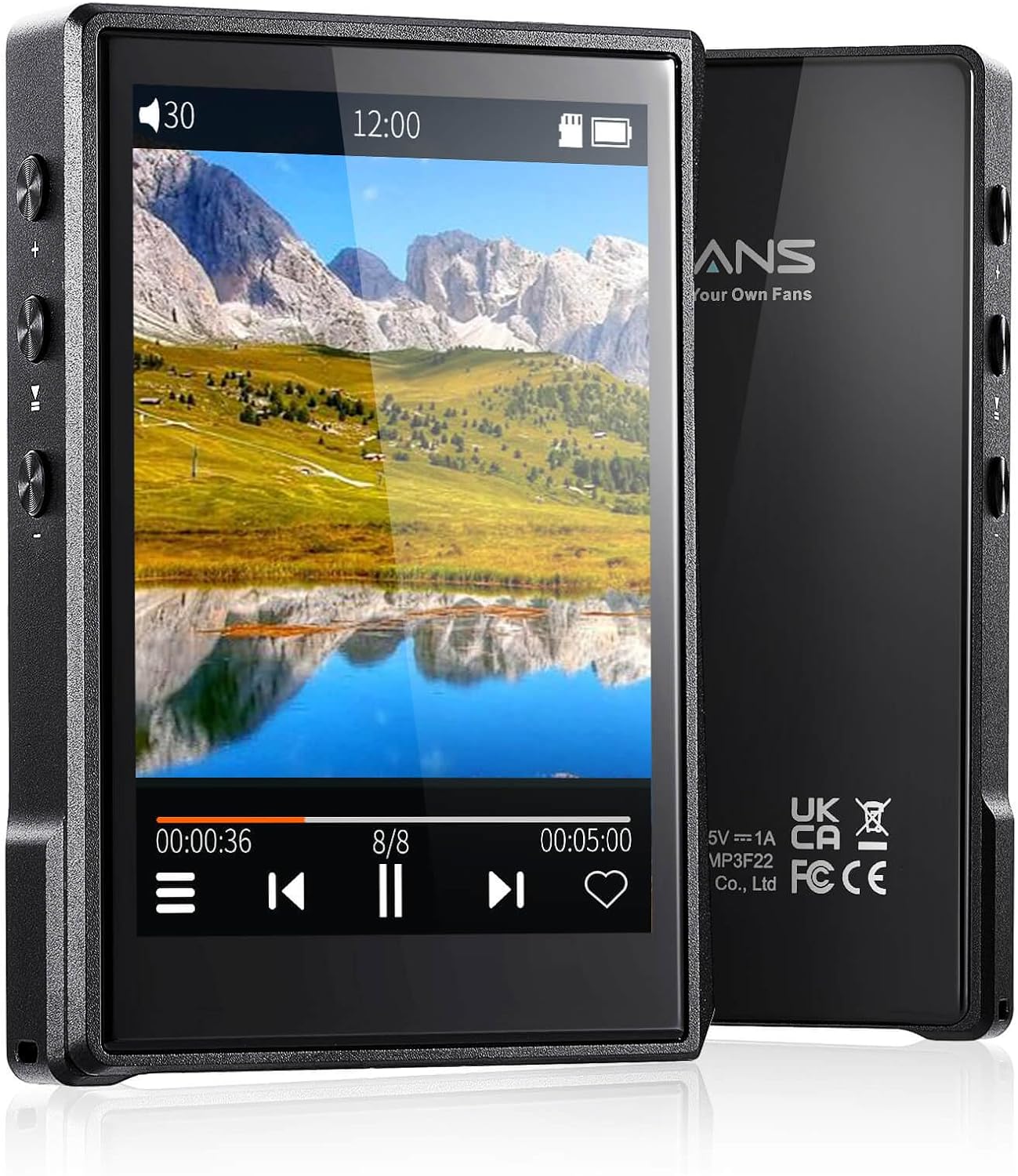
انځور: مخ او شا view of the Surfans F22 Portable HiFi MP3 Player, showcasing its 2.8-inch touchscreen and sleek design.
د بسته محتويات
ډاډ ترلاسه کړئ چې ټول توکي په کڅوړه کې شتون لري:
- Surfans F22 HiFi Music Player
- د کارونکي لارښود (دا لاسوند)
- USB-C کیبل
- ۶۴ جي بي ميموري کارت (مخکې له مخکې نصب شوی یا په جلا توګه شامل شوی)
وسیله ختمه شوهview
Familiarize yourself with the physical components of your F22 player.

Image: Diagram illustrating the various ports and buttons on the Surfans F22 MP3 Player, including the power button, volume controls, headphone jack, and USB-C port.
- 2.8-inch IPS TFT Full Touchscreen: Main interface for navigation and control.
- د بریښنا تڼۍ: وسیله چالان/بندوي او سکرین لاک/انلاک کوي.
- د حجم تڼۍ: د آډیو آوټ پټ کچه تنظیموي.
- د هیډفون جیک (3.5mm): تار لرونکي هیډفونونه وصل کړئ.
- د USB-C پورټ: د چارج کولو او ډیټا لیږد لپاره.
- د مایکرو SD کارت سلاټ: تر ۱TB پورې د پراخېدو وړ ذخیره کولو لپاره.
چمتو کول
1. د وسیلې چارج کول
Before first use, fully charge the F22 player. Connect the provided USB-C cable to the device's USB-C port and the other end to a USB power adapter (not included) or a computer's USB port. The charging indicator will show progress. A full charge typically takes approximately 2 hours and provides up to 10 hours of playback.
۵.۲. د مایکرو ایس ډی کارت داخلول
The F22 comes with a 32GB memory card. For additional storage, you can insert a Micro SD card (up to 1TB) into the designated slot. Ensure the card is inserted correctly until it clicks into place.

Image: A Surfans F22 MP3 Player shown with a Micro SD card being inserted into its slot, illustrating the expandable storage capability.
۵.۳. د موسیقۍ لیږدول Files
Connect the F22 player to your computer using the USB-C cable. The device will appear as a removable storage drive. Drag and drop your music files (FLAC, WMA, WAV, DSF, DSD, MP3, etc.) into the appropriate folders on the player's internal storage or the Micro SD card.

Image: A Surfans F22 MP3 Player displaying music playback, with a person wearing headphones in the background, symbolizing the high-fidelity audio experience.
عملیاتي لارښوونې
۵.۱. د بریښنا فعالول/بندول او د سکرین لاک کول
- د بریښنا د فعالولو لپاره، د بریښنا تڼۍ فشار ورکړئ او ونیسئ تر هغه چې سکرین روښانه شي.
- To power off, press and hold the Power button, then select "Power Off" on the screen.
- To lock/unlock the screen, briefly press the Power button.
2. د انٹرفیس حرکت کول
The F22 features a 2.8-inch touchscreen for navigation. Swipe left/right or up/down to browse menus and lists. Tap icons to select options or open applications.
3. د میوزیک غږول
- From the main menu, select "Music" to access your library.
- د هنرمند، البوم، سندرې، ژانر، یا فولډر له مخې لټون وکړئ.
- د غږولو پیل کولو لپاره یوه سندره ټایپ کړئ.
- During playback, use the on-screen controls for play/pause, skip track, and volume adjustment. Physical volume buttons also control volume.

Image: The Surfans F22 MP3 Player screen showing options for music playback modes: List play, Single play, List loop, and Random, indicating flexible listening options.
4. د بلوتوټ ارتباط
The F22 supports Bluetooth 4.2 for wireless audio output.
- Go to "Settings" and select "Bluetooth".
- Turn Bluetooth on. The player will scan for available devices.
- د جوړې کولو لپاره له لیست څخه خپل مطلوب بلوتوث هیډفونونه یا سپیکر غوره کړئ.
- یوځل چې جوړه شي، آډیو به په بې سیم ډول وصل شوي وسیلې ته واستول شي.

Image: A visual representation of the Surfans F22 MP3 Player's Bluetooth 4.2 capabilities, showing connections to Bluetooth headphones, a Bluetooth speaker, and a car stereo system.
5. E-Book Functionality
The F22 also supports E-book reading.
- Transfer compatible E-book files وسیله ته.
- From the main menu, select "E-book".
- Browse and select a book to open and read.
ساتنه
- پاکول: د وسیله پاکولو لپاره نرم، وچ ټوکر وکاروئ. د مایع پاکوونکو یا کثافاتو موادو څخه ډډه وکړئ.
- ذخیره کول: لوبغاړی په یخ او وچ ځای کې د مستقیم لمر وړانګو او سختې تودوخې څخه لرې وساتئ.
- د بیټرۍ پاملرنه: د بیټرۍ د ژوند اوږدولو لپاره، د بیټرۍ په مکرر ډول د بشپړ چارج کولو څخه ډډه وکړئ. وسیله په منظم ډول چارج کړئ، حتی که د اوږدې مودې لپاره نه کارول کیږي.
- د سافټویر تازه معلومات: جوړونکي وګورئ website periodically for firmware updates to ensure optimal performance and new features.
د ستونزو حل کول
| ستونزه | احتمالي لامل | د حل لاره |
|---|---|---|
| وسیله فعاله نه ده. | ټیټ بیټرۍ. | وسیله لږترلږه د 30 دقیقو لپاره چارج کړئ. |
| غږ نشته. | Volume too low; headphones not connected properly; incorrect audio output. | Increase volume; ensure headphones are fully plugged in; check Bluetooth connection if using wireless. |
| انتقال نشي کولی files. | USB cable issue; device not recognized by computer. | Try a different USB port or cable; ensure the device is in data transfer mode if prompted. |
| د بلوتوث اتصال بې ثباته دی. | Interference; device too far from player. | Reduce distance between devices; avoid obstacles; try re-pairing. |
| سکرین بې ځوابه دی. | د سافټویر لنډمهاله ستونزه. | Perform a soft reset by holding the Power button until the device restarts. |
مشخصات
| فیچر | تفصیل |
|---|---|
| ماډل | Surfans F22 Hi Res Music Player |
| پروسیسر | RK3308G 64-bit Quad-core ARM Cortex-A35 |
| ښودل | 2.8-inch IPS TFT Full Touchscreen (240*320 resolution) |
| د آډیو فارمیټونه ملاتړ شوي | FLAC, WMA, WAV, DSF, DSD (Native DSD 128/256), PCM (up to 384kHz/32bit), DFF, DTS, APE, OGG, M4A, AIFF, AAC, MP3, Apple Lossless |
| بلوتوث | نسخه 4.2 |
| داخلي ذخیره | 32GB (included) |
| د پراخیدو وړ ذخیره | Micro SD card up to 1TB |
| بیټرۍ | 1500mAh لیتیم پولیمر |
| د بیټرۍ ژوند | تر ۲۵ ساعتونو پورې پلې بیک |
| د چارج کولو وخت | Approximately 2 hours (fast charge) |
| ابعاد | 4.72 x 3.15 x 1.77 انچه |
| وزن | 7.4 اونس |
| ارتباط | USB-C |
| ځانګړي ځانګړتیاوې | Equalizer, Hi-Res Audio, E-book function |
تضمین او ملاتړ
The Surfans F22 Portable HiFi MP3 Player comes with a one-year return and exchange guarantee from the date of purchase. This warranty covers manufacturing defects under normal use.
For technical support, warranty claims, or further assistance, please contact Surfans customer service through their official website or the retailer where the product was purchased. Please have your purchase receipt and product model number (F22) available when contacting support.
جوړونکی: Surfans
Webسایټ: Surfans Official Store


