1. پیژندنه
This manual provides essential information for setting up, operating, and maintaining your Veidoo Kids Tablet PC. Designed with children in mind, this 10-inch Android tablet features an eye-protection IPS screen and a durable EVA shockproof case. It comes with pre-installed educational apps and robust parental controls to ensure a safe and engaging learning environment.
کلیدي ځانګړتیاوې عبارت دي له:
- 10.1-inch eye-protection screen to reduce eye fatigue.
- Android operating system for broad app compatibility.
- Dual cameras (2.0 MP front, 5.0 MP rear) for photos and video calls.
- Built-in 5000mAh rechargeable battery providing up to 6 hours of use.
- 8GB (4+4) RAM and 64GB internal memory, expandable up to 512GB via SD card.
- Pre-installed iWawa app with comprehensive parental control features.
- Sturdy, environmentally friendly EVA shockproof case with a 360° rotatable bracket.
2. د بسته محتويات
مهرباني وکړئ تصدیق کړئ چې لاندې ټول توکي ستاسو په کڅوړه کې شامل دي:
- 1 x Veidoo 10-inch Tablet PC with Protective EVA Case
- 1 x 5V/2A Charger
- 1 x OTG Cable
- ۱ x ډول-سي ډیټا کیبل
- 1 x د کارونکي لارښود
- 1 x AR Zoo Card

Image: The Veidoo Kids Tablet PC in its blue EVA case, alongside the charger, cables, user manual, and AR zoo card.
3. محصول ختم شوview
Familiarize yourself with the various components and ports of your Veidoo Kids Tablet PC:

Image: A diagram illustrating the key components of the tablet, including (1) Rear Camera, (2) Support, (3) Speaker, (4) Front Camera, (5) Volume & On/Off buttons, and (6) Type-C port.
- شاته کیمره: د ټابلیټ په شا کې موقعیت لري، د عکسونو او ویډیوګانو اخیستلو لپاره کارول کیږي.
- Support (Rotatable Bracket): Integrated into the EVA case, allows for 360-degree rotation to adjust viewزاویې
- سپیکر: Provides audio output for media and applications.
- مخکینۍ کیمره: د سکرین پورته موقعیت لري، د ویډیو زنګونو او سیلفیو لپاره کارول کیږي.
- Volume & On/Off Buttons: Control audio volume and power the device on/off.
- د ډول - سي پورټ: Used for charging the tablet and data transfer.
- د سر غوږ جیک: For connecting wired headphones (not explicitly labeled in the diagram but visible in other images).
4. ترتیب کول
4.1 ابتدايي چارج کول
Before first use, fully charge the tablet using the provided 5V/2A charger and Type-C data cable. The charging indicator will typically show progress on the screen.
4.2 بریښنا کول / بندول
- د فعالولو لپاره: د پاور تڼۍ (چې په اړخ کې موقعیت لري) فشار ورکړئ او ونیسئ تر هغه چې سکرین روښانه شي.
- د بریښنا بندولو لپاره: د بریښنا تڼۍ فشار ورکړئ او ونیسئ، بیا د سکرین په سکرین کې د څرګندیدو انتخابونو څخه "د بریښنا بند" غوره کړئ.
4.3 د وای فای سره نښلول
- ورتګ ترتیبات.
- ټایپ کړئ شبکه او انټرنیټ or وای فای.
- وای فای بدل کړئ On.
- له لیست څخه خپل مطلوب وای فای شبکه غوره کړئ.
- که چیرې غوښتنه وشي نو پټنوم دننه کړئ، بیا کلیک وکړئ نښلول.
4.4 Initial Setup and Pre-installed Apps
Upon first boot, follow the on-screen prompts to complete the initial setup, including language selection and Google account login. The tablet comes pre-installed with the iWawa app, designed specifically for children, and supports downloading additional apps from the Google Play Store.
5. عملیاتي لارښوونې
5.1 بنسټیز نیویګیشن
ټابلیټ د ټچ سکرین انٹرفیس کاروي. عام اشارې پدې کې شامل دي:
- ټایپ: د یو توکي غوره کولو یا اپلیکیشن خلاصولو لپاره.
- سوائپ: د پاڼو یا لیستونو له لارې سکرول کول.
- د زوم کولو لپاره پنچ: د انځورونو زوم ان یا آوټ کولو لپاره یا web پاڼې
- اوږد پریس: To access additional options for an item.
5.2 Using the iWawa App (Parental Control)
The iWawa app is a dedicated environment for children, offering educational content and parental control features. Parents can manage screen time, filter content, and control app access.
- Enter iWawa App: Locate and tap the iWawa icon on the tablet's home screen.
- Parental Settings: Within iWawa, parents can set up profiles for each child, add or block applications, filter web content, set time limits for tablet usage, and lock the device.
- تعلیمي مواد: iWawa provides a large number of games and learning activities, promoting learning through play.

Image: A visual guide demonstrating how to enter the iWawa app, navigate its internal software, access a large number of games, and engage in learning by playing.

Image: A banner highlighting the iWawa Parental Control System, showing options for managing content, applications, websites, and media games to make children's learning more focused and efficient.
5.3 Downloading Multiple Applications
The Veidoo Kids Tablet supports downloading various applications from the Google Play Store, including popular educational and entertainment apps like YouTube and Netflix.

Image: The tablet screen displaying numerous app icons, indicating the ability to download multiple applications from the Google Play Store.
5.4 AR Zoo App
The tablet includes an AR Zoo card and app, providing an interactive augmented reality experience where children can learn about animals.
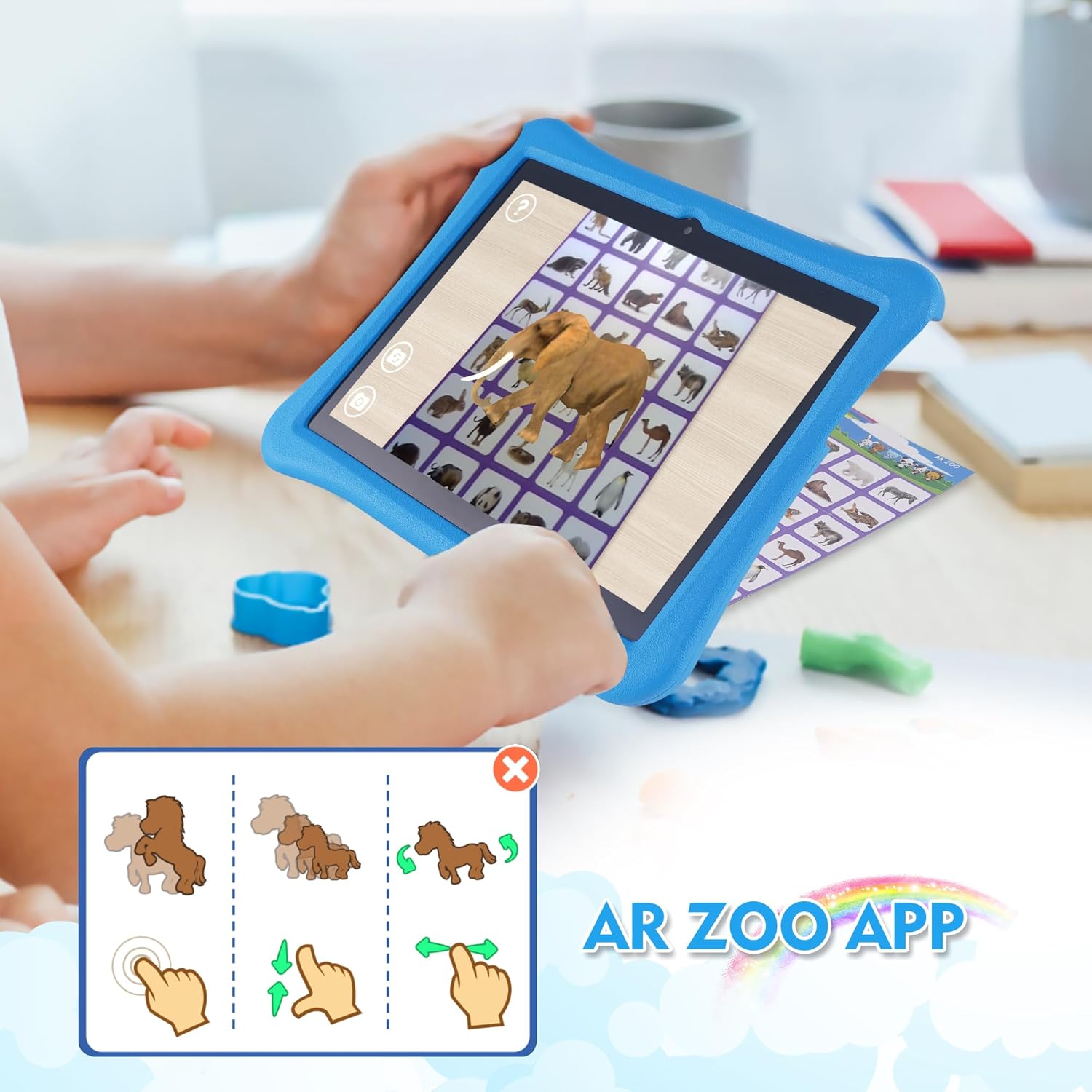
Image: A child using the tablet to interact with the AR Zoo app, showing a 3D elephant model appearing on the screen, overlaid on a physical AR card.
۵.۴ د محصول د ښودلو ویډیو
Video: A comprehensive demonstration of the Veidoo Kids Tablet, showcasing its features, the anti-fall EVA case, various ports, and the iWawa app interface with educational games and a calculator.
6. ساتنه
۵.۱ د ټابلیټ پاکول
د سکرین پاکولو لپاره، یو نرم، لینټ نه لرونکی ټوکر وکاروئ. د سختو داغونو لپاره، یو څه نرم کړئampد اوبو یا سکرین پاکونکي سره ټوکر د برقیاتو لپاره ډیزاین شوی. د سخت کیمیاوي موادو یا خړوبونکي موادو کارولو څخه ډډه وکړئ.
6.2 د بیټرۍ پاملرنه
- د بیټرۍ په مکرر ډول د بشپړ چارج کولو څخه ډډه وکړئ.
- Do not expose the tablet to extreme temperatures (hot or cold).
- یوازې چمتو شوی چارجر یا تصدیق شوی مطابقت لرونکی چارجر وکاروئ.
6.3 EVA Shockproof Case Care
The EVA case is designed for durability and protection. Clean it with a damp cloth and mild soap if necessary. Ensure the case is dry before re-inserting the tablet. The case is lighter and more resistant to falling and impacting than typical silicone cases.
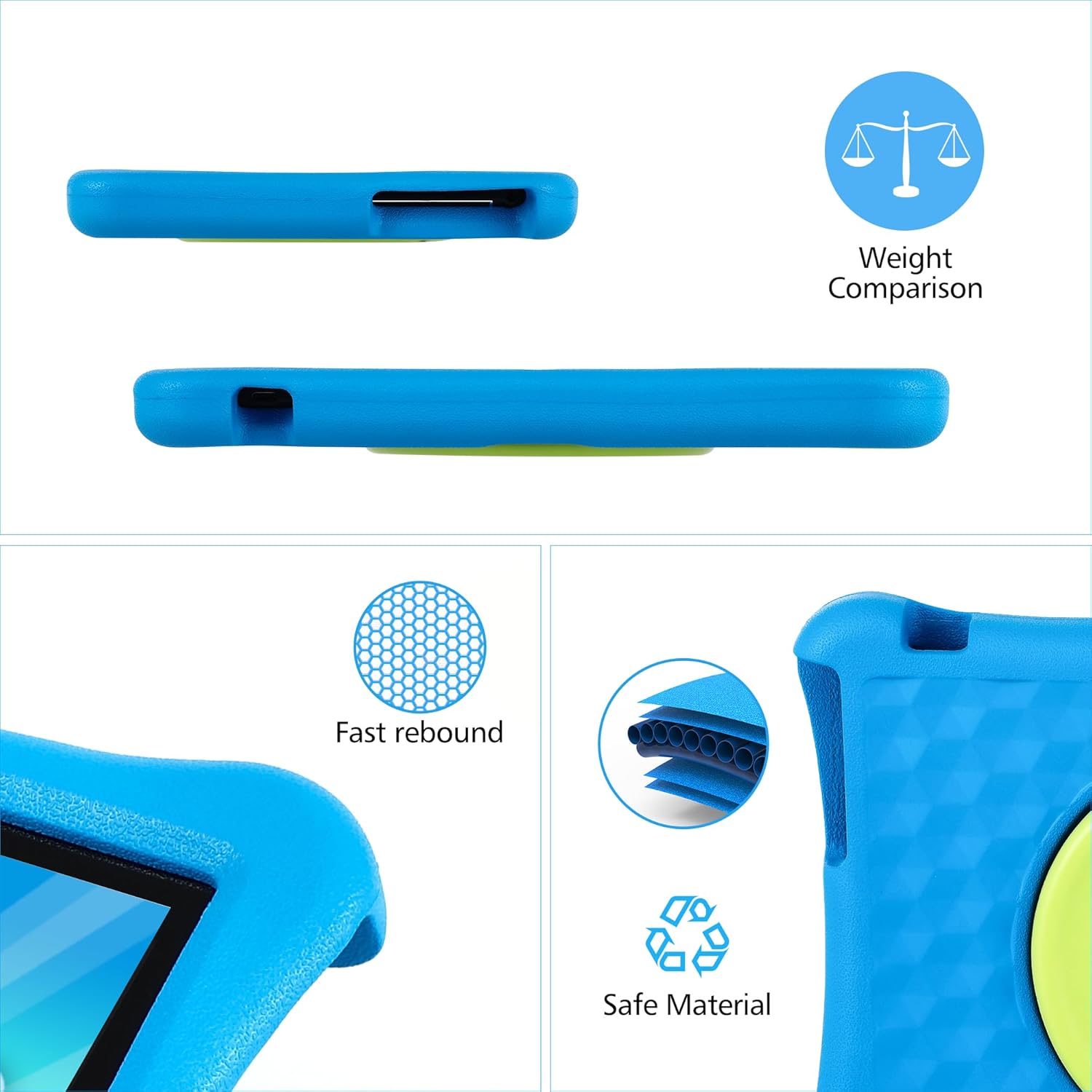
Image: A visual representation of the EVA case's properties, highlighting its fast rebound capability and composition from safe, environmentally friendly materials.
7. ستونزه حل کول
۷.۱ ټابلیټ نه چالانېږي
- Ensure the tablet is fully charged. Connect it to the charger for at least 30 minutes.
- د جبري بیا پیل کولو لپاره د 10-15 ثانیو لپاره د بریښنا تڼۍ فشار ورکړئ او ونیسئ.
۷.۳ د وای فای اتصال ستونزې
- وګورئ چې ایا وای فای په ترتیباتو کې فعال شوی دی.
- خپل وای فای روټر بیا پیل کړئ.
- د ټابلیټ په ترتیباتو کې شبکه هیره کړئ او بیا وصل شئ.
۶.۳ د اپلیکیشنونو خرابېدل یا کنګل کېدل
- اپلیکیشن بند او خلاص کړئ.
- د اپلیکیشن کیش او ډیټا په ترتیباتو > ایپسونو کې پاک کړئ.
- ډاډ ترلاسه کړئ چې د ټابلیټ سافټویر تازه دی.
۴.۲ سکرین بې ځوابه
- په جبري ډول بیا پیل کړئ (د بریښنا تڼۍ ونیسئ).
- ډاډ ترلاسه کړئ چې سکرین پاک او له کثافاتو څخه پاک دی.
8. مشخصات
| فیچر | مشخصات |
|---|---|
| برانډ | Veidoo |
| د ماډل نوم | T80 PLUS |
| عملیاتي سیسټم | Android |
| د سکرین اندازه | ۷۸۷ انچه |
| د سکرین ریزولوشن | 1280 x 800 پکسلز |
| د فلش حافظې اندازه | 64 جي بي |
| RAM | 8GB (4+4 Expand) |
| د پروسیسر برانډ | ټول ګټونکی |
| د پروسیجرونو شمیر | 4 |
| شاته Webد کیم ریزولوشن | 5 MP |
| مخکی Webد کیم ریزولوشن | 2 MP |
| بې سیم ډول | 802.11ac |
| د اوسط بیټرۍ ژوند | 5 ساعته |
| د توکي وزن | ۲.۴۵ پونډه |
| د محصول ابعاد | 10.9 x 10.07 x 1.73 انچه |
| رنګ | آبي |
9. تضمین او ملاتړ
For warranty information and technical support, please refer to the warranty card included in your package or contact Veidoo customer service directly. You can typically find contact details on the manufacturer's official webسایټ یا د پرچون پلورونکي له لارې چیرې چې تاسو محصول اخیستی.
مهرباني وکړئ د تضمین ادعاګانو لپاره د پیرود ثبوت وساتئ.


