1. پیژندنه
The Lenco SCD-860 is a versatile portable audio device featuring DAB+ and FM radio reception, Bluetooth connectivity for wireless audio streaming, and a top-loading CD player. It includes a 2.4-inch TFT color display, dual alarm functions, and stereo speakers. This manual provides essential information for the safe and efficient operation of your device.
2. د خوندیتوب معلومات
Please read these safety instructions carefully before using the device and retain them for future reference. Incorrect use may result in electric shock, fire, or other hazards.
- د اور یا بریښنا شاک څخه د مخنیوي لپاره واحد باران یا رطوبت ته مه ښکاره کوئ.
- د واحد شاوخوا مناسب هوا ورکول ډاډمن کړئ. د هوا د بهېدو لارې مه بندوئ.
- یوازې د بریښنا اډاپټر وکاروئ چې د واحد سره چمتو شوي.
- واحد مه خلاصوئ casinج. ټول خدمات وړ پرسونل ته راجع کړئ.
- د بیټرۍ د ځایی مقرراتو سره سم په مسؤلیت سره تصفیه کړئ.
3. د بسته محتويات
د خلاصولو پر مهال ډاډ ترلاسه کړئ چې ټول توکي شتون لري:
- Lenco SCD-860 Unit
- د AC بریښنا کیبل
- د کارونکي لارښود (دا لاسوند)
4. محصول ختم شوview
Familiarize yourself with the main components and controls of your Lenco SCD-860.
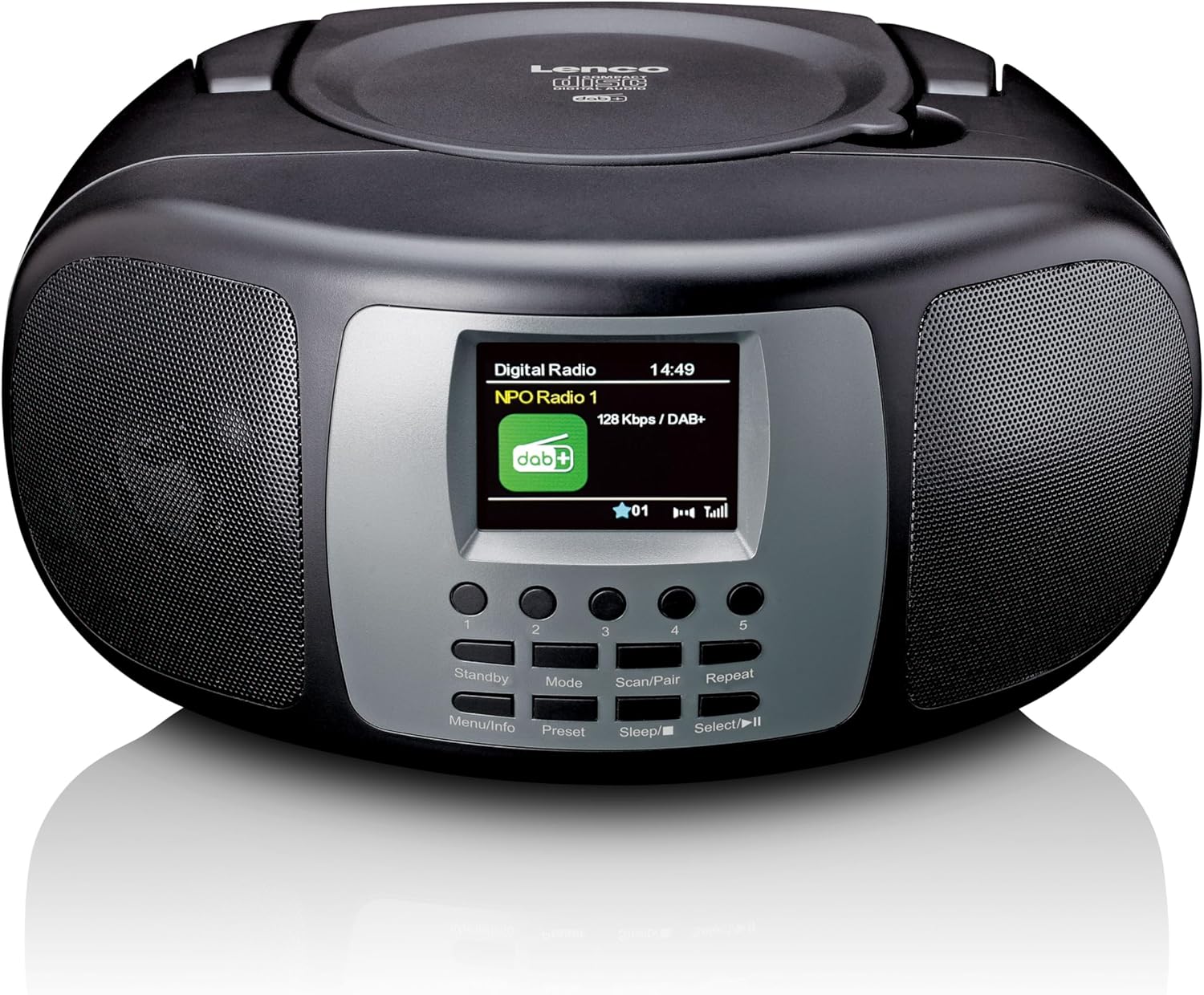
شکل 4.1: مخکی View. This image displays the front of the Lenco SCD-860, highlighting the central 2.4-inch TFT color display, the array of control buttons below it, and the two integrated speakers on either side. The top-loading CD compartment is visible on the upper surface.

Figure 4.2: CD Compartment Open. This image shows the Lenco SCD-860 with its top-loading CD compartment lid open, revealing a compact disc placed inside, ready for playback. The display and control buttons are also visible.

Figure 4.3: Left Side Controls. This image illustrates the left side of the Lenco SCD-860, featuring the headphone output jack, the power ON/OFF switch, and the rotary volume control knob.
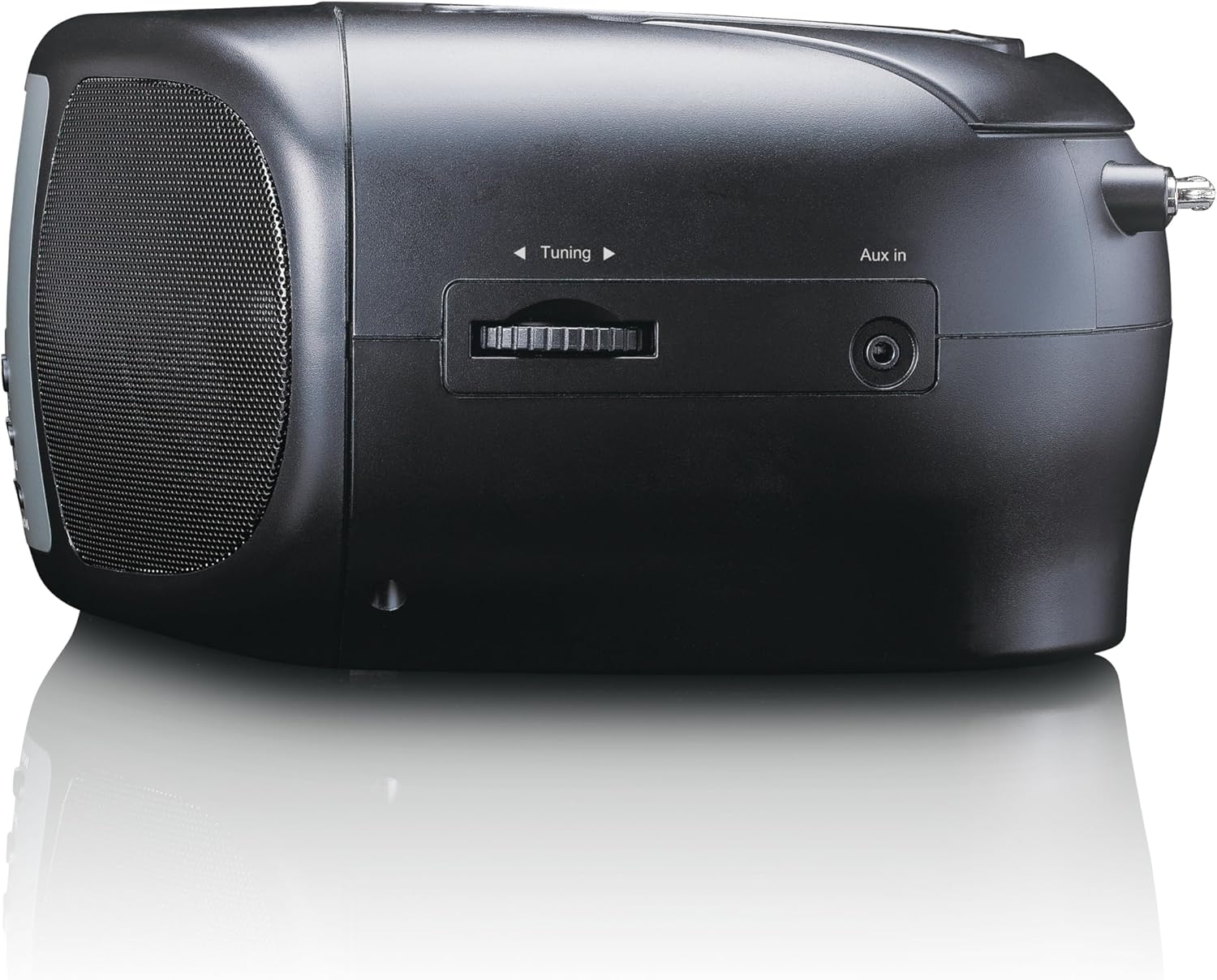
Figure 4.4: Right Side Controls. This image shows the right side of the Lenco SCD-860, highlighting the rotary tuning knob for radio frequency selection and the AUX input jack for connecting external audio devices.

شکل 4.5: شاته View. This image displays the rear of the Lenco SCD-860, featuring the AC power input socket and the fully extended telescopic antenna for improved radio reception.
4.1. د کنټرول بټن
- Standby/Menu/Info: Power on/off, access menu, display information.
- Mode/Preset: Switch between modes (DAB+, FM, CD, Bluetooth, AUX), save/recall radio presets.
- Scan/Pair/Sleep: Scan for radio stations, pair Bluetooth devices, activate sleep timer.
- Repeat/Select/Play/Pause: Repeat CD track/all, confirm selection, play/pause CD/Bluetooth.
- د ټوننګ نوب: Adjust radio frequency, navigate menus.
- د حجم نوب: د آډیو د وتلو کچه تنظیم کړئ.
- 1-5 تڼۍ: Direct access to preset radio stations.
5. ترتیب کول
5.1. وسیلې ته ځواک ورکول
The SCD-860 can be powered by AC mains or batteries.
5.1.1. AC بریښنا
- Connect the supplied AC power cable to the AC IN socket on the rear of the unit (refer to Figure 4.5).
- د کیبل بل پای په معیاري دیوال کې ولګوئ.
5.1.2. د بیټرۍ ځواک
د پورټ ایبل کارونې لپاره، دا واحد د 6 x 'C' اندازې بیټرۍ ته اړتیا لري (شامل نه دي).
- د بیټرۍ د برخې پوښ د واحد په ښکته برخه کې خلاص کړئ.
- Insert 6 'C' size batteries, ensuring correct polarity (+/-).
- د بیټرۍ کمپارټ پوښ په خوندي ډول وتړئ.
5.2. د انتن تنظیمول
For optimal DAB+ and FM radio reception, fully extend the telescopic antenna located at the rear of the unit (refer to Figure 4.5). Adjust its position for the best signal quality.
6. عملیاتي لارښوونې
6.1. بریښنا فعال/بند
سلایډ کړئ ځواک switch on the left side of the unit to the ON position. Press the ولاړ button on the front panel to turn the unit on or put it into standby mode.
6.2. حالت انتخاب
فشار ورکړئ موډ button repeatedly to cycle through available modes: DAB+, FM, CD, Bluetooth, AUX.
۳. د DAB+ راډیو عملیات
- د دې په کارولو سره DAB+ حالت ته لاړ شئ موډ تڼۍ
- The unit will automatically scan for available DAB+ stations upon first use or if no stations are found. To initiate a manual scan, press the سکین تڼۍ
- د کارولو د تونینګ غوټۍ to scroll through the list of available stations. Press وټاکئ (often integrated with Repeat/Select/Play/Pause button) to confirm your selection.
- د سټیشن د مخکینۍ برخې په توګه د خوندي کولو لپاره، فشار ورکړئ او ونیسئ مخکینۍ button (often integrated with Mode button), then use the د تونینګ غوټۍ د مخکینۍ شمېرې (1-5) غوره کولو لپاره او فشار ورکړئ وټاکئ تصدیق کول.
- To recall a preset, briefly press the corresponding numbered button (1-5).
6.4. د ایف ایم راډیو عملیات
- د کارولو سره FM حالت ته لاړ شئ موډ تڼۍ
- د سټیشنونو لپاره د اتوماتیک سکین کولو لپاره، فشار ورکړئ او ونیسئ سکین تڼۍ. راډیو به سکین کړي او په راتلونکي قوي سټیشن کې به ودریږي.
- For manual tuning, rotate the د تونینګ غوټۍ د فریکونسۍ تنظیم کولو لپاره.
- Saving and recalling presets works similarly to DAB+ mode, using the مخکینۍ button and numbered buttons (1-5).
6.5. د بلوتوټ عملیات
- د بلوتوث حالت ته لاړ شئ د دې په کارولو سره موډ button. The display will show "Bluetooth Pairing" or similar.
- Activate Bluetooth on your external device (smartphone, tablet, etc.).
- لټون "SCD-860" in your device's Bluetooth list and select it to pair.
- Once paired, you can stream audio from your device to the SCD-860. Use the پلی/ودرول button on the unit or your external device to control playback.
۱. د سي ډي پلیر عملیات
- د CD حالت ته د کارولو سره لاړ شئ موډ تڼۍ
- Open the top-loading CD compartment cover (refer to Figure 4.2).
- یوه سي ډي داسې کېږدئ چې د لیبل اړخ یې پورته وي.
- Close the CD compartment cover. The unit will read the CD and begin playback automatically.
- د کارولو پلی/ودرول د پلې بیک د بندولو یا بیا پیلولو لپاره تڼۍ.
- فشار ورکړئ تکرار کړئ button to cycle through repeat modes (repeat one track, repeat all tracks).
- The unit supports programmable CD playback for up to 20 tracks. Refer to the full manual for detailed programming instructions.
6.7. د AUX داخل
یو بهرنۍ آډیو وسیله (د مثال په توګه، MP3 پلیر) سره وصل کړئ اکس ان jack on the right side of the unit (refer to Figure 4.4) using a 3.5mm audio cable (not included). Switch to AUX mode using the موډ button. Audio will play through the SCD-860 speakers.
6.8. د الارم فعالیت
The SCD-860 features a dual alarm function. Detailed instructions for setting and managing alarms are typically found in the full product manual. Generally, you will access the alarm settings via the مینو (long press Standby/Menu/Info) and use the د تونینګ غوټۍ او وټاکئ button to configure alarm times, sources (buzzer, radio, CD), and volume.
۷. د هیډفون کارول
Connect headphones to the 3.5mm headphone jack on the left side of the unit (refer to Figure 4.3) for private listening. The internal speakers will be muted automatically.
7. ساتنه
- پاکول: واحد د نرم او وچ ټوکر سره پاک کړئ. د کثافاتو پاکوونکو یا محلولونو څخه کار مه اخلئ.
- د سي ډي پاملرنه: سي ډي ګانې د هغوی له څنډو سره ونیسئ. ناپاکې سي ډي ګانې د نرم، لینټ نه پاک ټوکر سره پاکې کړئ، او له مرکز څخه بهر ته یې پاک کړئ.
- ذخیره کول: If not used for extended periods, remove batteries and store the unit in a cool, dry place.
8. ستونزه حل کول
| ستونزه | احتمالي لامل | د حل لاره |
|---|---|---|
| هیڅ ځواک نشته | د برېښنا کیبل نه دی وصل شوی؛ بیټرۍ خالي شوې یا په غلط ډول داخل شوې دي. | Check AC cable connection; Replace batteries or ensure correct polarity. |
| غږ نشته | غږ ډېر ټیټ دی؛ هیډفونونه وصل دي؛ ناسم حالت غوره شوی دی. | Increase volume; Disconnect headphones; Select correct mode (DAB+, FM, CD, Bluetooth, AUX). |
| د راډیو ضعیف استقبال | Antenna not extended or poorly positioned; Weak signal area. | د ټیلسکوپیک انتن په بشپړه توګه پراخ او تنظیم کړئ؛ هڅه وکړئ چې واحد بل ځای ته ولیږدوئ. |
| سي ډي نه غږېږي | CD inserted incorrectly; CD is dirty or scratched; Incorrect mode. | Ensure CD is label-side up; Clean or replace CD; Select CD mode. |
| بلوتوث جوړه ناکامه شوه | Bluetooth not enabled on external device; SCD-860 not in pairing mode; Devices too far apart. | Enable Bluetooth on your device; Ensure SCD-860 is in Bluetooth mode; Move devices closer (within 10m). |
9. مشخصات
| فیچر | تفصیل |
|---|---|
| د ماډل شمیره | SCD-860BK |
| برانډ | لینکو |
| د ارتباط ټیکنالوژي | بلوتوث |
| ځانګړي ځانګړتیاوې | Bluetooth, DAB+/FM Radio, CD Player, Color Display, Dual Alarm |
| مطابقت لرونکې وسیلې | Headphones, Earphones, MP3 Player, Smartphone, Laptop, Speaker, Tablet, USB Stick |
| د تولید بریښنا | 2 x 2 W RMS |
| ښودل | د ۴.۳ انچه TFT LCD رنګ ښودنه |
| CD Memory | Programmable for 20 tracks |
| د راډیو بینډونو ملاتړ شوی | DAB+ (Band III 174-240 MHz), FM |
| د بریښنا سرچینه | AC Mains, 6 x 'C' Batteries (not included) |
| ارتباطات | AUX Input, 3.5mm Audio Output (Headphone) |
| ابعاد (L x W x H) | ۱۴ سانتي متره x ۵.۲۳ سانتي متره x ۷.۰۶ سانتي متره (تقریبا) |
| رنګ | تور |
10. تضمین او ملاتړ
For warranty information and technical support, please refer to the warranty card included with your product or visit the official Lenco webسایټ. د هر ډول تضمین ادعا لپاره د پیرود ثبوت وساتئ.
For further assistance, please contact Lenco customer service through their official channels.


