پیژندنه
This manual provides essential instructions for the setup, operation, and maintenance of your Telefunken TDV-322 DVD Player. Please read this manual thoroughly before using the device to ensure proper functionality and to prevent damage.
The Telefunken TDV-322 is designed to play various disc formats, offering versatile entertainment options for your home. It includes multiple output options for connecting to different television and audio systems.
محصول پای ته ورسیدview
The Telefunken TDV-322 DVD Player is a compact device for playing DVDs and CDs. It features a front-loading disc tray, a digital display, and front-panel controls. Connectivity options are located on the rear panel.
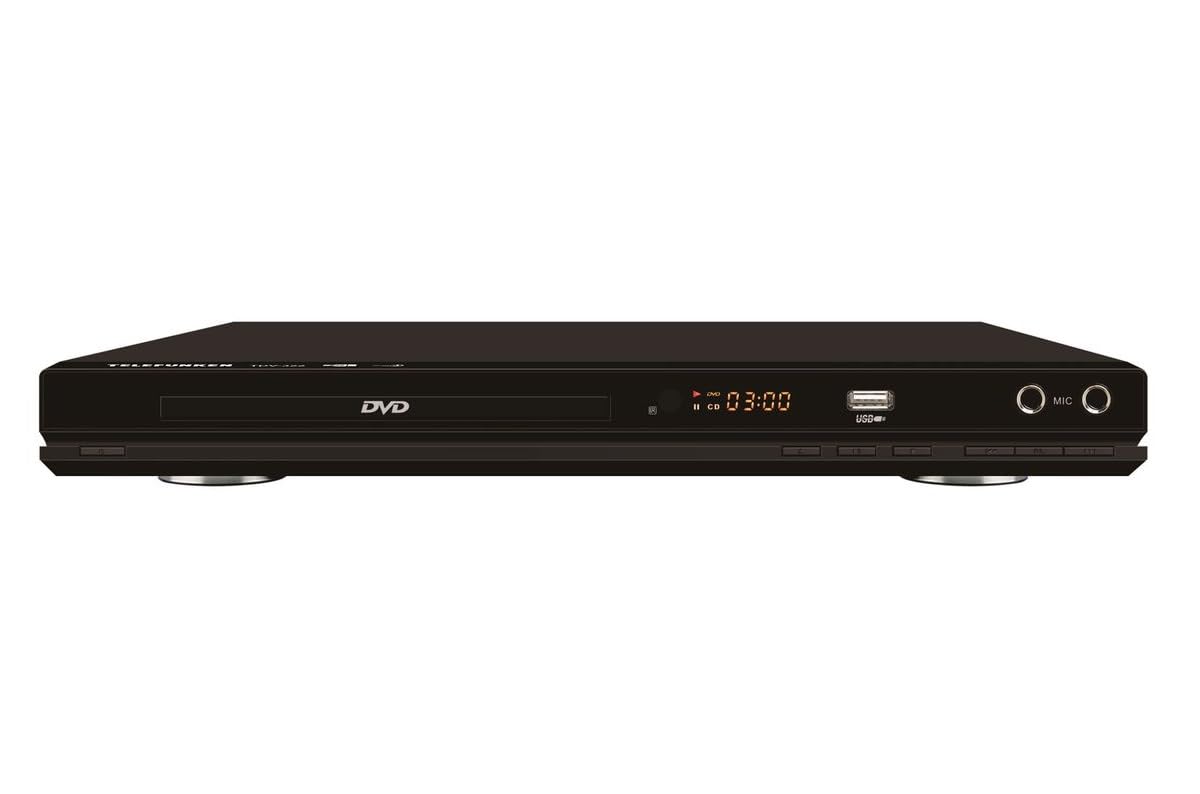
شکل 1: مخکی view of the Telefunken TDV-322 DVD Player. The image displays the black unit with a central disc tray, a digital time display, a USB port, and two microphone input jacks on the right side. Below the disc tray are several control buttons.
کلیدي ځانګړتیاوې
- Full DVD player functionality for various disc types.
- د اسانه عملیاتو لپاره د ریموټ کنټرول کارول اسانه دي.
- Component video output for standard-definition television connections.
- Composite video output for older television models.
- Coaxial and optical digital audio outputs for surround sound system integration.
- Parental control features for content management.
- Compatibility with DVD, DVD-R, DVD-RW, VCD, SVCD, CD, CD-R, CD-RW, MP3, WMA, JPEG, and MPEG4 files.
د تنظیم کولو لارښوونې
1. خلاصول
Carefully remove the DVD player and all accessories from the packaging. Retain the packaging for future transport or storage.
۳. د تلویزیون سره نښلول
The TDV-322 offers several video output options:
- د برخې ویډیو محصول: Use a component video cable (red, green, blue connectors) to connect the DVD player's component output jacks to the corresponding input jacks on your standard-definition TV.
- جامع ویډیو محصول: Use a composite video cable (yellow connector) to connect the DVD player's composite video output jack to the video input jack on an older TV.
Note: This DVD player does not feature an HDMI port. Ensure your television has compatible input ports.
۳. د آډیو سیسټم سره نښلول
For enhanced audio, connect the DVD player to an external audio system:
- کواکسیال ډیجیټل آډیو محصول: Use a coaxial digital audio cable to connect the DVD player's coaxial output to a compatible input on your surround sound receiver.
- آپټیکل ډیجیټل آډیو محصول: Use an optical digital audio cable to connect the DVD player's optical output to a compatible input on your surround sound receiver.
4. د بریښنا پیوستون
Connect the power cord to the DVD player's power input and then plug it into a standard electrical outlet.
عملیاتي لارښوونې
۲. بنسټیز پلې بیک
- فشار ورکړئ پاور د پلیر د فعالولو لپاره په مخکینۍ پینل یا ریموټ کنټرول کې تڼۍ.
- فشار ورکړئ خلاص/بند د ډیسک ټری خلاصولو لپاره ت buttonۍ.
- یو ډیسک (ډي وي ډي، سي ډي، او نور) په نرمۍ سره د ډیسک ټرې باندې کیږدئ او د لیبل اړخ یې پورته مخامخ کړئ.
- فشار ورکړئ خلاص/بند ت buttonی بیا تی د تری بندولو لپاره.
- The player will automatically begin playback or display a menu.
- د کارولو پلی/پاز, ودروئ, فارورډ، او REVERSE buttons on the remote control or front panel to manage playback.
2. د ریموټ کنټرول کارول
The included remote control provides full functionality for the DVD player. Refer to the remote control diagram (not provided in this manual) for specific button layouts. Ensure batteries are correctly inserted.
3. USB پلی بیک
Insert a USB flash drive into the USB port on the front panel. The player will detect the drive and allow you to browse and play compatible media files (MP3, WMA, JPEG, MPEG4).
4. د والدینو کنټرول
The DVD player includes parental control features to restrict playback of certain content. Access these settings through the system menu using the remote control. A password may be required to enable or disable these features.
ساتنه
- د واحد پاکول: Wipe the exterior of the DVD player with a soft, dry cloth. Do not use liquid cleaners or abrasive materials.
- د ډیسک پاملرنه: ډیسکونه د هغوی د څنډو سره لاس کړئ. پاک او له سکریچونو څخه پاک وساتئ. د مرکز څخه بهر ته د ډیسکونو د پاکولو لپاره د نرم، لینټ پاک ټوکر څخه کار واخلئ.
- وینټیلیشن: Ensure the DVD player has adequate ventilation. Do not block any ventilation openings.
- ذخیره کول: کله چې د اوږدې مودې لپاره په کار نه وي، د بریښنا تار پرې کړئ او واحد په یخ او وچ ځای کې وساتئ.
د ستونزو حل کول
| ستونزه | احتمالي لامل | د حل لاره |
|---|---|---|
| هیڅ ځواک نشته | د برېښنا تار نه دی تړل شوی؛ د برېښنا رسۍ فعاله نه ده. | ډاډ ترلاسه کړئ چې د بریښنا تار په خوندي ډول وصل دی. د بل وسیلې سره د بریښنا سایټ وګورئ. |
| د ویډیو تولید نشته | Video cables incorrectly connected; Incorrect TV input selected. | Verify component or composite video cables are securely connected to the correct input on your TV. Select the correct input source on your TV. |
| هیڅ غږیز محصول نشته | Audio cables incorrectly connected; Incorrect audio input selected on receiver/TV; Volume too low. | Check coaxial/optical audio connections. Ensure the correct audio input is selected on your audio system or TV. Increase volume. |
| ډیسک لوبې نه کوي | ډیسک چټل یا سکریچ شوی دی؛ ډیسک په غلط ډول داخل شوی دی؛ د ډیسک بڼه نه ملاتړ کیږي. | Clean the disc. Reinsert the disc with the label side up. Verify the disc format is supported (DVD, CD, VCD, SVCD). |
| ریموټ کنټرول کار نه کوي | بیټرۍ مړه شوي یا په غلط ډول داخل شوي دي؛ د ریموټ او پلیر ترمنځ خنډ. | Replace batteries. Ensure correct battery polarity. Remove any obstructions. Point remote directly at the player's sensor. |
مشخصات
| فیچر | تفصیل |
|---|---|
| د ماډل شمیره | TDV-322 |
| برانډ | ټیلیفونکن |
| رنګ | تور |
| ملاتړ شوي ډیسک فارمیټونه | DVD, DVD-R, DVD-RW, VCD, SVCD, CD, CD-R, CD-RW |
| ملاتړ شوی File شکلونه | MP3, WMA, JPEG, MPEG4 (via USB) |
| د ویډیو محصولات | د اجزاو ویډیو، جامع ویډیو |
| آډیو محصولات | Coaxial Digital Audio, Optical Digital Audio |
| اضافي بندرونه | USB port, Microphone inputs |
د تضمین معلومات
The Telefunken TDV-322 DVD Player comes with a د تولید کونکي دوه کلن تضمین. Please retain your proof of purchase for warranty claims. For details regarding warranty terms and conditions, refer to the warranty card included with your product or contact Telefunken customer support.
د پیرودونکي ملاتړ
If you encounter any issues not covered in the troubleshooting section or require further assistance, please contact Telefunken customer support. Contact information can typically be found on the product packaging, the official Telefunken webسایټ، یا د تضمین اسناد.
When contacting support, please have your model number (TDV-322) and purchase details ready.


