1. پیژندنه
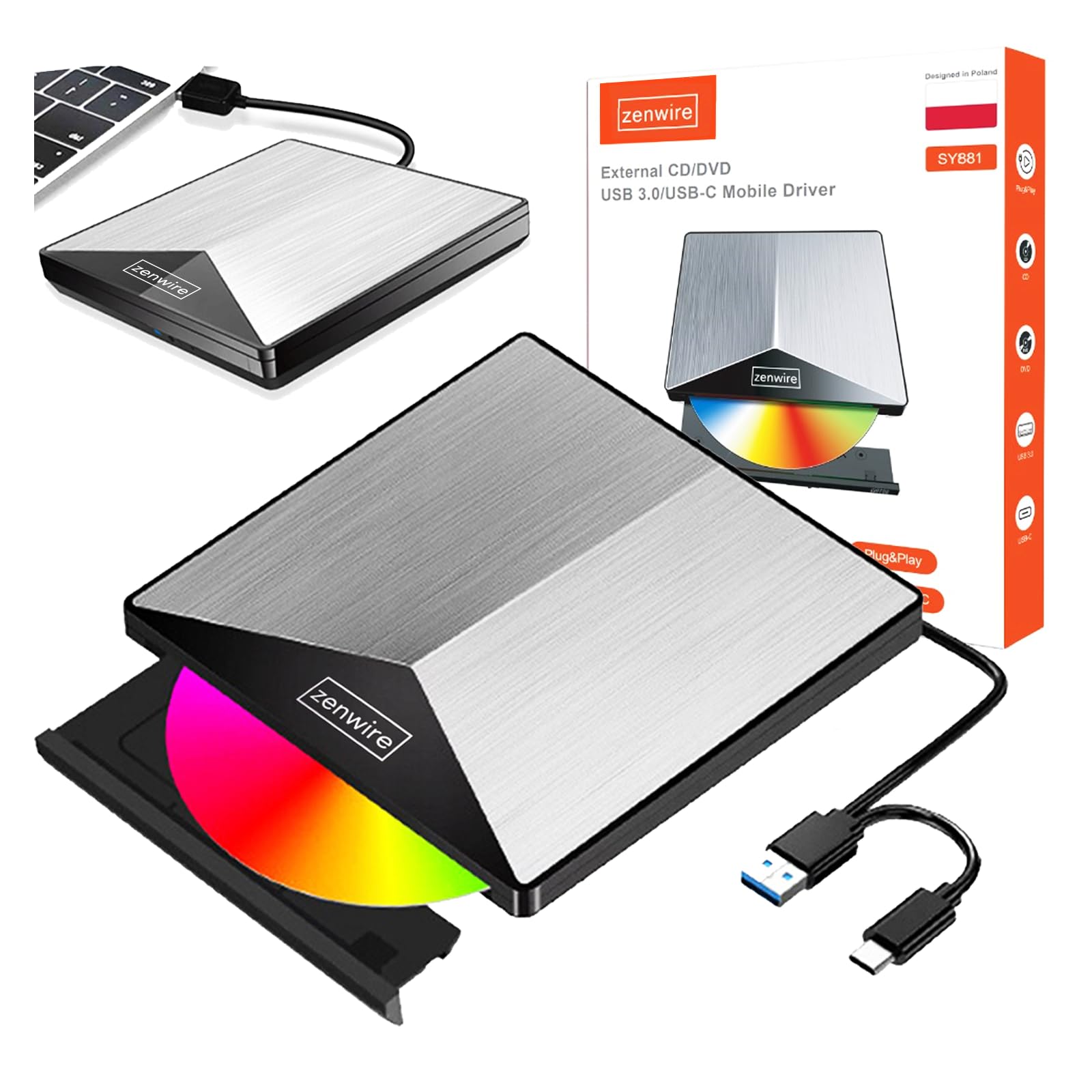
Thank you for choosing the Zenwire External CD/DVD Drive. This device is a versatile and portable solution for both reading and writing optical discs, designed for use with laptops and desktop computers. It features modern USB 3.0 and USB-C 3.1 interfaces, ensuring rapid data transfer speeds up to 5 Gb/s. Its durable aluminum casing provides efficient heat dissipation and a sleek design. This drive is compatible with various operating systems, including Windows, Mac OS, and Linux, offering broad utility for a wide range of users.
کلیدي ځانګړتیاوې عبارت دي له:
- USB 3.0 and USB-C 3.1 Support: Offers very high data transfer speeds up to 5 Gb/s, enhancing efficiency for large files and multimedia.
- المونیم جasing: Durable and elegant, effectively dissipates heat for long-lasting and safe use.
- د عملیاتي سیسټم مطابقت: Seamless operation across multiple platforms, including Windows, Mac OS, and Linux.
- د لېږد وړتیا: Slim design and low weight allow for easy transport, ideal for users on the go.
- پلګ او پلی کول: Simple installation without the need for additional drivers, enabling quick use immediately after connection.
2. د خوندیتوب معلومات
مهرباني وکړئ دا خوندیتوب لارښوونې ولولئ او تعقیب یې کړئ ترڅو سم عملیات ډاډمن کړئ او وسیله ته زیان یا ټپي کیدو مخه ونیسئ:
- وسیله د اوبو، رطوبت، یا ډیرې تودوخې سره مه مخ کوئ.
- د قوي تاثیراتو سره د وسیله له مینځه وړلو یا تابع کولو څخه ډډه وکړئ.
- هڅه مه کوئ چې وسیله پخپله جلا کړئ یا ترمیم کړئ. د خدماتو وړ پرسونل ته مراجعه وکړئ.
- Use only compatible discs and cables.
- وسیله د قوي مقناطیسي ساحو څخه لرې وساتئ.
3. د بسته محتويات
ډاډ ترلاسه کړئ چې ټول توکي ستاسو په کڅوړه کې شتون لري:
- Zenwire External CD/DVD Drive
- Integrated USB 3.0 / USB-C 3.1 Cable
- د کارونکي لارښود (دا لاسوند)
4. محصول ختم شوview
Familiarize yourself with the components and dimensions of your Zenwire External CD/DVD Drive.

انځور: تړل views of the Zenwire External CD/DVD Drive, highlighting the integrated USB cable, the disc eject button, and the anti-slip feet on the bottom. These details illustrate the device's connectivity and stable design.

انځور: The Zenwire External CD/DVD Drive displayed with its approximate dimensions: 5.9 inches (148mm) in length, 5.9 inches (149mm) in width, and 0.6 inches in thickness. This illustrates the compact and slim profile د وسیلې څخه.
5. ترتیب کول
The Zenwire External CD/DVD Drive is designed for simple plug-and-play operation. No additional drivers are typically required for most operating systems.
- Locate an available USB 3.0 or USB-C port on your computer (laptop or desktop).
- Connect the integrated USB cable from the Zenwire drive directly into the chosen port on your computer.
- The operating system should automatically detect and install the necessary drivers. This process may take a few moments.
- Once installed, the drive will appear as a removable storage device in your computer's file سپړونکی یا ډیسټاپ.
انځور: The Zenwire External CD/DVD Drive shown connected to a laptop via its integrated USB cable. This illustrates the simple plug-and-play connection process.
6. عملیاتي لارښوونې
۴.۱ د ډیسک داخلول
- Press the eject button located on the front of the drive. The disc tray will slide out.
- Carefully place the disc onto the tray with the label side facing up. Ensure the disc is seated correctly in the center.
- Gently push the tray back into the drive until it clicks into place. Do not force the tray.

انځور: A hand carefully inserting a CD into the open disc tray of the Zenwire External CD/DVD Drive. This demonstrates the correct method for disc placement.
6.2 Reading and Writing Discs
Once a disc is inserted and recognized by your computer, you can perform various operations:
- لوستل: For data discs, open 'This PC' or 'My Computer' (Windows) or 'Finder' (Mac) and click on the drive icon to access its contents. For movie DVDs or audio CDs, your operating system may prompt you to open a media player.
- Writing (Burning): To burn data to a blank CD or DVD, insert a blank disc. Your operating system or third-party burning software will guide you through the process of selecting files and initiating the burn.
۳.۲ ملاتړ شوي ډیسک فارمیټونه
The drive supports a variety of optical disc formats:
- CD-ROM، CD-R، CD-RW
- DVD-ROM, DVD-R, DVD+R, DVD-RW, DVD+RW
- VCD

انځور: The Zenwire External CD/DVD Drive displayed alongside icons representing VCD, CD, and DVD, clearly indicating the range of optical disc formats supported by the device.
6.4 د عملیاتي سیسټم مطابقت
The drive is compatible with the following operating systems:
- Windows (XP, Vista, 7, 8, 10, 11)
- Mac OS
- لینکس

انځور: The Zenwire External CD/DVD Drive depicted in a setup demonstrating its compatibility with multiple operating systems, including various versions of Windows, Mac OS, and Linux. This highlights its universal usability.
7. ساتنه
Proper maintenance ensures the longevity and optimal performance of your drive.
- د ډرایو پاکول: Use a soft, dry, lint-free cloth to wipe the exterior of the drive. Do not use liquid cleaners or abrasive materials. For the optical lens, use a specialized CD/DVD lens cleaning kit if necessary, following its instructions carefully.
- د ډیسکونو پاکول: Always handle discs by their edges. If a disc is dirty, gently wipe it from the center outwards with a soft, lint-free cloth.
- ذخیره کول: Store the drive in a cool, dry place away from direct sunlight and extreme temperatures when not in use. Keep discs in their cases to prevent scratches and dust accumulation.
- محافظتي فلم: Upon first use, you may need to remove any protective film from the device's surface.

انځور: A hand demonstrating the removal of a protective film from the surface of the Zenwire External CD/DVD Drive. This step is often performed during the initial setup or maintenance to ensure optimal appearance and function.
8. ستونزه حل کول
If you encounter issues with your Zenwire External CD/DVD Drive, refer to the following common problems and solutions:
- Drive not recognized by the computer:
- ډاډ ترلاسه کړئ چې USB کیبل په خوندي ډول د ډرایو او کمپیوټر دواړو سره وصل دی.
- هڅه وکړئ چې ډرایو په خپل کمپیوټر کې بل USB پورټ سره وصل کړئ.
- ډرایو په بل کمپیوټر کې ازموینه وکړئ ترڅو د کمپیوټر پورې اړوند کومه ستونزه له منځه یوسي.
- خپل کمپیوټر بیا پیل کړئ.
- Disc not reading or writing:
- Check the disc for scratches, dirt, or damage. Try a different disc.
- ډاډ ترلاسه کړئ چې ډیسک په سمه توګه داخل شوی او د لیبل اړخ پورته دی.
- For writing, ensure you are using a blank, compatible disc (CD-R/RW, DVD-R/RW, DVD+R/RW).
- Clean the drive's optical lens using a specialized cleaning disc.
- د معلوماتو د لیږد ورو سرعت:
- Ensure the drive is connected to a USB 3.0 or USB-C 3.1 port on your computer for optimal speed. USB 2.0 ports will result in slower performance.
- Avoid using USB hubs if possible, or ensure the hub is powered and supports USB 3.0/USB-C speeds.
- Drive makes unusual noises:
- This can sometimes occur with unbalanced or damaged discs. Try a different disc.
- Ensure the drive is placed on a stable, flat surface.
9. مشخصات
| فیچر | تفصیل |
|---|---|
| برانډ | زینویر |
| د ماډل شمیره | 5904507529123 |
| انٹرفیس | USB 3.0، USB ډول C |
| د ډیټا لیږد سرعت | Up to 5 Gb/s (via USB 3.0 / USB-C 3.1) |
| Optical Write Speed | 10x |
| ملاتړ شوي عملیاتي سیسټمونه | وینډوز، ماک OS، لینکس |
| ځانګړی ځانګړنه | پلګ او پلی کړئ |
| مواد | المونیم جasing |
| ابعاد (تقریبا) | 148mm (L) x 149mm (W) x 15mm (H) / 5.9in (L) x 5.9in (W) x 0.6in (H) |
10. د تضمین معلومات
Warranty terms and conditions are typically provided with your purchase documentation. Please refer to the specific warranty information included with your product or contact the retailer/manufacturer for details regarding warranty coverage and claims.
11. ملاتړ
If you require further assistance or have questions not covered in this manual, please contact Zenwire customer support or your product retailer. Please have your model number (5904507529123) and purchase details ready when contacting support.


