1. پیژندنه
This manual provides instructions for the safe and effective use of your ChargeWorx Solar Power Bank. Please read this manual thoroughly before operating the device and retain it for future reference. This power bank is designed to provide portable power for various electronic devices, featuring solar charging capabilities, multiple output ports, wireless charging, a built-in compass, and dual LED flashlights.
2. محصول ختم شوview
2.1 اجزا
- Solar Panel: For supplemental charging via sunlight.
- USB-A Output Ports (x2): For charging compatible devices.
- USB-C Input/Output Port: For charging the power bank or compatible devices.
- Micro-USB Input Port: For charging the power bank.
- Wireless Charging Pad: For wirelessly charging compatible devices.
- LED Indicator Lights: Display battery level and charging status.
- Dual LED Flashlights: For illumination.
- Built-in Compass: For basic navigation.
- Power Button: To activate the device and flashlight.
2.2 کلیدي ځانګړتیاوې
- ظرفیت: 15,000 mAh
- Charge Cycles: Offers 600+ charge cycles.
- Multi-Port Charging: Supports simultaneous charging of multiple devices.
- Weatherproof Rating: IPX4, resistant to water splashes from any direction.
- Impact-Resistant Design: Enhanced durability for outdoor use.
- Compatibility: Works with various smartphones (Apple, Samsung, Motorola), tablets, headphones, smartwatches, and cameras.

Image: The ChargeWorx Solar Power Bank, showcasing its solar panel, charging ports, wireless charging area, and dual LED flashlights.

Image: A visual representation of the power bank's key features, including its 15,000 mAh capacity and various functionalities.
3. ترتیب کول
۴.۱ د پاور بانک لومړنی چارج کول
Before first use, fully charge the power bank using a wall adapter. Solar charging is primarily for emergency or supplemental power and is not recommended for initial full charging.
- Connect a USB-C cable to the power bank's USB-C input port or a Micro-USB cable to the Micro-USB input port.
- د کیبل بل پای د یو مناسب USB دیوال اډاپټر سره وصل کړئ (شامل نه دی).
- The LED indicator lights will illuminate to show the charging progress. All four lights will be solid when fully charged.
4. عملیاتي لارښوونې
4.1 Charging Devices via USB Ports
- د خپل وسیلې چارج کولو کیبل د USB-A آوټ پټ پورټونو څخه یو یا د پاور بانک کې د USB-C ان پټ/آوټ پټ پورټ سره وصل کړئ.
- د کیبل بل پای خپل آله سره وصل کړئ.
- Press the Power Button once to begin charging. The LED indicators will show the remaining power.
- کله چې چارج بشپړ شي، خپل وسیله منقطع کړئ.

Image: The power bank simultaneously charging a mobile phone, tablet, wireless earbuds, and an action camera via its various ports.
4.2 بې سیم چارج کول
The power bank supports wireless charging for compatible devices.
- Press the Power Button once to activate the power bank.
- Place your wireless charging compatible device (e.g., smartphone) directly onto the wireless charging pad area of the power bank.
- Ensure the device is centered on the pad for optimal charging. Charging will begin automatically.
- Remove your device once charging is complete.

Image: A smartphone being wirelessly charged on the power bank, demonstrating the wireless charging function.
4.3 Solar Charging Function
The integrated solar panel allows for supplemental charging of the power bank using sunlight. This feature is ideal for maintaining charge during outdoor activities or for emergency situations. It is not intended as the primary charging method due to varying solar intensity and efficiency.
- Place the power bank with the solar panel facing direct sunlight.
- Ensure no obstructions block the solar panel.
- The LED indicators will show charging activity.
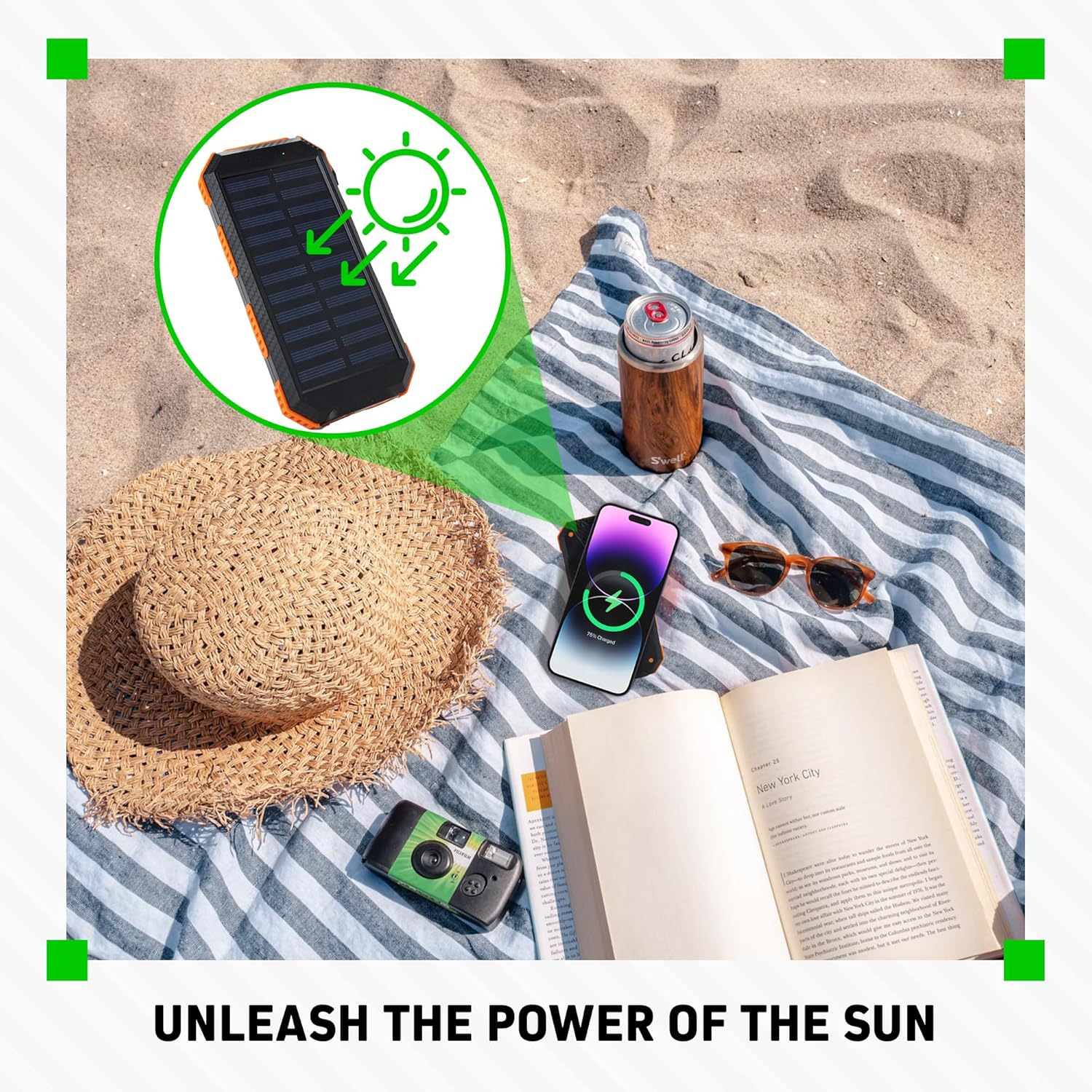
Image: The power bank's solar panel absorbing sunlight on a beach, illustrating its solar charging capability.
۶.۳ د LED فلش لائټ کارول
- Press and hold the Power Button for approximately 3 seconds to turn on the dual LED flashlights.
- Press the Power Button again to cycle through different light modes (e.g., steady, SOS, strobe, if available).
- Press and hold the Power Button again for approximately 3 seconds to turn off the flashlights.
4.5 Using the Built-in Compass
The power bank includes a basic built-in compass for directional guidance. For accurate readings, ensure the power bank is held horizontally and away from strong magnetic fields or electronic devices that could interfere with its operation.

Image: The power bank's flashlight in use, demonstrating its illumination feature, with a small inset showing the solar panel on a backpack, indicating outdoor utility and the presence of a compass.
5. ساتنه
5.1 پاکول
- د پاور بانک د نرم او وچ ټوکر سره پاک کړئ.
- سخت کیمیاوي مواد، د پاکولو محلول، یا قوي صابون مه کاروئ.
- د غوره فعالیت لپاره د سولر پینل پاک وساتئ.
5.2 ذخیره کول
- د پاور بانک په یخ او وچ ځای کې د مستقیم لمر وړانګو او سختې تودوخې څخه لرې وساتئ.
- If storing for extended periods, charge the power bank to approximately 50-75% every 3 months to maintain battery health.
5.3 د بیټرۍ پاملرنه
- Avoid fully discharging the power bank frequently.
- Do not expose the power bank to temperatures above 60°C (140°F) or below -10°C (14°F).
6. ستونزه حل کول
۷.۱ د پاور بانک چارج نه کول
- ډاډ ترلاسه کړئ چې د چارج کولو کیبل په خوندي ډول د بریښنا بانک او دیوال اډاپټر دواړو سره وصل دی.
- Verify the wall adapter is functioning correctly and providing power.
- د چارج کولو بل کیبل یا دیوال اډاپټر هڅه وکړئ.
- For solar charging, ensure the panel is in direct, strong sunlight and not obstructed. Note that solar charging is slow and supplemental.
۹.۲ وسایل چې چارج نه کوي
- ډاډ ترلاسه کړئ چې د بریښنا بانک کافي چارج لري (د LED شاخصونه وګورئ).
- Press the Power Button once to activate output.
- Verify your device's charging cable is properly connected to both the power bank and your device.
- یو بل USB پورټ یا کیبل هڅه وکړئ.
- For wireless charging, ensure your device is compatible and correctly positioned on the charging pad. Remove any thick cases that might interfere.
6.3 Flashlight Not Working
- ډاډ ترلاسه کړئ چې د بریښنا بانک کافي چارج لري.
- Press and hold the Power Button for approximately 3 seconds to activate the flashlight.
7. مشخصات
| فیچر | مشخصات |
|---|---|
| د ماډل شمیره | CX6579 |
| د بیټرۍ ظرفیت | 15,000 mAh |
| Input (Micro-USB) | 5V / 2A |
| ننوتل/آؤټ پټ (USB-C) | 5V / 2A |
| محصول (USB-A x2) | 5V / 2A (Total) |
| بې سیم محصول | 5W (معیاري) |
| د سولر پینل محصول | 5V / 0.2A (Max, supplemental) |
| ابعاد | 7.95 x 1.3 x 4.21 انچه |
| وزن | 10.1 اونس |
| د هوا ضد درجه | IPX4 |
| شاملې برخې | د کارن لارښود |
8. د خوندیتوب معلومات
- د بیټرۍ کڅوړه مه جلا کوئ، خلاصوئ یا ټوټه ټوټه مه کوئ.
- د بریښنا بانک تودوخې یا اور ته مه ښکاره کوئ. د مستقیم لمر وړانګو کې د ذخیره کولو څخه ډډه وکړئ.
- د بیټرۍ کڅوړه لنډ مهاله مه کوئ.
- د بریښنا بانک میخانیکي شاک ته مه ښکاره کوئ.
- د بیټرۍ د لیکیدو په صورت کې، مایع ته اجازه مه ورکوئ چې د پوستکي یا سترګو سره تماس ونیسي. که چیرې تماس شوی وي، اغیزمنه سیمه په ډیرو اوبو سره ومینځئ او طبي مشوره وغواړئ.
- د بریښنا بانک د ماشومانو له لاسرسي لرې وساتئ.
- د پاور بانک کارولو پر مهال ماشومان وڅارئ.
- Ensure proper disposal of the power bank according to local regulations.
- Do not use the power bank if it has been damaged or modified.
9. تضمین او ملاتړ
Warranty information for this product was not provided in the available data. For specific warranty details, technical support, or customer service inquiries, please contact ChargeWorx directly through their official webسایټ یا پرچون پلورونکی چیرې چې محصول اخیستل شوی و.

