1. پیژندنه
Thank you for choosing the BSIDE U1 Mini Digital Open Jaw Clamp Multimeter. This device is a compact, intelligent, and versatile tool designed for electrical measurements. It combines the functions of a clamp meter, smart multimeter, and voltage detector, making it suitable for both beginners and professionals. This manual provides essential information for safe and effective operation.
2. د خوندیتوب معلومات
Always adhere to safety precautions when using electrical testing equipment. Failure to do so may result in electric shock, injury, or damage to the device or equipment under test.
- د هرې اندازه کولو لړۍ لپاره ټاکل شوي اعظمي ان پټ ارزښتونو څخه ډیر مه کوئ.
- Ensure the test leads are in good condition and properly connected before any measurement.
- که چیرې وسیله خرابه ښکاري یا په سمه توګه کار نه کوي نو مه یې کاروئ.
- د حجم سره کار کولو پرمهال خورا احتیاط وکړئtagد 30V AC RMS، 42V چوکۍ، یا 60V DC څخه پورته. دا حجمونهtagد شاک خطر رامنځته کوي.
- Always disconnect power to the circuit before making resistance, continuity, or capacitance measurements.
- The device complies with CE standards and CATIII 600V safety regulations.
3. د بسته محتويات
Verify that all items listed below are present in your package. If any items are missing or damaged, please contact customer service.
- BSIDE U1 Open Jaw Clamp ملټي میټر
- د ازموینې لیډونه (سور او تور)
- د USB چارج کیبل
- د لیږد قضیه
- English User Manual (PDF in Spanish available via email)
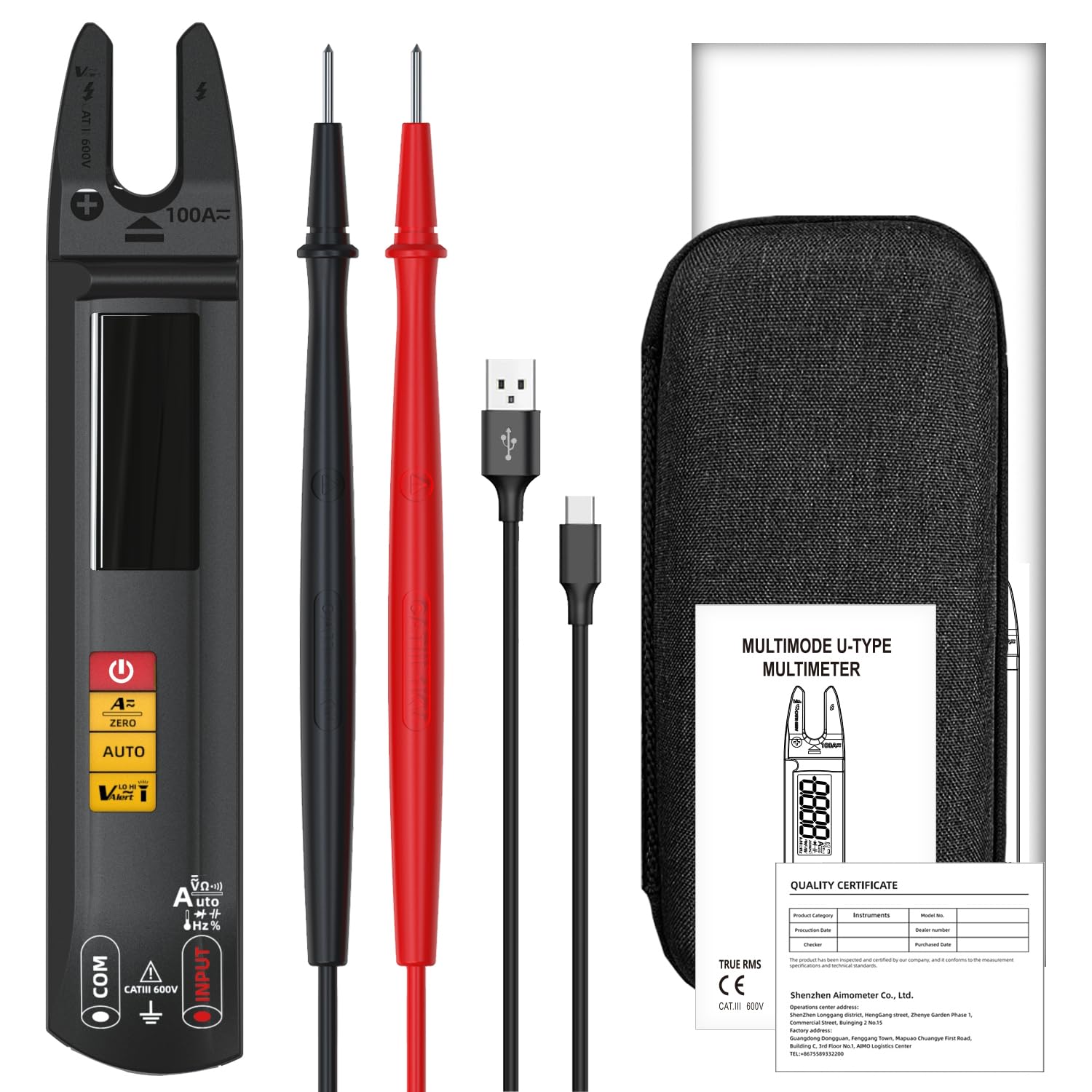
Image 3.1: Contents of the BSIDE U1 package, including the multimeter, test leads, charging cable, and carrying case.
4. محصول ختم شوview
The BSIDE U1 features a large color LCD display for clear readings and intuitive controls. It is designed for ease of use and portability.

انځور 4.1: مخکی view of the BSIDE U1 multimeter, highlighting its display, function buttons, and open jaw design.
4.1. کلیدي ځانګړتیاوې
- 3-in-1 فعالیت: Clamp meter, smart multimeter, and voltage کشف کونکی.
- خودکاره درجه بندي: په اتوماتيک ډول د اندازه کولو سمه لړۍ غوره کوي.
- Dual Test Mode: Automatic and manual modes for various measurements.
- Large Color LCD: High-precision values with large digits, auto-power off symbol, and low battery indication.
- خوندیتوب: Anti-burn and overload protection, CATIII 600V rated.
- اسانتیا: Built-in LED flashlight, rechargeable Li-ion battery, and compact design.
5. ترتیب کول
5.1. د بیټرۍ چارج کول
The BSIDE U1 is powered by a built-in 3.7V rechargeable Li-ion battery. Before first use, or when the low battery indicator appears, charge the device using the provided USB charging cable.
- Connect the small end of the USB charging cable to the charging port on the multimeter.
- Connect the standard USB end to a USB power adapter (not supplied) or a computer USB port.
- ښودنه به د چارج کولو حالت په ګوته کړي. ډاډ ترلاسه کړئ چې وسیله په بشپړ ډول چارج شوې ده ترڅو غوره فعالیت ولري.

Image 5.1: The BSIDE U1 multimeter connected to its charging cable, illustrating the rechargeable battery feature.
۲. د ازموینې لیډونو نښلول
د voltage, resistance, continuity, capacitance, diode, and frequency measurements, connect the test leads to the input jacks.
- تور ټیسټ لیډ د 'COM' (عام) جیک کې دننه کړئ.
- Insert the red test lead into the 'INPUT' jack.
۴. د عملیاتو طریقې او اندازه کول
The BSIDE U1 features automatic measurement for common parameters upon power-on. Manual mode allows selection of specific functions.
6.1. بریښنا فعال/بند
د بریښنا تڼۍ کېکاږئ او ونیسئ (U) to turn the device on or off. The device will automatically enter auto-ranging mode upon startup.
6.2. Automatic Measurement Mode
When powered on, the multimeter automatically detects and measures AC/DC voltage, resistance, and continuity. Simply connect the test leads to the circuit or component, and the device will display the appropriate reading.
6.3. Manual Mode Selection
Press the 'AUTO' button to cycle through manual measurement functions. The selected function will be indicated on the display.
6.4. AC/DC حجمtage اندازه کول
- Ensure test leads are connected correctly (black to COM, red to INPUT).
- Vol وټاکئtage mode (if not in auto-ranging).
- د حجم اندازه کولو لپاره د ازموینې لیډونه د برخې یا سرکټ په اوږدو کې موازي سره وصل کړئtage.
6.5. AC/DC Current Measurement (Open Jaw Clamp)
The open jaw clamp allows for non-contact AC or DC current measurement. For DC current, a zeroing step is required.
- Select Current mode.
- For DC current, press the 'ZERO' button to zero the reading before measurement.
- Place the open jaw around a single conductor (not a cable containing multiple conductors) through which the current flows.
- په ښودنه کې اوسنی ارزښت ولولئ.
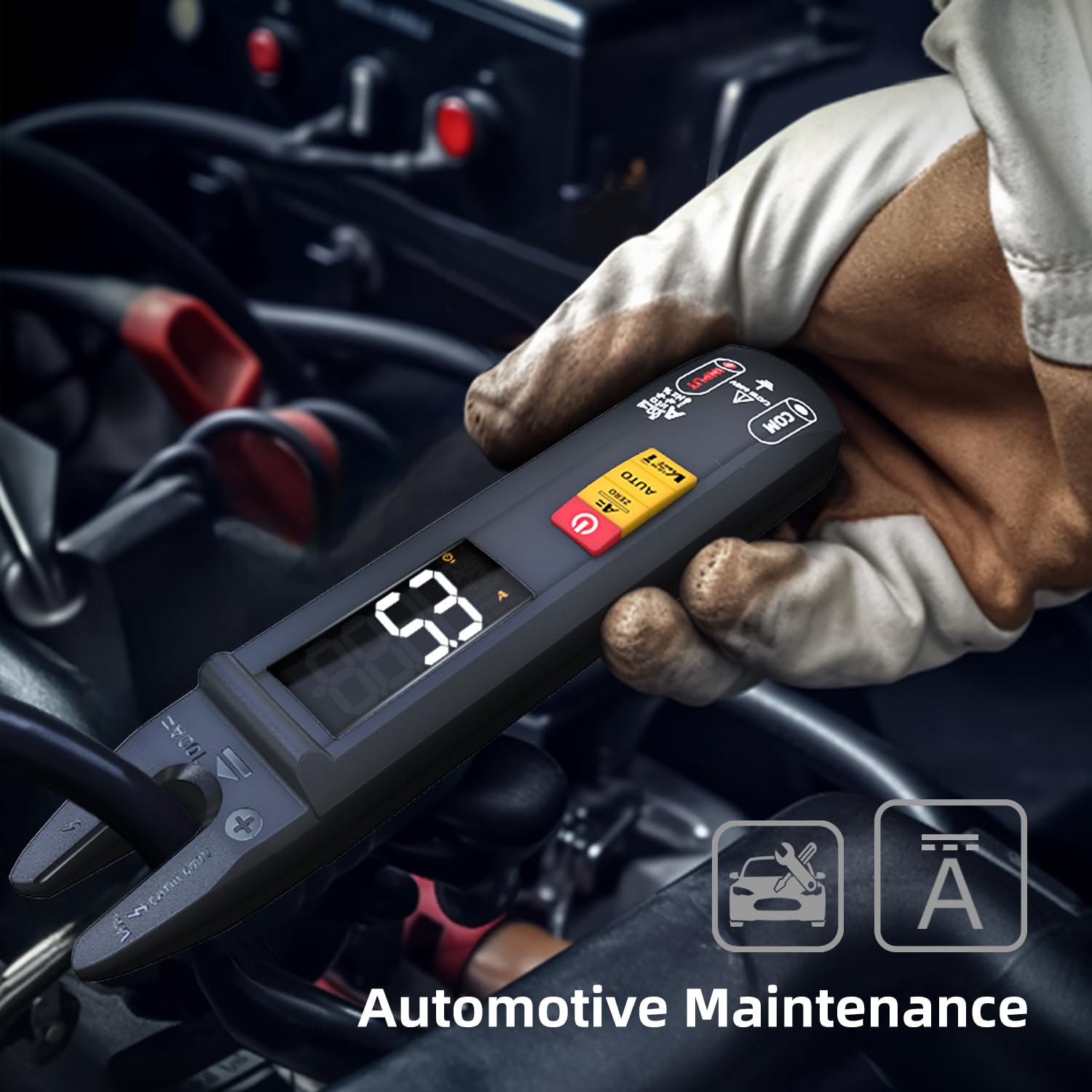
Image 6.1: The BSIDE U1 multimeter being used to measure current in an automotive maintenance scenario.
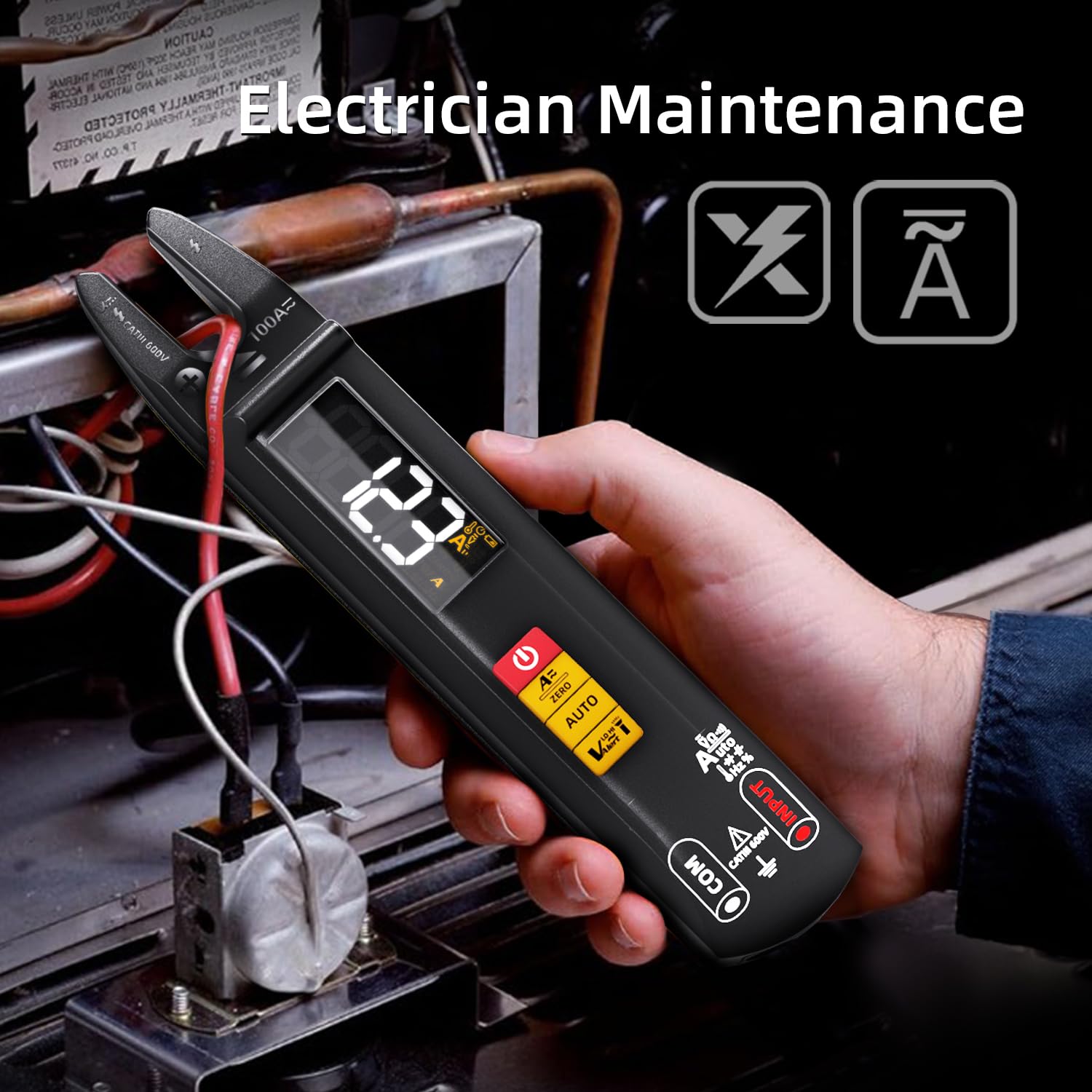
Image 6.2: The BSIDE U1 multimeter measuring current in an electrician maintenance application.
6.6. د مقاومت اندازه کول
- ډاډ ترلاسه کړئ چې سرکټ یا برخه غیر انرژي شوې ده.
- Select Resistance mode.
- د مقاومت اندازه کولو لپاره د ازموینې لیډونه د برخې په اوږدو کې وصل کړئ.
6.7. د دوام ازموینه
- ډاډ ترلاسه کړئ چې سرکټ یا برخه غیر انرژي شوې ده.
- Select Continuity mode.
- د ازموینې لیډونه د سرکټ یا برخې په اوږدو کې وصل کړئ. دوامداره بیپ دوام (ټیټ مقاومت) په ګوته کوي.
6.8. د وړتیا اندازه کول
- ډاډ ترلاسه کړئ چې د ازموینې دمخه کپیسیټر خارج شوی دی.
- Select Capacitance mode.
- د کیپسیټر ټرمینلونو په اوږدو کې د ازموینې لیډونه وصل کړئ.

Image 6.3: The BSIDE U1 multimeter performing a capacitance measurement on an electronic circuit board.
6.9. د ډایډ ټیسټ
- ډاډ ترلاسه کړئ چې ډایډ له سرکټ څخه جلا شوی دی.
- Select Diode mode.
- Connect the red test lead to the anode and the black test lead to the cathode. The forward voltage drop will be displayed. Reverse the leads to check for open circuit.
6.10. د فریکونسی اندازه کول
- Select Frequency mode.
- د ازموینې لیډونه د سیګنال سرچینې سره وصل کړئ.
6.11. NCV (غیر اړیکه والیومtage) کشف
د NCV فعالیت د AC حجم چټک کشف ته اجازه ورکويtagد مستقیم تماس پرته.
- Select NCV mode.
- Bring the tip of the multimeter near the conductor. The device will beep and the display will indicate the presence of AC voltage.

Image 6.4: The BSIDE U1 multimeter detecting non-contact voltage (NCV) near an electrical panel, indicated by visual and audible alerts.
6.12. د ژوندی تار کشف
This function helps identify live wires using a single test lead.
- Select Live Wire mode.
- Insert the red test lead into the 'INPUT' jack.
- Touch the tip of the red test lead to the conductor. The device will indicate if the wire is live.
6.13. Ambient Temperature Measurement
The device can measure ambient temperature.
- Select Temperature mode.
- The ambient temperature will be displayed. Note: External thermocouples for contact temperature measurement are not supplied.
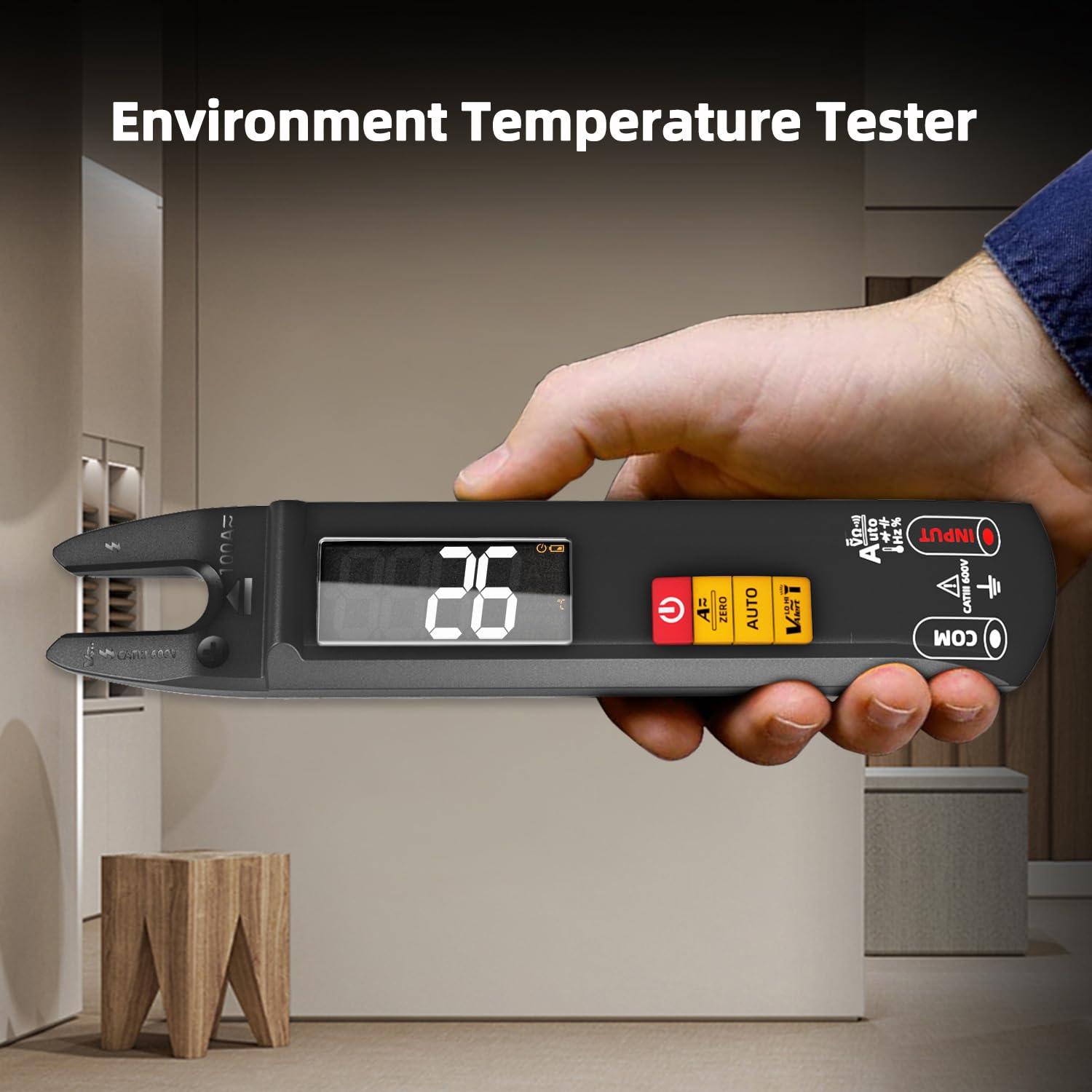
Image 6.5: The BSIDE U1 multimeter displaying the ambient temperature reading.
6.14. د LED څراغ
Press the flashlight button to activate the built-in LED flashlight for illumination in dimly lit areas.
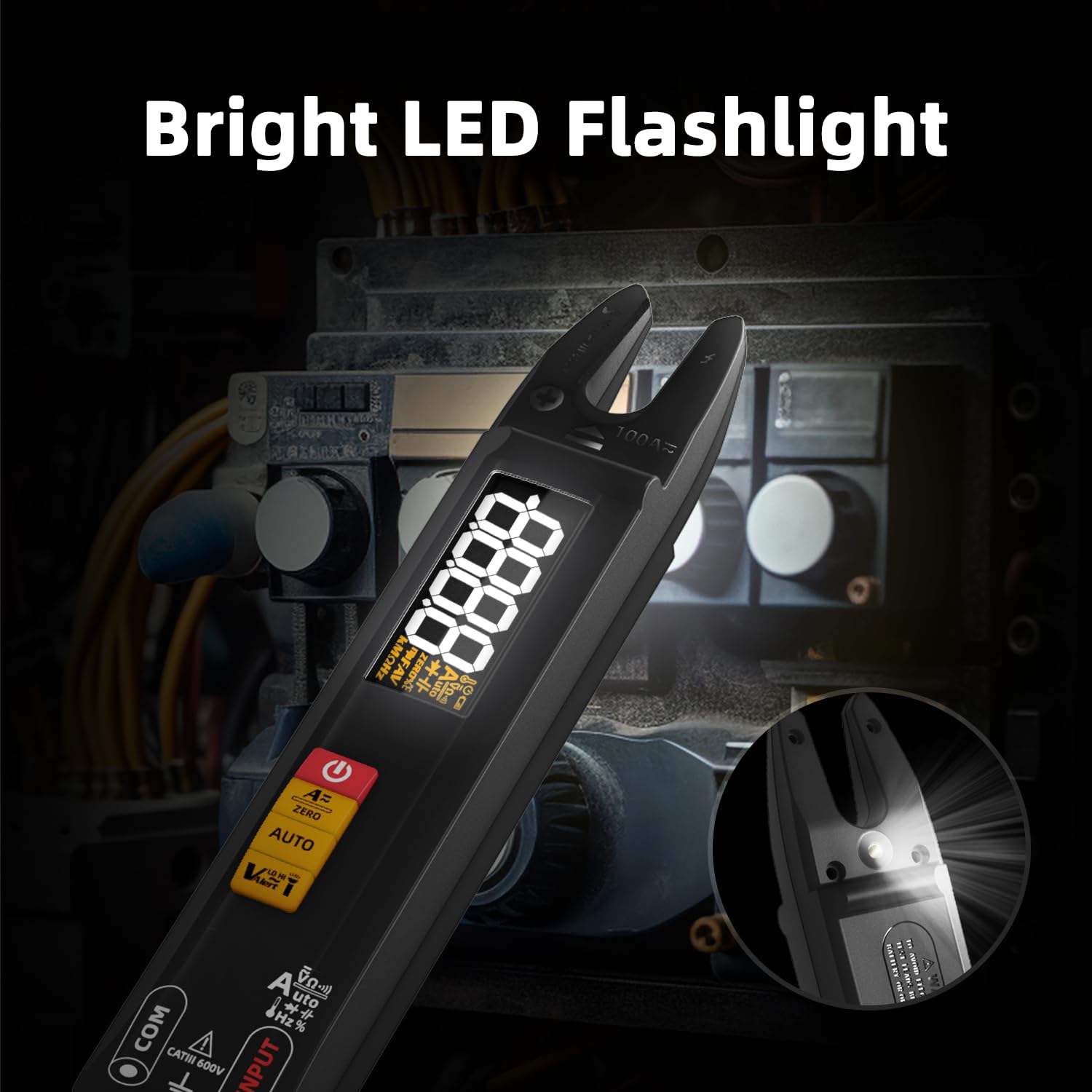
Image 6.6: The BSIDE U1 multimeter with its bright LED flashlight activated, useful for working in dark environments.
7. ساتنه
7.1. پاکول
Wipe the device with a dry, soft cloth. Do not use abrasive cleaners or solvents. Ensure the device is off and disconnected from any power source before cleaning.
7.2. د بیټرۍ پاملرنه
The integrated Li-ion battery should be charged regularly, especially if the device is not used for extended periods, to maintain battery health. Avoid extreme temperatures during storage.
7.3. ذخیره کول
Store the multimeter in its carrying case in a cool, dry place, away from direct sunlight and extreme temperatures. Remove test leads before storing.
8. ستونزه حل کول
- وسیله نه فعالیږي: ډاډ ترلاسه کړئ چې بیټرۍ چارج شوې ده. د USB چارج کولو کیبل وصل کړئ او بیا هڅه وکړئ.
- ناسم لوستل: Check test lead connections. Ensure the correct measurement mode is selected. For DC current, perform a zeroing operation.
- د دوام غږ نشته: ډاډ ترلاسه کړئ چې سرکټ غیر فعال شوی دی. د خلاص سرکټونو یا لوړ مقاومت لپاره وګورئ.
- NCV حجم نه کشفويtage: Ensure the NCV sensor is close enough to the conductor. Verify the conductor is live.
که ستونزې دوام ومومي، د کارونکي بشپړ لارښود ته مراجعه وکړئ یا د پیرودونکو ملاتړ سره اړیکه ونیسئ.
9. مشخصات
| پیرامیټر | حد / ارزښت | دقت |
|---|---|---|
| ښودل | 6000 شمېرې | N/A |
| DC Voltage | 0.001-610V | ±(0.8%+3) |
| AC Voltage | 0.050-610V | ±(1.0%+3) |
| DC اوسنی | 1-100A | ±(2.5%+5) |
| AC اوسنی | 1-100A (40-1000 Hz) | ±(2.5%+5) |
| مقاومت | 0.1Ω-60MΩ | ±(1.2%+3) |
| ظرفیت | 0.010uF-60mF | ±(3.5%+8) |
| فریکونسی | 1-9.999MHz | ±(2.0%+10) |
| V Alert (NCV) | تر 1000V AC پورې | N/A |
| د ډایډ ټیسټ | مخکینی ټوکtage drop < 3V | N/A |
| محیطي تودوخه | 0-50℃ | ±2℃ |
| د بریښنا رسول | 3.7V Rechargeable Li-ion Battery | N/A |
| ابعاد | 192 x 36 x 30 mm | N/A |
| وزن | 102 ګرامه | N/A |
| د خوندیتوب درجه | CATIII 600V, CE | N/A |
10. تضمین او ملاتړ
For detailed warranty information, please refer to the product packaging or contact your retailer. For technical support or inquiries, BSIDE offers 24/7 customer service. A PDF version of this manual in Spanish is available via email upon request.
For further assistance, please visit the official BSIDE webسایټ ته مراجعه وکړئ یا د دوی د پیرودونکو ملاتړ چینلونو سره اړیکه ونیسئ.


