1. پیژندنه
This manual provides detailed instructions for the Hyperkin Pixel Art Bluetooth Controller, Miraculous Cat Noir Edition. Please read this manual thoroughly before using the product to ensure proper operation and to maximize your gaming experience. This controller is designed for use with multiple platforms, offering wireless connectivity and a comfortable, ergonomic design.
2. محصول ختم شوview
The Hyperkin Pixel Art Bluetooth Controller combines a retro aesthetic with modern functionality. It features a unique Miraculous Cat Noir design, wireless Bluetooth connectivity, and a built-in turbo function.
2.1 کلیدي ځانګړتیاوې
- د بې سیم بلوتوت ارتباط: Enjoy gaming freedom up to 30 feet away.
- د ټربو دنده: Activate rapid-fire action for enhanced gameplay.
- Retro Design with Modern Ergonomics: A classic look combined with comfortable handling for extended play sessions.
- د سفر دوستانه: کمپیکٹ ډیزاین د اسانه پورټ وړتیا لپاره اجازه ورکوي.
- High-Quality Symmetrical Sticks: د دقت او ځواب ویلو لپاره ډیزاین شوی.
2.2 د کنټرولر ترتیب

انځور 2.2.1: مخکی view of the Hyperkin Pixel Art Bluetooth Controller, Miraculous Cat Noir Edition. This image displays the D-pad, left and right analog sticks with paw print designs, A/B/X/Y buttons, Start/Select buttons, and the Cat Noir character art.

انځور 2.2.2: اړخ view of the Hyperkin Pixel Art Bluetooth Controller, Miraculous Cat Noir Edition. This image shows the shoulder buttons (L1, R1) and triggers (L2, R2), along with the USB-C charging port and mode switch.

انځور 2.2.3: تړل view emphasizing the controller's retro design combined with modern ergonomic features for comfortable handling.
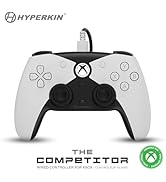
انځور 2.2.4: تړل view شوکasing the high-quality symmetrical analog sticks, designed for precise control during gameplay.
3. ترتیب کول
3.1 د کنټرولر چارج کول
The controller includes a built-in Lithium Polymer battery. To charge, connect the supplied Type-C cable to the controller's charging port and the other end to a USB power source (e.g., a computer USB port, a USB wall adapter). The LED indicator on the controller will show charging status and turn off when fully charged.
۵.۳ د بلوتوث له لارې جوړه کول
To pair the controller with your device:
- ډاډ ترلاسه کړئ چې کنټرولر په کافي اندازه چارج شوی دی.
- د کور تڼۍ په فشارولو سره کنټرولر چالان کړئ.
- Put the controller into pairing mode (refer to your device's specific instructions for Bluetooth pairing, as this may vary). Typically, this involves holding a small pairing button or a combination of buttons until the LED indicator flashes rapidly.
- On your device (Nintendo Switch, PC, Mac, Android, iOS, etc.), navigate to the Bluetooth settings.
- لټون available devices and select "Hyperkin Pixel Art Controller" (or similar name) from the list.
- Once connected, the LED indicator on the controller will stabilize.
For Nintendo Switch, navigate to the 'Controllers' menu, then 'Change Grip/Order' to initiate pairing mode on the console.
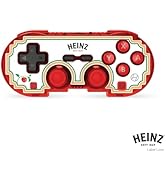
انځور 3.2.1: Illustration of the controller connecting wirelessly via Bluetooth, indicating a range of up to 30 feet.
د بریښنا پيوستون
The controller can also be used via a wired connection. Connect the Type-C cable from the controller to a compatible USB port on your device. This mode is often plug-and-play, requiring no additional pairing.
4. عملیاتي لارښوونې
4.1 بنسټیز کنټرولونه
The controller features standard gaming buttons:
- ډي پیډ: لارښوونه.
- انالوګ سټیکونه: Left and Right symmetrical sticks for precise movement and camera control.
- د عمل تڼۍ (A، B، X، Y): Primary interaction buttons.
- د اوږو تڼۍ (L، R) او محرکونه (ZL، ZR): Additional input buttons, typically for actions like aiming, firing, or menu navigation.
- د پیل/ټاکنې تڼۍ: د لوبې دننه مینو او اختیارونو لپاره.
- د کور تڼۍ: د سیسټم کور سکرین ته راستنیږي.
۷.۹ ټربو فعالیت
The turbo function allows for rapid, repeated input of a button press without continuously pressing the button. To activate or deactivate turbo for a specific button:
- فشار ورکړئ او ونیسئ توربو تڼۍ
- While holding the Turbo button, press the desired action button (e.g., A, B, X, Y, L, R, ZL, ZR) once to activate turbo for that button.
- Repeat the process (hold Turbo, press the same action button) to deactivate turbo for that button.
5. مطابقت
The Hyperkin Pixel Art Bluetooth Controller is compatible with a wide range of gaming platforms:
- د نینټینډو سویچ
- Nintendo Switch OLED Model
- د نینټینډو سویچ لایټ
- وینډوز 10/11 کمپیوټر
- ماک
- Chromebook
- د Android وسایل
- د ایپل iOS وسایل
- بھاپ
- د بھاپ ډیک
- ROG اتحادی
- Raspberry Pi
- Amazon Games/Amazon Luna
- ټیسلا
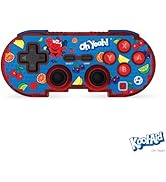
انځور 5.1: Visual representation of the controller's broad compatibility across multiple gaming platforms and operating systems.
6. ساتنه
د خپل کنټرولر د اوږد عمر او غوره فعالیت ډاډمن کولو لپاره، د ساتنې دا لارښوونې تعقیب کړئ:
- پاکول: د کنټرولر د پاکولو لپاره نرم، وچ ټوکر وکاروئ. د سختې خاورې لپاره، لږ څهampټوکر د اوبو سره ومینځئ. د سختو کیمیاوي موادو یا د کثافاتو پاکوونکو څخه ډډه وکړئ.
- ذخیره کول: کنټرولر په یخ او وچ ځای کې د مستقیم لمر وړانګو او سختې تودوخې څخه لرې وساتئ.
- د بیټرۍ پاملرنه: د بیټرۍ د بشپړ چارج کولو څخه ډډه وکړئ. کنټرولر په منظم ډول چارج کړئ، حتی که د اوږدې مودې لپاره نه کارول کیږي، د بیټرۍ روغتیا ساتلو لپاره.
- د فزیکي اغیزو څخه ډډه وکړئ: Do not drop or expose the controller to strong impacts, as this can damage internal components.
7. ستونزه حل کول
If you encounter issues with your Hyperkin Pixel Art Bluetooth Controller, refer to the following common problems and solutions:
| ستونزه | احتمالي حل |
|---|---|
| کنټرولر نه چالانېږي. | Ensure the controller is charged. Connect it to a power source using the Type-C cable. |
| کنټرولر د بلوتوث له لارې نه نښلي. |
|
| Buttons are unresponsive or delayed. |
|
| USB charging port does not work. |
|
| Vibration is too strong or loud. | Some games or systems may offer an option to adjust or disable vibration feedback within their settings. Consult your game or system's options menu. |
8. مشخصات
| فیچر | تفصیل |
|---|---|
| د ماډل شمیره | M01328-MTCN |
| ارتباط | Bluetooth (Wireless), USB Type-C (Wired) |
| د بیسیم رینج | تر 30 فوټو پورې |
| د بیټرۍ ډول | 1 لیتیم پولیمر بیټرۍ (شامل) |
| د کڅوړې ابعاد | 7.4 x 5.2 x 2.4 انچه |
| د توکي وزن | 9.9 اونس |
| جوړونکی | Hyperkin |
9. تضمین او ملاتړ
This product is covered by the manufacturer's standard warranty. For specific warranty terms and conditions, please refer to the documentation included with your purchase or visit the official Hyperkin website. For technical support or further assistance, please contact Hyperkin customer service through their official channels.


