1. پیژندنه
This user manual provides comprehensive instructions for the operation and maintenance of the BSIDE O7 Dual Channel Oscilloscope Multimeter. This device integrates a dual-channel oscilloscope, a multimeter, and a DDS signal generator into a single handheld unit, designed for various electrical testing and measurement applications.
2. کلیدي ځانګړتیاوې
- Dual Channels 25MHz Bandwidth: Features 25MHz bandwidth and 208MSa/s sampling rate, with 128kb record depth for precise signal analysis.
- بشپړ-Viewing 3.98" TFT LCD Screen: Equipped with an ultra-wide angle 480*320 color screen, providing clear test results and an enhanced reading experience in various lighting conditions.
- 3-in-1 فعالیت: Combines the capabilities of an oscilloscope, a multimeter, and a DDS signal generator in one portable device.
- د انعطاف وړ AC اوسنی Clamp اندازه کول: Capable of accurately measuring flexible AC current up to 6000A (flexible clamp wire not included).
- 5000mAh د چارج وړ بیټرۍ: Integrated rechargeable battery ensures extended operation time.
- Soft Silicone Protective Case: Features a full-body soft silicone case for comfortable handling and protection against shocks, friction, and bumps.
- Data Saving and Export: Allows tested data to be saved and exported to a computer for further analysis.
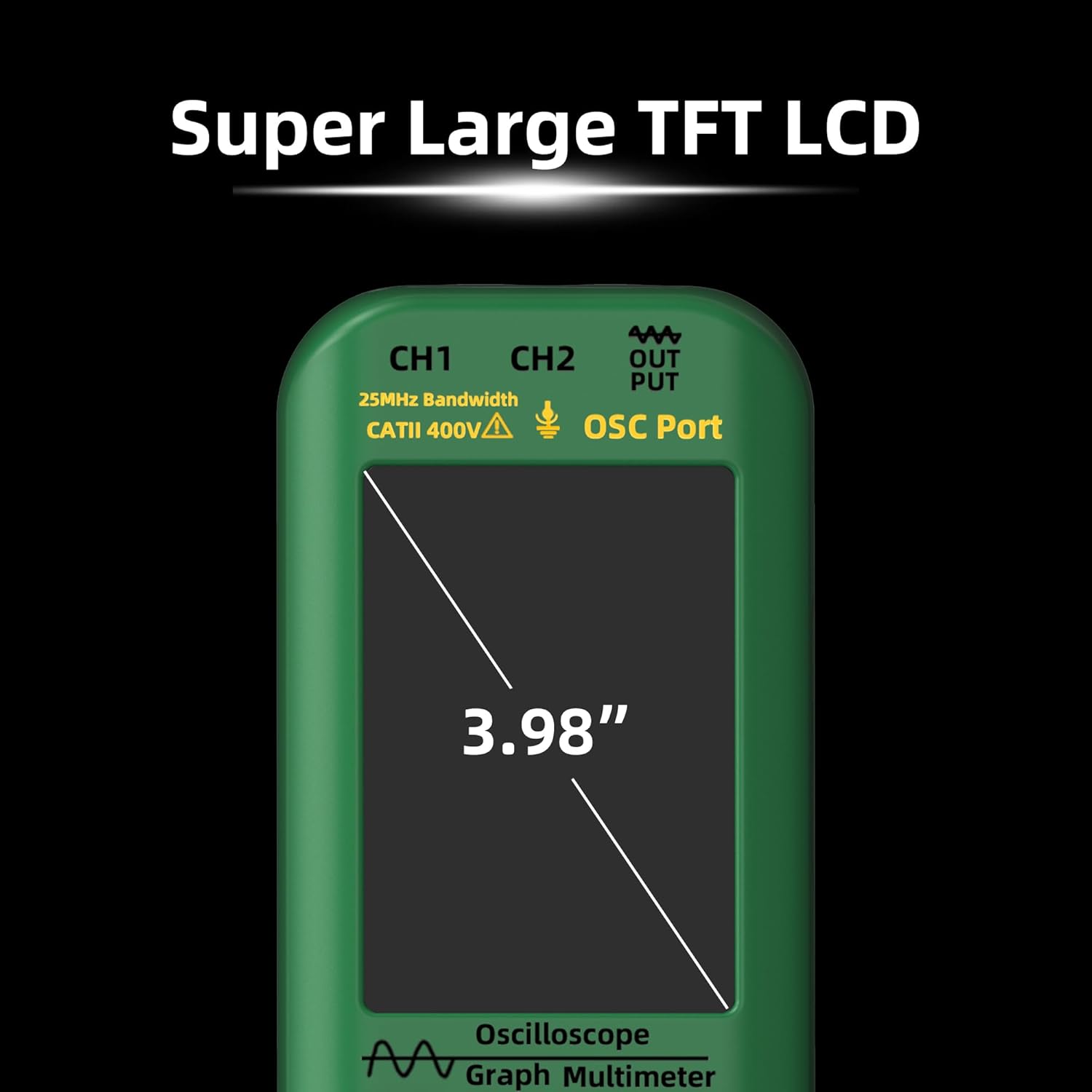
Figure 2.1: The BSIDE O7 features a super large 3.98" TFT LCD for clear display.
3. د بسته محتويات
ډاډ ترلاسه کړئ چې لاندې ټول توکي ستاسو په کڅوړه کې شامل دي. که کوم توکي ورک یا زیانمن شوي وي، مهرباني وکړئ د پیرودونکو ملاتړ سره اړیکه ونیسئ.
- 1 x Portable Oscilloscope Multimeter (BSIDE O7)
- 1 x Oscilloscope Probe
- 1 x BNC to Double-Headed Alligator Clip Test Leads
- 1 د ټیسټ لیډونه
- ۱ x ترموکوپل
- 1 x د بار وړلو قضیه
- 1 x د چارج کولو کیبل
- 8 x Marker Rings
- ۱ x د سمون وسیله
- 2 x IC Test Protection Caps
- 1 x د کارونکي لارښود

Figure 3.1: Complete package contents of the BSIDE O7 Oscilloscope Multimeter.
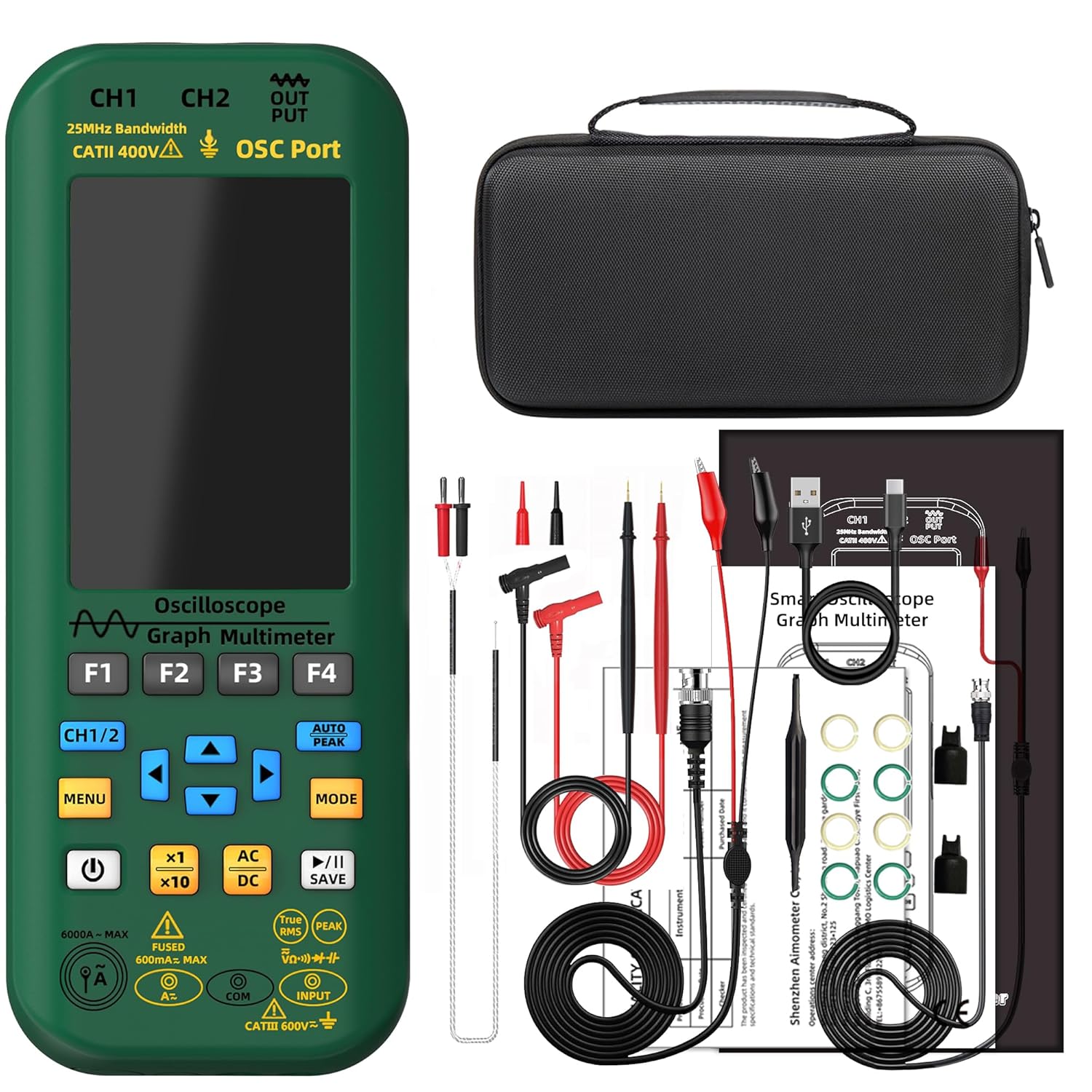
Figure 3.2: The BSIDE O7 device alongside its various accessories, including test leads, probes, and the carrying case.
ویډیو ۱: د بکس خلاصول او پورته کولview of the BSIDE O7 Oscilloscope Multimeter package contents.
4. ترتیب کول
4.1 ابتدايي چارج کول
Before first use, fully charge the device using the provided charging cable. Connect the charging cable to the device's charging port and a standard USB power adapter (not included). The battery indicator on the screen will show charging status.

Figure 4.1: The BSIDE O7 is equipped with a 5000mAh rechargeable battery.
4.2 Connecting Probes and Leads
The BSIDE O7 features dedicated input ports for oscilloscope probes (CH1, CH2) and multimeter test leads (Input, COM). Ensure correct connection for accurate measurements.
- For oscilloscope functions, connect the oscilloscope probe to the CH1 or CH2 BNC ports.
- For multimeter functions, insert the red test lead into the "Input" jack and the black test lead into the "COM" jack.

Figure 4.2: Input ports for CH1, CH2 (oscilloscope), and DDS (signal generator) on the BSIDE O7.
5. عملیاتي لارښوونې
The BSIDE O7 offers three primary operating modes: Oscilloscope, Multimeter, and DDS Signal Generator. Use the موډ د دې دندو ترمنځ د بدلولو لپاره تڼۍ.

Figure 5.0: The BSIDE O7 combines Multimeter, DDS Generator, and Oscilloscope functions.
۵.۲ د اوسیلوسکوپ حالت
In Oscilloscope mode, the device displays waveforms, allowing for analysis of electrical signals. Connect the oscilloscope probe to the desired channel (CH1 or CH2).
- مطبوعاتي موډ to select Oscilloscope.
- Use the navigation buttons to adjust vertical sensitivity (Volts/Div) and horizontal time base (Time/Div).
- د ټریګر function allows stable display of repetitive waveforms.
- کارول CURSOR MEASURE for precise voltage and time measurements on the waveform.
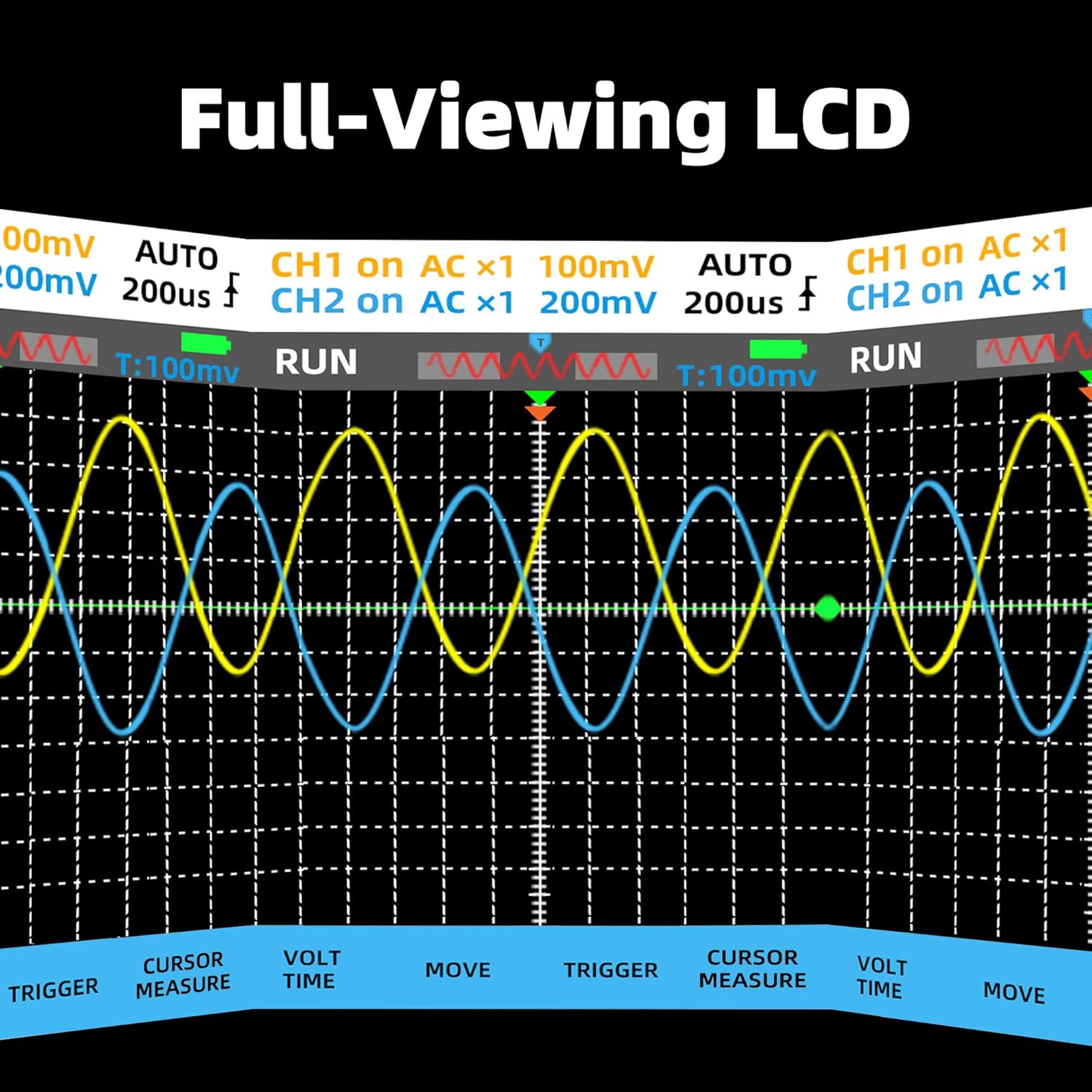
شکل 5.1: مثالample of dual-channel waveform display in Oscilloscope mode.
Video 5.1: Demonstration of various measurement functions and waveform generation on the BSIDE O7.
۵.۳ د څو متره حالت
The Multimeter mode allows for standard electrical measurements such as voltage, current, resistance, capacitance, and temperature. Connect the test leads to the appropriate input jacks.
- مطبوعاتي موډ to cycle to Multimeter mode.
- Use the function buttons (e.g., V, A, Ω, CAP, TEMP) to select the desired measurement type.
- The device supports True RMS for AC measurements.
- For flexible AC current clamp measurements (up to 6000A), an external clamp is required (not included).
5.3 DDS Signal Generator Mode
The DDS (Direct Digital Synthesis) Generator mode allows the device to output various waveforms for testing circuits. The output is available via the "OUT" port.
- مطبوعاتي موډ to select DDS Generator mode.
- Select the desired waveform type (sine, square, triangle, full wave, half wave, sawtooth, DC wave) using the navigation buttons.
- Adjust frequency (0-2MHz) and output amplitude (0.1-3V) as needed.
- For square waves, the duty cycle can be adjusted from 1% to 99%.
6. ساتنه
6.1 پاکول
To clean the device, use a soft, dry cloth. Do not use abrasive cleaners or solvents. Ensure the device is powered off and disconnected from any power source or test circuits before cleaning.
6.2 د بیټرۍ پاملرنه
The device uses a rechargeable Li-ion battery. To prolong battery life:
- د بیټرۍ په مکرر ډول د بشپړ چارج کولو څخه ډډه وکړئ.
- وسیله په منظم ډول چارج کړئ، حتی که په کارولو کې نه وي، د بیټرۍ روغتیا ساتلو لپاره.
- که چیرې د اوږدې مودې لپاره ونه کارول شي، نو وسیله په یخ او وچ ځای کې وساتئ.
6.3 ذخیره کول
When not in use, store the BSIDE O7 in its provided carrying case to protect it from dust, moisture, and physical damage. Keep it away from extreme temperatures and direct sunlight.

Figure 6.1: The durable full-body soft silicone case provides protection for the device.
7. ستونزه حل کول
This section addresses common issues you might encounter with the BSIDE O7. If the problem persists, please contact customer support.
| ستونزه | احتمالي لامل | د حل لاره |
|---|---|---|
| وسیله فعاله نه ده. | ټیټ یا ختم شوی بیټرۍ. | Charge the device fully using the provided charging cable. |
| ناسم اندازه کول. | Incorrect probe/lead connection; improper mode selection; damaged leads. | Ensure probes/leads are correctly connected to the appropriate ports. Verify the correct operating mode is selected. Check leads for damage and replace if necessary. |
| سکرین خالي یا کنګل شوی دی. | Software glitch; device crash. | Perform a hard reset by holding the power button for 10-15 seconds. If issue persists, contact support for potential firmware update. |
| Cannot export data to computer. | Incorrect cable; driver issue; software incompatibility. | Ensure you are using the correct charging/data cable. Install necessary drivers if prompted by your computer. Refer to the manufacturer's website for compatible software. |
8. مشخصات
| پیرامیټر | ارزښت |
|---|---|
| MAX ښودنه | 6000 شمېرې |
| بانډ ویت | 25MHz |
| چینلونه | 2 |
| ریښتیني وخت sampد نرخ | 208MSa / s |
| د ننوتلو خنډ | 1MΩ, @16pf |
| اعظمي داخلي والیومtage | 300V (DC+AC peak) |
| Horizontal SEC range | ۲۰ ثانیې/حصه - ۲۰ ثانیې/حصه |
| عمودی حساسیت | ۱۰mV/div - ۱۰V/div |
| DC voltage | 60mV (0.01mV, 1%+5); 600mV/6V/60V (0.1mV/0.001V/0.01V, 0.8%+3); 600V/1000V (0.1V, 1%+5) |
| AC voltage | 60mV (0.01mV, 1.2%+5); 600mV/6V/60V (0.1mV/0.001V/0.01V, 1%+3); 600V/750V (0.1V/1V, 1.2%+5) |
| DC اوسنی | 60mA/600mA (0.01mA/0.1mA, 1%+3) |
| د AC اوسنی | 60mA/600mA (0.01mA/0.1mA, 1.2%+5) |
| Flexible AC Current | 600A/6000A (0.1A/1A, 1.0%+5) |
| مقاومت | 600Ω (0.1Ω, 1.2%+5); 6kΩ/60KΩ/600KΩ (0.001KΩ/0.01KΩ/0.1KΩ, 1.0%+3); 6MΩ (0.001MΩ, 1.2%+5); 60MΩ (0.01MΩ, 1.5%+5) |
| ظرفیت | 999.9nF (0.1nF, 5%+20); 9.999µF/999.9µF (0.001µF/0.1µF, 4.5%+5); 99.99mF (0.01mF, 5.0%+10) |
| د حرارت درجه | -20℃ to 1000℃ / -4℉ to 1832℉ (1℃/1℉, 2.5%+5) |
| ډایډ | هو |
| دوام | هو |
| Output Waveforms (DDS) | Sine wave, square wave, triangle wave, full wave, half wave, sawtooth wave, DC wave |
| Frequency range (DDS) | 0-2MHz |
| محصول Amplitude (DDS) | 0.1-3V |
| Square Wave Duty Cycle (DDS) | 1%-99% |
| ځواک | 2* Rechargeable Li-ion battery (5000mAh total) |
| اندازه | 216.6 x 84.5 x 36 mm (8.5 x 3.31 x 1.42 انچه) |
| وزن | ۱۲۷۰ ګرامه (۳.۰۲ پونډه) |
9. تضمین او ملاتړ
BSIDE products are designed for reliability and performance. For warranty information and technical support, please refer to the official BSIDE webسایټ ته مراجعه وکړئ یا خپل سیمه ایز توزیع کونکي سره اړیکه ونیسئ.
Typical support channels include:
- آنلاین FAQs او د پوهې اساس.
- د بریښنالیک ملاتړ.
- Phone support (during business hours).
Please have your product model (O7) and purchase information ready when contacting support.


