محصول پای ته ورسیدview
The MiCODUS 4G GPS Tracker MP50G is designed to provide real-time location tracking for pets, ensuring their safety and your peace of mind. This device features robust connectivity, long battery life, and advanced tracking functionalities suitable for various environments.
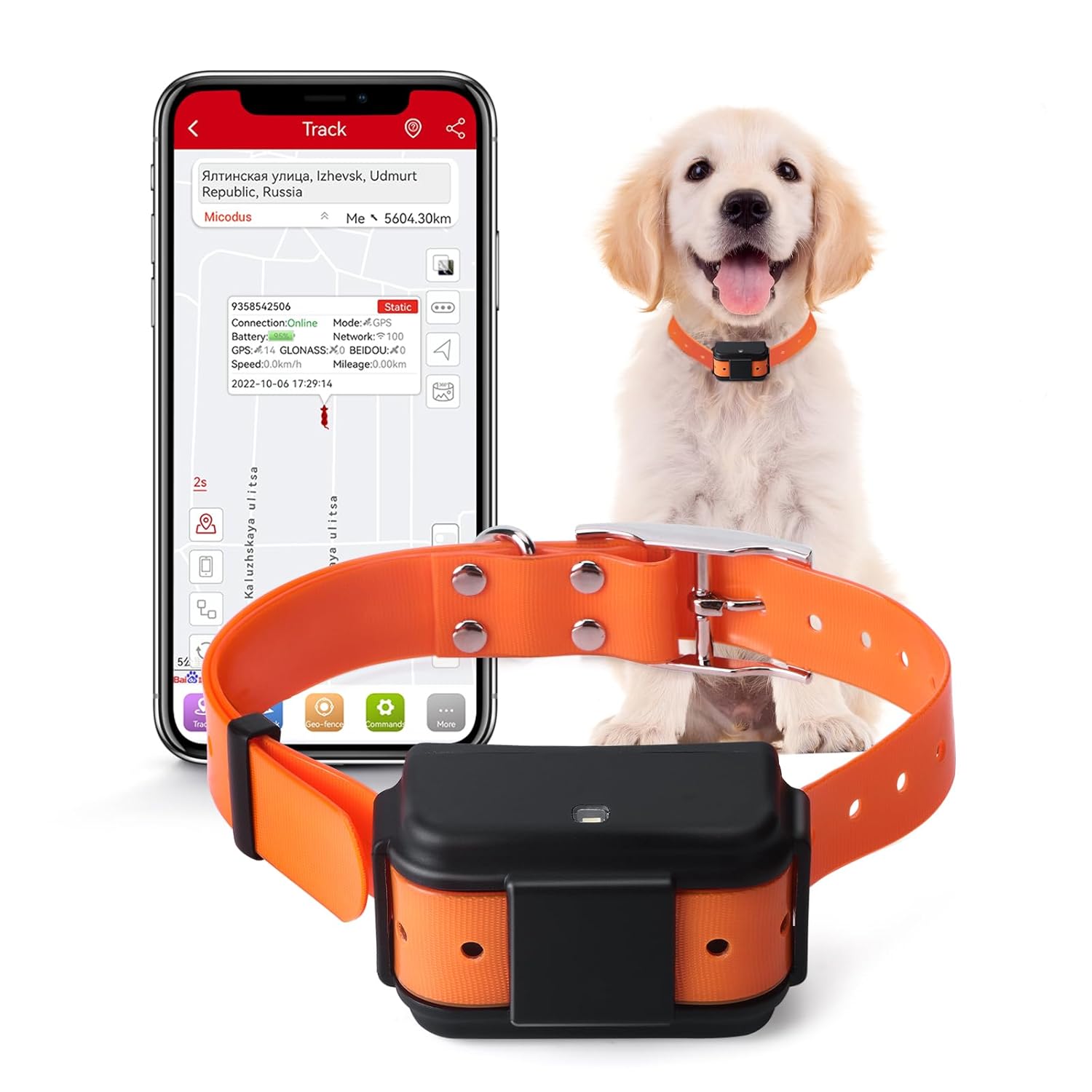
Image: MiCODUS 4G GPS Tracker MP50G, showing the device, a golden retriever wearing the collar, and a smartphone displaying the tracking application interface.
کلیدي ځانګړتیاوې
- Real-Time Accurate Tracking: Utilizes GPS, GLONASS, and other positioning methods for precise location updates.
- د بیټرۍ اوږد ژوند: Equipped with a 4000mAh battery, offering extended usage between charges.
- Geo-fence Functionality: Set up virtual boundaries and receive alerts if your pet enters or exits these areas.
- Sound and Light Pet Search: Activate a light and sound signal from the device to locate your pet in dark or hidden environments.
- IP68 پنروک درجه: د اوبو افشا کولو سره مقاومت کولو لپاره ډیزاین شوی ، دا د بیروني کارونې لپاره مناسب کوي.
د محصول جوړښت
Understanding the components of your MiCODUS GPS tracker is essential for proper setup and operation.

Image: Detailed diagram illustrating the various components of the MiCODUS MP50G tracker, including the SIM card slot, power button, LED indicator, buzzer hole, GNSS, Cellular, Mic, and Magnetic Charge port. Dimensions are also indicated.
- د سیم کارت سلاټ: Insert your activated 4G SIM card here.
- آن/آف سویچ: د وسیلې ځواک کنټرولوي.
- د LED شاخص: Provides status updates (e.g., power, network, GPS signal).
- Buzzer Hole: Emits sound for the pet search function.
- مقناطیسي چارج: د مقناطیسي چارج کیبل د نښلولو لپاره پورټ.
- مایک: Microphone for potential voice features (if applicable).
د تنظیم کولو لارښود
- وسیله چارج کړئ: Before first use, fully charge the tracker using the provided magnetic charging cable. The LED indicator will show charging status.

Image: The MiCODUS MP50G tracker connected to its magnetic charging cable, illustrating the 4000mAh battery capacity and charging method.
- سیم کارت داخل کړئ: Open the SIM card slot cover and carefully insert an activated 4G SIM card. Ensure the SIM card is correctly oriented. Close the cover securely to maintain waterproofing.
- پاور آن: Press and hold the ON/OFF switch until the LED indicator lights up, indicating the device is powering on.
- اپلیکیشن ډاونلوډ کړئ: لټون the "MiCODUS" app on your smartphone's app store (iOS or Android) and install it.
- Register and Bind Device: Open the MiCODUS app, register an account, and follow the in-app instructions to bind your tracker using its unique IMEI number. The IMEI number is typically found on the device itself or its packaging.
- د کالر سره نښلول: Securely attach the tracker to your pet's collar. Ensure it is snug but comfortable, allowing for free movement. The provided collar is 72cm long and suitable for large dogs.
عملیاتي لارښوونې
Real-Time Tracking and History Playback
Once the device is set up and connected, you can monitor your pet's location in real-time and review their past movements.

Image: A smartphone screen displaying the MiCODUS app with a map showing real-time tracking and historical routes of a pet, utilizing GPS, BDS, GLONASS, WiFi, LBS, and AGPS positioning methods.
- ژوندی تعقیب: Open the MiCODUS app and select your device to view its current location on the map.
- د تاریخ لاره: Access the "History" or "Route Playback" feature in the app to review your pet's travel history for up to 180 days.
Geo-fence Setup
Create safe zones for your pet and receive instant notifications if they enter or leave these predefined areas.

Image: A composite image showing the Geo-fence alert system, a low power alarm indicator, network blind area data re-uploading, and the firmware remote upgrade process.
- Navigate to the "Geo-fence" section within the app.
- Draw or select an area on the map to define your safe zone.
- Configure entry/exit alerts as desired.
Sound and Light Pet Search
This feature assists in locating your pet, especially in low-light conditions or when they are out of sight.
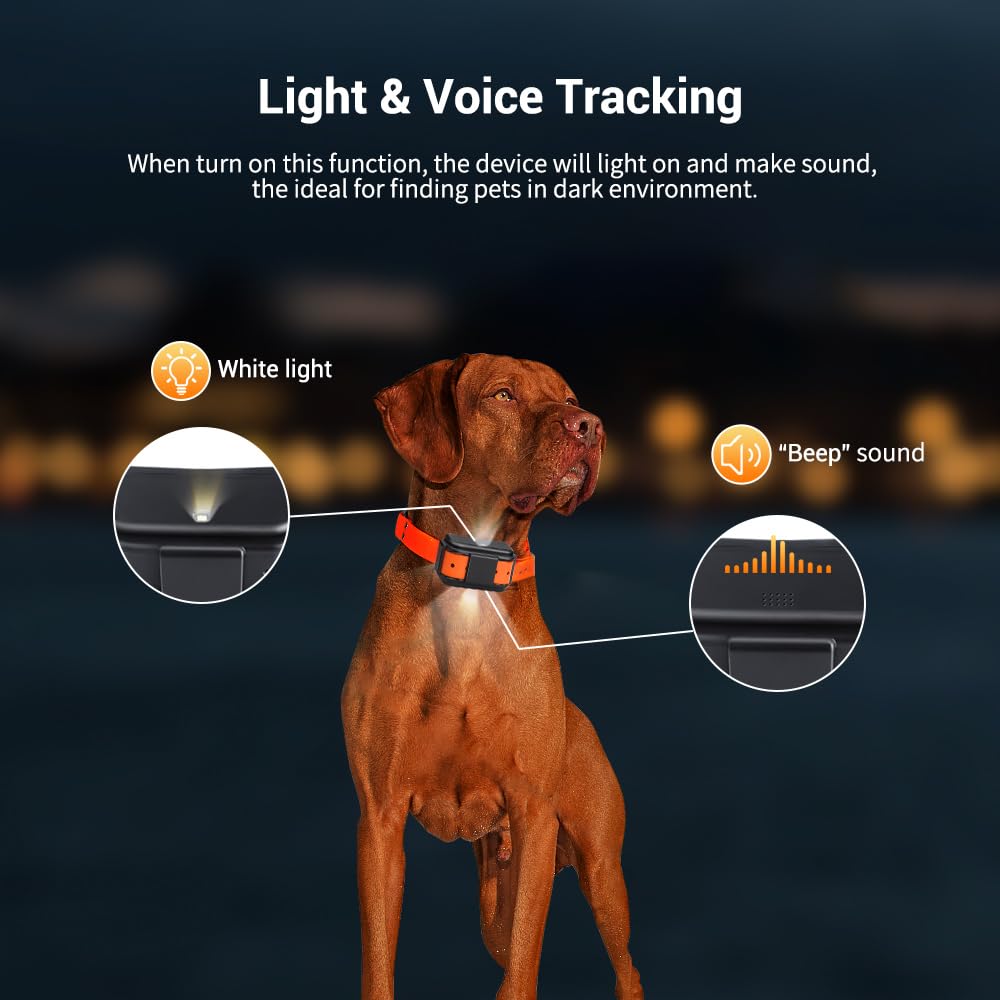
Image: The MiCODUS MP50G tracker on a dog's collar, illustrating its ability to emit a white light and a "Beep" sound when the pet search function is activated, aiding in finding the pet in dark environments.
- In the MiCODUS app, locate the "Sound and Light" or "Find Pet" option.
- Activate the function; the tracker will emit a light and a sound to help you pinpoint your pet's location.
Reply Positioning After Calling
Receive a location link via SMS by calling the tracker's SIM card number.
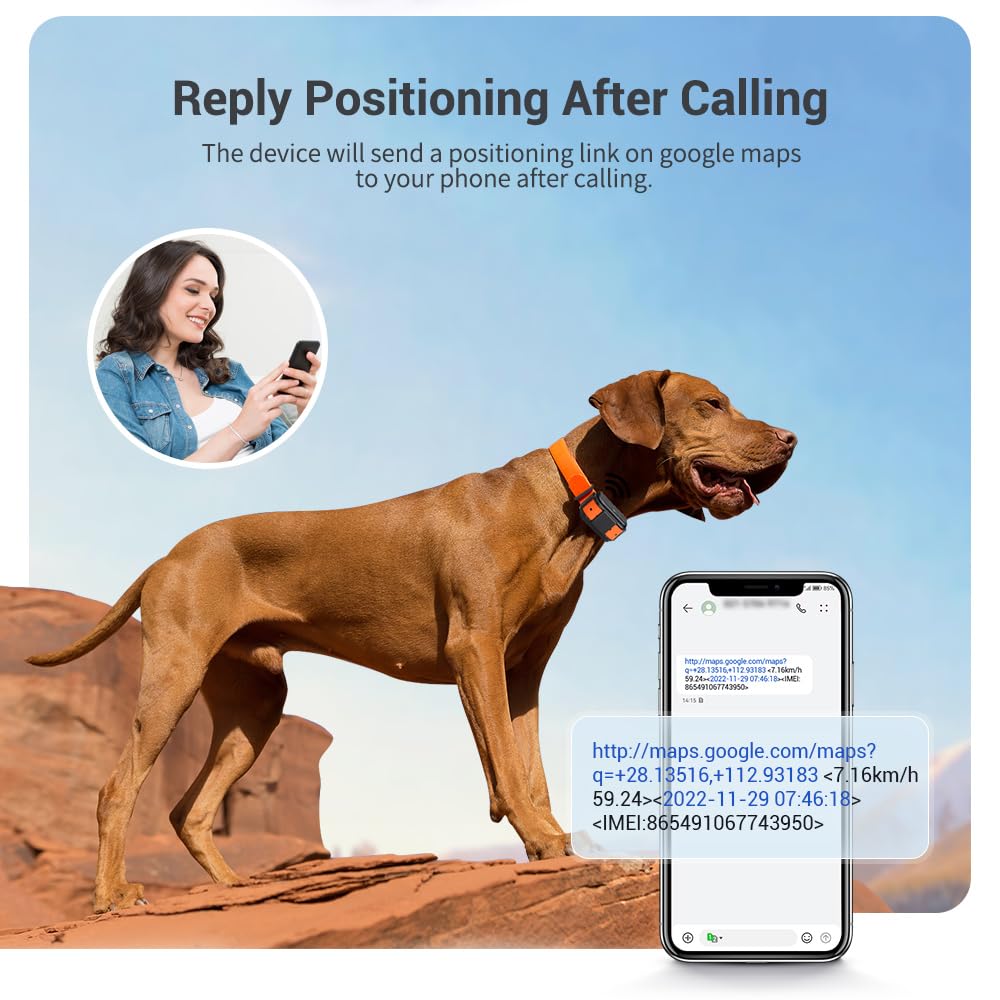
Image: A person holding a smartphone, receiving a Google Maps link via SMS after calling the MiCODUS tracker, which provides the pet's current location and speed.
- Call the phone number associated with the SIM card inserted in the tracker.
- The device will automatically send an SMS containing a Google Maps link with its current location.
ساتنه
- پاکول: وسیله په نرمۍ سره مسح کړئ، دamp ټوکر د سختو کیمیاوي موادو یا خړوبولو پاکونکو څخه کار مه اخلئ.
- چارج کول: ډاډ ترلاسه کړئ چې د مقناطیسي چارج کولو تماسونه د چارج کولو دمخه پاک او وچ دي ترڅو د زنګ وهلو مخه ونیول شي.
- ذخیره کول: When not in use for extended periods, store the device in a cool, dry place. Charge the battery periodically (e.g., every 3 months) to maintain battery health.
- د اوبو مقاومت: While IP68 waterproof, avoid prolonged submersion or high-pressure water jets to ensure longevity. Ensure the SIM card slot cover is always securely closed.
د ستونزو حل کول
| ستونزه | احتمالي لامل | د حل لاره |
|---|---|---|
| وسیله نه چلیږي. | د بیټرۍ ټیټه کچه؛ وسیله چارج شوې نه ده. | وسیله په بشپړ ډول چارج کړئ. |
| No GPS signal/Inaccurate location. | Poor satellite reception (indoors, dense foliage); SIM card issue. | Move to an open outdoor area. Check SIM card activation and balance. Restart the device. |
| اپلیکیشن وسیله آفلاین ښیي. | SIM card not inserted correctly; no network coverage; SIM card data plan expired. | Ensure SIM card is properly inserted. Check network signal. Verify SIM card data plan is active. Restart the device. |
| بیټرۍ په چټکۍ سره وچیږي. | Frequent tracking updates; poor network signal requiring more power. | Adjust tracking frequency in the app to a longer interval (e.g., 1 hour instead of 1 minute). Ensure good network coverage. |
مشخصات
| فیچر | تفصیل |
|---|---|
| د ماډل شمیره | MP50G |
| ابعاد (LxWxH) | 8.2 x 3.7 x 4.8 سانتي متره (3.23 x 1.46 x 1.89 انچه) |
| وزن | 150 ګرامه (5.29 اوز) |
| د بیټرۍ ظرفیت | 4000 mAh |
| د پنروک درجه | IP68 |
| شبکه | 4G LTE, 2G GSM |
| د موقعیت ورکولو طریقې | GNSS (GPS, GLONASS, BDS), WiFi, LBS, AGPS |
| جوړونکی | MiCODUS |
تضمین او ملاتړ
MiCODUS products are manufactured to high quality standards. For warranty information and technical support, please refer to the official MiCODUS webسایټ ته مراجعه وکړئ یا مستقیم د دوی د پیرودونکو خدماتو سره اړیکه ونیسئ.
- رسمي Webسایټ: Please visit the MiCODUS official webد تضمین د خورا تازه شرایطو او شرایطو لپاره سایټ.
- د پیرودونکي ملاتړ: Contact MiCODUS customer support for assistance with product setup, troubleshooting, or any other inquiries. Contact details are typically available on the official website or within the MiCODUS application.


