پیژندنه
This manual provides detailed instructions for the OWC Gemini Thunderbolt (USB-C) Docking Station and External RAID Storage Solution. It covers setup, operation, maintenance, troubleshooting, and technical specifications to ensure optimal performance and longevity of your device.
د خوندیتوب معلومات
- د وسیلې کارولو دمخه ټولې لارښوونې په دقت سره ولولئ.
- وسیله د لندبل یا خورا تودوخې سره مه ښکاره کوئ.
- یوازې د وسیلې سره چمتو شوي بریښنا اډاپټر وکاروئ.
- د وسیلې د خلاصولو یا ترمیم کولو هڅه مه کوئ. ټولې خدمتونه وړ پرسونل ته راجع کړئ.
- د ډیر تودوخې مخنیوي لپاره د وسیلې شاوخوا مناسب هوا ورکول ډاډمن کړئ.
د بسته محتويات
ډاډ ترلاسه کړئ چې ټول توکي ستاسو په کڅوړه کې شتون لري:
- OWC Gemini Thunderbolt (USB-C) Docking Station
- د بریښنا اډاپټر
- Thunderbolt (USB-C) Cable
- د کارونکي لارښود (دا لاسوند)
- Drives (pre-installed for 32TB model)
محصول پای ته ورسیدview
The OWC Gemini is a versatile docking station and external storage solution designed for high-performance data management and expanded connectivity.

انځور: مخکینۍ برخه view of the OWC Gemini Thunderbolt Docking Station, showcasing its sleek black design and OWC branding.
کلیدي ځانګړتیاوې
- Dual Drive Bays: Supports 2.5-inch and 3.5-inch SATA drives for flexible storage configurations.
- Hardware RAID: Offers RAID 0, RAID 1, SPAN, and JBOD modes for optimized performance or data redundancy.
- Thunderbolt (USB-C) Connectivity: Two Thunderbolt 3 (USB-C) ports for host connection, daisy-chaining, and power delivery (up to 27W).
- پراخه پیوستون: Includes two USB 3.2 Gen 2 Type-A ports, one HDMI port, one 2.5 Gigabit Ethernet port, and one SD 4.0/UHS-II media slot.
- High-Resolution Display Support: HDMI 2.1 supports up to 8K @ 120Hz, and Thunderbolt 3 supports up to 8K @ 60Hz or 4K @ 120Hz.
د بندر ترتیب
The OWC Gemini provides a comprehensive set of ports for various connectivity needs.

انځور: شاته view of the OWC Gemini Docking Station, highlighting the 7 ports of connectivity including Thunderbolt, USB, HDMI, and Ethernet.
- Thunderbolt 3 (USB-C) Host Port: ستاسو کمپیوټر سره وصل کیږي.
- Thunderbolt 3 (USB-C) Downstream Port: For daisy-chaining, additional displays, or charging USB-C devices.
- د USB 3.2 Gen 2 ډول-A پورټونه (x2): د USB وسایلو د نښلولو لپاره.
- HDMI 2.1 پورټ: د بهرنۍ نندارې سره د نښلولو لپاره.
- 2.5 ګیګابایټ ایترنیټ پورټ: For high-speed network connectivity.
- SD 4.0/UHS-II Media Slot: Located on the front panel for convenient access.
- DC 12V د بریښنا داخلول: د بریښنا اډاپټر سره نښلوي.

Image: Close-up of the front panel of the OWC Gemini, showing the easily accessible SD card slot.
چمتو کول
1. Drive Installation (if applicable)
For models without pre-installed drives, follow these steps to install 2.5-inch or 3.5-inch SATA drives.

Image: The OWC Gemini unit illustrating its two flexible drive bays, compatible with both 2.5-inch and 3.5-inch drives.
- Ensure the device is powered off and disconnected from your computer.
- Open the drive bay door(s) according to the product's physical design.
- Insert your 2.5-inch or 3.5-inch SATA drives into the bays, ensuring they are securely seated.
- Close the drive bay door(s).
2. د RAID ترتیب
The OWC Gemini supports hardware RAID. Refer to the specific RAID configuration utility or physical switches on the device (if present) to set your desired RAID level (RAID 0, RAID 1, SPAN, or JBOD).
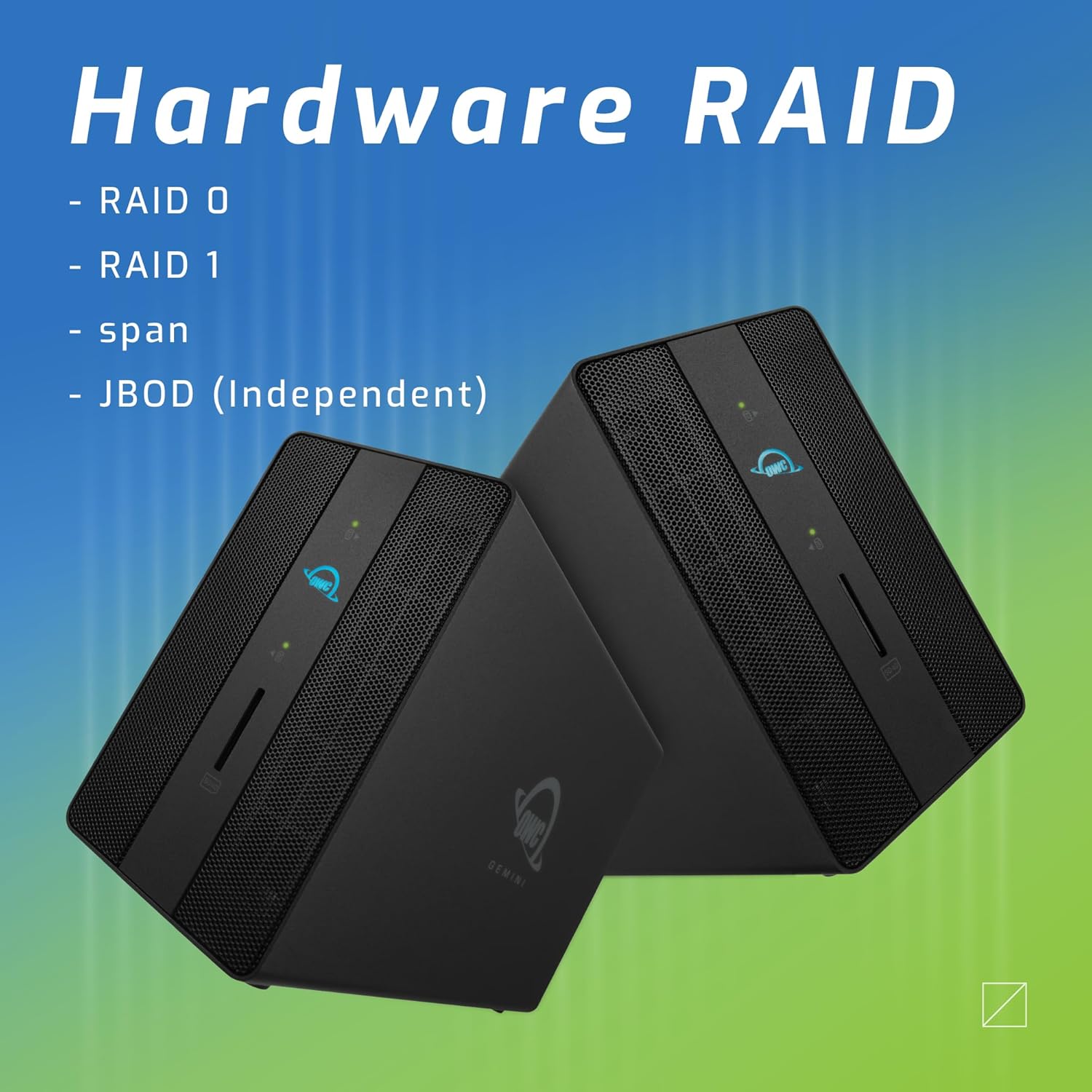
Image: Two OWC Gemini units, emphasizing the hardware RAID capabilities for configurations like RAID 0, RAID 1, SPAN, and JBOD.
RAID Levels Explained:
- RAID 0 (سټریپینګ): Combines drives for maximum speed and capacity, but offers no data redundancy.
- RAID 1 (عکس کول): Duplicates data across drives for redundancy, sacrificing half the total capacity for data protection.
- SPAN (Concatenation): Combines drives into a single large volume without striping or mirroring.
- JBOD (Just a Bunch Of Disks): Treats each drive as an independent volume.
۳. ستاسو کمپیوټر سره وصل کیدل
- Connect the power adapter to the DC 12V power input on the OWC Gemini and then to a power outlet.
- Connect one end of the Thunderbolt (USB-C) cable to the host port on the OWC Gemini.
- Connect the other end of the Thunderbolt (USB-C) cable to a Thunderbolt (USB-C) port on your computer.
- وسیله باید په اتوماتيک ډول فعاله شي.
4. Initializing Drives
After connecting, your operating system may prompt you to initialize and format the new drives. Follow the on-screen instructions. For macOS, use Disk Utility. For Windows, use Disk Management.
عملیاتي لارښوونې
د معلوماتو لیږد
Once the drives are initialized and formatted, they will appear as accessible volumes on your computer. You can drag and drop files to and from these volumes as you would with any other storage device.
د USB بندرونو کارول
Connect USB peripherals such as external drives, keyboards, or mice to the two USB 3.2 Gen 2 Type-A ports. These ports support data transfer speeds up to 10 Gb/s.
د بهرني نندارتون سره نښلول
Use the HDMI 2.1 port to connect an external monitor. The Gemini supports resolutions up to 8K @ 120Hz via HDMI.
د شبکې ارتباط
Connect an Ethernet cable from your network router or switch to the 2.5 Gigabit Ethernet port on the Gemini for high-speed wired network access.
Using the SD Card Slot
Insert an SD 4.0/UHS-II compatible SD card into the front-facing slot for quick data transfer from cameras or other devices.
Daisy-Chaining and Power Delivery

Image: A close-up of the OWC Gemini's Thunderbolt ports, illustrating their use for daisy-chaining, connecting additional displays, and charging USB-C devices.
The second Thunderbolt 3 (USB-C) port allows you to:
- د ډیزی ځنځیر additional Thunderbolt devices.
- نښلول additional display (up to 8K @ 60Hz or 4K @ 120Hz).
- Charge USB-C devices with up to 27 watts of power.
ساتنه
- پاکول: د وسیلې بهرنۍ برخه پاکولو لپاره نرم، وچ ټوکر وکاروئ. مایع پاکوونکي یا ایروسول مه کاروئ.
- وینټیلیشن: Ensure that the ventilation grilles are not obstructed to prevent overheating.
- د فرم ویئر تازه معلومات: Periodically check the OWC webد غوره فعالیت او مطابقت ډاډمن کولو لپاره د فرم ویئر تازه معلوماتو لپاره سایټ.
- خوندي اخراج: Always safely eject the OWC Gemini from your operating system before disconnecting it or powering it off to prevent data corruption.
د ستونزو حل کول
وسیله نده پیژندل شوې
- Ensure all cables are securely connected, especially the Thunderbolt cable to both the Gemini and your computer.
- Verify the power adapter is correctly connected and the device is receiving power.
- Try connecting the Gemini to a different Thunderbolt port on your computer.
- خپل کمپیوټر بیا پیل کړئ.
- Check your operating system's Disk Utility (macOS) or Disk Management (Windows) to see if the drives are detected but uninitialized or unformatted.
د معلوماتو د لیږد ورو سرعت
- Ensure you are using a Thunderbolt 3 compatible cable and port.
- Check the RAID configuration. RAID 1 (mirroring) will have slower write speeds than RAID 0 (striping).
- Close any unnecessary applications that might be consuming system resources.
- ډاډ ترلاسه کړئ چې ستاسو د کمپیوټر چلوونکي تازه دي.
د ښودلو مسلې
- Verify the HDMI cable is securely connected to both the Gemini and your monitor.
- Check your display settings in your operating system.
- Ensure your monitor supports the resolution and refresh rate you are attempting to use.
- که شتون ولري، یو بل HDMI کیبل یا مانیټر هڅه وکړئ.
د شبکې د اتصال ستونزې
- Ensure the Ethernet cable is securely connected to both the Gemini and your network device.
- د خپل کمپیوټر د شبکې ترتیبات وګورئ.
- خپل روټر/موډیم بیا پیل کړئ.
مشخصات
| فیچر | تفصیل |
|---|---|
| برانډ | OWC |
| د ماډل شمیره | OWCTB3GM000H32 |
| د ذخیره کولو ظرفیت | 32.0TB (as configured) |
| د ډرایو خلیج | 2 (supports 2.5" and 3.5" SATA drives) |
| د RAID کچه | SPAN, RAID 0, RAID 1, JBOD (Hardware RAID) |
| کوربه انټرنټ | تندربولټ 3 (USB-C) |
| د معلوماتو د لیږد کچه | Up to 40 Gb/s (Thunderbolt 3), Up to 10 Gb/s (USB 3.2 Gen 2) |
| بندرونه | (1) Thunderbolt 3 (USB-C) Host, (1) Thunderbolt 3 (USB-C) Downstream, (2) USB 3.2 Gen 2 Type-A, (1) HDMI 2.1, (1) 2.5 Gigabit Ethernet, (1) SD 4.0/UHS-II |
| د ښودلو ملاتړ | HDMI 2.1: Up to 8K @ 120Hz; Thunderbolt 3: Up to 8K @ 60Hz or 4K @ 120Hz |
| د بریښنا رسول | د تندربولټ ۴ له لارې تر ۱۰۰ واټ پورې |
| مطابقت لرونکې وسیلې | Desktop, Laptop, Tablet (with Thunderbolt/USB-C port) |
| رنګ | تور |
| وزن | 9.35 پونډه (تقریبا) |
| UPC | 810100983697 |
تضمین او ملاتړ
د تضمین معلومات
OWC products are covered by a limited warranty. Please refer to the official OWC website or your purchase documentation for specific warranty terms and conditions. Keep your proof of purchase for warranty claims.
تخنیکي ملاتړ
For technical assistance, troubleshooting, or further inquiries, please visit the official OWC support webسایټ یا د دوی پیرودونکي خدمت سره اړیکه ونیسئ.


