1. پیژندنه
This manual provides detailed instructions for the proper use, setup, and maintenance of your Creative Aurvana Ace 2 True Wireless In-Ear Headphones. Please read this manual thoroughly before using the product to ensure optimal performance and longevity.

Image: Creative Aurvana Ace 2 earbuds shown in their open charging case, highlighting the black earbuds with copper accents and the translucent charging case.
2. د بسته محتويات
ډاډ ترلاسه کړئ چې ټول توکي په کڅوړه کې شتون لري:
- Creative Aurvana Ace 2 True Wireless In-Ear Headphones (Left and Right earbuds)
- د چارج کولو قضیه
- د USB-C چارج کیبل
- Silicone Ear Tips (Various Sizes: Small, Medium, Large)
- Quick Start Guide (This manual serves as a comprehensive guide)
3. ترتیب کول
3.1 ابتدايي چارج کول
Before first use, fully charge the earbuds and the charging case. Place the earbuds into the charging case. Connect the USB-C charging cable to the case and a power source. The charging indicator on the case will show charging status. A full charge provides up to 6 hours of playback for the earbuds and a total of 24 hours with the charging case (with ANC off).

Image: The Creative Aurvana Ace 2 charging case resting on a wireless charging pad, indicating its wireless charging capability.
۳.۳ د غوږ د نوک انتخاب او فټ
Selecting the correct ear tip size is crucial for sound quality and noise isolation. Experiment with the provided silicone ear tips (Small, Medium, Large) to find the best fit for your ears. A good seal ensures optimal audio performance and comfort.

Image: Graphic illustrating different sizes of ear tips for a customized fit.
مهم: Before first use, ensure you remove any protective clear films covering the charging contacts on the earbuds. Failure to do so will prevent proper charging and pairing.
3.3 د بلوتوټ جوړه کول
- ډاډ ترلاسه کړئ چې د غوږ بډونه چارج شوي او د چارج کولو په قضیه کې ځای پر ځای شوي دي.
- د چارج کولو کیس پوښ خلاص کړئ. د غوږ بډونه به په اتوماتيک ډول د جوړې کولو حالت ته ننوځي.
- ستاسو په وسیله (سمارټ فون، ټابلیټ، کمپیوټر) کې، د بلوتوټ ترتیباتو ته لاړ شئ.
- Select "Creative Aurvana Ace 2" from the list of available devices.
- یوځل چې وصل شي، د تایید غږ به غږ شي، او د غوږ بډونه به د کارونې لپاره چمتو وي.
3.4 Creative App Download
For full functionality, including firmware updates, equalizer settings, and customizable controls, download the Creative app. The app is available for both iOS and Android devices.
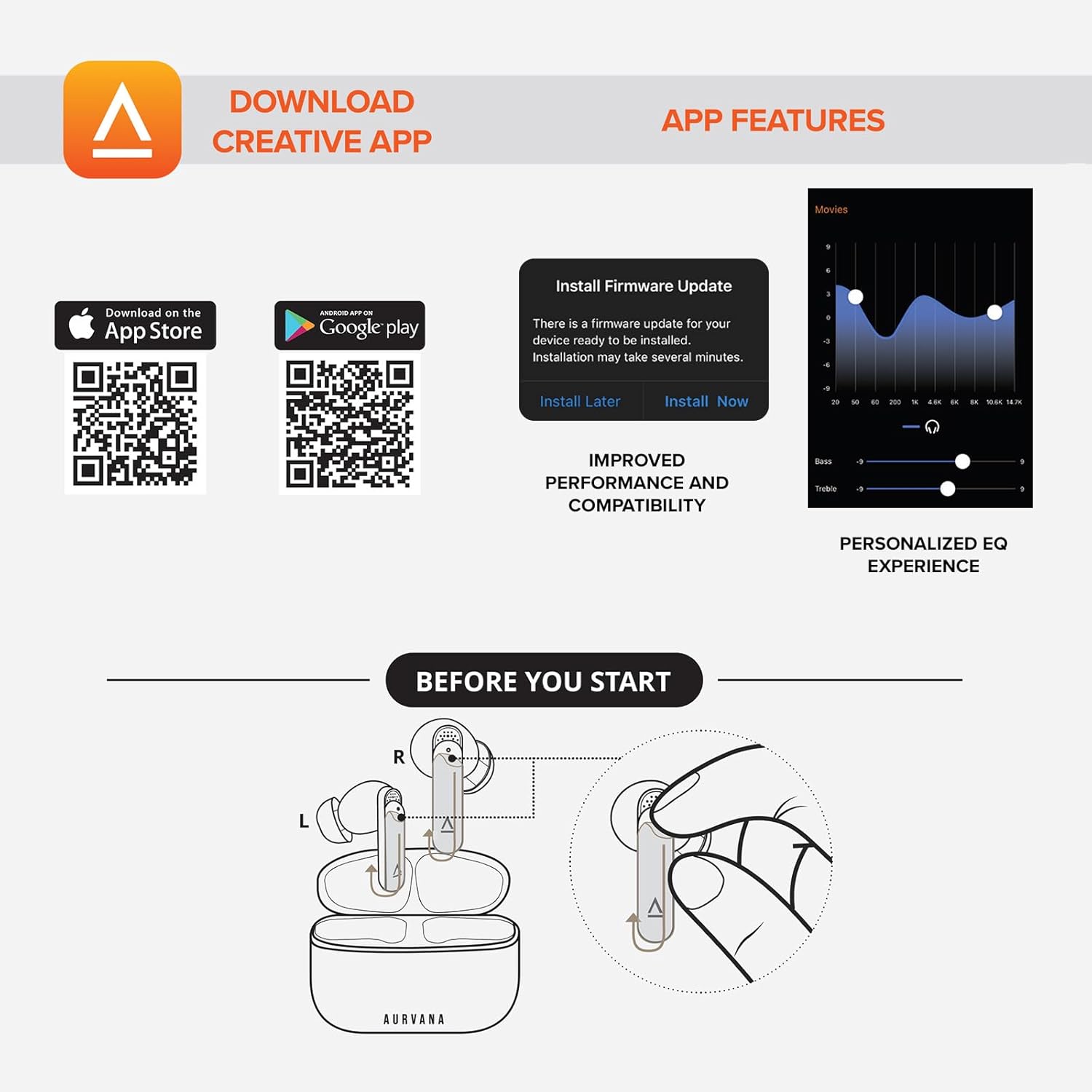
Image: Screenshot showing QR codes for downloading the Creative app from the Apple App Store and Google Play Store, alongside examples of app features such as firmware updates and personalized EQ settings.
د Android لپاره ډاونلوډ کړئ: د ګوګل پلی پلورنځي
د iOS لپاره ډاونلوډ کړئ: د ایپل اپل پلورنځی
4. عملیاتي لارښوونې
4.1 ټچ کنټرولونه
The Creative Aurvana Ace 2 earbuds feature touch-sensitive controls on each earbud. Functions can be customized via the Creative app. Common controls include:
- یو نل غږ غږ کړئ/بند کړئ، زنګ ووهئ/پای ته ورسوئ.
- دوه ځله ټپ: Next track, Activate voice assistant.
- درې ګونی نل: Previous track, Toggle ANC/Ambient Mode.
- اوږد پریس: Volume control (customizable).

Image: Graphic depicting a finger tapping an earbud, symbolizing touch controls.
4.2 Noise Control (Adaptive ANC & Ambient Mode)
The earbuds feature Adaptive Active Noise Cancellation (ANC) and Ambient Mode. These modes can be toggled via the touch controls or the Creative app.
- تطابق ANC: د اوریدلو د یوې عمیقې تجربې لپاره بهرني شور کموي.
- محیط حالت: Allows environmental sounds to pass through, enhancing situational awareness.
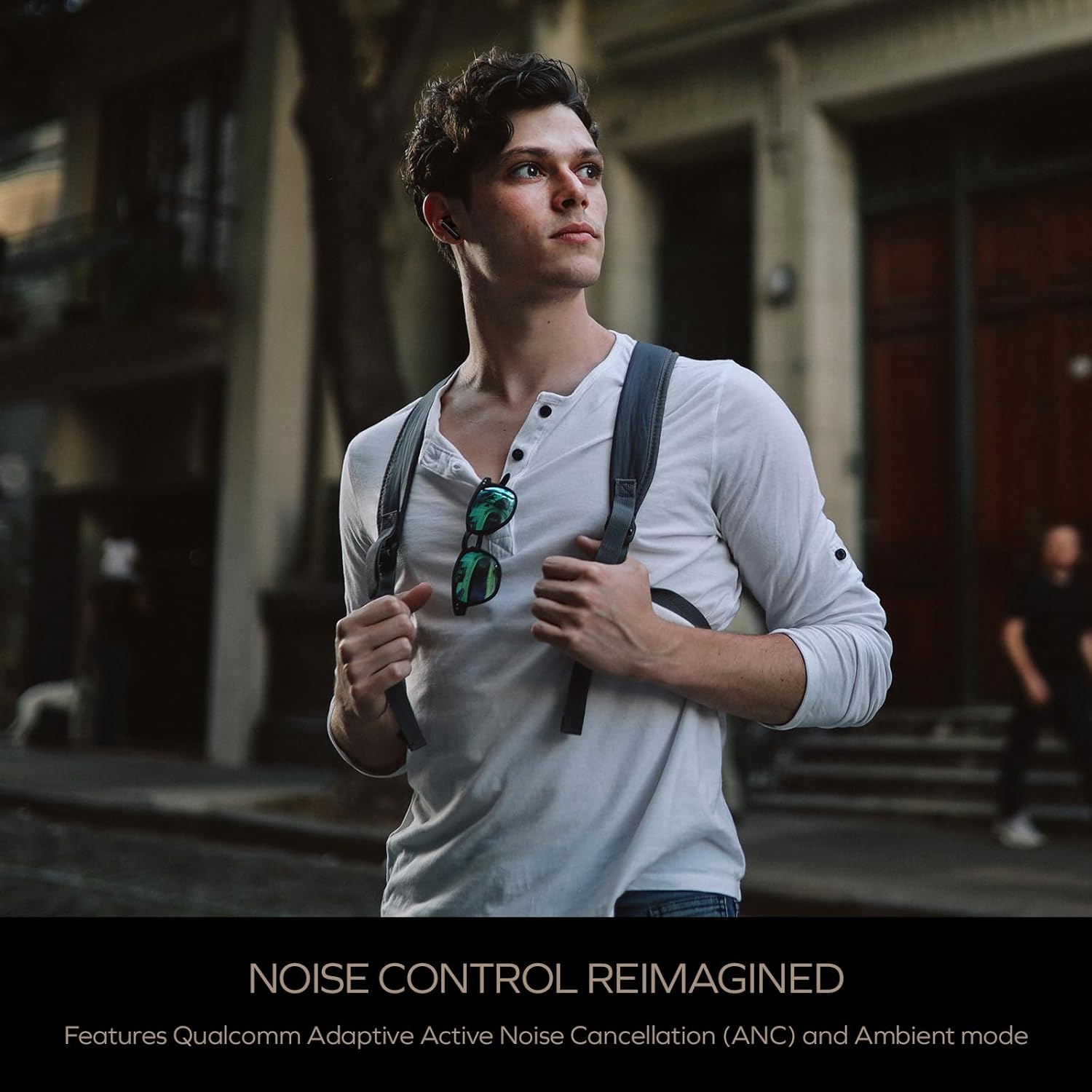
Image: A person wearing the Creative Aurvana Ace 2 earbuds while walking outdoors, illustrating the use of noise control features in various environments.
4.3 Audio Technologies (xMEMS, aptX Lossless, Bluetooth LE Audio)
The Aurvana Ace 2 incorporates advanced audio technologies for high-fidelity sound:
- xMEMS Technology: Provides precise and detailed audio reproduction.
- Qualcomm aptX Lossless: Delivers CD-quality audio over Bluetooth for compatible devices.
- Bluetooth LE Audio: Offers improved wireless audio quality with lower power consumption and Unicast mode for a more stable connection.

انځور: تفصیلي view of the earbud's internal components, highlighting the xMEMS drivers and 10mm dynamic drivers responsible for audio output.

Image: The Qualcomm aptX Lossless logo, indicating support for high-fidelity audio streaming.

Image: A microchip labeled 'LE Audio', representing the Bluetooth LE Audio technology integrated into the earbuds.
4.4 Voice Assistant and Call Quality
The earbuds support voice assistant activation (e.g., Siri, Google Assistant) via touch controls. Equipped with Qualcomm cVc (clear voice capture) noise cancellation technology and six built-in microphones, the Aurvana Ace 2 ensures clear voice calls.

Image: Graphic showing an earbud with Google Assistant and Siri icons, accompanied by sound wave visualizations, indicating voice assistant support and clear audio transmission.
5. ساتنه
5.1 پاکول
Regular cleaning helps maintain optimal performance and hygiene. Use a soft, dry, lint-free cloth to wipe the earbuds and charging case. For ear tips, remove them from the earbuds and clean with mild soap and water, then dry thoroughly before reattaching. If charging issues occur, gently clean the charging contacts on both the earbuds and inside the case with a cotton swab lightly dampد الکولو څښلو سره.
5.2 ذخیره کول
کله چې په کارولو کې نه وي، د غوږ غوږوالۍ د چارج کولو په قضیه کې وساتئ ترڅو دوی خوندي کړي او چارج یې وساتي. قضیه په یخ او وچ ځای کې د مستقیم لمر وړانګو او سخت تودوخې څخه لرې وساتئ.
6. ستونزه حل کول
If you encounter issues with your Creative Aurvana Ace 2 earbuds, refer to the following common solutions:
| ستونزه | احتمالي لامل | د حل لاره |
|---|---|---|
| د غوږونو غوږونه نه جوړېږي یا نه نښلېږي | Protective film on contacts, low battery, out of range, incorrect pairing mode. |
|
| ایربډونه چارج نه کوي | Dirty charging contacts, improper placement, faulty cable/power source. |
|
| Frequent disconnections or audio dropouts | Interference, distance from device, low earbud battery. |
|
| Screeching sound in Ambient Mode | Pressure on earbuds, improper fit. |
|
| Audio glitching or shrill noises | Software issue, interference. |
|
| د ټچ کنټرول غیر ځواب ویونکی دی | Incorrect gesture, dirty sensor, temporary software glitch. |
|
7. مشخصات
| فیچر | تفصیل |
|---|---|
| د ماډل نوم | EF1160 |
| د ارتباط ټیکنالوژي | Wireless (Bluetooth 5.2, LE Audio) |
| د آډیو ډرایور ډول | xMEMS Driver, 10 mm Dynamic Driver |
| د آډیو کوډیکس | aptX Lossless, aptX Adaptive, AAC, SBC |
| د شور کنټرول | Adaptive Active Noise Cancellation (ANC), Ambient Mode |
| مایکروفون | 6 built-in mics with Qualcomm cVc Noise Cancellation |
| د بیټرۍ ژوند (ایربډونه) | تر 6 ساعتونو پورې (ANC بند) |
| د قضیې سره د لوبې کولو ټول وخت | تر 24 ساعتونو پورې (ANC بند) |
| د چارج کولو وخت | Approximately 2 hours for earbuds and case |
| د چارج کولو انٹرفیس | USB-C، بې سیم چارج کول |
| د بلوتوټ رینج | تر 10 مترو پورې (33 فوټ) |
| د تعدد ځواب | ۲۰ هرټز - ۲۰،۰۰۰ هرټز |
| د کنټرول طریقه | لمس، غږ |
| مواد | پلاستیک |
| د محصول ابعاد | 3.58 x 4.33 x 1.53 انچه |
| د توکي وزن | 5.3 اونس |
| UPC | 054651196032 |
8. تضمین او ملاتړ
Creative products are covered by a limited warranty. For specific warranty terms and conditions applicable to your region, please refer to the warranty card included with your product or visit the official Creative webسایټ
For technical support, frequently asked questions, and driver/firmware downloads, please visit the Creative support page:
You can also contact Creative customer service directly for assistance.


