1. پیژندنه
Thank you for choosing the Telefunken 40DTAF724 Android TV. This manual provides essential information for the safe and efficient use of your new television. Please read these instructions thoroughly before operating the device and retain them for future reference.
2. محصول ختم شوview
The Telefunken 40DTAF724 is a 40-inch Full HD (1920 x 1080) Android Smart TV designed to deliver an immersive viewing experience. It features a bezel-less design, HDR10 support for enhanced color and contrast, and integrated Chromecast. With built-in Bluetooth and Wi-Fi connectivity, it is compatible with Google Assistant and Alexa for smart home integration.
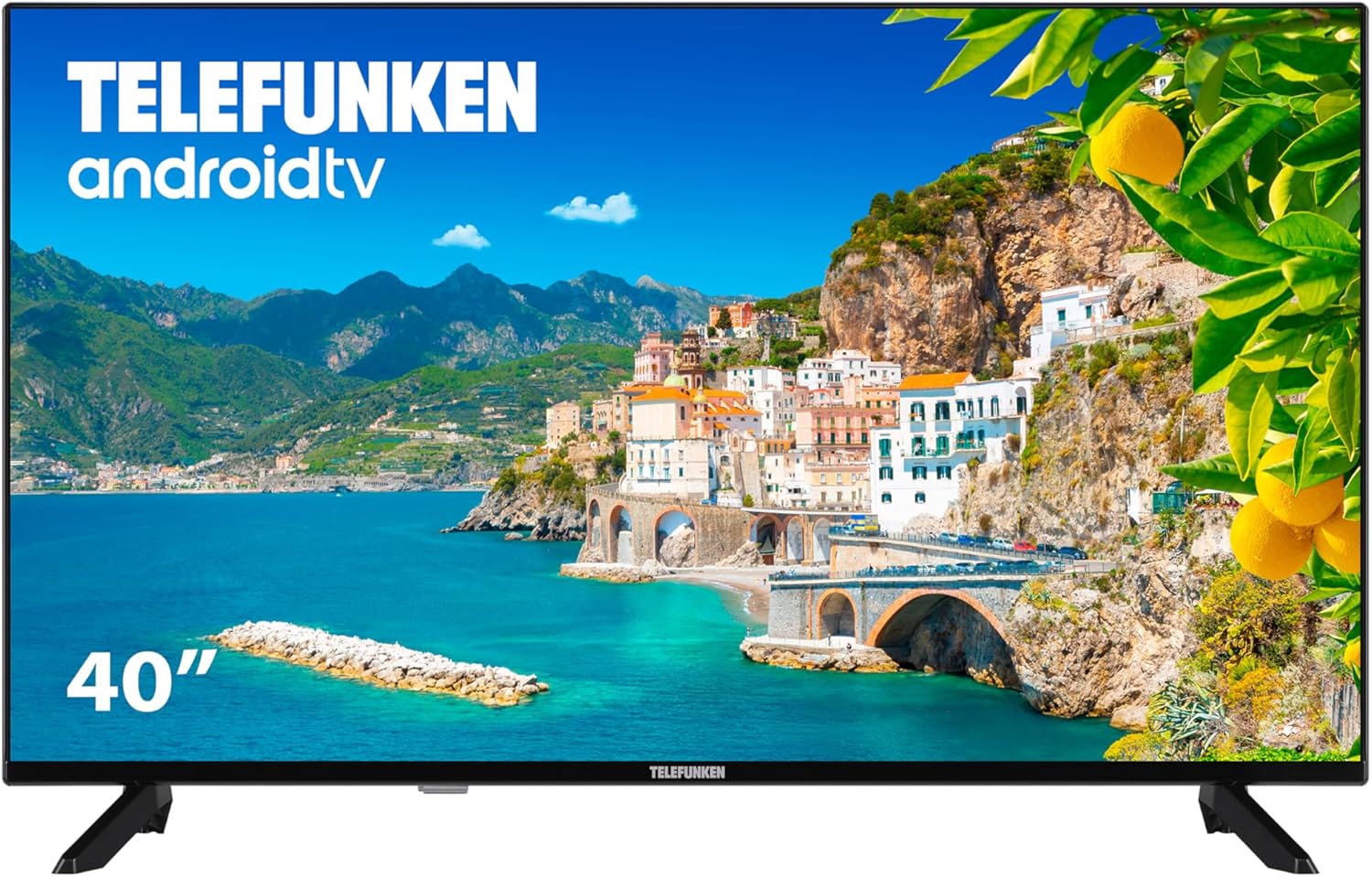
شکل 2.1: مخکی view of the Telefunken 40DTAF724 Android TV, showcasing its bezel-less design and display.
۲. په بکس کې څه دي؟
Upon unpacking your Telefunken 40DTAF724 TV, please ensure all the following components are present:
- Telefunken 40DTAF724 Android TV Unit
- ریموټ کنټرول
- د ریموټ کنټرول لپاره بیټرۍ
- د کارونکي لارښود (دا لاسوند)
- د بریښنا کیبل
- TV Stands (2 units) and Screws for assembly
4. ترتیب کول
4.1. د سټینډ نصب کول
To install the TV stands:
- د سکرین د زیان مخنیوي لپاره په احتیاط سره تلویزیون په نرم او فلیټ سطح کې کیږدئ.
- هر سټینډ د تلویزیون په ښکته برخه کې د اړوندو سکرو سوریو سره سم کړئ.
- د ورکړل شویو پیچونو په کارولو سره هر سټینډ خوندي کړئ. ډاډ ترلاسه کړئ چې دوی په کلکه ټینګ شوي دي.
۳. دیوال نصب کول (اختیاري)
The Telefunken 40DTAF724 is compatible with VESA 100 x 100 M4 wall mounts. Please refer to your wall mount's instructions for proper installation. Ensure the wall can support the TV's weight (8.46 kg) and the mount.

شکل 4.1: اړخ view of the TV with dimensions (90.2 cm width, 56.7 cm height, 16.7 cm depth) and VESA mount details.
4.3. د نښلولو وسیلې
Connect your external devices (e.g., cable box, gaming console, Blu-ray player) to the TV's ports. The TV supports HDMI, USB, Ethernet, and Bluetooth connectivity.

شکل 4.2: شاته view of the TV, illustrating the location of HDMI, USB, Ethernet, and other input/output ports.
For optimal performance, use high-quality HDMI cables for video and audio connections.
5. عملیاتي لارښوونې
5.1. د لومړي ځل ترتیب
After connecting the power cable and turning on the TV for the first time, you will be guided through the initial setup process. This includes:
- د ژبې انتخاب
- د شبکې اتصال (وای فای یا ایترنیټ)
- Google Account sign-in (recommended for full Android TV features)
- د چینل سکینګ
- د شرایطو او مقرراتو منل
۵.۱. د انډرایډ تلویزیون ځانګړتیاوې
Your Telefunken TV runs on Android TV, providing access to a wide range of apps and services:
- د ګوګل پلی پلورنځي: Download your favorite streaming apps, games, and more.
- د Chromecast جوړ شوی: Cast content from your smartphone, tablet, or computer directly to the TV screen.
- د ګوګل معاون: د ریموټ کنټرول له لارې د غږیز امرونو څخه کار واخلئ ترڅو د مینځپانګې لټون وکړئ، سمارټ کور وسایل کنټرول کړئ، او معلومات ترلاسه کړئ.
- د الیکسا مطابقت: Integrate your TV with Alexa-enabled devices for voice control.
- HDR10: Experience enhanced contrast and a wider range of colors with HDR10 content.
5.3. ریموټ کنټرول
The included remote control allows you to navigate the TV's interface, adjust settings, and access smart features. Insert the provided batteries into the remote control, ensuring correct polarity.
6. ساتنه
د خپل تلویزیون د اوږد عمر او غوره فعالیت ډاډمن کولو لپاره:
- پاکول: Unplug the TV before cleaning. Use a soft, dry cloth to wipe the screen and exterior. Do not use liquid cleaners or sprays directly on the screen.
- وینټیلیشن: د تلویزیون شاوخوا مناسب هوا ورکول ډاډمن کړئ. د هوا د بهیدو لارې مه بندوئ.
- ځواک: د برېښنا د طوفانونو په وخت کې یا کله چې د اوږدې مودې لپاره نه کارول کیږي، تلویزیون خلاص کړئ.
7. ستونزه حل کول
که تاسو په خپل تلویزیون کې ستونزې سره مخ شئ، لاندې عام حلونو ته مراجعه وکړئ:
- ځواک نشته: وګورئ چې د برېښنا کیبل په خوندي ډول د تلویزیون او برېښنا ساکټ دواړو سره وصل دی. ډاډ ترلاسه کړئ چې ساکټ فعال دی.
- انځور/غږ نشته: ډاډ ترلاسه کړئ چې د ننوتلو سمه سرچینه غوره شوې ده. د کیبل ټولې اړیکې (HDMI، انټینا، او نور) وګورئ.
- ریموټ کنټرول کار نه کوي: بیټرۍ بدل کړئ. ډاډ ترلاسه کړئ چې د ریموټ او د تلویزیون د IR سینسر ترمنځ هیڅ خنډ شتون نلري.
- د شبکې د اتصال ستونزې: Restart your router and modem. Reconnect the TV to the Wi-Fi network or check the Ethernet cable.
- ورو فعالیت: Close unused applications. Clear the cache of frequently used apps. Consider a factory reset if issues persist (note: this will erase all personal data and settings).
For further assistance, please contact Telefunken customer support.
8. مشخصات
| فیچر | مشخصات |
|---|---|
| برانډ | ټیلیفونکن |
| د ماډل شمیره | 40DTAF724 |
| د سکرین اندازه | ۷۸۷ انچه |
| ټیکنالوژي ښکاره کول | LED |
| قرارداد | 1080p (Full HD 1920 x 1080) |
| د تازه کولو نرخ | 60 Hz |
| ځانګړي ځانګړتیاوې | Chromecast, Bezel-less Design, VESA Wall Mount, HDR10 |
| ارتباط | بلوتوث، ایترنیټ، HDMI، USB، وای فای |
| د اړخ نسبت | 1.77:1 |
| د محصول ابعاد (پلورل x ژوروالی x لوړوالی) | 90.2 x 16.7 x 56.7 سانتي متره |
| وزن | 8.46 کیلو ګرامه |
| د انرژي موثریت درجه | E |
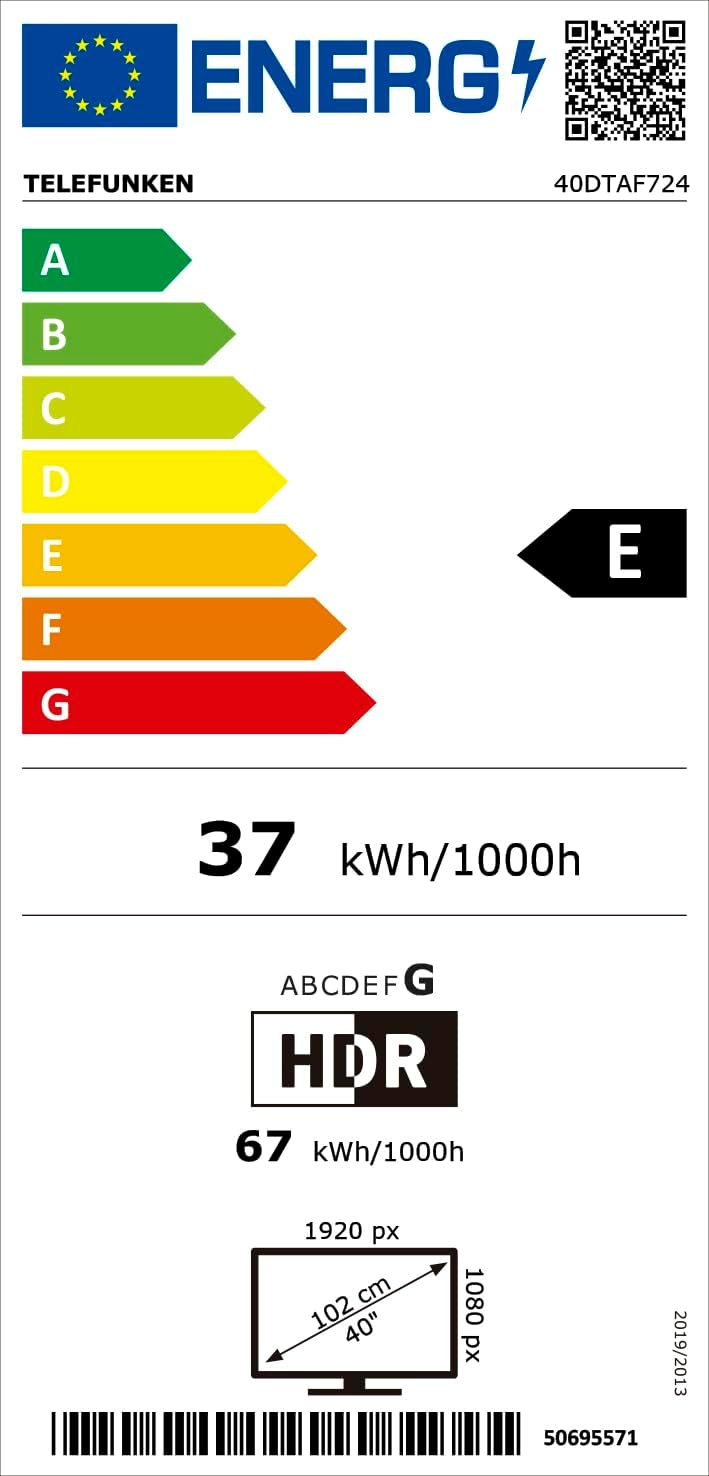
شکل 8.1: Energy efficiency label for the Telefunken 40DTAF724 TV, showing its 'E' rating and power consumption.
For more details, scan the QR code or visit eprel.ec.europa.eu/qr/1860952.
9. تضمین او ملاتړ
Your Telefunken 40DTAF724 TV comes with a standard manufacturer's warranty. Please refer to the warranty card included in the packaging for specific terms and conditions. For technical support, service, or warranty claims, please contact your local Telefunken customer service center. Contact information can typically be found on the Telefunken official webسایټ یا د تضمین اسنادو کې.


