1. پیژندنه
Thank you for choosing the Zgrmbo MX6035 Digital Atomic Alarm Clock. This clock is designed to provide accurate timekeeping, indoor temperature, and humidity readings, along with a reliable alarm function. Its atomic synchronization feature ensures precise time without manual adjustments, and the battery-operated design offers portability and convenience.

Figure 1: Zgrmbo MX6035 Digital Atomic Alarm Clock
2. د بسته محتويات
- 1 x Zgrmbo MX6035 Digital Atomic Alarm Clock
- 1 x د کارونکي لارښود
Note: 3 x AAA batteries are NOT included and must be purchased separately.
3. د محصول ب Featuresې
- Accurate Atomic Time: Automatically synchronizes with the WWVB radio broadcast from NIST in Fort Collins, Colorado, ensuring precise timekeeping.
- Auto-Dimming Smart Night Light: Features a built-in ambient light sensor that automatically illuminates the display in dark environments. The display can also be manually lit by pressing the top of the clock.
- د سنوز سره الارم: A classic alarm function with a gradually increasing beep sound for 120 seconds. The top snooze button provides an extra 5-minute nap.
- Multi-Display: Shows time, date, indoor temperature (℉/℃), and indoor humidity.
- Battery Operated & Portable: Cordless design powered by 3 AAA batteries (not included), making it ideal for bedrooms, desks, or travel.

Figure 2: Atomic Time Synchronization

Figure 3: Automatic Night Light in use

Figure 4: Alarm with 5-Minute Snooze

Figure 5: Multi-Display Features
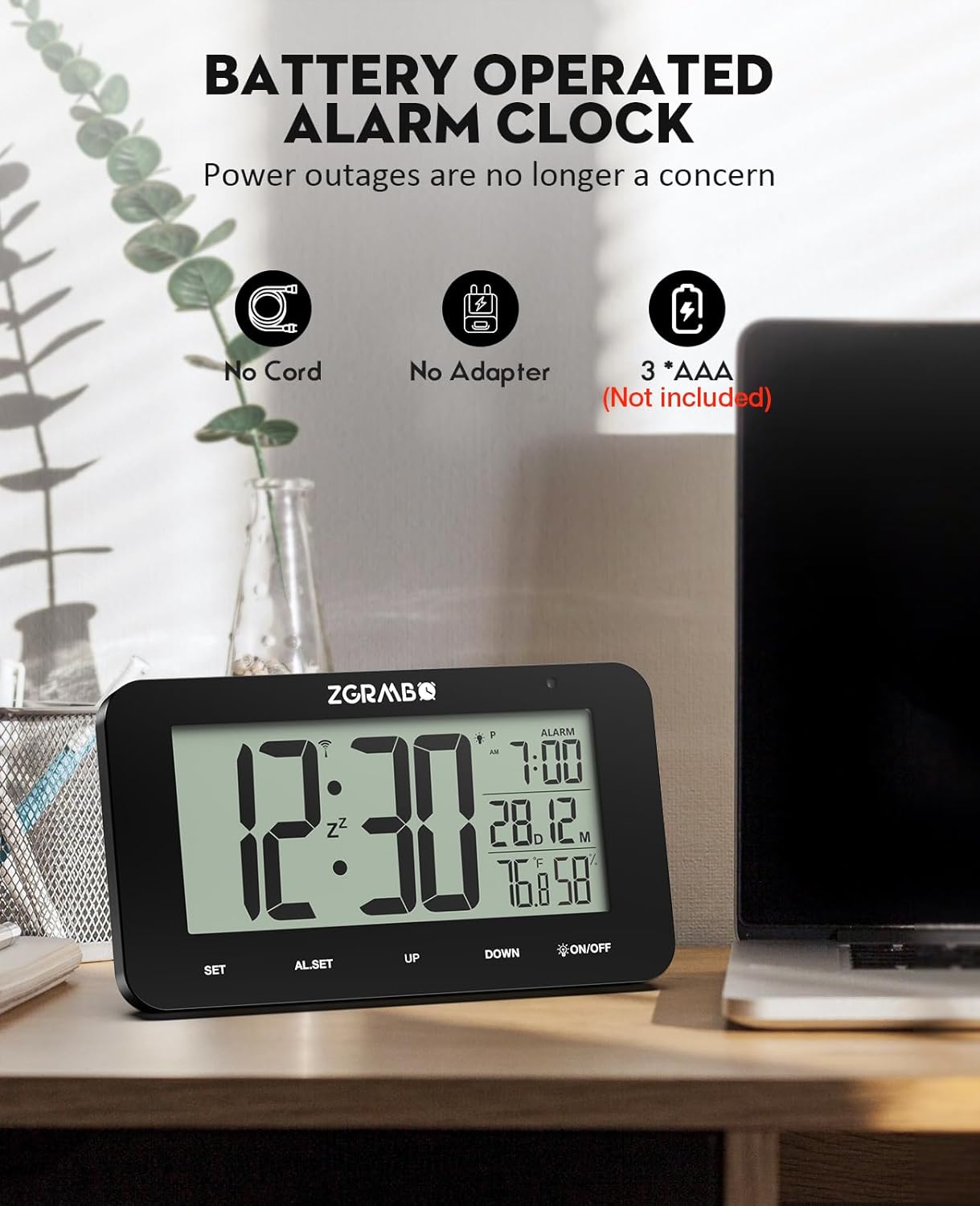
Figure 6: Battery Operated Design
4. د تنظیم کولو لارښود
Follow these steps for initial setup of your Zgrmbo MX6035 Atomic Alarm Clock:
- بیټرۍ نصب کړئ: Open the battery compartment on the back of the clock and insert 3 new AAA batteries, ensuring correct polarity.
- Automatic WWVB Signal Search: Upon battery installation, the clock will automatically begin searching for the WWVB atomic signal. This process may take 7-14 minutes. Place the clock near a window, ideally facing Colorado, for optimal reception. A signal icon will appear on the display when reception is successful.
- د وخت زون غوره کړئ: Once the signal is received and the time is set, press the SET button to cycle through and select your correct time zone (PST, MST, CST, EST).

Figure 7: Simple 3-Step Setup
د ویډیو لارښود تنظیم کړئ
Video 1: Unboxing and Initial Setup of the MX6035 Alarm Clock. This video demonstrates how to unbox the clock, install batteries, and observe the initial synchronization process.
5. عملیاتي لارښوونې
۱. د وخت او نیټې ښودنه
- The main display shows the current time.
- The date (month and day) is displayed below the alarm time.
- Indoor temperature (℉/℃) and humidity (%) are shown at the bottom right.
5.2. 12/24 Hour Format Switching
د ۱۲ ساعتونو (سهار/ماښام) او ۲۴ ساعتونو بڼو ترمنځ د بدلولو لپاره، فشار ورکړئ UP تڼۍ

Figure 8: 12/24 Hour Format Switching
5.3. د الارم تنظیم کول
- فشار ورکړئ AL.SET button once to enter alarm setting mode. The alarm hour will flash.
- د کارولو UP or ښکته د الارم ساعت تنظیم کولو لپاره تڼۍ.
- مطبوعاتي AL.SET again to confirm the hour and move to alarm minute setting. The alarm minute will flash.
- د کارولو UP or ښکته د الارم دقیقې تنظیم کولو لپاره تڼۍ.
- مطبوعاتي AL.SET a third time to confirm and exit alarm setting mode. The alarm icon will appear on the display, indicating the alarm is active.
۴. د سنوز فعالیت
When the alarm sounds, press the top of the clock (the آن/بند button area) to activate the snooze function. The alarm will pause for 5 minutes and then sound again. You can repeat this process.
5.5. Disabling the Alarm
د الارم په بشپړه توګه بندولو لپاره، فشار ورکړئ AL.SET button when the alarm is not sounding. The alarm icon on the display will disappear.
5.6. Manual Backlight Activation
In any lighting condition, press the top of the clock (the آن/بند button area) to manually illuminate the display for a few seconds.
6. ساتنه
- پاکول: Wipe the clock with a soft, dry cloth. Do not use abrasive cleaners or chemicals.
- د بیټرۍ بدلول: When the display dims or functions become erratic, replace all three AAA batteries with new ones. Ensure correct polarity.
- ذخیره کول: که چیرې ساعت د اوږدې مودې لپاره ذخیره کوئ، نو د لیکیدو مخنیوي لپاره بیټرۍ لرې کړئ.
7. ستونزه حل کول
| ستونزه | احتمالي لامل | د حل لاره |
|---|---|---|
| Clock does not set time automatically / Time is incorrect. | Poor WWVB signal reception. Incorrect time zone selected. | Place the clock near a window, away from electronic interference. Allow 7-14 minutes for signal reception. Ensure the correct time zone is selected using the SET button. If reception is consistently poor, you may need to manually set the time (see manual for advanced settings, if available, or try re-inserting batteries to force a new signal search). |
| د شا رڼا تیاره ده یا کار نه کوي. | Low batteries. Ambient light sensor detecting too much light. | Replace batteries with new ones. Ensure the clock is in a sufficiently dark environment for the auto-dimming feature to activate. Manually press the top of the clock to check if the backlight works. |
| الارم نه غږېږي. | Alarm is not activated. Alarm volume is too low (if adjustable). | Ensure the alarm icon is visible on the display. If not, set the alarm as per section 5.3. This model has a fixed alarm volume. |
| ښودنه خالي ده یا ځلیږي. | ټیټ یا مړه بیټرۍ. | Replace all three AAA batteries with new ones. |
| Daylight Saving Time (DST) adjustment issue. | Clock not automatically adjusting for DST. | The clock is designed to automatically adjust for DST based on the WWVB signal. Ensure good signal reception. If manual override is needed, consult the full product manual for specific button sequences (often involves the ښکته ت buttonۍ يا SET button in advanced modes). |
8. مشخصات
| فیچر | تفصیل |
|---|---|
| برانډ | Zgrmbo |
| ماډل | MX6035 |
| د ښودلو ډول | ډیجیټل LCD |
| د بریښنا سرچینه | 3 x AAA بیټرۍ (شامل ندي) |
| د محصول ابعاد | ۱۷" څراغ x ۱۷" ح |
| مواد | اکریلونایتریل بوټاډین سټیرین (ABS) |
| د حرارت درجه | 32℉ تر 122℉ (0 ℃ تر 50 ℃) |
| د رطوبت اندازه | له 20٪ RH څخه تر 95٪ RH پورې |
| ځانګړي ځانګړتیاوې | Atomic Time, Auto-Dimming Night Light, Alarm, Snooze, Date Display, Indoor Temp/Humidity |
9. تضمین او ملاتړ
For warranty information or technical support, please refer to the product packaging or contact the seller/manufacturer directly through your purchase platform. Keep your proof of purchase for any warranty claims.
Manufacturer: MEIZHOU MINGXING ELECTRONICS CO.,LTD


