1. پیژندنه او وروستهview
Thank you for choosing the Haocrown 32" 4K Ultra HD Smart Bathroom Mirror TV. This innovative product combines a high-quality mirror with a fully functional 4K smart television, designed specifically for humid environments. Featuring IP66 waterproof certification, Android 13 OS, a built-in voice assistant, and an ATSC tuner, this mirror TV offers a seamless entertainment experience in your bathroom, kitchen, or any wet area.
This manual provides essential information for the safe and efficient operation of your new device. Please read it thoroughly before installation and use, and retain it for future reference.
2. کلیدي ځانګړتیاوې
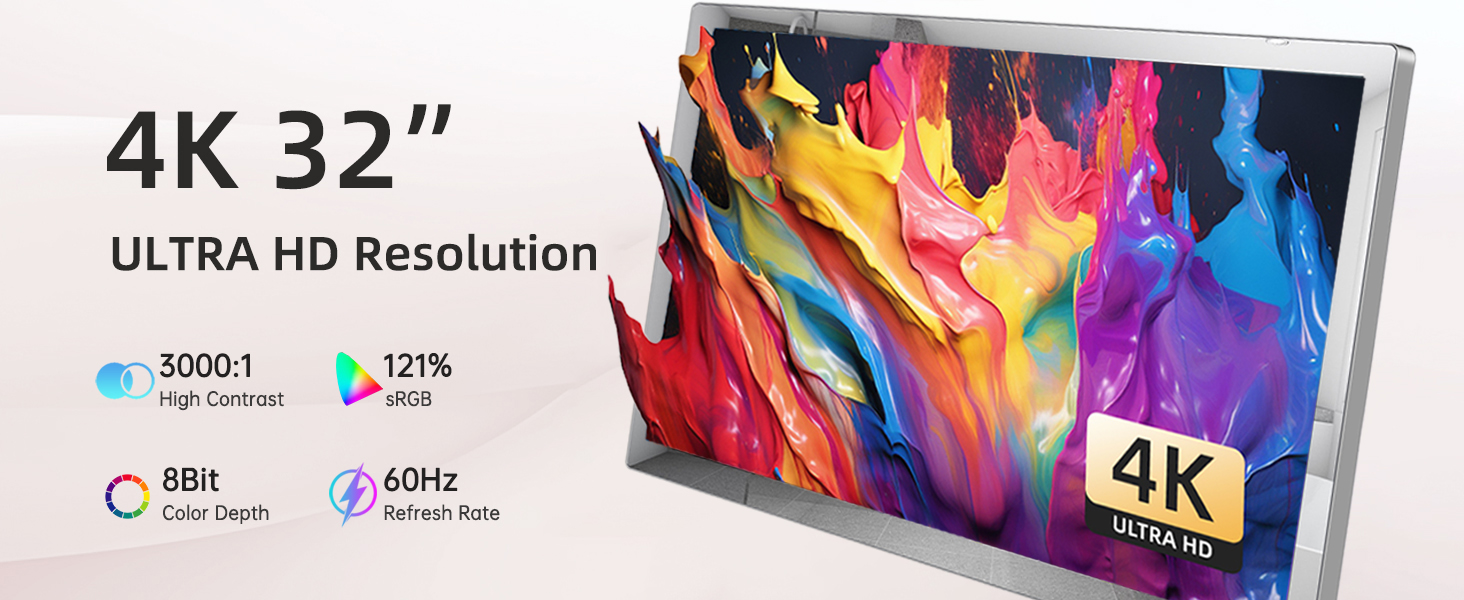
- 4K Ultra HD Picture Quality: Enjoy stunning 4K resolution with vibrant colors and details, offering four times the resolution of standard HD.
- Professional IP66 Waterproof: The entire unit features triple waterproof treatment, meeting IP66 standards for dustproof, anti-fog, and water-resistant performance, ideal for wet environments.
- 2-in-1 Vanishing Mirror TV Design: Functions as a luxury mirror when off, transforming into a beautiful 4K display when powered on.
- د انډرایډ ۹.۰ سمارټ تلویزیون: Equipped with WiFi, Bluetooth, and streaming technology. Pre-installed apps include Netflix, YouTube, Spotify, and Prime Video. More apps can be downloaded via the App Store.
- Built-in Voice Assistant (Remote with Mic): Control your mirror TV hands-free using the included voice-enabled remote.
- ATSC Tuner: Supports all digital HDTV programs, allowing you to watch regular TV channels without an internet connection.
- لوړ روښانتیا: 500 cd/㎡ brightness ensures clear visibility even in well-lit rooms.
۲. په بکس کې څه دي؟
The package for your Haocrown 32" 4K Smart Bathroom Mirror TV includes the following items:
- 32-inch 4K Smart TV Mirror
- IP68 Waterproof Remote Control
- Bluetooth Voice Remote Control (with Mic)
- DC12V Adapter and Power Plug
- Embedded Wall Mount Bracket
- Installation Screws and Expansion Rubber Plugs
- د کارن لارښود

Figure 3.1: Package Contents. This image displays the 32-inch 4K mirror TV, an IP68 waterproof remote, a Bluetooth voice remote, a DC12V adapter and plug, an embedded wall mount, and the user manual.
4. د محصول مشخصات
| فیچر | مشخصات |
|---|---|
| د سکرین اندازه | ۷۸۷ انچه |
| قرارداد | 4K الټرا HD |
| ټیکنالوژي ښکاره کول | QLED |
| د تازه کولو نرخ | 60 Hz |
| عملیاتي سیسټم | د Android 13 OS |
| د پنروک درجه | IP66 |
| روښانتیا | 500 cd/㎡ |
| ارتباط | ایترنیټ، HDMI، USB، وای فای، بلوتوث |
| د سپیکر ډول | جوړ شوی |
| والیtage | 12 ولټه (DC) |
| د محصول ابعاد (WxHxD) | 29.6" × 17.6" × 1.8" (751 x 448 x 45 mm) |
| د دیوال بریکٹ ابعاد | 17" × 8.5" × 0.6" (432 x 215 x 16 mm) |
| د توکي وزن | ۷.۹۶ پونډه (۳.۶۲ کیلوګرامه) |

Figure 4.1: Main Functional Interfaces. This image highlights the various input and output ports available on the TV, including HDMI, SPDIF, TV antenna, Ethernet, USB, and DC 12V power input.
۱. تنظیم او نصب کول
Proper installation is crucial for the performance and longevity of your Haocrown Mirror TV. It is recommended to consult a qualified professional for electrical and mounting work.
5.1 دیوال نصبول
- دیوال چمتو کړئ: Ensure the mounting surface is sturdy and can support the weight of the TV. Use a stud finder to locate studs if necessary.
- د سوراخونو نښه کول: Use the provided wall mount bracket as a template to mark the drilling positions on the wall. Ensure the TV will be level and at the desired height.
- سوراخونه: Drill pilot holes at the marked positions. Insert the expansion rubber plugs into the drilled holes.
- د دیوال بریکٹ ضمیمه کړئ: د چمتو شوي پیچونو په کارولو سره د دیوال نصب کولو بریکٹ دیوال ته خوندي کړئ.
- کیبلونه وصل کړئ: Before hanging the TV, connect all necessary cables (power, HDMI, antenna, Ethernet) to the ports on the back of the TV. Route cables through the wall if desired for a clean look.
- تلویزیون ځړول: Carefully lift the TV and align it with the wall mount bracket. Secure the TV to the bracket according to the bracket's instructions.
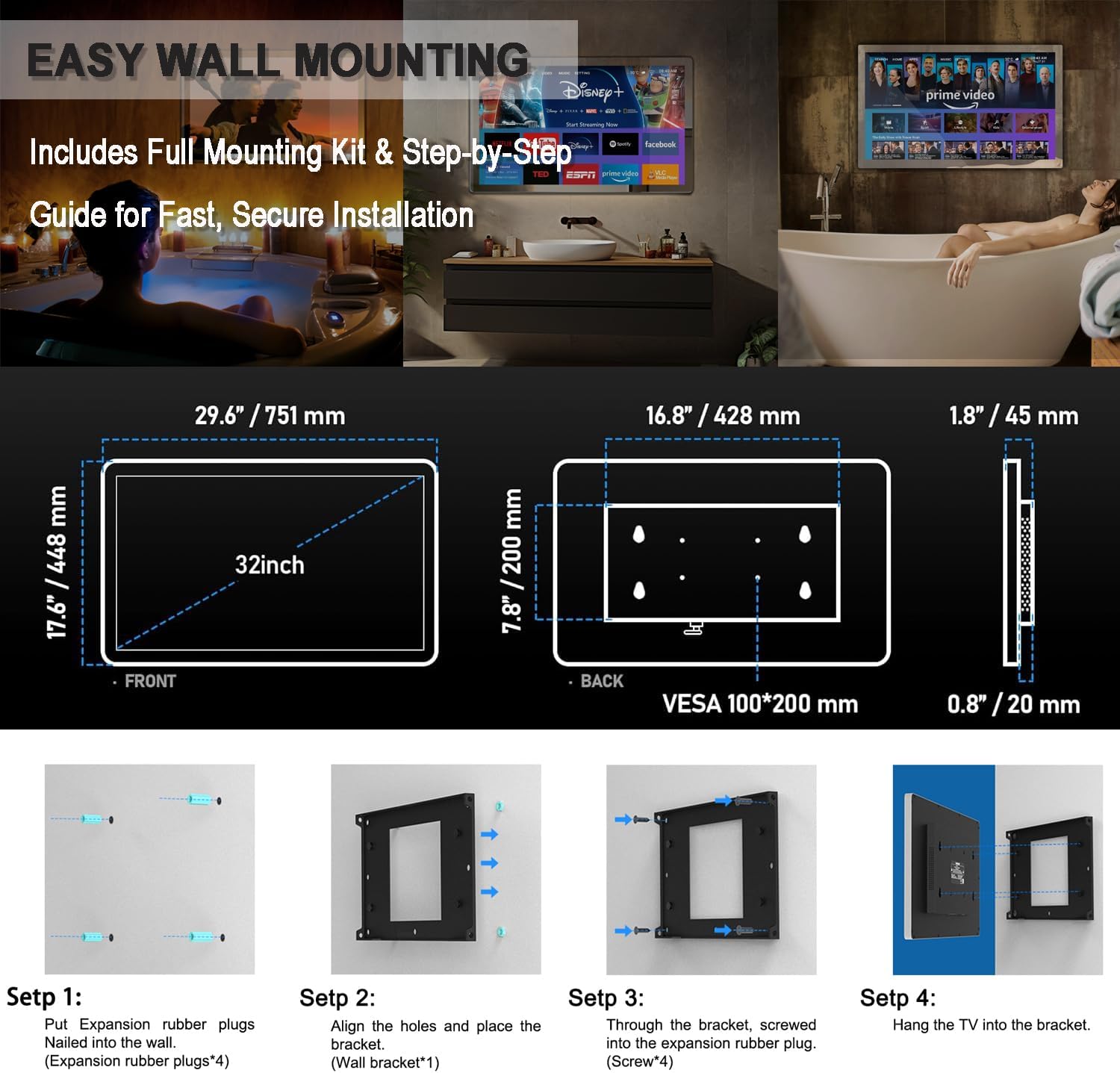
Figure 5.1: Easy Wall Mounting Guide. This diagram illustrates the dimensions of the 32-inch mirror TV and its wall bracket, along with four steps for secure installation using expansion plugs and screws.
5.2 ابتدايي ترتیب
- پاور آن: Connect the DC12V adapter to the TV and a power outlet. Press the power button on the remote or the touch control on the mirror.
- ژبه او سیمه: د خپلې خوښې ژبه او سیمه غوره کولو لپاره په سکرین کې موجود لارښوونې تعقیب کړئ.
- د شبکې پیوستون: Connect to your Wi-Fi network by selecting it from the list and entering the password. Alternatively, connect via Ethernet cable.
- ګوګل حساب: Sign in with your Google account to access the Google Play Store and other smart features.
- Channel Scan (ATSC Tuner): If using an antenna, navigate to the TV settings and perform a channel scan to find available digital HDTV programs.
6. عملیاتي لارښوونې
6.1 Remote Control & Voice Assistant
Your Haocrown Mirror TV comes with two remote controls: an IP68 waterproof remote and a Bluetooth voice remote with a built-in microphone. The voice remote allows for hands-free control.
- پاور آن/بند: Press the power button on either remote or the touch control on the mirror.
- نیویگیشن: Use the directional buttons on the remote to navigate menus and select options.
- غږیز حکمونه: Press the microphone button on the Bluetooth remote and speak your command (e.g., "Open Netflix," "لټون د عمل فلمونه، "" هوا څنګه ده؟ "").
- د حجم کنټرول: Use the volume buttons on the remote to adjust audio levels.
۴.۲ د سمارټ تلویزیون ځانګړتیاوې
- اپلیکیشن ته لاسرسی: From the home screen, select pre-installed apps like Netflix, YouTube, Spotify, or Prime Video. Download additional apps from the Google Play Store.
- Screen Mirroring (Chromecast Built-in): Cast content from your compatible smartphone, tablet, or computer directly to the mirror TV.
- ATSC Tuner: Switch to the TV input to watch over-the-air digital broadcasts.
6.3 Defogging Function
The mirror TV features a defogging function to maintain clear visibility in humid conditions. Activate it via the touch control on the mirror or through the settings menu.
۶. د رسنیو ادغام
۲.۵ د محصول انځورونه



۱۰.۲ د محصول رسمي ویډیوګانې
8. ساتنه
To ensure the longevity and optimal performance of your Haocrown Mirror TV, follow these maintenance guidelines:
- د شیانو پاکول: Use a soft, lint-free cloth and a mild, non-abrasive glass cleaner. Spray the cleaner onto the cloth, not directly onto the mirror surface, to avoid liquid seeping into the edges.
- د چوکاټ پاکول: چوکاټ د نرم، دamp ټوکر. د سختو کیمیاوي موادو یا خړوبونکو موادو څخه ډډه وکړئ.
- د اوبو ښکاره کول: While the TV is IP66 waterproof, avoid directly spraying high-pressure water onto the screen or connections. Ensure all port covers are securely closed if applicable.
- د سافټویر تازه معلومات: Periodically check for and install software updates to ensure your Android OS is running the latest version for security and feature enhancements.
9. ستونزه حل کول
If you encounter any issues with your Haocrown Mirror TV, please refer to the following common troubleshooting steps:
- ځواک نشته: Ensure the power adapter is securely connected to both the TV and a working power outlet. Try a different outlet.
- انځور/غږ نشته: Check all cable connections (HDMI, antenna). Ensure the correct input source is selected on the TV.
- د وای فای اتصال مسلې: Restart your router and the TV. Re-enter your Wi-Fi password in the network settings. Ensure the TV is within range of your Wi-Fi signal.
- ریموټ ځواب نه ورکوي: Check the batteries in the remote control. For Bluetooth remotes, ensure it is properly paired with the TV.
- د فوګنګ ستونزې: Activate the defogging function. Ensure the bathroom is adequately ventilated.
د دوامداره ستونزو لپاره، مهرباني وکړئ د پیرودونکو ملاتړ سره اړیکه ونیسئ.
10. تضمین او ملاتړ
Your Haocrown 32" 4K Ultra HD Smart Bathroom Mirror TV comes with a manufacturer's warranty. Please refer to the warranty card included in your package for specific terms and conditions.
For any support needs, technical assistance, or warranty claims, please contact Haocrown customer service. You can typically find contact information on the manufacturer's website or through the seller's support page where you purchased the product.
Figure 10.1: How to Find Support and Service. This image provides a visual guide on how to reach out for support via the Amazon platform, detailing steps to contact the seller.