پیژندنه
This manual provides comprehensive instructions for the setup, operation, and maintenance of your Ceybo RC813 FMB1 Voice Remote Control. This remote is designed to work seamlessly with a wide range of TCL QLED Smart TVs, offering convenient control and voice assistant capabilities.

شکل 1: مخکی او شاته view of the Ceybo RC813 FMB1 Voice Remote Control. The front features various buttons including navigation, volume, channel, and dedicated app shortcuts. The back is smooth and ergonomic.
چمتو کول
1. د بیټرۍ نصب کول
The RC813 FMB1 remote control requires two (2) AAA batteries (not included) for operation. Follow these steps to install the batteries:
- د ریموټ کنټرول شاته د بیټرۍ کمپارټ پوښ ومومئ.
- پوښ ښکته خوا ته وغورځوئ یا د خونې د خلاصولو لپاره لیچ فشار ورکړئ.
- دوه AAA بیټرۍ دننه کړئ، ډاډ ترلاسه کړئ چې مثبت (+) او منفي (-) ټرمینلونه د خونې دننه شاخصونو سره په سمه توګه سمون لري.
- د بیټرۍ د برخې پوښ بیرته خپل ځای ته د سلایډ کولو سره بدل کړئ تر هغه چې په خوندي ډول کلیک وکړي.

شکل 2: Illustration of the battery compartment and proper insertion of AAA batteries.
2. د ریموټ کنټرول سره یوځای کول
To ensure full functionality, including voice control, the remote must be paired with your TCL Smart TV. Follow these steps:
- Ensure your TCL Smart TV is powered on.
- د ریموټ کنټرول تلویزیون ته اشاره وکړئ.
- په ورته وخت کې فشار ورکړئ او ونیسئ "ښه" button (center of the navigation pad) and the "Home" button (house icon) for approximately 2 seconds.
- A pairing confirmation message should appear on your TV screen, indicating successful pairing.
- If pairing fails, ensure the batteries are correctly installed and try again. Move closer to the TV if necessary.
د ریموټ چلول
د تڼۍ فعالیت پای ته ورسیدview
The RC813 FMB1 remote control features a variety of buttons for intuitive navigation and control of your TCL Smart TV. Refer to the image below for button layout.
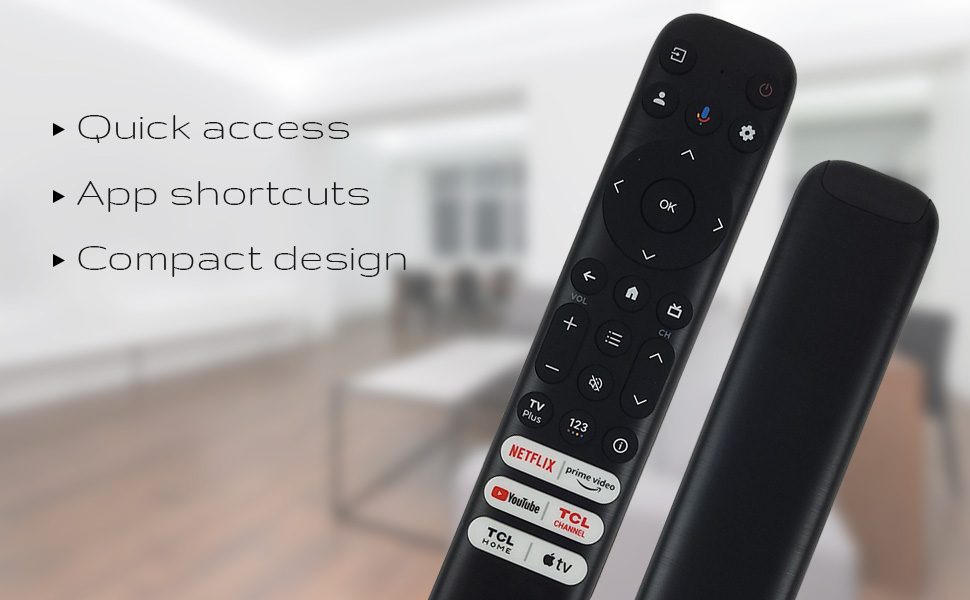
شکل 3: The remote's design emphasizes quick access, app shortcuts, and a compact form factor for ease of use.
- د چالانېدو تڼۍ (🏻): تلویزیون چالان یا بند کړئ.
- د نیویګیشن پیډ (پورته، ښکته، کیڼ، ښي): د مینو نیویګیټ کولو او انتخابونو غوره کولو لپاره کارول کیږي.
- د OK تtonۍ: Confirms selections or opens items.
- د شا تڼۍ: مخکینۍ سکرین یا مینو ته راستنیږي.
- د کور تڼۍ (د کور آیکون): د تلویزیون کور سکرین ته راستنیږي.
- حجم پورته / ښکته: د تلویزیون د حجم کچه تنظیموي.
- چینل پورته / ښکته: د تلویزیون چینلونه بدلوي.
- د ترتیباتو تڼۍ (د ګیر آیکون): د تلویزیون ترتیباتو ته لاسرسی لري.
- د ننوتلو تڼۍ: Changes the TV's input source.
د غږ معاون فعالیت
The remote features a dedicated button for Google Assistant, allowing you to control your TV and search for content using voice commands.
- Google Assistant Button (Microphone Icon): Press and hold this button, then speak your command clearly into the remote. Release the button when you are finished speaking.
- Examples of commands include: "Open Netflix," "لټون action movies," "What's the weather like?", "Turn up the volume."
Dedicated Shortcut Buttons
Quickly access your favorite streaming services and TCL features with the dedicated shortcut buttons located at the bottom of the remote.

شکل 4: Dedicated shortcut buttons for popular streaming services and TCL applications.
- Netflix: د Netflix سټریمینګ خدمت ته مستقیم لاسرسی.
- لومړی ویډیو: Direct access to Amazon Prime Video.
- یوټیوب: Direct access to YouTube.
- TCL Channel: Direct access to the TCL Channel.
- TCL Home: Direct access to TCL Home features.
- ایپل تلویزیون: Direct access to Apple TV.
مطابقت
The Ceybo RC813 FMB1 Voice Remote Control is compatible with a wide range of TCL QLED Smart TV models, including those with Google TV functionality. Below is a list of some compatible models:
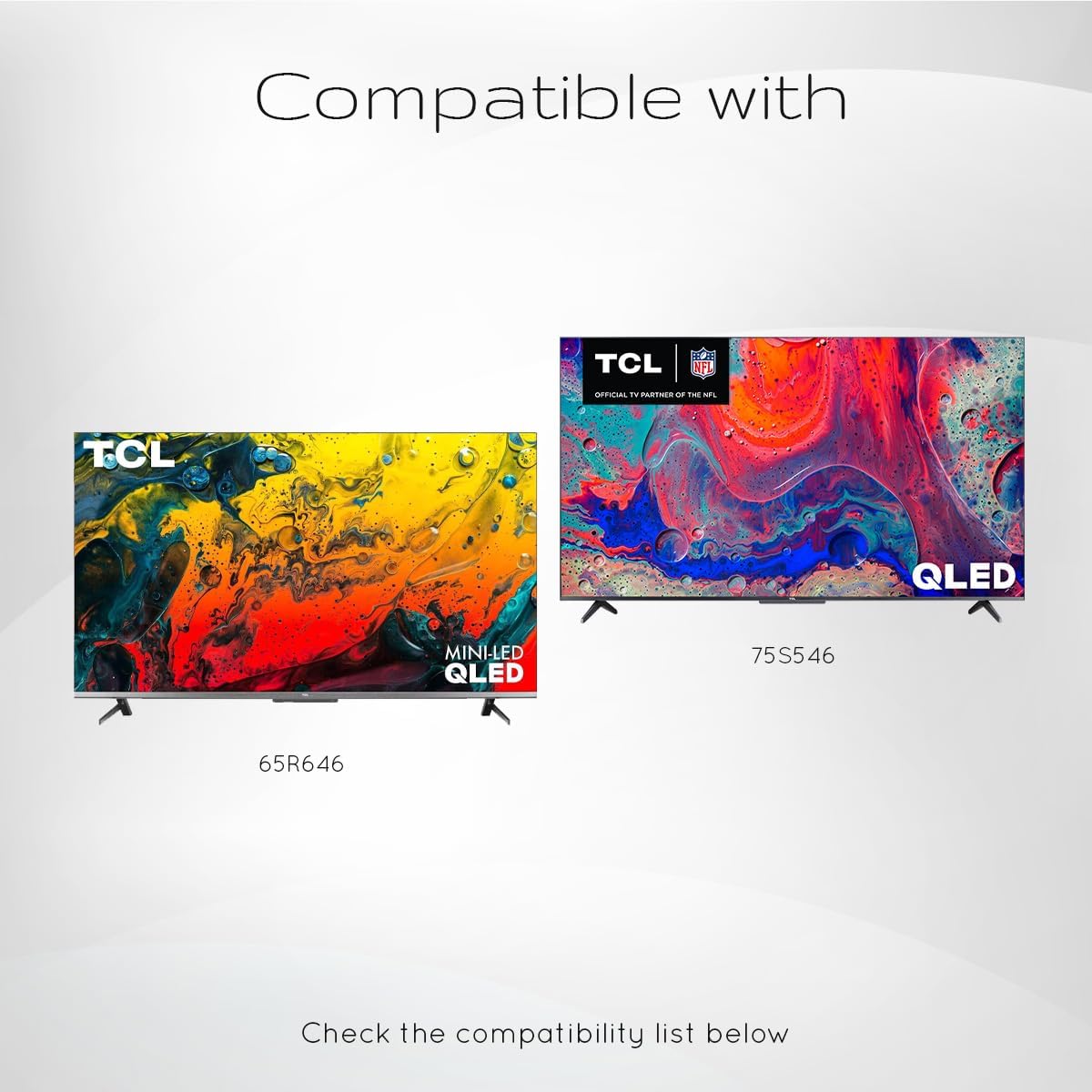
شکل 5: Examples of compatible TCL QLED TV models.
- Google TV 65Q750G
- Google TV 55Q750G
- Google TV 75Q750G
- Google TV 50Q750G
- Google TV 43Q750G
- Google TV 58Q750G
- 65QM850G
- 55QM850G
- 75QM850G
- 58QM850G
- And many more TCL QLED Smart TV models.
Note: Always verify compatibility with your specific TV model before use.
ساتنه
د بیټرۍ بدلول
When the remote control's performance degrades or it stops responding, it is likely time to replace the batteries. Follow the battery installation steps outlined in the "Setup" section.
- تل دواړه AAA بیټرۍ په ورته وخت کې بدل کړئ.
- زاړه او نوي بیټرۍ، یا د بیټرۍ مختلف ډولونه مه ګډوئ.
- د ځایی مقرراتو سره سم په مسؤلیت سره کارول شوي بیټرۍ تصفیه کړئ.
د ریموټ پاکول
To maintain the remote control's appearance and functionality, clean it periodically.
- د ریموټ کنټرول سطحه د نرم، وچ ټوکر څخه پاکه کړئ.
- د سختې خاورې لپاره، لږ څهampټوکر د اوبو یا یو نرم، غیر خارښونکي پاکونکي سره ومینځئ. د ډیر رطوبت څخه ډډه وکړئ.
- Do not use harsh chemicals, solvents, or abrasive cleaning materials, as these can damage the remote's finish or internal components.
د ستونزو حل کول
If you encounter issues with your Ceybo RC813 FMB1 remote control, refer to the following common problems and their solutions:
| ستونزه | احتمالي لامل / حل |
|---|---|
| ریموټ ځواب نه ورکوي. |
|
| د غږ کنټرول کار نه کوي. |
|
| Shortcut buttons are not working. |
|
مشخصات
| فیچر | تفصیل |
|---|---|
| د ماډل شمیره | RC813 FMB1 |
| برانډ | سیبو |
| د ارتباط ټیکنالوژي | بلوتوث |
| مطابقت لرونکې وسیلې | TCL QLED Smart Televisions |
| ځانګړی ځانګړنه | Voice Search (Google Assistant) |
| د بریښنا سرچینه | 2 x AAA بیټرۍ (شامل ندي) |
| د توکي وزن | 3.2 اونس (نږدې 90.7 ګرامه) |
| د کڅوړې ابعاد | ۲.۶۴ x ۲.۳۲ x ۲.۷۶ انچه (تقریبا ۶.۷ x ۵.۹ x ۷ سانتي متره) |


